

Your Nest smoke detector is designed to keep you safe, but what happens when it starts acting up or giving false alarms? Knowing how to reset your Nest smoke detector can save you time, reduce frustration, and ensure your home stays protected.
In this guide, you’ll learn simple, step-by-step instructions to quickly reset your device and get it back to working perfectly. Don’t let a malfunctioning smoke detector cause unnecessary stress—read on to take control and keep your home safe.
Nest Smoke Detector Basics
The Nest Smoke Detector is a smart device designed to keep your home safe. It detects smoke and carbon monoxide early. It alerts you through your phone and with loud alarms. Understanding the basics helps you use it better. This section covers its key features and types.
Key Features
Nest Smoke Detector senses smoke and carbon monoxide fast. It connects to Wi-Fi for instant alerts on your phone. The device tests itself regularly to ensure it works well. It has a loud alarm to warn everyone nearby. You can silence false alarms quickly with the app. The detector runs on batteries that last for years. It also shows battery status and warnings clearly.
Types Of Nest Smoke Detectors
There are two main types of Nest Smoke Detectors. The Nest Protect Wired connects to your home’s power and has a battery backup. The Nest Protect Battery runs only on batteries. Both types offer the same smart features. Choose the wired version for a constant power supply. Pick the battery version for easy installation anywhere.
Credit: www.youtube.com
When To Reset Your Nest Smoke Detector
Knowing when to reset your Nest smoke detector helps keep your home safe. The device usually works without problems. Sometimes, it needs a reset to fix issues or update settings. Resetting can solve alerts and ensure the detector responds correctly.
Common Issues Requiring Reset
Some problems mean you should reset the Nest smoke detector. False alarms happen sometimes. The device may beep or flash without smoke. This can confuse and annoy you. Resetting stops these false alerts and clears errors.
The detector might not respond as expected. Buttons may not work well. Alerts may not reach your phone. Resetting refreshes the device’s system. It makes the smoke detector work smoothly again.
Battery And Connectivity Problems
Low battery causes many problems with the Nest smoke detector. The device may beep or show warnings. Resetting after changing batteries helps it restart properly.
Connectivity issues affect notifications and updates. The detector needs a strong Wi-Fi signal. Resetting can fix connection troubles. It helps the device reconnect to the network. This ensures you get alerts on time.
Preparing For Reset
Preparing to reset your Nest smoke detector is an important first step. Taking the right actions can protect you and your device. This section covers the basics to get ready safely and efficiently.
Safety Precautions
Turn off the power to the smoke detector at the circuit breaker. This stops any electrical shock risks. Avoid using water or cleaning sprays near the device. Handle the detector gently to prevent damage. Use a sturdy ladder if the detector is on the ceiling. Keep children and pets away during the reset process.
Gathering Necessary Tools
Collect all items before starting the reset. A ladder or step stool helps reach the device safely. A small screwdriver might be needed to open the detector. Have a soft cloth ready to clean the detector’s surface. Keep the Nest app on your phone for follow-up setup. Preparing tools saves time and makes the reset smooth.
Resetting The Nest Smoke Detector
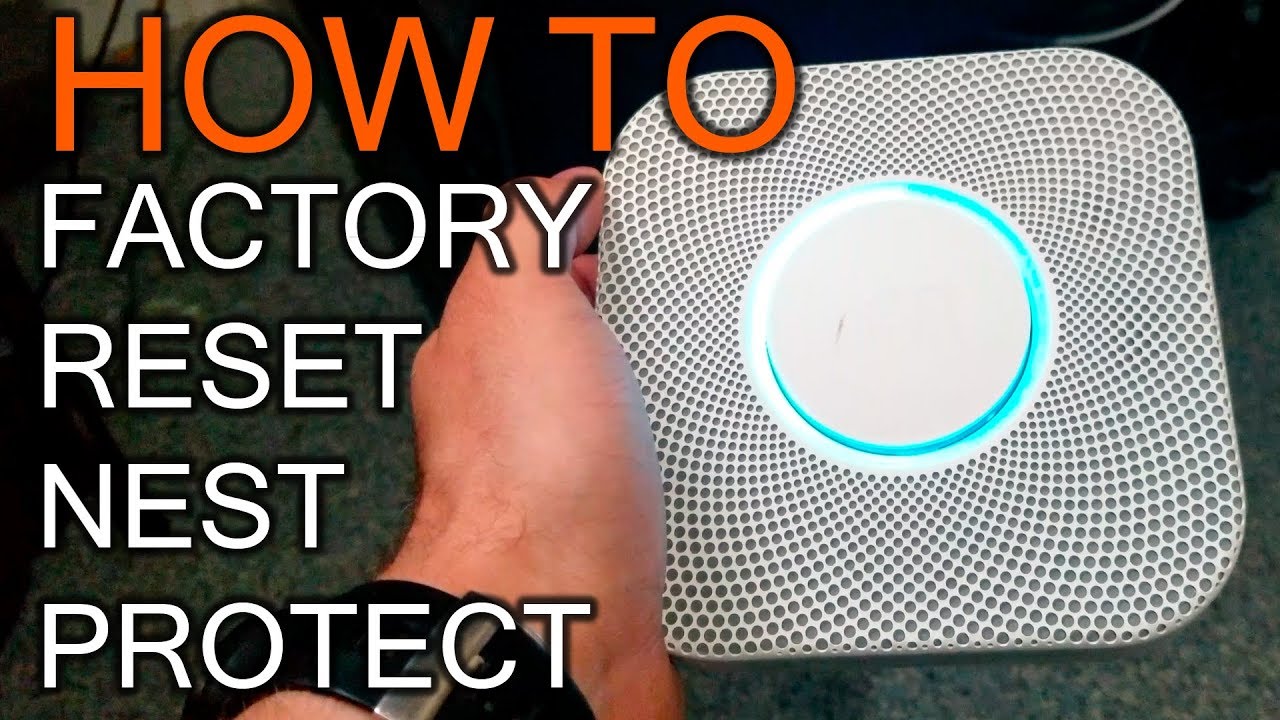
Resetting the Nest Smoke Detector helps fix issues like false alarms or connectivity problems. It clears errors and refreshes the device. A reset can improve performance and ensure safety. Understanding how to reset your detector is important. Follow these simple steps to reset your Nest Smoke Detector correctly.
Step-by-step Reset Process
First, press and hold the Nest button on the detector. Hold it for about 10 seconds until the light flashes yellow. The device will then start to reset. Wait for the light to turn green. This means the reset is complete. Release the button and let the detector restart. After rebooting, check if the issue is fixed.
Factory Reset Vs. Soft Reset
A soft reset restarts the device without deleting settings. Use this when the detector acts slow or disconnects. It keeps your Wi-Fi and account information. A factory reset erases all data and settings. Use this only if the soft reset does not help. You will need to set up the device again after a factory reset.
Troubleshooting Post-reset
Resetting your Nest smoke detector often solves many issues. After reset, some steps ensure it works well. Troubleshooting post-reset helps confirm the device is ready to protect your home again.
Reconnecting To Wi-fi
The Nest smoke detector needs a strong Wi-Fi connection. Without it, alerts and updates will not reach you. Check your phone or app for network status. Open the Nest app and follow instructions to reconnect. Make sure the Wi-Fi password is correct. Keep the detector close to the router during setup. A stable connection keeps your home safe.
Testing The Detector
Testing confirms the device detects smoke properly. Press and hold the test button on the detector. Listen for a loud alarm sound. A clear, strong beep means it works well. If the sound is weak or no alarm, try resetting again. Regular tests keep your family protected. Test once a month for best safety.
When To Contact Support
Sometimes problems persist after a reset. The device may not connect to Wi-Fi or sound the alarm. Or the app shows errors you can’t fix. Contact Nest support for expert help. They can guide you step-by-step. Use support if your detector shows a red light or constant beeping. Quick help ensures your smoke detector works properly.

Credit: support.google.com
Maintaining Your Nest Smoke Detector
Maintaining your Nest smoke detector is key for safety. A clean and well-powered device works better. It helps detect smoke quickly and alerts you on time. Regular care extends the life of your smoke detector. It also reduces false alarms that can be annoying. Keep your Nest smoke detector ready to protect your home.
Regular Cleaning Tips
Dust and dirt can block the smoke sensor. Clean the detector every few months. Use a soft brush or a vacuum cleaner with a brush tool. Gently remove dust from the vents and surface. Avoid using water or cleaning sprays on the detector. A clean detector senses smoke better and lasts longer.
Battery Replacement Schedule
Check your battery status regularly. Nest smoke detectors usually alert you when the battery is low. Replace batteries at least once a year for safety. Use the recommended battery type for your model. Always have spare batteries at home. A fresh battery ensures your detector works without interruption.
Credit: www.reddit.com
Frequently Asked Questions
How Do I Reset My Nest Smoke Detector?
To reset your Nest smoke detector, press and hold the button on the device for 10 seconds. The light will flash, indicating the reset is complete. This clears any alerts and restores factory settings.
Why Is My Nest Smoke Detector Not Resetting?
Your Nest smoke detector may not reset due to low battery or firmware issues. Replace the battery and check for software updates before attempting a reset again.
How Often Should I Reset My Nest Smoke Detector?
You should reset your Nest smoke detector only when troubleshooting errors or after replacing batteries. Frequent resets are unnecessary and may disrupt normal operation.
Can Resetting Nest Smoke Detector Fix False Alarms?
Yes, resetting your Nest smoke detector can help stop false alarms caused by system glitches or sensor errors. If alarms persist, check sensor placement or replace the unit.
Conclusion
Resetting your Nest smoke detector helps keep your home safe. Follow the steps carefully to avoid any mistakes. A quick reset clears false alarms and fixes errors fast. Test your detector after resetting to ensure it works well. Regular checks keep your device ready for any emergency.
Stay calm and handle the reset with patience. Your safety depends on a working smoke detector every day. Simple actions can protect your home and loved ones. Keep your Nest smoke detector in top shape for peace of mind.


