Have you ever wondered how your Ring Video Doorbell keeps running without constantly needing new batteries? Understanding how it gets power is key to making sure your doorbell stays reliable and ready to protect your home.
Whether you’re setting it up for the first time or troubleshooting why it’s not working, knowing where its energy comes from will give you peace of mind. Keep reading to discover the simple ways your Ring Video Doorbell stays powered and what you can do to keep it working smoothly every day.
Credit: www.ebay.com
Power Options For Ring Video Doorbell
The Ring Video Doorbell offers flexible power options to suit different home setups. It can run on battery, wired power, or solar energy. Each option has its own benefits and works well in various situations. Choosing the right power source helps keep your doorbell working smoothly without interruptions.
Battery Power
The battery power option makes installation easy. No wires are needed. The rechargeable battery lasts for months on a full charge. The doorbell sends alerts when the battery runs low. This option is perfect for homes without existing doorbell wiring or renters who cannot modify their doors.
Wired Power
Wired power connects the Ring Doorbell to your home’s existing doorbell wiring. It provides continuous power without the need to recharge. This setup works well for homes with traditional doorbells. It also allows the doorbell chime inside the house to ring when pressed. Installation may require some electrical work.
Solar Power Accessories
Solar power accessories offer an eco-friendly way to keep the Ring Doorbell charged. A solar panel attaches near the doorbell to capture sunlight. It provides a steady charge to the battery, reducing the need for manual recharging. This option suits homes with good sun exposure and those wanting a green energy solution.

Credit: www.youtube.com
Battery Power Details
The Ring Video Doorbell uses battery power to operate without wires. This makes installation easy. You can place it anywhere without needing electrical work. Understanding the battery details helps you keep your doorbell running smoothly.
The battery stores power and keeps the doorbell active. It sends alerts and streams video to your phone. Knowing how the battery works saves time and hassle.
Battery Life And Capacity
The Ring battery lasts about 6 to 12 months. This depends on usage and settings. Frequent motion alerts or live view use drain the battery faster. The battery capacity is around 3,750 mAh. This provides enough power for regular daily use. Cold weather can lower battery life too.
Charging Methods
You can charge the battery using a USB cable. It comes with a micro USB or USB-C charger. Remove the battery from the doorbell to charge. Connect it to a power source for a few hours. A full charge takes around 5 hours. Some models allow charging without removal, using a power adapter.
Replacing The Battery
The battery is removable and rechargeable. To replace it, open the doorbell’s front cover. Slide out the old battery carefully. Insert a new, fully charged battery. Make sure it clicks into place. Close the cover securely. Replacement batteries are sold by Ring or third parties.
Wired Power Setup
The Ring Video Doorbell can get power through a wired connection. This setup uses your home’s existing doorbell wiring. It keeps the doorbell charged without needing batteries. Wired power means the doorbell stays on all the time. It works well for busy homes or places with poor Wi-Fi.
Setting up wired power is simple. It involves connecting the Ring to your current doorbell wires. This connection sends constant power to the device. The process also ensures your doorbell rings like before. Let’s explore how this wired setup works.
Existing Doorbell Wiring Compatibility
Your home must have a traditional doorbell system. The Ring works with most low voltage doorbell wires. Typical wiring is 16 to 24 volts AC. Check your existing doorbell transformer for these specs. If you have no doorbell wiring, wired power setup is not possible. Some older homes may need an upgrade to support Ring.
Installation Steps
Turn off power at the breaker before starting. Remove your old doorbell button and disconnect wires. Attach the Ring mounting bracket to your doorframe. Connect your doorbell wires to the Ring terminals. Use the screws provided to secure the wires. Mount the Ring video doorbell onto the bracket. Turn power back on and test the connection. Follow the Ring app for final setup and Wi-Fi linking.
Voltage Requirements
The Ring doorbell needs a voltage between 16 and 24 volts AC. This level is standard in most home doorbell systems. Too low or too high voltage can damage the device. Use a multimeter to check your transformer’s output. If your voltage is outside this range, you may need a new transformer. Proper voltage ensures your Ring doorbell works smoothly and lasts longer.
Solar Power Integration
Solar power integration offers a smart way to keep your Ring Video Doorbell charged. It uses sunlight to power the device, reducing the need for frequent battery changes or wiring. Solar panels for Ring doorbells are designed to be easy and efficient.
Solar Panel Features
Solar panels for Ring doorbells are compact and lightweight. They come with weather-resistant materials for outdoor use. The panels connect directly to the doorbell’s battery. They convert sunlight into electrical energy to keep your doorbell running. Most panels include adjustable angles to catch more sun.
Installation Tips
Choose a spot that gets plenty of sunlight during the day. Avoid shaded areas or places blocked by trees or buildings. Mount the solar panel close to the doorbell for easy connection. Use the included screws or adhesive for secure installation. Check the panel angle and adjust to maximize sun exposure.
Benefits Of Solar Power
Solar power reduces battery charging needs. It offers a green, eco-friendly energy source. You save time and money by avoiding frequent battery replacements. Solar panels allow continuous power, keeping your doorbell active day and night. This integration supports a reliable and sustainable security system.
Power Management Tips
Managing the power of your Ring Video Doorbell is key to keeping it working well. Knowing how to save battery and fix power problems helps your device last longer. Small changes in settings also make a big difference in power use. Here are simple tips to manage power effectively.
Extending Battery Life
Charge the battery fully before first use. Keep the doorbell out of direct sun to avoid overheating. Turn off motion alerts during low activity times. Use the Ring app to check battery status often. Replace the battery if it no longer holds charge well.
Troubleshooting Power Issues
Check if the battery is inserted correctly. Clean the charging contacts to ensure good connection. Restart the device to fix minor errors. Update the Ring app and device firmware regularly. If power problems continue, contact Ring support for help.
Optimizing Settings For Power Efficiency
Lower the video recording quality to save battery. Set motion zones to limit unnecessary alerts. Disable live view notifications unless needed. Schedule motion alerts to active hours only. Use Wi-Fi with a strong signal to reduce power drain.

Credit: www.amazon.com
Safety Considerations
Powering the Ring Video Doorbell involves dealing with electrical parts. Safety is key to avoid damage or injury. Understanding safety rules helps protect you and your device.
Handling Electrical Components
Always turn off power before starting any installation. Use insulated tools to avoid electric shocks. Avoid touching wires with bare hands. Follow the manufacturer’s instructions carefully. If unsure, hire a qualified electrician for help.
Preventing Power Surges
Power surges can harm your Ring Doorbell. Use a surge protector to guard against sudden voltage spikes. Regularly check your home’s wiring for stability. Avoid connecting too many devices to the same circuit. Proper grounding can also reduce surge risks.
Weatherproofing And Durability
The Ring Doorbell faces rain, snow, and heat. Ensure the device has weatherproof seals and covers. Check for cracks or damage regularly. Use protective cases if needed to extend lifespan. Place the doorbell in a sheltered spot if possible.
Frequently Asked Questions
How Is The Ring Video Doorbell Powered?
Ring Video Doorbells are powered either by rechargeable batteries or wired directly to your existing doorbell system. Battery models require occasional charging, while wired models draw continuous power from your home’s electrical system for consistent operation.
Can I Use Existing Doorbell Wiring For Power?
Yes, most Ring Video Doorbells can connect to existing doorbell wiring. This provides a constant power supply, eliminating the need for battery charging and ensuring uninterrupted device functionality.
How Long Does The Ring Video Doorbell Battery Last?
The battery life varies by usage but typically lasts 6 to 12 months. Frequent motion alerts or live video streaming may reduce battery longevity, requiring more frequent recharging.
Does The Ring Video Doorbell Need A Transformer?
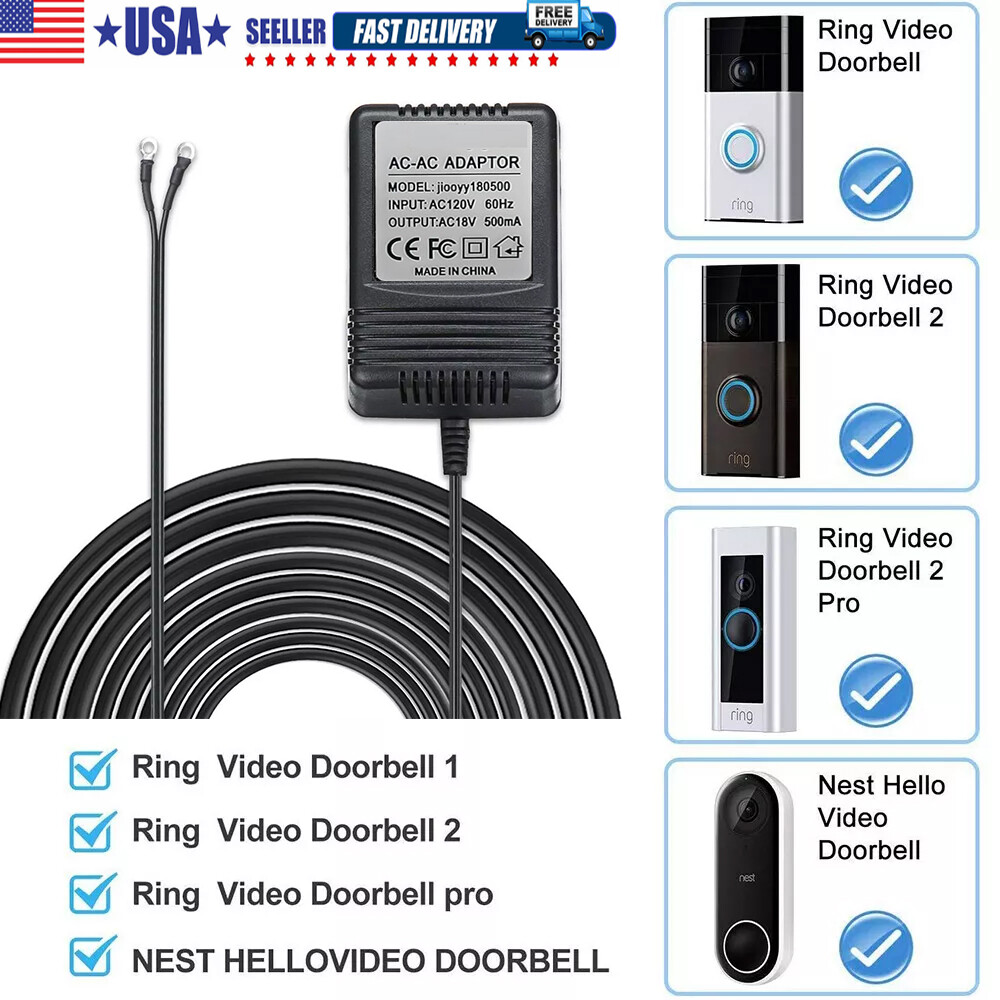
A transformer is needed when connecting the Ring Doorbell to wired power. It converts your home’s high voltage to a lower, safer voltage suitable for the device, usually between 8-24 volts AC.
Conclusion
The Ring Video Doorbell gets power in two main ways. It can use batteries or connect to existing doorbell wires. Battery power makes installation easier but needs recharging. Wired power offers continuous energy without charging worries. Knowing these options helps you choose what fits best.
A well-powered doorbell keeps your home safe and connected. Simple and clear power choices make Ring a handy device.