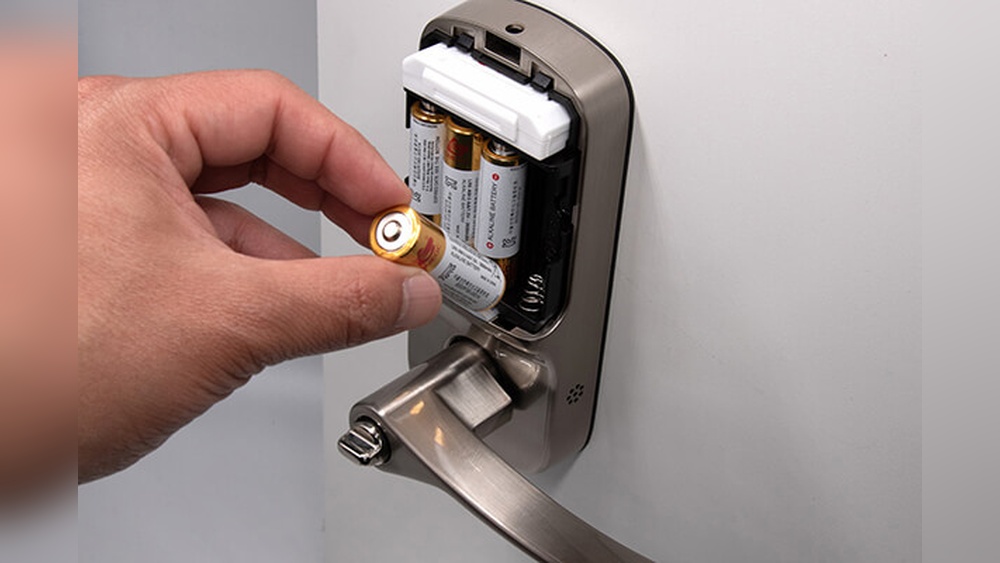

Is your smart door lock showing signs of low battery? You might be worried about getting locked out or dealing with a complicated replacement process.
Don’t worry—changing the batteries on your smart door lock is easier than you think. In this guide, you’ll discover simple, step-by-step instructions to keep your lock working smoothly. By the end, you’ll feel confident and ready to handle this quick fix yourself, saving time and avoiding stress.
Keep reading to learn how to keep your smart lock powered up and secure.
Credit: www.wyze.com
Signs Battery Needs Replacement
Knowing when to change the batteries in your smart door lock is important. Batteries that run low can cause problems and make your lock less secure. Paying attention to signs that the battery needs replacement can save you time and trouble.
Low Battery Alerts
Most smart locks show a low battery alert. This alert can be a blinking light or a message on your phone app. Some locks beep to warn you. These alerts help you prepare before the battery dies completely.
Lock Malfunction Symptoms
The lock may stop working properly with low battery power. It might not open or close smoothly. Sometimes the keypad stops responding. These issues often mean the battery is too weak to power the lock.
Reduced Response Time
Low battery can slow down the lock’s response. It may take longer to unlock or lock. Delays in response time show the battery is losing power. Replacing the battery will restore fast and reliable function.
Gathering Necessary Tools
Changing the batteries on a smart door lock requires some preparation. Gathering the right tools ensures a smooth and quick process. It helps avoid damage to the lock and keeps everything working well. Knowing what tools and batteries you need saves time and stress.
Types Of Batteries Used
Most smart door locks use AA or AAA batteries. Some models require lithium coin batteries. Check the lock’s manual to find the correct type. Using wrong batteries can cause malfunctions or damage. Choose fresh, high-quality batteries for best results.
Additional Tools You Might Need
A small screwdriver often helps open the battery compartment. Some locks need a flat or Phillips head screwdriver. A flashlight can be useful in dark areas. A clean cloth helps wipe the battery contacts. Having these tools ready makes the job easier and faster.
Preparing The Smart Lock
Before changing the batteries on your smart door lock, proper preparation is essential. This step helps avoid mistakes and keeps your lock safe during the process. Taking a moment to prepare ensures a smooth battery replacement without any issues.
Disabling Lock Functions
Start by turning off the lock’s active features. This stops the lock from reacting while you work. Some locks have a “vacation mode” or a temporary disable option. Use it to pause all electronic functions safely. This prevents accidental locking or unlocking during the battery change.
Ensuring Safety Precautions
Make sure your hands are dry and clean before touching the lock. Use a stable ladder or step stool if the lock is high. Avoid using sharp tools that might damage the lock or battery compartment. Keep the lock’s manual nearby for quick reference. These steps protect both you and the device.
Credit: www.wyze.com
Removing The Old Batteries
Removing the old batteries from your smart door lock is the first step in keeping it working well. This task is simple but needs care to avoid damage. Follow clear steps for a smooth process.
Accessing The Battery Compartment
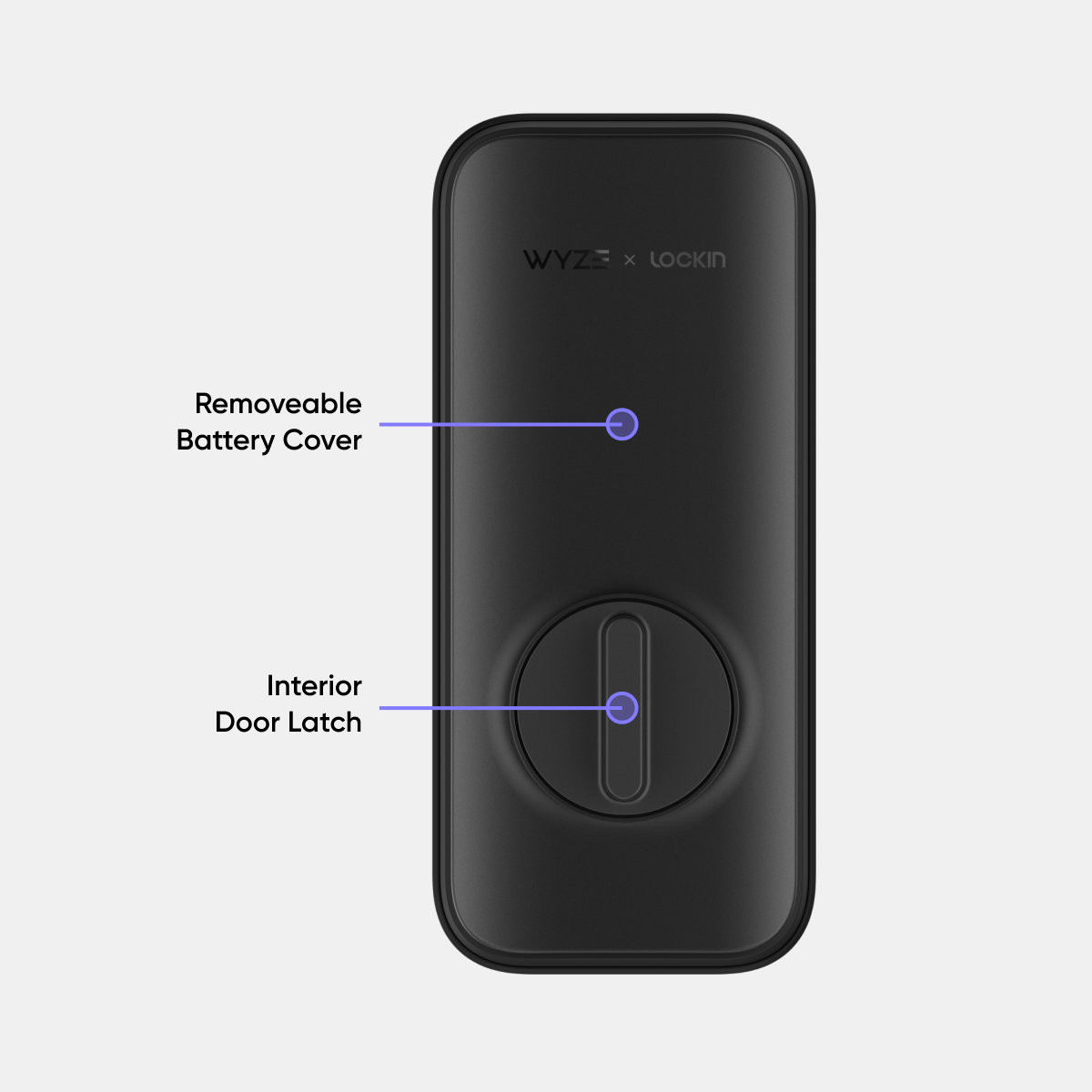
Start by locating the battery compartment on the lock. Usually, it is on the inside part of the lock. Look for a cover or panel that you can open. Some covers slide off, others need a small screwdriver. Use gentle force to avoid breaking the cover. Keep screws safe if you remove them. Make sure the lock is not active while you work on it.
Safely Taking Out Old Batteries
Once the compartment is open, remove the old batteries carefully. Note the position of each battery before removal. Use your fingers or a small tool to lift them out. Avoid using metal objects to prevent short circuits. Dispose of old batteries following local rules. Never mix old and new batteries when replacing. Clean the compartment if you see dirt or corrosion. This helps the new batteries last longer.
Installing New Batteries
Installing new batteries in your smart door lock is simple and quick. It keeps your lock working without interruptions. Follow the steps carefully to avoid any issues.
Correct Battery Placement
First, open the battery compartment on your smart lock. Place the batteries exactly where the old ones were. Most smart locks use AA or AAA batteries. Insert each battery into its slot. Make sure they fit snugly without forcing.
Checking Battery Orientation
Check the plus (+) and minus (-) signs inside the battery compartment. Align the battery ends with these signs. The positive end matches the plus symbol, and the negative end matches the minus symbol. Incorrect placement stops the lock from working. Double-check each battery before closing the cover.
Testing The Lock After Replacement
After changing the batteries in your smart door lock, testing the lock is a key step. This ensures the lock works properly and keeps your home secure. Skipping this step might cause the lock to fail unexpectedly.
Testing helps confirm the lock responds to commands. It also lets you catch any issues early. Follow the steps below to check your lock and reset any battery alerts.
Verifying Lock Operation
Start by locking and unlocking the door using the keypad or app. Listen for smooth sounds and check for any delays. Try different methods like fingerprint, code, or remote access.
Make sure the lock opens and closes fully. Test the lock multiple times to be sure. If it hesitates or fails, check the battery placement or contact support.
Resetting Battery Alerts
Most smart locks show a low battery warning. After replacement, reset this alert to avoid false alarms. Look for a reset button or option in the lock’s app.
Follow the manufacturer’s instructions to clear the warning. This step stops the lock from sending battery alerts. Now your lock is ready for use without interruptions.
Tips For Battery Maintenance
Keeping your smart door lock’s battery in good shape saves money and avoids lockouts. Simple habits help batteries last longer. Proper care keeps your lock working smoothly and securely.
Extending Battery Life
Turn off unnecessary features like automatic locking if not needed. Use the lock regularly to keep the battery active. Avoid exposing the lock to extreme temperatures. Check the battery status often to catch problems early.
Choosing Quality Batteries
Pick high-quality alkaline or lithium batteries for better performance. Avoid cheap or old batteries that may leak or drain fast. Store spare batteries in a cool, dry place. Replace all batteries at the same time for balanced power.

Credit: cnyglock.com
Frequently Asked Questions
How Do I Know When To Change Smart Lock Batteries?
Most smart locks alert you with a low battery warning. Some models show notifications on your phone. Regularly check the lock’s battery status to avoid lockouts. Changing batteries promptly ensures your smart lock functions reliably and maintains security.
What Type Of Batteries Do Smart Door Locks Use?
Smart door locks commonly use AA or AAA alkaline batteries. Some models require lithium or rechargeable batteries. Always check the manufacturer’s instructions for the correct battery type. Using the right batteries ensures optimal lock performance and longevity.
Can I Change Smart Lock Batteries Without A Key?
Yes, most smart locks allow battery changes without a key. Typically, you remove a cover or panel on the lock. Some models have external battery compartments accessible without unlocking. Follow the lock’s manual for specific battery replacement steps.
How Often Should I Replace Smart Lock Batteries?
Battery replacement frequency varies by lock usage and battery type. Generally, replace batteries every 6 to 12 months. Heavy use or extreme temperatures may shorten battery life. Regular battery maintenance prevents lock failure and keeps your home secure.
Conclusion
Changing the batteries in your smart door lock keeps it working well. Regular checks help avoid sudden lockouts. Use the right batteries for best results. Follow the steps carefully to ensure safety and proper function. This simple task saves time and stress later.
Keep your home secure by staying on top of battery changes. Easy to do, important to remember. Your smart lock will serve you better with fresh batteries.