
Imagine coming home after a long day and finding your smart door lock won’t open. Frustrating, right?
You rely on your smart lock for security and convenience, but what happens when it doesn’t work as expected? You might feel stuck, worried, or unsure about what to do next. This guide will show you exactly how to unlock your smart door lock quickly and safely.
Whether you’ve forgotten your code, your phone battery died, or the lock is acting up, you’ll learn simple steps to regain access without stress. Keep reading—you’ll be glad you did when you need it most.
Types Of Smart Door Locks
Smart door locks offer many ways to secure your home. Each type uses different technology to keep you safe. Understanding the main types helps you pick the best one for your needs.
Keypad Locks
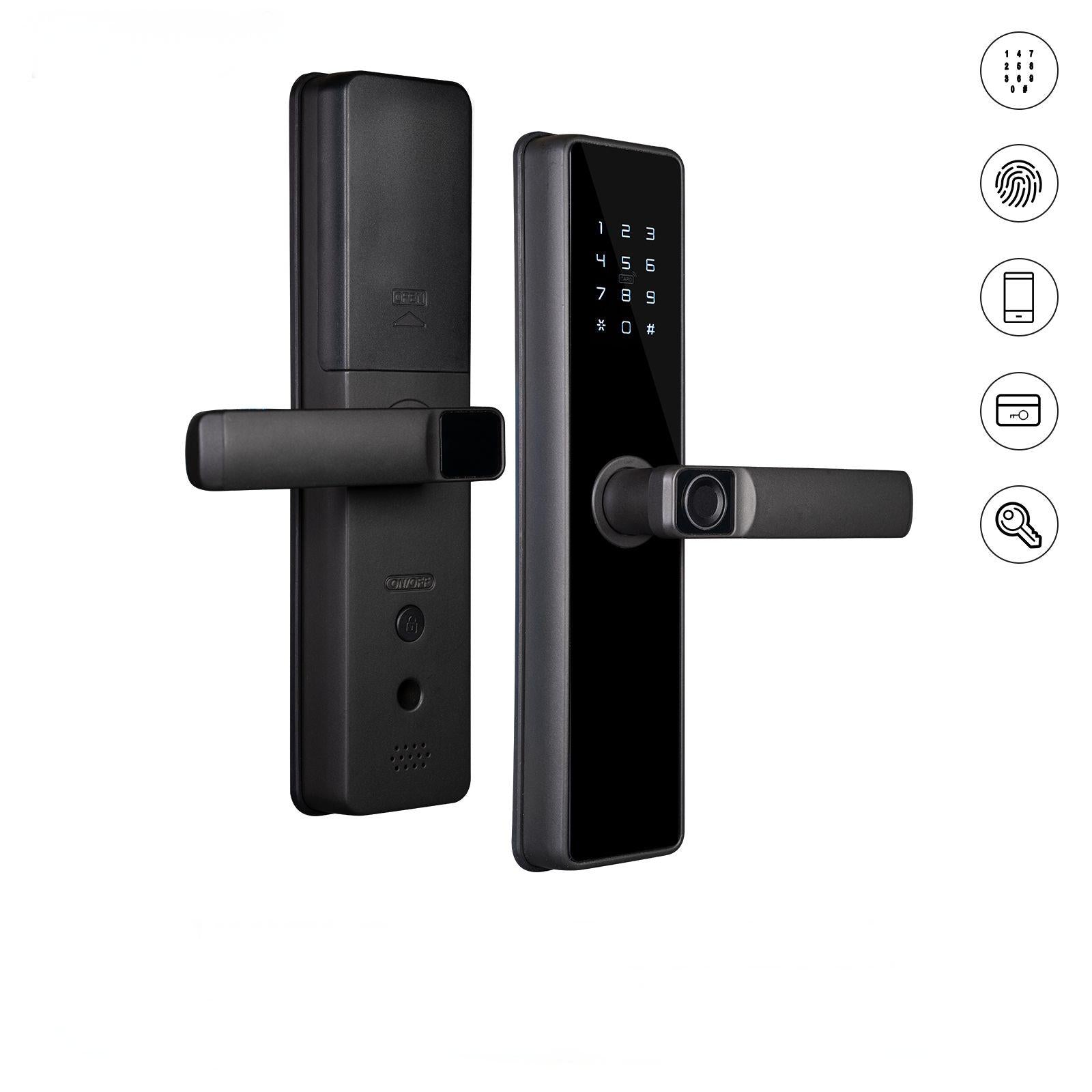
Keypad locks open with a code you enter on a number pad. No keys are needed. You can change the code anytime for better security. These locks are easy to use and affordable.
Biometric Locks
Biometric locks use your fingerprint or face to unlock the door. This adds strong protection. Only registered users can enter. These locks provide quick and secure access.
Bluetooth And Wi-fi Locks
Bluetooth and Wi-Fi locks connect to your phone or smart device. You can lock or unlock from anywhere. Some models send alerts if someone tries to break in. They often include guest access features.
Preparing To Unlock Your Smart Lock
Preparing to unlock your smart door lock is an important first step. It helps avoid problems and saves time. Taking a few simple actions before trying to open the door makes the process smooth. Here are key things to check before you start.
Checking Battery Levels
Your smart lock runs on batteries. Low battery power can stop it from working. Check the battery status on your lock’s app or display. Replace batteries if they are weak. This keeps your lock active and ready.
Ensuring Network Connectivity
Most smart locks connect through Wi-Fi or Bluetooth. A stable connection is needed for the lock to respond. Check your phone’s signal strength near the door. Make sure the lock is connected to your home network. Fix any network issues before trying to open the lock.
Gathering Required Access Tools
Some locks need extra tools like a key card or an app. Have these tools ready before you approach the door. Keep your smartphone charged and with the app installed. If your lock uses a physical key backup, keep it nearby. This helps you open the door fast without trouble.
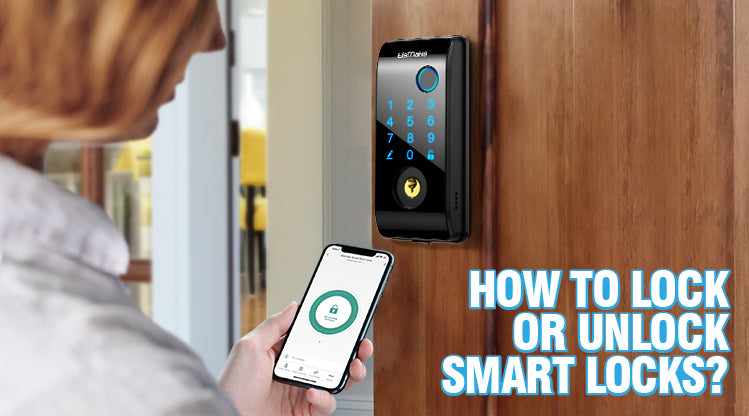
Unlocking Via Mobile App
Using a mobile app to open your smart door lock is quick and easy. It lets you control your lock from anywhere. You do not need a physical key. Just your smartphone and the app are enough.
The app connects directly to the lock through Bluetooth or Wi-Fi. You can open the door with a tap on your phone. It also shows who entered and when. This method adds convenience and safety to your home.
Connecting To The Lock
First, download the lock’s official app from your app store. Open the app and create an account. Follow the instructions to pair your phone with the lock. Usually, you need to turn on Bluetooth or Wi-Fi. The app will search for the lock nearby. Select your lock and enter the setup code from the manual or label. Wait for the app to confirm the connection. Now, your phone and lock are linked.
Using Temporary Access Codes
The app lets you create temporary codes for guests. These codes work for a set time or number of uses. Go to the access code section in the app. Choose the type of code and set the time limits. Share the code with your visitor via text or email. They can enter the code on the lock keypad to get in. This feature is great for friends, cleaners, or delivery people.
Troubleshooting App Issues
Sometimes, the app may not connect to the lock. Check if your phone’s Bluetooth or Wi-Fi is on. Make sure the lock has fresh batteries. Restart the app and your phone if needed. Update the app to the latest version. If problems persist, reset the lock and pair it again. Contact customer support for help if nothing works. Staying calm helps solve most issues quickly.
Credit: elemakelocks.com
Manual Unlocking Methods
Smart door locks offer great convenience, but sometimes manual access is needed. Knowing manual unlocking methods helps in power failures or technical issues. These methods ensure access without relying on electronic systems.
Using Physical Keys
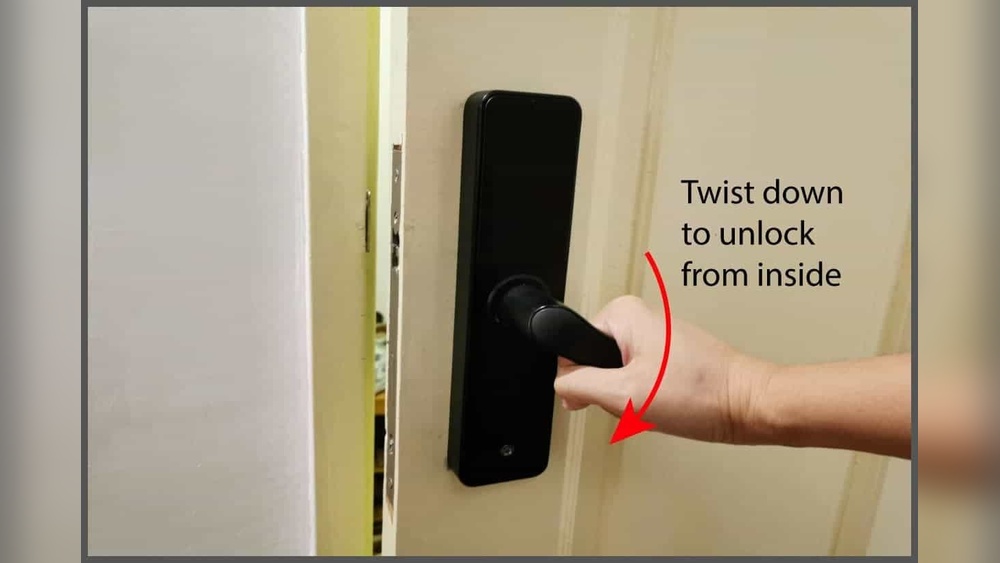
Many smart locks come with a physical key option. This key fits a hidden keyhole on the lock. Insert the key and turn it to open the door. Keep the key in a safe place for emergencies. Physical keys provide a simple backup for electronic failures.
Resetting The Lock
Resetting the lock restores it to factory settings. This clears user codes and settings. Find the reset button on the lock’s interior. Press and hold the button for several seconds. Follow the manufacturer’s instructions to complete the reset. Use this method only if other options fail.
Emergency Power Options
Some smart locks have emergency power ports. These allow temporary power with a 9V battery. Connect the battery to the port to power the lock. This lets you enter your code or use the touchscreen. Emergency power options save you from lockouts due to dead batteries.
Security Tips For Smart Locks
Smart door locks offer great convenience but need strong security. Protecting your smart lock keeps your home safe. Follow these simple tips to improve your lock’s security. Small steps make a big difference.
These tips help prevent unauthorized access and keep your lock working well.
Updating Firmware Regularly
Smart locks run on software called firmware. Manufacturers release updates to fix bugs and improve security. Check for updates often. Install them as soon as possible. Updated firmware protects against new threats and glitches.
Managing User Access
Smart locks allow multiple users with different codes or keys. Only give access to trusted people. Remove access immediately when no longer needed. Use unique codes for each user. This helps track who opens the door and when.
Avoiding Common Security Risks
Choose strong, unique passwords for the lock’s app. Do not share passwords with others. Avoid using public Wi-Fi when controlling your lock remotely. Turn off features you do not use. These steps reduce chances of hacking or interference.
Credit: moeshouse.com

Credit: www.amazon.com
Frequently Asked Questions
How Do I Unlock A Smart Door Lock Without A Smartphone?
You can unlock some smart locks using a physical key, keypad code, or fingerprint. Check your lock’s manual for alternative methods. Many models offer backup options for smartphone-free access.
Can I Unlock A Smart Door Lock Remotely?
Yes, if your smart lock connects to Wi-Fi or a hub, you can unlock it remotely. Use the manufacturer’s app to control access from anywhere safely.
What Should I Do If My Smart Lock Battery Dies?
Replace the batteries immediately to restore function. Some locks allow temporary power via a USB port or physical key during battery failure.
How Secure Are Smart Door Locks Compared To Traditional Locks?
Smart locks offer advanced security features like encryption and alerts. However, they depend on software and power, so maintain updates and backups for best protection.
Conclusion
Smart door locks offer easy and secure home access. Follow simple steps to use them correctly. Always keep your access codes safe and private. Regularly check the lock to ensure it works well. Remember, technology helps but your care matters most.
Stay aware of updates for your smart lock. This keeps your home safe and convenient. Enjoy the blend of security and ease every day.