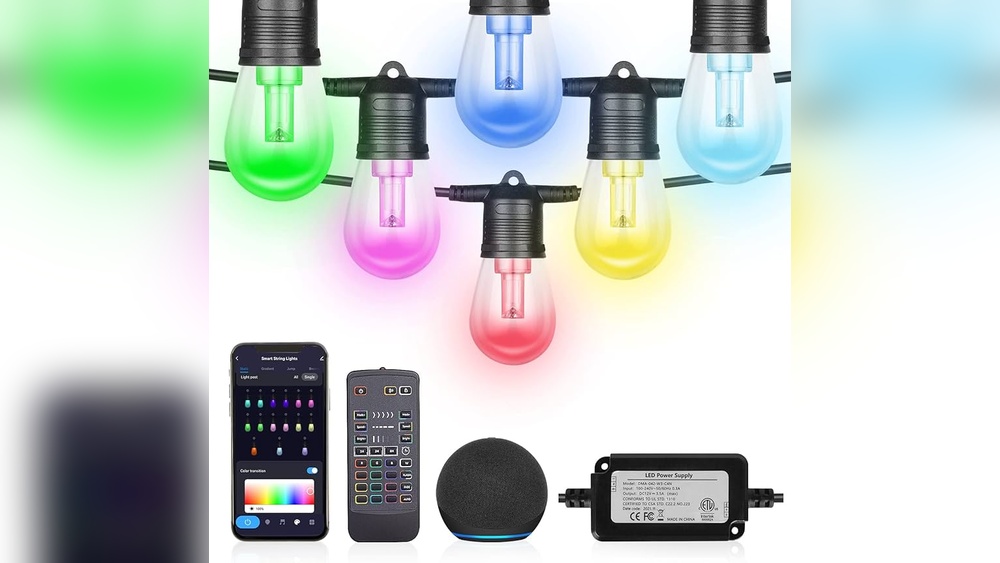

Have you ever wanted to control your string LED lights right from your phone? Imagine changing colors, brightness, and patterns with just a few taps.
It’s easier than you think, and you don’t need to be a tech expert. In this guide, you’ll learn step-by-step how to program your string LED lights to work with your phone remote. By the end, you’ll have full control over your lighting, making your space more vibrant and personalized.
Keep reading, and you’ll be amazed at how simple and fun this can be!
Choosing The Right Led String Lights
Choosing the right LED string lights is important for programming them to a phone remote. The type of lights and their compatibility with remotes affect your control options. Pick lights that suit your needs and work well with your device.
Types Of Led String Lights
LED string lights come in many styles. Some have fixed colors, while others change colors. Some strings offer simple on/off functions. Others allow brightness and pattern adjustments. Choose between battery-powered or plug-in lights. Each type fits different uses and programming options.
Compatibility With Remote Controls
Not all LED string lights work with phone remotes. Check if the lights support remote control features. Some lights connect through Wi-Fi or Bluetooth. Others use infrared remotes that phones cannot mimic. Ensure your phone remote app matches the light’s technology. This guarantees smooth programming and control.
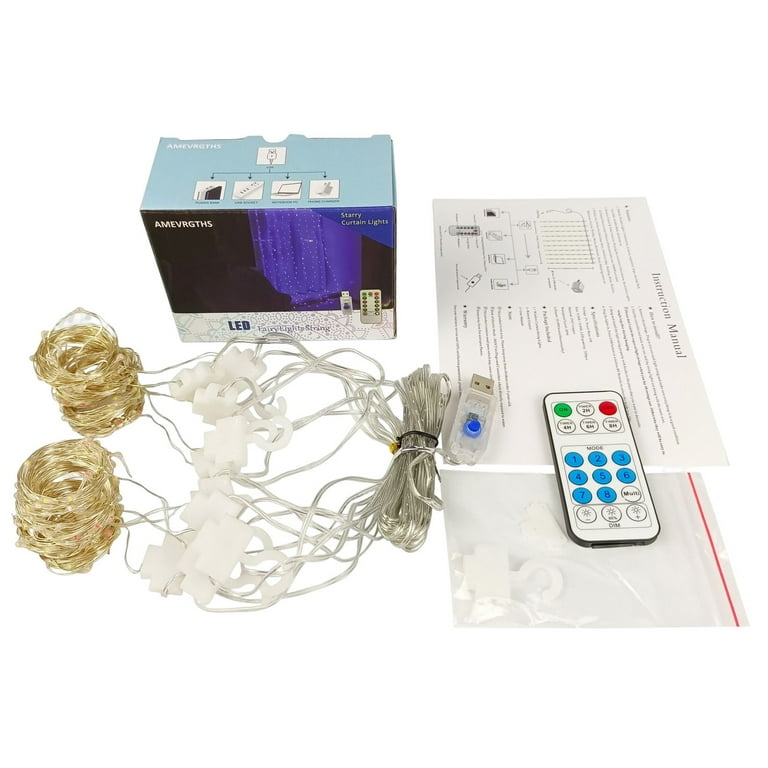
Credit: www.walmart.com
Gathering Necessary Tools And Materials
Gathering the right tools and materials is the first step to program string LED lights with a phone remote. Having everything ready saves time and avoids frustration. This section lists the essential items and some extras that might help your project.
Essential Tools For Programming
You need a smartphone with remote control app support. A compatible string LED light strip is also required. A microcontroller, like an Arduino or ESP8266, helps connect the lights to the phone. A USB cable to connect the microcontroller to your computer is necessary. A computer with programming software installed is important to write and upload code. Basic tools like wire cutters, a screwdriver, and a soldering iron may be needed for setup.
Additional Components You Might Need
Some projects require a power supply to keep the LED lights running. A breadboard can help test connections before final assembly. Jumper wires make linking components easier without soldering. Resistors and transistors might be necessary for controlling current and protecting parts. A Wi-Fi module can improve remote control range and reliability. Check your specific LED light and controller model to find all needed extras.
Connecting The Led Lights To The Controller
Connecting the LED lights to the controller is the first step in programming string LED lights to a phone remote. This connection allows the controller to send signals to the lights. Proper wiring ensures the lights respond correctly to your commands.
Handling the wires carefully prevents damage and electrical issues. A good connection keeps your LED lights working smoothly. Understanding basic wiring and securing all connections is important for a successful setup.
Wiring Basics
Start by identifying the wires on your LED string. Usually, there is a power wire, a ground wire, and a data wire. Connect each wire to the matching terminal on the controller. The power wire goes to the positive terminal. The ground wire connects to the negative terminal.
The data wire transmits signals from the controller to the LED lights. Make sure to follow the controller’s instructions for wiring. Incorrect connections can cause the lights to flicker or not work at all.
Ensuring Secure Connections
Loose wires cause poor performance or disconnection. Use wire strippers to remove small sections of insulation. This exposes the metal wire for a strong connection. Twist the wires tightly before attaching them to the controller.
Use electrical tape or wire connectors to hold wires in place. Double-check that all connections are firm and stable. Avoid touching exposed wires during setup to prevent shorts or shocks.
Setting Up The Remote Control
Setting up the remote control is a key step to manage your string LED lights easily. This process lets your phone send commands to the lights using the remote. Follow the steps carefully to connect the remote to the LED controller. This connection makes controlling colors, brightness, and effects simple and quick.
Pairing The Remote With The Controller
First, power on your LED string lights and the controller. Hold the remote close to the controller for best results. Press the pairing button on the controller once. Then, press any button on the remote. The lights will blink or change color to show the connection is successful. If no response occurs, repeat the steps slowly. Pairing ensures your remote and controller work together without interference.
Testing Remote Functions
After pairing, test each button on the remote. Check if the lights change colors when you press color buttons. Test brightness controls by increasing and decreasing light intensity. Try special effects like flashing or fading. Confirm the power button turns the lights on and off. If any button does not work, try pairing again. Proper testing guarantees smooth control of your LED lights.
Programming The Led Light Settings
Programming the LED light settings lets you control how your string lights look and feel. You can change brightness, colors, and patterns to match any mood or event. The phone remote makes this easy and fun. With a few taps, your lights can transform any space.
Adjusting Brightness And Colors
Start by opening the app on your phone. Find the brightness slider to make lights dimmer or brighter. Slide left to lower brightness, right to increase it. Next, choose colors from the palette. Tap any color to apply it instantly. Mix colors for unique effects. This control helps set the perfect lighting for any time of day.
Creating Custom Light Patterns
Custom patterns add personality to your string lights. Use the pattern tool in the app to design sequences. Pick flashing, fading, or chasing effects. Adjust speed to slow or fast. Save your favorite patterns for quick use. This feature makes your lights more lively and exciting.

Credit: us.amazon.com
Using Your Phone As A Remote
Using your phone as a remote makes controlling string LED lights easy and fun. It lets you change colors, adjust brightness, and set patterns without moving. This method saves time and adds convenience to your lighting setup. Many LED light controllers support phone apps for remote control. You just need to connect your phone to the LED controller and use the right app. Below are steps to help you get started.
Selecting Compatible Apps
Choose an app that works with your LED string light model. Many LED controllers have their own official apps. Search for the brand or model in your phone’s app store. Look for apps with good ratings and recent updates. Some apps support Bluetooth, while others use Wi-Fi. Pick the one that matches your controller’s connection type. Avoid apps with confusing interfaces. Pick simple, easy-to-use apps for better control.
Connecting Phone To Led Controller
Turn on your LED string lights and the controller. Enable Bluetooth or Wi-Fi on your phone, depending on the controller type. Open the chosen app and follow its connection instructions. Usually, the app scans for nearby devices. Select your LED controller from the list shown. Wait a few seconds for the phone to pair with the controller. Once connected, test the connection by changing light colors. If it does not connect, restart both devices and try again.
Troubleshooting Common Issues
Troubleshooting common issues helps keep your string LED lights working well. Small problems can stop your lights from responding or changing colors. Understanding simple fixes can save time and frustration. Here are solutions to two frequent problems you might face.
Remote Not Responding
Check the remote’s batteries first. Old or weak batteries often cause no response. Replace with fresh batteries and try again.
Make sure the remote points directly at the LED receiver. Blocked signals will stop the remote from working.
Reset the remote by removing batteries and pressing buttons for 10 seconds. Then, reinstall batteries and test.
Ensure the LED lights are plugged in and powered on. No power means no response.
Led Lights Not Changing Colors
Verify the remote is set to color mode. Sometimes it stays on brightness or timer mode.
Check the connection between the LED strip and the controller. Loose wires can cause color issues.
Try resetting the LED controller by unplugging it for 30 seconds and plugging it back in.
Make sure the LED strip is compatible with your remote. Some remotes only work with specific models.
Tips For Maintaining Your Led String Lights
Proper care helps your LED string lights last longer and work better. Small efforts keep them bright and safe to use. Follow simple tips to maintain your lights and enjoy their glow every season.
Regular Cleaning
Dust and dirt reduce light brightness. Clean your LED string lights often to keep them shining. Use a soft cloth or a gentle brush. Avoid water or harsh chemicals that can damage wires.
Turn off the lights and unplug before cleaning. This prevents electric shock and protects the bulbs. Let lights dry completely if you use a damp cloth. Regular cleaning stops buildup and keeps your lights safe.
Safe Storage Practices
Store your LED string lights carefully after use. Wrap them loosely to avoid tangling or breaking wires. Use a spool or a piece of cardboard to keep them neat.
Keep lights in a cool, dry place away from direct sunlight. Moisture and heat can damage the bulbs and wires. Use a box or plastic container to protect them from dust and pests.
Proper storage saves time and prevents damage next season. Your lights stay ready to shine without hassle.
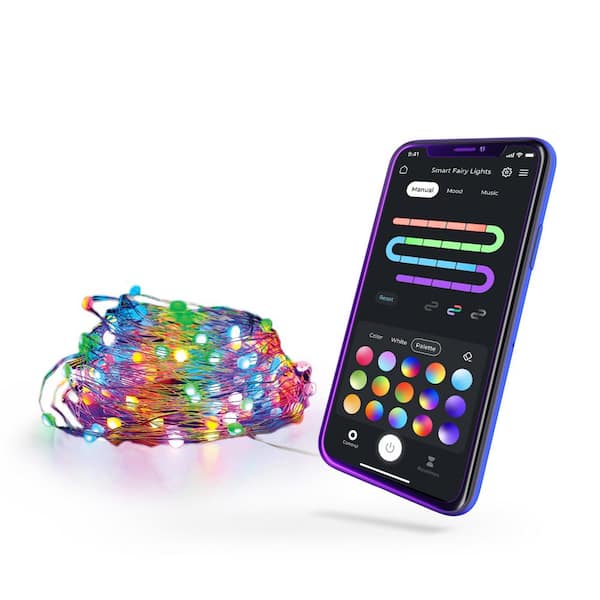
Credit: www.homedepot.com
Frequently Asked Questions
How Do I Connect String Led Lights To A Phone Remote?
First, ensure your LED lights support remote control. Download the compatible app, pair your phone via Bluetooth or Wi-Fi, and follow the app’s instructions to link the lights to your phone remote for seamless control.
What App Is Needed To Program Led String Lights?
Most LED string lights use specific apps like Magic Home or Tuya Smart. Check your product manual for the recommended app. Download it from the App Store or Google Play to program and control your lights easily.
Can I Customize Colors And Patterns With A Phone Remote?
Yes, phone remotes allow full customization. You can change colors, adjust brightness, and select different lighting patterns. The app interface makes it simple to create personalized lighting moods and effects for your string LED lights.
Is Bluetooth Or Wi-fi Better For Led Light Control?
Wi-Fi offers greater range and more stable connections, ideal for multiple light setups. Bluetooth is easier to set up and works well for single rooms. Choose based on your home network and control needs.
Conclusion
Programming string LED lights to a phone remote is simple and fun. Follow each step carefully and test your setup often. Using the right app and settings helps control your lights easily. You can change colors, brightness, and patterns anytime you want.
This project adds style and convenience to your space. Practice a few times to feel confident. Soon, controlling your LED lights will become second nature. Enjoy the bright and colorful results you create!