

Have you ever wondered how your Ring Video Wireless Doorbell actually works to keep your home safe? Imagine being able to see and talk to anyone at your door, no matter where you are.
This smart device does more than just ring—it gives you control, security, and peace of mind right from your phone. You’ll discover the simple technology behind the Ring Video Wireless Doorbell and how it makes your life easier and safer every day.
Keep reading, and you’ll soon know exactly how this powerful tool works for you.
Ring Video Doorbell Basics
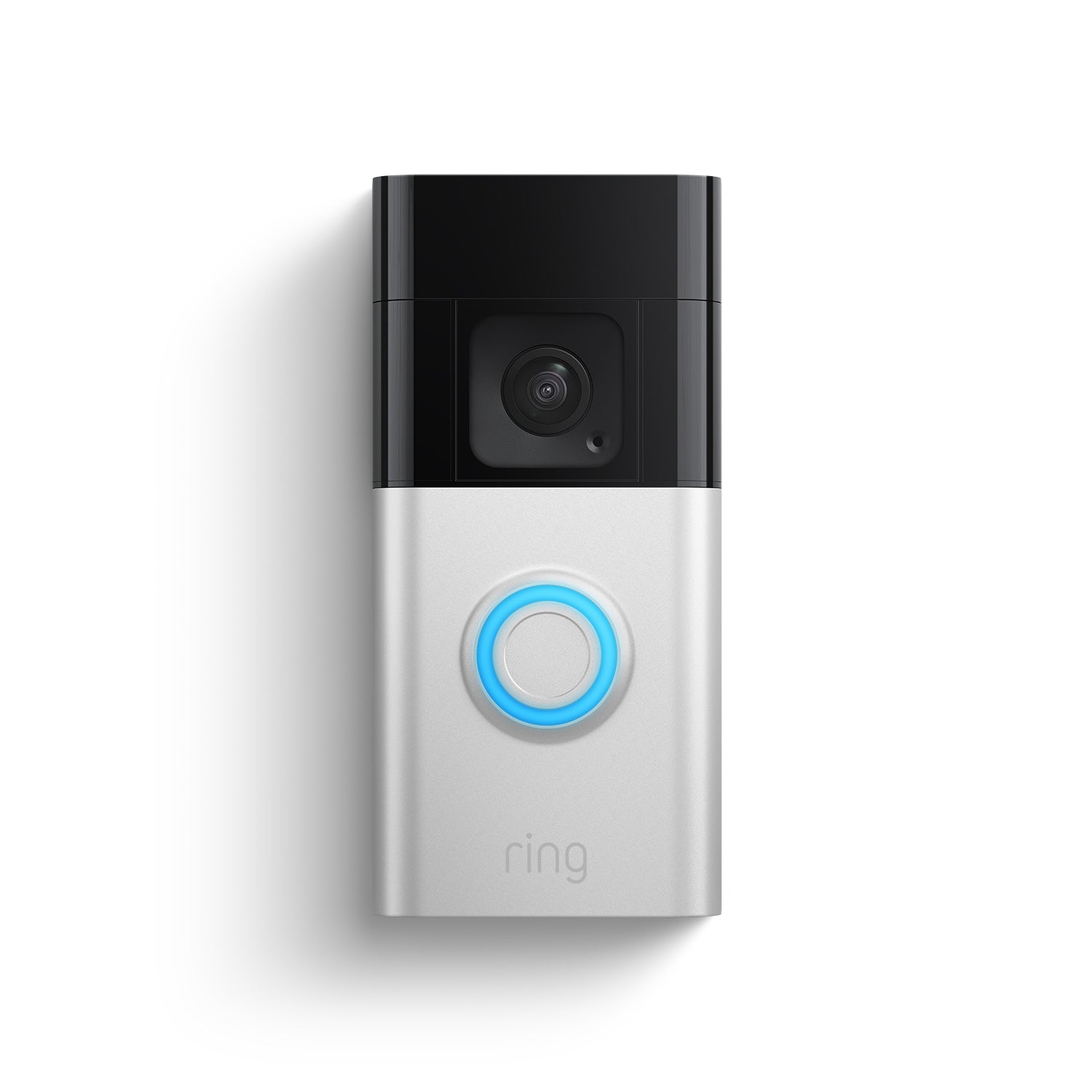
The Ring Video Doorbell is a smart device that helps you see who is at your door. It works like a regular doorbell but with added features. You can watch live video on your phone anytime. It also records motion and sound near your door.
This doorbell connects to your home Wi-Fi. It sends alerts to your phone when someone rings or moves in front of it. You can also talk to visitors through the built-in speaker and microphone. This makes it easy to communicate without opening the door.
Key Features
The Ring Video Doorbell has a camera that records in HD. It shows clear video even at night with infrared lights. The doorbell has motion sensors that detect movement near your door.
Two-way audio lets you hear and speak to visitors. You can also save video clips to review later. The device works with Alexa and other smart home systems for easy control.
Wireless Technology
The doorbell uses Wi-Fi to connect to your phone and the internet. It does not need wires for power if you use a rechargeable battery. This makes installation simple and flexible.
Wireless technology also allows you to receive alerts anywhere. You can check your door from work, school, or while traveling. The connection is secure to protect your privacy.
Installation Process
The installation process of the Ring Video Wireless Doorbell is simple. Anyone can do it with basic tools and clear instructions. This section breaks down the key steps to help you install your doorbell easily.
Choosing The Right Location
Select a spot near your front door with good Wi-Fi signal. The doorbell should be at eye level for better camera view. Avoid places with direct sunlight or heavy rain exposure. Make sure the doorbell covers the main entry point clearly.
Step-by-step Setup
Start by downloading the Ring app on your smartphone. Follow the app instructions to create an account and connect the doorbell to Wi-Fi. Mount the bracket on the chosen spot using screws or adhesive strips. Attach the doorbell to the bracket until it clicks in place. Test the video and audio through the app before finishing.
Power Options
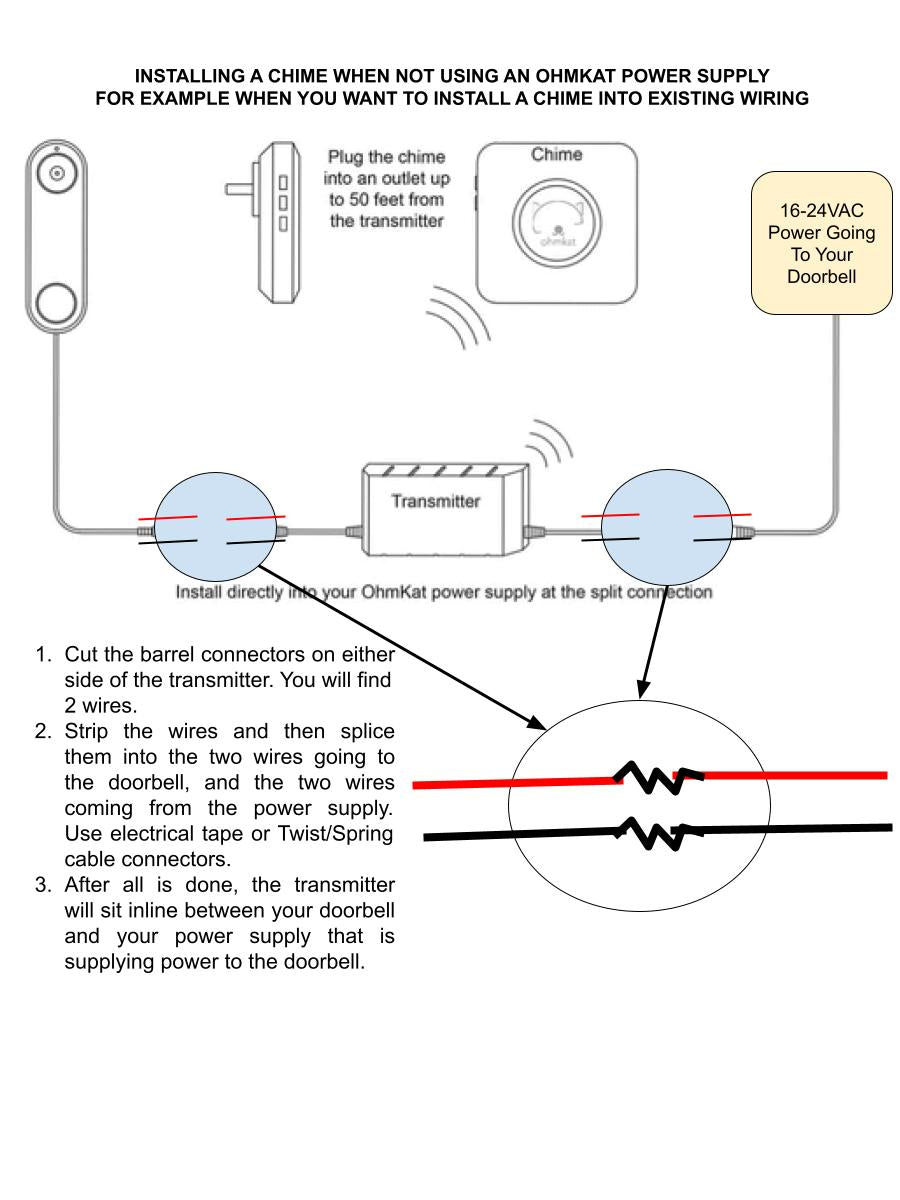
The doorbell works on a rechargeable battery or connects to existing doorbell wiring. Battery power offers easy installation and flexibility in placement. Wired power provides continuous energy without recharging. Choose the power option that fits your home and needs best.
How Motion Detection Works
The Ring Video Wireless Doorbell uses motion detection to alert you about activity near your door. It senses movement using built-in sensors. When something moves, the doorbell sends a notification to your phone. This lets you see and speak to visitors instantly through the app.
Motion detection works by capturing changes in heat and movement. The device constantly monitors the area in front of it. Once motion is detected, it starts recording video. This helps you keep track of any visitors or unexpected activity.
Adjusting Sensitivity
You can change how sensitive the motion sensor is. Increasing sensitivity makes the device react to small movements. Lowering it reduces alerts from minor motion like leaves or pets. Adjusting sensitivity helps avoid too many false alerts. It ensures you only get notified about important movement.
Customizing Motion Zones
The Ring app allows you to create specific motion zones. These zones focus the sensor on certain parts of the camera’s view. You can block areas like busy streets or sidewalks. This stops alerts caused by unrelated motion outside your property. Custom zones help you get alerts only from key areas near your door.

Credit: www.esseg.eu
Video And Audio Capabilities
The Ring Video Wireless Doorbell offers strong video and audio features. These features help you see and talk to visitors clearly. They work together to keep your home safe and connected.
Camera Quality
The doorbell uses a high-definition camera. It captures clear video with good detail. The wide-angle lens shows a broad view of your doorstep. Night vision lets you see visitors in the dark. The camera adjusts to different lighting for sharp images.
Two-way Audio Function
This feature lets you hear and speak through the doorbell. A built-in microphone picks up sounds from outside. The speaker lets you talk to visitors from your phone. It helps you answer the door without opening it. Noise cancellation reduces background sounds for clear talk.
Connectivity And App Integration
The Ring Video Wireless Doorbell connects to your home network to send live video and alerts. It works closely with the Ring app to give you control and updates. This connection lets you see visitors from anywhere using your smartphone.
Easy app integration is key for quick access to your doorbell’s features. The app helps you manage settings, view recordings, and respond to visitors instantly. This system keeps you connected and aware at all times.
Wi-fi Requirements
The doorbell needs a stable Wi-Fi connection to work properly. It connects to your home’s 2.4 GHz or 5 GHz network. The signal must reach the doorbell for smooth video streaming and alerts.
Weak Wi-Fi causes delays or dropped video. Place your router near the doorbell or use a Wi-Fi extender. This ensures clear video and fast notifications.
Using The Ring App
The Ring app is the main tool to control the doorbell. It works on smartphones and tablets. After setup, the app lets you see live video and talk to visitors.
You can adjust settings like motion detection and privacy zones. The app stores video clips for review. It also allows sharing access with family members or friends.
Notifications And Alerts
The doorbell sends instant alerts to your phone when it detects motion or rings. These notifications keep you informed even if you are far from home. You can answer the door or check the video live.
Alerts include sound and vibration. You can customize them in the app. This helps you respond quickly and stay safe.
Credit: ring.com
Security And Privacy Features
The Ring Video Wireless Doorbell offers strong security and privacy features. These help keep your home safe and your information private. The device uses smart technology to protect your data and control who can access your video feed. Let’s explore the key features that make this possible.
Data Encryption
Ring uses data encryption to protect your video and audio streams. This means your information is scrambled during transmission. Only authorized devices can decode and view the content. Encryption stops hackers from intercepting your video or personal data. It works quietly in the background, securing every recorded moment.
User Access Controls
The doorbell allows you to control who sees your video feed. You can create multiple user accounts with different access levels. Family members can receive alerts and watch live video. You can limit access for guests or disable accounts easily. These controls help prevent unwanted viewers and keep your privacy intact.
Troubleshooting Common Issues
Troubleshooting common issues with your Ring Video Wireless Doorbell helps keep it working well. Problems may happen with connectivity or power. Knowing how to fix these can save time and frustration.
Connectivity Problems
Connection issues often cause your doorbell to stop working properly. Check your Wi-Fi signal strength near the doorbell. A weak signal can block video and alerts. Move your router closer or use a Wi-Fi extender for better coverage.
Restart your router and the doorbell device. This refreshes the connection and clears minor bugs. Make sure the Ring app is updated. Updates improve compatibility and fix bugs.
Remove and re-add the doorbell in the Ring app. This resets the connection. Confirm your Wi-Fi password is correct. Incorrect passwords stop the doorbell from linking to the network.
Battery And Power Concerns
Battery problems can cause your doorbell to stop working or delay alerts. Check the battery level in the Ring app regularly. Recharge the battery when it drops below 20%.
Use only the Ring-approved charger to avoid damage. Remove the battery and inspect it for swelling or damage. Replace the battery if it looks worn out.
For wired models, check the doorbell’s wiring. Loose or damaged wires reduce power. Turn off power before inspecting wires. Tighten connections or replace damaged wires carefully.
Tips For Maximizing Performance
To get the best from your Ring Video Wireless Doorbell, some simple steps help a lot. These tips keep your device working well and improve its response time. Small changes in settings and regular care make a big difference.
Here are easy ways to make sure your doorbell stays reliable and clear in its alerts.
Routine Maintenance
Check your doorbell’s camera lens often for dirt or smudges. Clean it gently with a soft cloth. Dust can blur the video and reduce image quality. Clear video helps you see visitors clearly.
Keep the battery charged. A low battery can slow down alerts or stop the doorbell from working. Charge it regularly to avoid interruptions. Replace batteries if they no longer hold charge well.
Inspect the doorbell for any damage or loose parts. Tighten screws and fix any issues fast. A secure device stays in place and keeps working smoothly.
Optimizing Settings
Adjust motion detection zones to avoid false alarms. Focus on the areas where visitors appear. This saves battery and sends alerts only for real activity.
Set the motion sensitivity at a balanced level. Too high causes many alerts; too low might miss visitors. Find the right middle ground for your home.
Use the app to check Wi-Fi strength. Strong Wi-Fi means faster alerts and better video quality. Move your router or doorbell slightly if the signal is weak.
Enable notifications for quick updates. Choose alert sounds that you can hear easily. This helps you respond to visitors faster.
Credit: ameelectrical.co.uk
Frequently Asked Questions
How Does Ring Video Wireless Doorbell Connect To Wi-fi?
The Ring Video Wireless Doorbell connects to your home Wi-Fi network using a secure 2. 4 GHz or 5 GHz connection. This allows it to send live video, alerts, and notifications directly to your smartphone or other devices.
What Powers The Ring Video Wireless Doorbell?
The doorbell is powered by a rechargeable battery, eliminating the need for wiring. Some models also support optional hardwiring for continuous power, ensuring consistent operation without frequent battery changes.
How Does Motion Detection Work In Ring Doorbells?
Ring Doorbells use advanced sensors to detect motion within customizable zones. When motion is detected, it sends instant alerts and starts recording video to help you monitor activity around your door.
Can I Answer My Door Remotely Using Ring Doorbell?
Yes, you can use the Ring app to see, hear, and speak to visitors remotely. This two-way communication feature enhances security and convenience from anywhere with an internet connection.
Conclusion
The Ring Video Wireless Doorbell helps you see visitors anytime, anywhere. It sends alerts directly to your phone for quick responses. You can talk to guests without opening the door. The device uses Wi-Fi to work smoothly and stay connected.
It also records video to keep your home safe. Easy to install and use, it fits any door. A smart choice for better home security and peace of mind. Simple, effective, and reliable. What more could you want?

