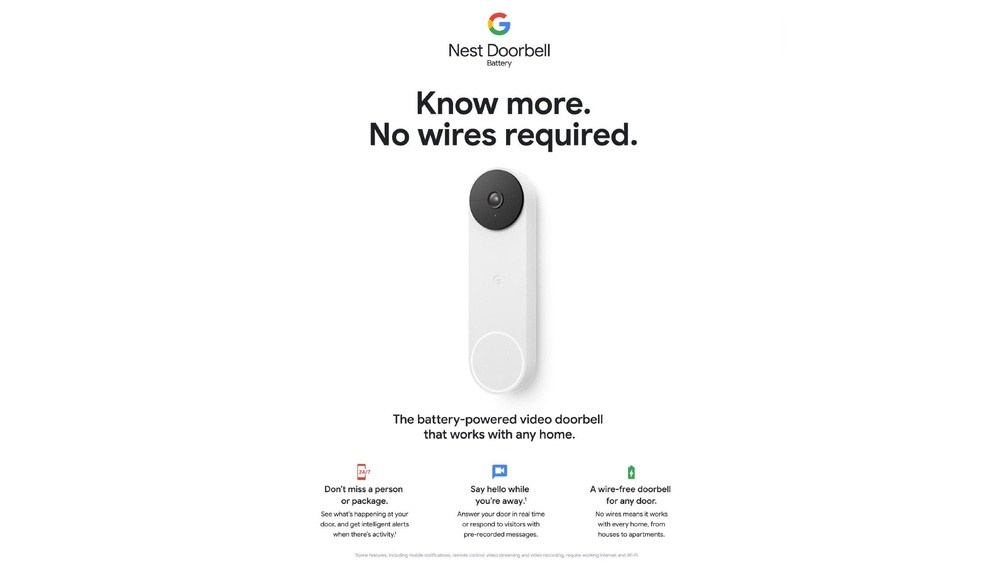

Have you ever wondered how long your Nest Doorbell keeps video recordings? Knowing this can help you decide when to review footage or clear space.
If you rely on your doorbell for home security, understanding its video storage is key to staying safe and informed. You’ll discover exactly how long your Nest Doorbell stores video, what affects that time, and how you can make the most of your device’s features.
Keep reading to get all the answers you need.

Credit: us.store.tp-link.com
Nest Doorbell Video Storage Basics
The Nest Doorbell records video to help you keep your home safe. Understanding how it stores videos is important. It helps you know what to expect from your device. This guide explains the basics of video capture and storage.
Knowing how long videos stay saved can help you manage your security better. Let’s look at how the Nest Doorbell handles video storage and what affects the storage time.
Video Capture And Storage Process
The Nest Doorbell records video when it detects motion or a visitor. It uses cloud storage to save these videos online. This means videos are not stored on the doorbell itself. Instead, they are sent to Google’s secure servers.
You can watch videos anytime through the Nest app. Videos are saved as clips showing activity around your door. This process helps save space on your device and keeps your videos safe.
Storage Duration Factors
The length of time videos stay stored depends on your Nest subscription. Without a subscription, live video is available, but recordings are limited. With a subscription, videos can be stored for up to 30 days.
Storage time also depends on the amount of activity detected. More activity means more videos and faster storage use. Older videos are deleted automatically to make room for new ones.
Knowing these factors helps you decide the best plan for your needs. It also helps you understand how long you can access your video history.
Free Vs Subscription Storage
The Nest Doorbell offers two main video storage options: free and subscription-based. Understanding these options helps decide which fits your needs. Both have different features and limits on video retention and access.
Free storage provides basic video saving without extra cost. Subscription storage adds more features and longer video history. Let’s explore what each option offers.
Features Of Free Storage
Free storage keeps videos for up to three hours. After that, the videos are deleted automatically. You can watch live video anytime from your phone. Motion and doorbell rings trigger video recording. However, recorded clips cannot be saved or shared. Free storage does not include person detection alerts. It offers limited access to past events. This option suits users with minimal security needs.
Benefits Of Nest Aware Subscription
The Nest Aware subscription saves videos for up to 30 days. You can review and save important clips. It offers intelligent alerts for people, packages, and animals. Continuous video recording is possible with some plans. Subscribers get access to activity zones for custom alerts. Video history is accessible anytime through the app. This service improves security and peace of mind. It works well for users wanting detailed monitoring.
Video Retention Periods
Video retention periods explain how long Nest Doorbell keeps your recorded videos. This period depends on your subscription status. The longer the videos are stored, the easier it is to review past events. Understanding these limits helps you manage your security effectively.
Storage Limits Without Subscription
Without a Nest Aware subscription, video storage is very limited. Nest Doorbell stores event videos for only three hours. After this time, videos are deleted automatically. This short window suits users who want quick alerts and immediate checks. Continuous video recording is not available without a subscription.
Storage Limits With Subscription
With a Nest Aware subscription, video storage lasts much longer. Videos can be saved for 30 days or more, based on your plan. This allows you to review footage days or weeks later. The subscription also enables continuous recording and more detailed event history. It offers better coverage and peace of mind.
Credit: www.nytimes.com
Managing Storage Settings
Managing your Nest Doorbell’s storage settings helps control how long videos stay saved. This is important to avoid losing important footage and to save space. You can change these settings in the Nest app easily.
Adjusting Video History Length
The Nest Doorbell stores video history based on your subscription plan. You can set how many days the videos stay saved. More days means more storage used. Less time frees up space but deletes old videos. The app lets you pick a length that fits your needs.
Saving And Downloading Clips
You can save important clips before they disappear. The app allows downloading videos to your phone or computer. This helps keep key moments safe even after they leave the cloud. Downloading clips is simple and fast. It gives you control over your video files.
Troubleshooting Storage Issues
Storage issues with the Nest Doorbell can cause video recording problems. Videos may stop saving or get deleted unexpectedly. Understanding common storage problems helps fix these issues fast.
Knowing how to manage storage also keeps your videos safe longer. This section explains typical storage problems and gives tips to optimize storage use.
Common Storage Problems
One common problem is running out of space on the Nest cloud. The free plan stores videos for only a few hours. Without a subscription, videos get deleted quickly.
Another problem is slow internet, which can delay video uploads. This causes videos to not save properly. Sometimes, the doorbell may stop recording if the connection drops.
Storage limits on local devices like SD cards can also cause issues. Full cards stop saving new video clips. Corrupted files may prevent new videos from saving.
Tips To Optimize Storage Use
Clear old videos regularly to free up space. Delete unnecessary clips from the app to keep storage available.
Upgrade to a Nest Aware plan for longer video storage. Paid plans offer days or weeks of saved footage.
Improve Wi-Fi strength near the doorbell. A strong signal helps videos upload without delays or errors.
Use local storage wisely by formatting SD cards often. This removes corrupted files and clears space.
Credit: kdfoundation.org
Privacy And Security Considerations
Privacy and security play a big role in how Nest Doorbell stores your videos. You want to know your footage is safe from others. Understanding the measures Google takes helps build trust in their system. It also explains how you can control your own data.
Data Encryption And Access
All videos recorded by Nest Doorbell are encrypted. This means your footage is turned into a secret code. Only authorized devices and users can decode and watch it. Encryption protects your videos from hackers and unauthorized access. Google stores your data on secure servers. These servers use strong security protocols to keep your videos safe. Access to these servers is limited to trusted personnel only.
User Control Over Stored Videos
You have full control over your video storage. You can view, download, or delete any video at any time. The Nest app lets you manage your recordings with simple steps. You can also set how long videos stay saved before automatic deletion. Nest does not share your videos without your permission. Your privacy settings ensure you decide who sees your footage. This control helps protect your home and your personal data.
Frequently Asked Questions
How Long Does Nest Doorbell Store Video Recordings?
Nest Doorbell stores video recordings for up to 30 days. This applies if you have a Nest Aware subscription. Without it, live video is available but recordings are not saved. The 30-day storage helps review past events anytime.
Can I Extend Video Storage Duration On Nest Doorbell?
Yes, you can extend video storage by upgrading your Nest Aware plan. Higher-tier plans offer up to 60 days of video history. This ensures you keep important footage longer for security and review purposes.
Does Nest Doorbell Store Videos Locally Or On Cloud?
Nest Doorbell stores video footage securely on the cloud. This allows access from anywhere via the app. Local storage is not supported, ensuring your videos are safe even if the device is damaged or stolen.
What Happens To Videos After Storage Period Ends?
Videos older than the storage period are automatically deleted. This frees up space and maintains privacy. Make sure to save important clips before the deletion happens.
Conclusion
Nest Doorbell stores video for a limited time only. Videos usually stay for 3 to 30 days, depending on your subscription. After that, old videos get deleted to save space. This means you should review your footage often. Saving important clips quickly is a smart move.
Knowing how long videos stay helps you plan better. Stay aware of your storage limits to avoid surprises. This way, you keep your home security effective and reliable. Simple steps make using Nest Doorbell easier every day.

