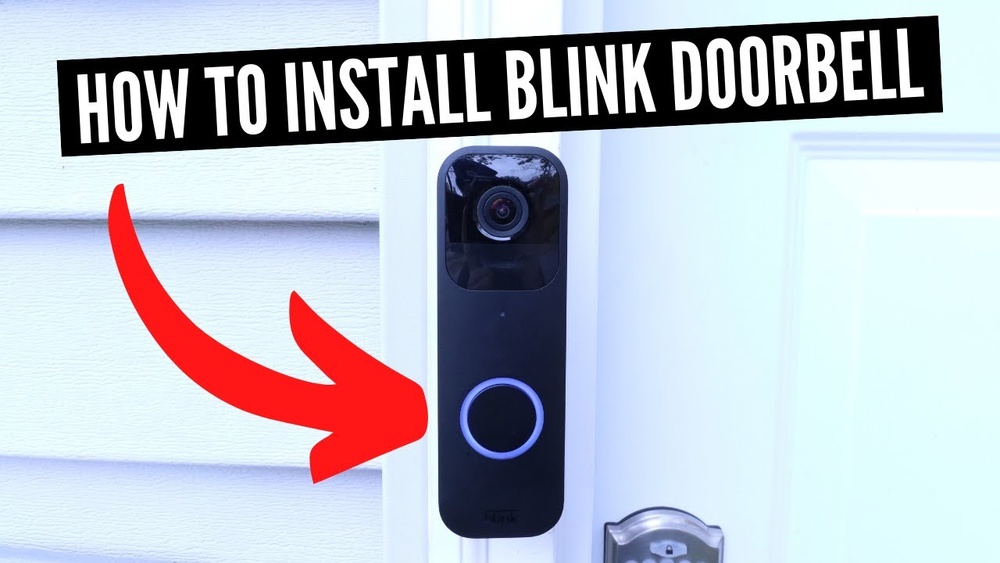

Are you ready to boost your home security with a Blink Video Doorbell but unsure where to start? Installing it yourself is easier than you think, and you don’t need to be a tech expert.
Imagine knowing who’s at your door anytime, from anywhere, with just a quick glance at your phone. This guide will walk you through every step, making the setup simple and stress-free. By the end, you’ll have your Blink Video Doorbell up and running, giving you peace of mind and control over your home’s entrance.
Keep reading to see how straightforward the installation can be!
Prepare For Installation
Preparing for the installation of your Blink Video Doorbell is important. It makes the process smooth and saves time. Taking a few minutes before starting helps avoid problems later. Follow these simple steps to get ready.
Check Package Contents
Open the box and check all items inside. Make sure you have the doorbell, mounting bracket, screws, and anchors. Look for the quick start guide and any additional accessories. Missing parts can delay installation.
Charge The Doorbell
Charge the doorbell battery fully before installation. Use the USB charging cable included in the package. A full battery ensures the device works right after setup. Charging usually takes a few hours.
Gather Necessary Tools
Collect the tools you need for installation. A screwdriver and drill are often required. A pencil helps mark the mounting spots on the wall. Have a ladder handy if mounting high up.

Credit: support.blinkforhome.com
Download The Blink App
Downloading the Blink app is the first step to setting up your Blink Video Doorbell. The app lets you control your doorbell from your phone. It helps you see who is at your door anytime. The app also sends alerts when someone rings the doorbell or motion is detected. Follow these steps to get the app and start using your Blink Video Doorbell quickly.
Find The App On Your Device
Open the app store on your smartphone or tablet. For Apple devices, use the App Store. For Android devices, open Google Play Store. Type “Blink Home Monitor” in the search bar. Look for the app with the Blink logo. Tap the download or install button. Wait a few moments for the app to download and install.
Create Or Log In To Your Account
After installing, open the Blink app. You will see an option to create an account or log in. If you are new, tap “Create Account.” Enter your email and a strong password. Follow the prompts to finish setup. If you already have an account, enter your login details. Tap “Sign In” to access your Blink dashboard.
Connect The Doorbell To Wi-fi
Connecting your Blink Video Doorbell to Wi-Fi is a key step for smooth operation. Without Wi-Fi, the doorbell cannot send alerts or stream video. This connection lets your doorbell work with your phone app. Follow the simple steps below to set up Wi-Fi quickly and easily.
Enable Bluetooth And Location
Start by turning on Bluetooth and location services on your smartphone. These settings help your phone find the doorbell during setup. Go to your phone’s settings and switch on Bluetooth. Then, enable location access for the Blink app. This makes the connection faster and more stable.
Follow In-app Wi-fi Setup
Open the Blink app and select your doorbell device. The app guides you through connecting to your Wi-Fi network. Choose your home Wi-Fi from the list and enter the password carefully. Wait for the app to confirm the connection. Your doorbell is now ready to work with your Wi-Fi network.
Mount The Doorbell
Mounting the Blink Video Doorbell is a simple task. It makes sure your doorbell works well and stays safe. This part of the installation needs care and focus. Follow the steps below for a smooth setup.
Choose The Mounting Location
Select a spot near your front door. Make sure the doorbell can see visitors clearly. Pick a height about 4 feet from the ground. Avoid places with direct sunlight or heavy rain. A flat surface works best for mounting.
Attach The Mounting Bracket
Use the screws included in the package. Hold the bracket against the wall. Mark the screw holes with a pencil. Drill small holes if needed for a firm hold. Screw the bracket tightly to the wall to prevent movement.
Secure The Doorbell
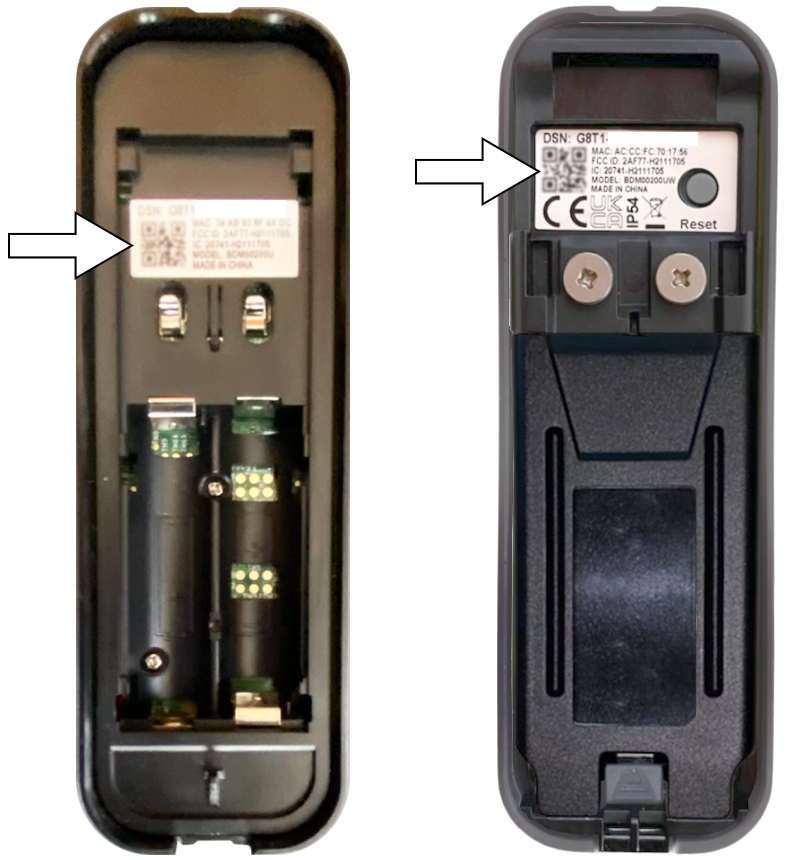
Align the doorbell with the bracket. Slide it down until it clicks in place. Check if it feels stable and does not wobble. Use the security screw if your model has one. This keeps the doorbell locked on the bracket.
Complete The Setup
Completing the setup of your Blink Video Doorbell is a key step. It ensures your device works perfectly and keeps your home safe. This part focuses on testing the video feed and adjusting settings to fit your needs. Follow these simple steps to finish the process smoothly.
Test The Video Feed
Check the video feed to confirm the doorbell camera works well. Open the Blink app and view the live stream from your doorbell. Make sure the picture is clear and the angle covers your door area. Test during the day and at night to see how it performs in different lighting. If the video is blurry or dark, adjust the camera position. This helps you get the best view of your doorstep.
Adjust Settings And Notifications
Set up notifications to know when someone is at your door. In the Blink app, choose how you want to receive alerts. You can get push notifications, emails, or both. Adjust motion detection sensitivity to avoid false alarms from pets or passing cars. Customize the alert sound to hear the doorbell clearly. These changes make sure you stay informed without getting too many alerts.
Credit: support.blinkforhome.com
Troubleshoot Common Issues
Installing a Blink Video Doorbell usually goes smoothly. Still, some users face common issues. This section helps you fix those problems fast. Clear, simple steps make troubleshooting easy. Read on for solutions that work.
Wi-fi Connection Problems
Wi-Fi is key for your doorbell to work. Check if your Wi-Fi signal is strong near the doorbell. Weak signals cause delays or no response. Move your router closer if possible. Restart your router to refresh the connection. Make sure your Wi-Fi password is correct in the app. Use a 2.4 GHz network, not 5 GHz, for better range.
Doorbell Not Responding
The doorbell might not respond due to power issues. Check the battery level in the app. Replace batteries if low or dead. Ensure the doorbell is properly mounted and connected. Restart the doorbell by removing and reinserting the battery. Confirm the app has permission to send notifications. Update the doorbell firmware to fix bugs.
Video Quality Concerns
Clear video helps you see visitors well. Dirty camera lens reduces video quality. Clean the lens gently with a soft cloth. Poor lighting affects video sharpness at night. Adjust outdoor lights near the doorbell for better view. Check your internet speed; slow speed lowers video quality. Lower video resolution in the app if connection is weak.

Credit: www.youtube.com
Frequently Asked Questions
How Do I Install Blink Video Doorbell Step-by-step?
First, charge the doorbell battery fully. Next, download the Blink app and create an account. Then, mount the bracket using screws. Finally, attach the doorbell and sync it via the app for activation. Follow on-screen prompts for setup completion.
What Tools Are Needed To Install Blink Video Doorbell?
You will need a drill, screwdriver, level, and the mounting screws included. A pencil for marking holes helps too. Having a stable Wi-Fi connection is essential for setup and operation.
Can I Install Blink Video Doorbell Without Professional Help?
Yes, Blink Video Doorbell is designed for easy DIY installation. The app guides you through each step with clear instructions. Basic tools and a bit of time are all you need.
How To Connect Blink Video Doorbell To Wi-fi?
During setup, the app prompts you to select your Wi-Fi network. Enter your password carefully. Ensure your Wi-Fi signal is strong near the doorbell location for smooth operation.
Conclusion
Installing the Blink Video Doorbell is simple and quick. Follow each step carefully to avoid mistakes. Once set up, you can watch your doorstep anytime. The device helps keep your home safe and secure. Enjoy the peace of mind it brings every day.
Stay connected, even when you are far away. Give your home a smart upgrade today.