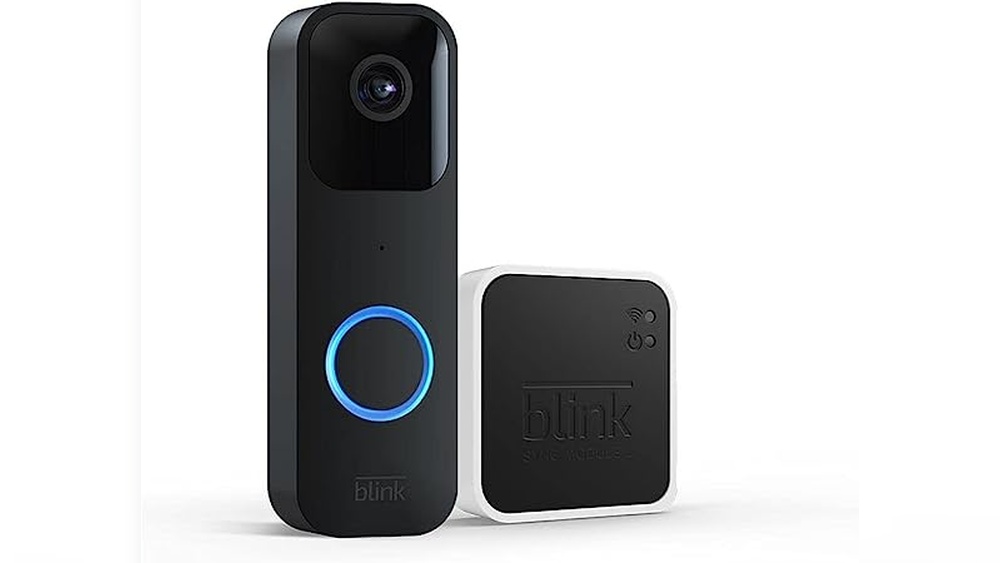

Have you ever wondered how to keep your home safe while staying connected no matter where you are? The Blink Video Doorbell Full System might be the answer you’re looking for.
This smart device not only lets you see who’s at your door but also gives you control right from your phone. Imagine never missing a visitor or delivery again, all with a simple setup. You’ll discover exactly what the Blink Video Doorbell Full System offers and how it can make your life easier and your home safer.
Keep reading to find out why this could be the perfect upgrade for your front door.

Credit: www.ebay.com
Blink Video Doorbell Features
The Blink Video Doorbell Full System offers many useful features for home security. It helps you see and talk to visitors at your door. The system also alerts you about movement near your home. This makes your house safer and gives peace of mind.
Design And Build Quality
The Blink Video Doorbell has a sleek and modern look. It fits well with most home styles. The device is made from strong materials. It can handle rain, wind, and sun without damage. Its design is compact and easy to install.
Video Resolution And Field Of View
The doorbell records video in clear HD quality. This helps you see faces and details easily. It offers a wide field of view. You can see a large area near your door. This reduces blind spots and increases security.
Two-way Audio Capabilities
The system allows you to speak with visitors. It has a built-in microphone and speaker. You can hear and talk through your phone or tablet. This feature helps you communicate without opening the door.
Motion Detection And Alerts
The Blink Video Doorbell detects movement near your door. It sends instant alerts to your device. You will know if someone approaches your home. The sensitivity can be adjusted to reduce false alarms. This keeps you informed and ready.
Components Of The Blink Doorbell System
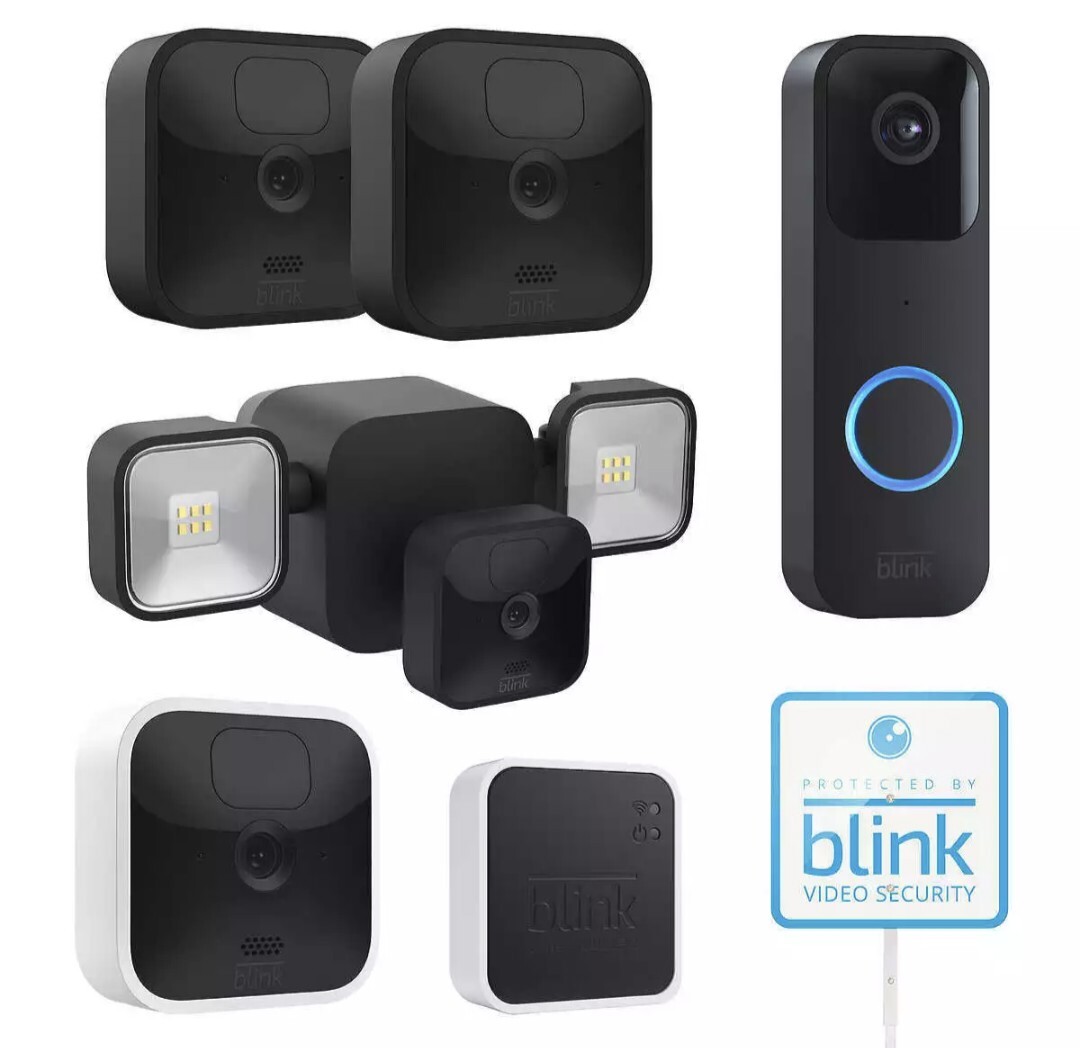
The Blink Video Doorbell Full System includes several key parts. Each part works together to keep your home safe and connected. Understanding these parts helps you see how the system functions.
The system has a video doorbell unit, a sync module, a chime, and power options. These components create a smart, easy-to-use security setup.
Video Doorbell Unit
The video doorbell unit is the main device. It has a camera that records video and sends alerts to your phone. The unit also has a microphone and speaker for two-way talk. It lets you see and speak with visitors from anywhere.
Sync Module
The sync module connects the doorbell to your Wi-Fi network. It helps the system work smoothly. This part ensures the video and alerts reach your phone without delay.
Chime And Accessories
The chime rings inside your home when someone presses the doorbell. It works wirelessly with the video doorbell unit. Other accessories include mounting tools and extra batteries for easy setup and use.
Power Options And Battery Life
The doorbell uses batteries that last many months. You can also connect it to your home’s existing doorbell wiring. This flexibility lets you choose the best power option for your needs.
Installation Process
The installation process of the Blink Video Doorbell Full System is simple and quick. It does not need special tools or skills. This section guides you through the main steps to get your doorbell ready for use. Follow each part carefully to avoid issues later.
Pre-installation Requirements
Ensure you have a stable Wi-Fi network at your door. Blink Video Doorbell needs Wi-Fi to work properly. Check the battery level if your model uses batteries. Gather all parts from the box, including screws and mounting brackets. A screwdriver and a smartphone will be necessary for setup.
Step-by-step Setup
Start by choosing a spot near your door with good Wi-Fi. Use the mounting bracket to mark screw holes. Drill holes and insert wall anchors if needed. Attach the bracket with screws. Connect the doorbell to the bracket securely. Insert or connect the battery as per your model’s instructions.
App Configuration
Download the Blink app on your phone from the app store. Open the app and create an account or log in. Follow the prompts to add a new device. Scan the QR code on the doorbell or enter the serial number. Connect the doorbell to your Wi-Fi network through the app. Test the video and audio to ensure the connection.
Troubleshooting Common Issues
If the doorbell does not connect to Wi-Fi, move it closer to the router. Restart your router and the doorbell. Check the battery level if the device won’t power on. Make sure the app is updated to the latest version. Reinstall the app if it freezes during setup. Contact Blink support if problems persist.
Credit: www.ebay.com
Security Features
The Blink Video Doorbell Full System offers strong security features. It helps keep your home safe and lets you watch your front door easily. The system works smartly to alert you about visitors and possible threats.
It combines technology with privacy and ease of use. Each feature is designed to protect your home and data. Here is a detailed look at its main security features.
Real-time Notifications
The doorbell sends instant alerts to your phone. You get notified when someone is at your door. This helps you respond quickly to visitors or unexpected activity. The alerts include video clips and sound. You can watch and talk to visitors through the app.
Cloud Storage And Privacy
Videos are saved securely in the cloud. This means you can access them anytime, anywhere. The cloud keeps your recordings safe from loss or damage. You control who can see your videos. Privacy settings protect your personal data from others.
Integration With Smart Home Devices
The system connects with many smart home gadgets. It works with voice assistants like Alexa and Google Assistant. This lets you control the doorbell hands-free. You can link it to smart lights or alarms for extra security. Integration makes your home smarter and safer.
Encryption And Data Protection
All video and audio data is encrypted. Encryption means the data is coded and secure. This prevents hackers from accessing your information. The system uses strong security protocols to keep data safe. Regular updates improve protection against new threats.
Performance And Reliability
The Blink Video Doorbell Full System delivers solid performance and strong reliability for home security. It works well in different conditions and keeps your home safe without fuss. The system’s key features focus on clear video, fast response, long battery life, and positive user experiences. These factors make it a dependable choice for many users.
Video Quality In Different Lighting
The video quality stays clear in daylight and low light. The doorbell uses infrared night vision to capture details in the dark. It adjusts well to bright sunlight without glare or blurring. This ensures you see visitors clearly at any time of day.
Response Time And Connectivity
The doorbell connects quickly to your home Wi-Fi network. It sends alerts to your phone within seconds of detecting motion. Live video streams start almost instantly after you tap the app. This fast response helps you react quickly to visitors or events.
Battery Efficiency
The battery lasts several months on a single charge. It uses low power during standby and active modes. You can easily recharge it without removing the doorbell. This efficient battery life reduces maintenance and ensures continuous protection.
User Reviews And Feedback
Users praise the system for its ease of use and reliability. Many highlight the clear video and quick alerts. Some note the long battery life as a major benefit. Overall, feedback shows the Blink Video Doorbell Full System meets user expectations well.

Credit: www.amazon.com
Comparison With Other Video Doorbells
Choosing the right video doorbell can be tough. Many options exist, each with different features and prices. Comparing the Blink Video Doorbell Full System to others helps clear up which fits your needs best. This section breaks down key points to consider before buying.
Price And Value
Blink Video Doorbell offers a competitive price. It costs less than many top brands. The system includes essential parts without extra fees. Some other doorbells charge monthly for cloud storage. Blink provides free local storage with its Sync Module. This adds good value over time.
Feature Differences
Blink focuses on simple, important features. It has motion detection and two-way audio. Video quality is clear but not the highest resolution. Other doorbells may offer 4K video or facial recognition. Blink prioritizes battery life and ease over fancy extras. It works well for basic home security.
Ease Of Use
Setting up Blink is straightforward. The app is clean and easy to navigate. It connects quickly to Wi-Fi without many steps. Other doorbells can have complex setups or require professional help. Blink is ideal for users wanting quick installation and simple control.
Customer Support And Warranty
Blink provides solid customer support with multiple contact options. The warranty covers one year for parts and service. Some brands offer longer warranties but may have slower response times. Blink’s support is responsive and helpful for most issues. This gives peace of mind after purchase.
Maximizing Home Security With Blink
Maximizing home security with the Blink Video Doorbell Full System means using its features smartly. This system helps you watch your front door anytime. It sends alerts if someone is near. You get clear video day and night. It keeps your home safer and gives peace of mind.
To get the most from Blink, place it carefully. Use its settings to focus on important areas. Combine it with other devices for full protection. Regular care keeps it working well for years.
Best Placement Tips
Place the Blink doorbell at eye level for clear views. Avoid direct sunlight to reduce glare. Cover main entry points where visitors or packages arrive. Keep it near your Wi-Fi router for strong connection. Test the view on your phone before fixing it.
Setting Custom Alert Zones
Use custom alert zones to focus on key areas. This reduces false alarms from cars or pets. Draw zones around doors, walkways, and porches. Adjust sensitivity to catch only real movement. This helps you get alerts that matter most.
Combining With Other Security Devices
Link Blink with other security cameras for full coverage. Add smart lights that turn on when motion is detected. Use alarms to scare off intruders. Connect devices through the Blink app for easy control. A connected system offers stronger home protection.
Routine Maintenance
Check battery levels regularly to avoid downtime. Clean the camera lens for clear video. Update the Blink app and device firmware for best performance. Test alerts monthly to ensure they work. Routine care keeps your security system reliable.
Frequently Asked Questions
What Is The Blink Video Doorbell Full System?
The Blink Video Doorbell Full System is a complete home security kit. It includes a video doorbell, sync module, and accessories. It offers HD video, two-way audio, and motion detection. This system integrates with Alexa for smart home control and remote monitoring.
How Does Blink Video Doorbell Full System Work?
The system connects to Wi-Fi and sends alerts to your phone. It streams live video and records clips when motion is detected. You can see and speak to visitors via the Blink app. It stores videos locally or in the cloud for easy access.
What Are The Key Features Of Blink Video Doorbell?
Key features include HD video, infrared night vision, and two-way audio. It offers customizable motion zones and alerts. The doorbell works wirelessly with long-lasting batteries. It integrates with Alexa and supports local or cloud storage options.
Is Blink Video Doorbell Full System Easy To Install?
Yes, it’s designed for simple DIY installation. The system comes with all necessary mounting hardware and instructions. You can set it up in minutes using the Blink app. No professional help or complex wiring is needed for most homes.
Conclusion
The Blink Video Doorbell Full System offers clear video and easy installation. It helps you see visitors anytime, even when away from home. The system sends alerts to your phone for quick responses. It works well with other smart devices in your house.
Security and convenience come together in one simple setup. This system fits well for those wanting extra home safety. A smart choice for peace of mind every day.


