
Are you ready to boost your home’s security with a Ring Video Doorbell but unsure where to start? Installing your new doorbell might seem tricky, but it’s easier than you think.
In this guide, you’ll get simple, step-by-step instructions that anyone can follow. By the time you finish reading, you’ll have your Ring Video Doorbell up and running, ready to keep your home safe and connected. Keep reading to discover how quick and hassle-free this installation can be!

Credit: www.youtube.com
Preparing For Installation
Preparing for installation makes the process easier and faster. You avoid mistakes and delays. Proper preparation ensures your Ring Video Doorbell works well from the start. Follow these simple steps before you begin.
Check Compatibility
Make sure your door and doorframe fit the Ring Video Doorbell. Check your home’s Wi-Fi signal near the door. A strong Wi-Fi connection is needed for smooth video streaming. Also, confirm your existing doorbell system supports Ring if you plan to connect them.
Gather Required Tools
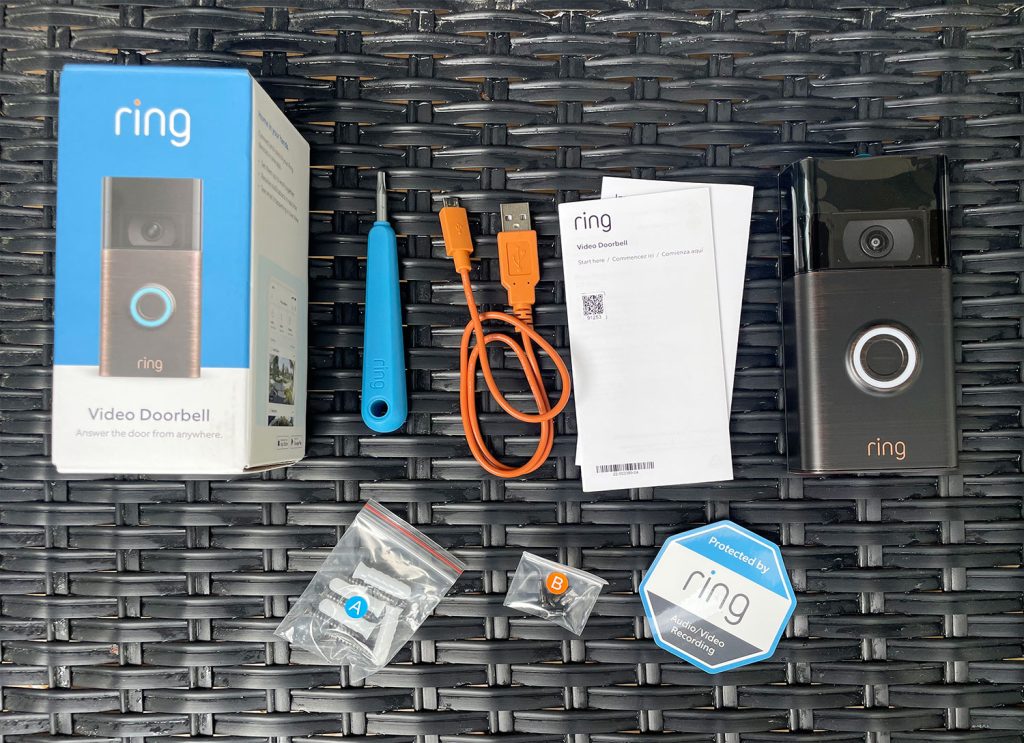
Collect all tools before starting. You usually need a drill, screwdriver, and level. Some models require anchors and screws, which come in the box. Having everything ready saves time and avoids interruptions during installation.
Charge Your Doorbell
Charge the Ring Video Doorbell battery fully. A full charge prevents the device from shutting down during setup. Use the included USB cable to charge. Charging usually takes a few hours but ensures the best performance.
Credit: www.youtube.com
Setting Up The Ring App
Setting up the Ring app is the first step to using your new video doorbell. The app controls all features and helps you stay connected with your home. Follow these simple steps to get started quickly and easily.
Download And Install The App
Open the app store on your smartphone. Search for “Ring” and find the official Ring app. Tap “Download” or “Install” to add it to your device. The app works on both Android and iOS phones.
Create Or Log Into Your Account
Open the Ring app after installation. Tap “Create Account” if you are new. Enter your email, create a password, and follow the prompts. Existing users can simply log in with their details.
Connect Doorbell To Wi-fi
Turn on your Ring doorbell and open the app. Choose “Set Up a Device” and select “Doorbells.” Follow the app instructions to connect the doorbell to your home Wi-Fi. A strong Wi-Fi signal ensures smooth video and alerts.
Installing The Doorbell
Installing your Ring Video Doorbell is a simple process anyone can follow. It takes only a few steps to set up. You need a few tools and a bit of time. This guide will help you install your doorbell quickly and correctly.
Choose The Mounting Location
Select a spot near your front door. It should have a clear view of visitors. Avoid places blocked by plants or walls. The height should be about 4 feet from the ground. This height captures faces well. Also, make sure there is Wi-Fi signal strong enough.
Attach The Mounting Bracket
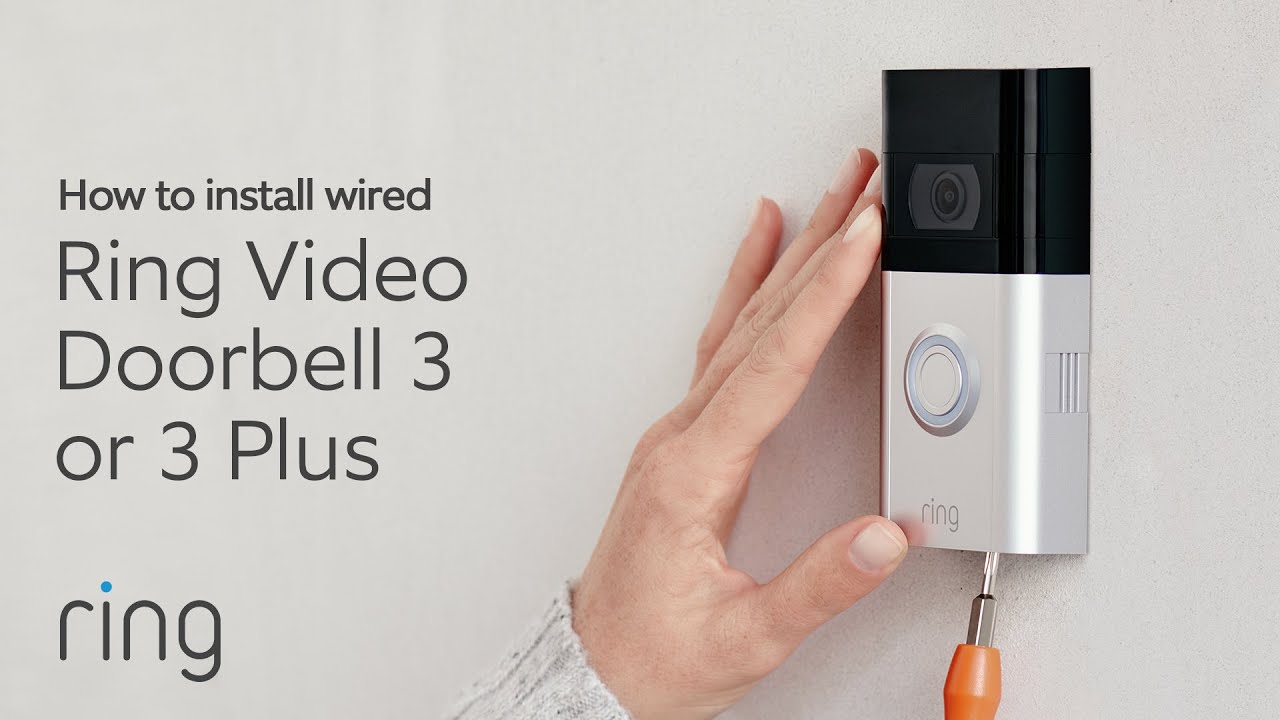
Use the included screws and anchors. Hold the bracket against the wall. Mark the screw holes with a pencil. Drill pilot holes for easier installation. Secure the bracket tightly to the wall. Make sure it is level. A stable bracket keeps the doorbell steady.
Connect The Doorbell To Power
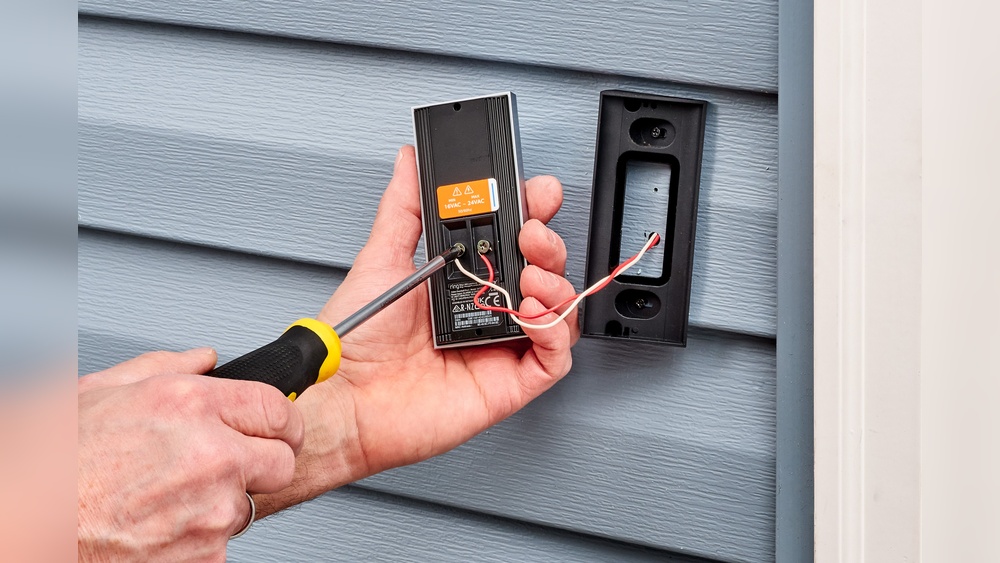
If your home has existing doorbell wiring, connect the wires. Match wire colors to the terminals. Tighten the screws firmly to hold wires. For battery models, insert the battery first. Charge the battery fully before installation. Power is essential for the doorbell to work well.
Securing And Testing
Securing and testing your Ring Video Doorbell is a key step for a safe setup. This ensures the device stays in place and works correctly. Follow each step carefully for the best results.
Mount The Doorbell
Place the Ring Doorbell on the chosen spot. Align it with the mounting bracket. Make sure it sits flat against the wall or door frame. This helps the camera get a clear view of visitors.
Secure With Screws
Use the screws that came in your kit. Tighten them firmly into the wall or frame. This keeps the doorbell stable and prevents theft. Do not overtighten to avoid damage to the device.
Test Video And Audio
Open the Ring app on your phone. Check the live video feed for clarity. Speak through the doorbell and listen for clear sound. Adjust settings if video or audio is weak. Testing confirms the doorbell works well before use.
Troubleshooting Tips
Troubleshooting helps fix issues during Ring Video Doorbell setup. Problems can stop the doorbell from working properly. Simple tips can solve many common problems fast. Follow these steps to get your doorbell running smoothly.
Common Installation Issues
Check the doorbell’s power source first. Dead batteries or loose wiring cause most problems. Make sure the doorbell is mounted tightly. A loose mount can affect the sensor and camera. Confirm you use the right screws and tools. Incorrect installation can damage the device or wall.
Wi-fi Connectivity Problems
Strong Wi-Fi is essential for your doorbell. Place the router close to the doorbell for better signal. Avoid thick walls or metal objects between them. Restart your router to clear connection errors. Confirm your network name and password are correct. Use a 2.4 GHz network as 5 GHz may not work well.
Resetting The Doorbell
Resetting fixes many software glitches. Press and hold the reset button for 15 seconds. Wait for the doorbell light to flash. This means the reset is complete. After reset, reconfigure your device using the app. This step restores factory settings and clears errors.
Credit: vidscola.com
Frequently Asked Questions
How Do I Prepare My Door For Ring Video Doorbell Installation?
First, check your doorbell wiring or battery status. Turn off power at the breaker. Gather tools like a drill, screwdriver, and level. Clear the installation area and ensure Wi-Fi connectivity near the door.
Can I Install Ring Video Doorbell Without Existing Wiring?
Yes, Ring Video Doorbells come with battery-powered options. You can install them anywhere without wiring. Simply charge the battery, mount the device, and connect it to Wi-Fi for full functionality.
How Do I Connect Ring Doorbell To Wi-fi?
After mounting, open the Ring app and follow the setup prompts. Select your Wi-Fi network and enter the password. Ensure your phone is near the doorbell for a smooth connection process.
What Tools Are Needed To Install A Ring Video Doorbell?
You need a drill, screwdriver, level, and the mounting screws provided. A pencil helps mark holes. Optionally, use a voltage tester to check existing doorbell wires before installation.
Conclusion
Installing a Ring Video Doorbell is simple and quick. Follow each step with care and take your time. Make sure the doorbell is secure and connected to Wi-Fi. Test the device to confirm it works well. Now, you can watch your front door from anywhere.
Enjoy the added safety and convenience every day. Stay aware and keep your home protected easily.