
Is your First Alert smoke detector beeping, but you’re not sure which one it is? That constant sound can be frustrating and even a little scary.
You want to fix the problem fast, but with multiple alarms around your home, pinpointing the source isn’t always easy. You’ll discover simple, effective ways to quickly identify which First Alert smoke detector is making that noise. By the end, you’ll feel confident and in control, ready to keep your home safe and quiet again.
Keep reading—you’re just a few steps away from solving that annoying beep!
Common Reasons For Beeping
First Alert smoke detectors beep for different reasons. These beeps are important alerts to keep your home safe. Knowing why your smoke detector is beeping helps you fix the problem fast. This section explains the common reasons for beeping.
Low Battery Alerts
Most beeping comes from low batteries. Smoke detectors need fresh batteries to work well. A slow, repeating beep means the battery is weak. Change the battery to stop the noise. Use the right battery type for your model.
End Of Life Warning
Smoke detectors don’t last forever. After 7-10 years, they stop working correctly. Your detector will beep to warn you it is time to replace it. This beep sounds different from the low battery alert. Check the detector’s manufacture date to confirm.
Dust And Dirt Interference
Dust and dirt can block the sensor inside the detector. This causes false beeps or constant alarms. Clean the smoke detector regularly using a soft brush or vacuum. Keep the area around the detector free from dust.
Power Supply Issues
Hardwired detectors need steady power. If the power cuts or wiring is loose, the alarm beeps. Check your home’s circuit breaker and wiring connections. Fix any electrical issues to stop the beeping. This keeps your detector ready in emergencies.
Credit: www.firstalertstore.com
Identifying The Beeping Detector
Hearing a smoke detector beep can be annoying and worrying. Finding which First Alert smoke detector is beeping helps stop the noise quickly. It also ensures your home stays safe by addressing any issues with the device.
This section explains simple ways to identify the beeping detector. Use these tips to locate the exact unit that needs attention.
Listening For Location Cues
Walk around your home quietly. Listen carefully to pinpoint where the beep is loudest. The closest smoke detector will have the strongest sound. This method works well in small homes or rooms.
Move closer to each detector slowly. Stop near each one and listen. The beeping sound may change or stop near the faulty unit.
Using A Silence Button
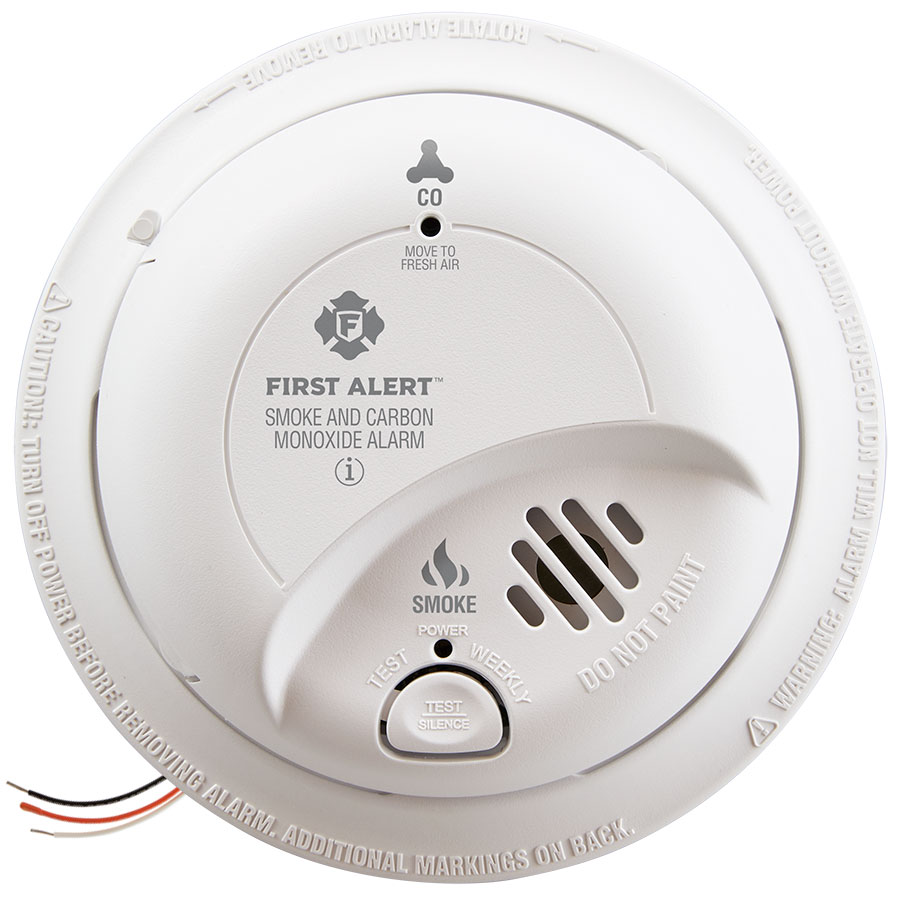
Many First Alert smoke detectors have a silence button. Press it once on each unit to pause the alarm. The one that stops beeping is the problem detector.
Be sure to check if the beep returns after a few minutes. This step confirms the issue is with that unit.
Visual Inspection Tips
Look at each smoke detector closely. Check for flashing lights or error signals on the unit. A blinking red light often means the battery is low.
Also, see if dust or dirt covers the sensors. Clean the detector gently with a soft brush or cloth.
Testing Each Unit
Press the test button on each smoke detector. This action triggers a loud alarm sound. If a unit doesn’t respond or beeps weakly, it may need a battery change.
Testing ensures all detectors work properly and helps find the faulty one quickly.
Quick Fixes For Beeping
Beeping from a First Alert smoke detector can be annoying and worrying. The good news is that many beeping issues have simple fixes. These quick steps help stop the noise and keep your home safe. Follow the tips below to find which fix works best for your alarm.
Replacing The Battery
Most beeping alarms signal a low battery. Start by opening the detector’s cover. Take out the old battery carefully. Insert a new, fresh battery that matches the model. Close the cover securely. The beeping should stop shortly after replacement.
Cleaning The Detector
Dust and dirt can cause false alarms or beeping. Use a soft brush or vacuum cleaner to remove debris. Clean around the vents and inside the unit gently. Avoid using water or sprays. Regular cleaning keeps the detector working well.
Resetting The Alarm
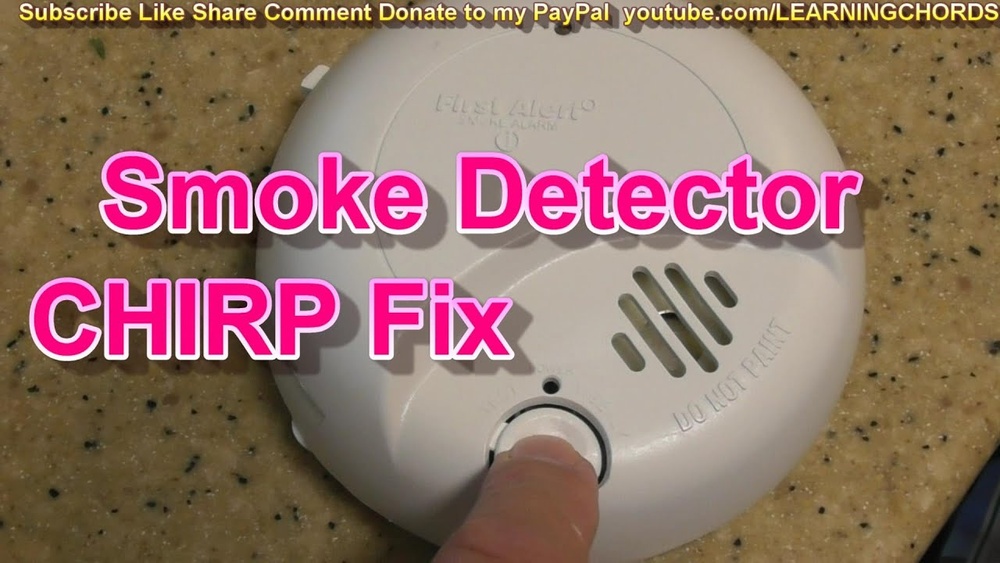
Sometimes the alarm needs a reset to stop beeping. Press and hold the test button for 15-20 seconds. This action resets the system and clears any errors. If the alarm keeps beeping, try resetting again after replacing the battery.
Checking Power Connections
Hardwired smoke detectors depend on power connections. Make sure the detector is plugged in properly. Check the circuit breaker for any tripped switches. Loose wires or power outages can cause beeping. Secure connections and restore power to fix the issue.
Credit: support.firstalert.com
Preventing Future Beeps
Beeping smoke detectors often cause stress and confusion. Preventing these beeps helps keep your home peaceful and safe. Simple steps can stop unnecessary alerts. Focus on maintenance, placement, and technology to reduce beeping. These tips also extend your detector’s life and reliability.
Regular Maintenance Schedule
Test your smoke detector every month. Replace batteries at least once a year. Clean dust and debris from the device regularly. Use a soft brush or vacuum to keep sensors clear. Replace the entire detector every 10 years to ensure proper function.
Proper Placement Guidelines
Install smoke detectors in every bedroom and hallway. Avoid placing them near kitchens or bathrooms to reduce false alarms. Keep them away from windows, vents, and fans. Follow manufacturer instructions for height and location. Proper placement ensures accurate detection and fewer false beeps.
Upgrading To Newer Models
Older smoke detectors beep more often due to aging parts. New models offer better sensors and longer battery life. Upgrading reduces false alarms and annoying chirps. Choose detectors with clear sound signals and easy battery replacement. New units improve safety and reduce maintenance hassles.
Using Smart Smoke Detectors
Smart detectors connect to your phone for alerts and status checks. They can tell you exactly which unit is beeping. Some models self-test and notify you of low batteries. Smart detectors help prevent unexpected beeps and improve home safety. They make managing multiple alarms simple and stress-free.

Credit: forums.thefirepanel.com
Frequently Asked Questions
How To Identify Which First Alert Detector Is Beeping?
Check each smoke detector individually by pressing the test button. The one beeping responds with a loud sound. Also, observe flashing lights; the beeping unit usually has a blinking LED. This method helps pinpoint the exact First Alert smoke detector causing the alert.
Why Does My First Alert Smoke Detector Beep Intermittently?
Intermittent beeping often signals a low battery or a need for maintenance. Replace the battery first and clean the detector to remove dust. If beeping continues, it may indicate sensor issues or the need for a full device replacement.
Can Multiple First Alert Detectors Beep Simultaneously?
Yes, multiple detectors can beep if smoke or carbon monoxide is detected in different areas. Coordinated alarms are designed to alert occupants throughout the home simultaneously for safety. Check all units promptly to identify the source of the alert.
What Causes False Alarms In First Alert Smoke Detectors?
False alarms often result from cooking smoke, steam, or dust near the detector. Incorrect installation or aging sensors can also trigger false beeps. Keep detectors clean, away from kitchens, and replace old units to reduce false alarms.
Conclusion
Knowing which First Alert smoke detector is beeping helps keep your home safe. Check each unit carefully to find the source of the sound. Replace batteries or units as needed to stop the alarm. Regular checks prevent false alarms and ensure your safety.
Stay calm and act quickly when you hear a beep. Safety starts with attention to these important signals. Keep your family protected by understanding your smoke detectors well. Simple steps make a big difference in emergency situations.