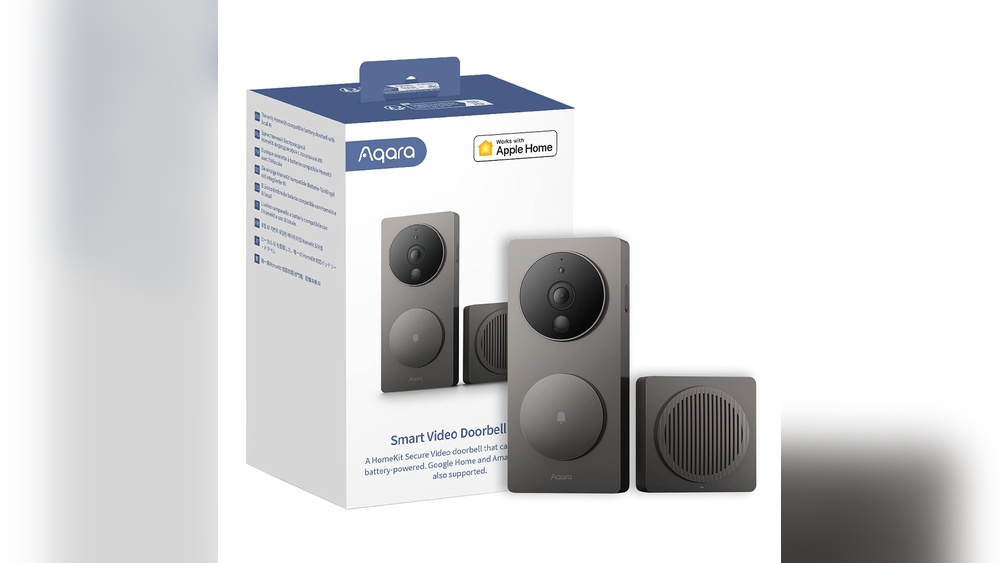

Are you looking to upgrade your home security with a video doorbell that works seamlessly with HomeKit? Choosing the right video doorbell can be confusing, especially with so many options available.
You want a device that not only keeps your home safe but also fits perfectly into your smart home system. Imagine seeing who’s at your door right from your iPhone or asking Siri to show you the front porch without lifting a finger.
You’ll discover which video doorbells are fully compatible with HomeKit, making your smart home smarter and your life easier. Keep reading to find the perfect match for your home!
Credit: www.aqara-shop.co.uk
Homekit Compatibility Basics
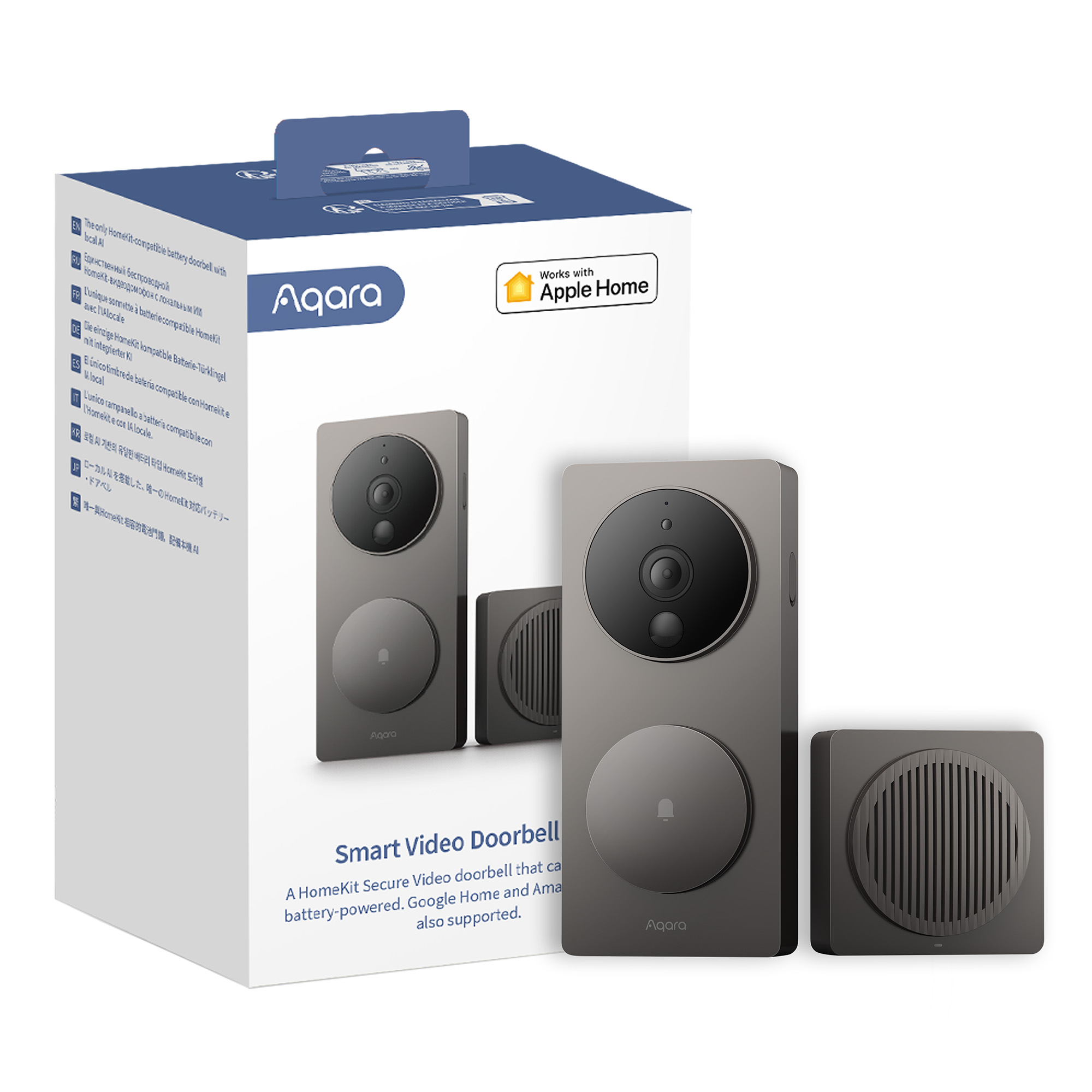
HomeKit is Apple’s smart home system. It allows devices to work together smoothly. Video doorbells that support HomeKit can connect to your iPhone, iPad, or Mac. This makes it easy to see who is at your door. You can control your doorbell using the Home app or Siri voice commands. Understanding HomeKit compatibility helps you pick the right video doorbell for your smart home.
Key Features For Integration
HomeKit-compatible video doorbells must meet certain standards. They need to support secure pairing with Apple devices. The doorbell should show live video in the Home app. It must work with Siri for voice control. Motion detection alerts come directly to your Apple device. Some models also support HomeKit Secure Video. This feature allows video storage in iCloud with strong encryption. Easy setup and seamless operation are important for a smooth experience.
Security And Privacy Considerations
Apple prioritizes user privacy and data security. HomeKit video doorbells use end-to-end encryption. This means only you can see the video feed. Your video clips stay private, even from the device maker. Local processing reduces the risk of data leaks. Notifications only appear on trusted Apple devices. Choosing a HomeKit-compatible doorbell adds a strong layer of security to your smart home. It protects your personal information and footage from unauthorized access.

Credit: www.eufy.com
Top Video Doorbells For Homekit
Choosing the right video doorbell for Apple HomeKit means blending security with convenience. Many models work well with HomeKit, offering smooth integration and easy control. These doorbells let you watch visitors, get alerts, and store videos safely using Apple’s system.
Some video doorbells are built with Apple HomeKit Secure Video in mind. Others are third-party devices that support HomeKit through updates. Both types provide great options for smart home users.
Apple Homekit Secure Video Options
Apple HomeKit Secure Video works with specific doorbells that handle video storage securely. These models save footage to iCloud, keeping your privacy intact. They also use smart detection to identify people, animals, or cars.
Popular doorbells in this category include the Logitech Circle View Doorbell. It offers clear video and fast HomeKit integration. The Netatmo Smart Video Doorbell is another choice, known for its easy setup and detailed alerts.
These devices offer direct support for HomeKit features. You get live video, two-way talk, and notifications through the Apple Home app. They also support secure video recording with end-to-end encryption.
Third-party Models With Homekit Support
Some doorbells from other brands also work with HomeKit. They might need a firmware update or use a bridge device to connect. Ring Video Doorbells, for example, recently added limited HomeKit support through software updates.
Other brands like Eufy offer models that support HomeKit via HomeBase hubs. These hubs act as a link between the doorbell and Apple’s system. This setup allows users to view video and receive alerts in the Home app.
Third-party devices often come with extra features like local storage and customizable alerts. They can be a good fit for users who want HomeKit compatibility plus more control over settings.
Detailed Reviews Of Leading Models
Choosing the right video doorbell that works with HomeKit can be tricky. This section reviews top models to help you decide. Each review covers design, video quality, installation, and app features. These details highlight the strengths and weaknesses of each product.
Design And Build Quality
Most HomeKit-compatible doorbells have sleek, modern designs. They fit well on most home exteriors. Materials vary from plastic to metal. Metal models feel more durable and last longer. Some models include weatherproof features. This helps them withstand rain and heat. The button should be easy to press. A good design blends well with your home.
Video And Audio Performance
Clear video is essential for security. Most top models offer HD video, usually 1080p. Night vision is common and works well. Two-way audio lets you talk to visitors easily. Sound quality varies but should be clear. Some doorbells include noise cancellation. This reduces background noise for better talk quality. Check video delay and motion detection accuracy too.
Installation And Setup
Installation should be simple and quick. Many models come with detailed instructions and tools. Some require existing doorbell wiring, while others are battery-powered. Battery models offer flexible placement but need regular charging. Setup usually involves connecting to Wi-Fi and the Home app. The process should be easy for beginners. Some models include professional installation options.
App Experience And Features
The app controls most doorbell functions. A good app is simple and reliable. Look for live video streaming and instant alerts. Some apps offer activity zones to reduce false alerts. Integration with other HomeKit devices adds convenience. Features like video recording and sharing are useful. Check if the app supports multiple users and guest access.
Comparing Features And Prices
Choosing the right video doorbell for HomeKit depends on features and price. Different models offer various functions and costs. Understanding what each device provides helps you decide which fits your needs and budget. This section breaks down key points to consider.
Subscription Plans And Storage
Most video doorbells require a subscription for full features. This includes cloud storage for video clips and advanced alerts. Prices vary from free basic plans to monthly fees. Some brands offer limited free storage, while others need paid plans for any storage. Check if local storage options like SD cards are available. This avoids ongoing costs. Consider how much video history you want to keep. Higher-tier plans often provide longer storage and more features.
Smart Home Integration Beyond Homekit
Video doorbells often support other smart home systems too. Some work with Alexa, Google Assistant, or Samsung SmartThings. This gives more control options beyond HomeKit. Multi-platform support is useful if you use different devices. It also helps if you plan to expand your smart home setup later. Check the app quality and update frequency. A good app improves user experience and device reliability.
Troubleshooting Common Issues
Troubleshooting common issues with video doorbells that work with HomeKit is important. Problems can stop your device from working well. Fixing these issues helps keep your home safe and connected. Below are common problems and ways to solve them.
Connectivity Challenges
Video doorbells rely on Wi-Fi to connect with HomeKit. Weak signals cause delays or no video feed. Check your Wi-Fi strength near the doorbell. Move your router closer or use a Wi-Fi extender if needed.
Restart your router and doorbell to refresh the connection. Make sure your network allows device connections. Sometimes, security settings block the doorbell from linking to HomeKit.
Firmware And Software Updates
Keep your doorbell’s firmware updated for smooth operation. Manufacturers release updates to fix bugs and improve features. Check the app for update notifications regularly.
Outdated firmware can cause malfunction or loss of HomeKit integration. Install updates as soon as they are available. Restart the device after updating to apply changes fully.
Future Trends In Homekit Doorbells
HomeKit doorbells are changing fast. New features and tech make homes safer and smarter. These doorbells do more than just show who is at the door. They help connect your entire home system for better control and security.
Future models will bring even more useful tools. These tools will help you understand what is happening outside your door clearly and quickly. The integration with other smart devices will also get stronger.
Advancements In Ai And Video Analytics
AI will help doorbells recognize faces and objects better. It will tell the difference between a visitor and a pet. This means fewer false alerts and more real warnings.
Video analytics will improve video quality and response time. You will get faster notifications and clearer videos. This makes it easier to keep your home safe.
Expanding Smart Home Ecosystems
HomeKit doorbells will connect with more devices. Lights, locks, and cameras will work together. When someone rings the doorbell, your lights might turn on automatically.
This growing ecosystem creates a smooth and easy smart home experience. You control everything from one app. It helps save time and keeps your home secure.

Credit: www.apple.com
Frequently Asked Questions
What Video Doorbells Are Compatible With Homekit?
Popular video doorbells compatible with HomeKit include the Logitech Circle View, Eve Cam, and Netatmo Smart Video Doorbell. These devices offer seamless integration with Apple’s Home app for easy control and monitoring.
How Does Homekit Enhance Video Doorbell Functionality?
HomeKit enables secure video streaming, automation, and remote access. It allows users to receive notifications, view live feeds, and control doorbells via Siri or the Home app.
Can I Use Multiple Video Doorbells With Homekit?
Yes, HomeKit supports multiple video doorbells across different locations. You can manage and view all devices through a single Home app interface on your Apple devices.
Are Homekit Video Doorbells Easy To Install?
Most HomeKit-compatible video doorbells offer straightforward installation, often with DIY options. They come with clear instructions and integrate easily with existing doorbell wiring or work wirelessly.
Conclusion
Choosing a video doorbell that works with HomeKit brings ease and safety. These devices let you see visitors right on your phone or Apple devices. They fit well with other smart home tools you already use. Setup is simple, and control feels natural.
Pick a model that matches your needs and budget. Enjoy better home security with smooth Apple integration. Smart living starts with smart choices.


