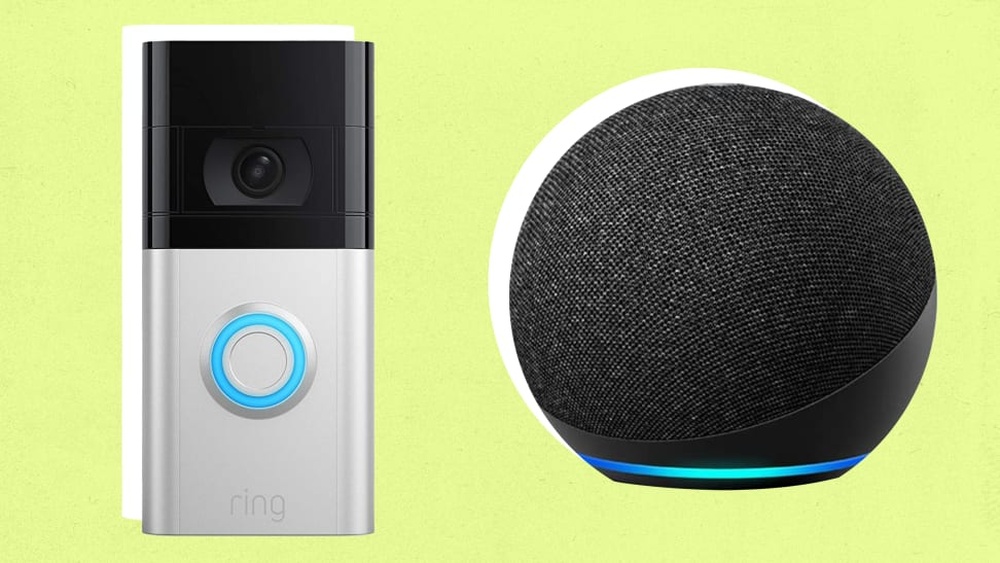

Imagine being able to see who’s at your door without leaving your couch. With the Ring Video Doorbell working alongside Alexa, you can do just that—and so much more.
If you’ve ever wondered how these two smart devices team up to keep your home safer and your life easier, you’re in the right place. You’ll discover exactly how the Ring Video Doorbell works with Alexa, and how this powerful combo can give you real-time alerts, hands-free control, and peace of mind like never before.
Keep reading to unlock the full potential of your smart home setup.
Ring Video Doorbell Basics
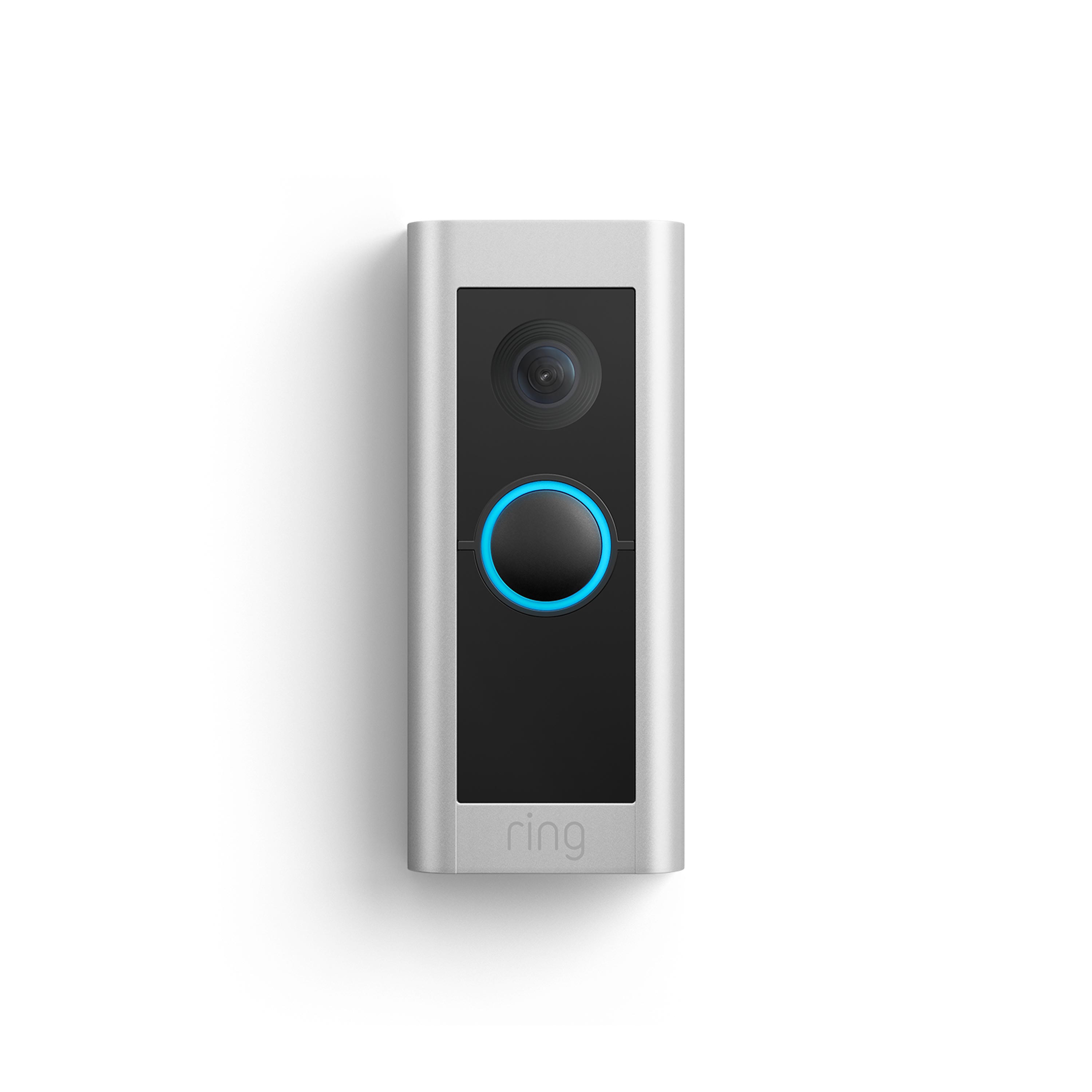
The Ring Video Doorbell is a smart device that helps you see and talk to visitors. It works with Alexa to make your home safer and smarter. You can check who is at the door without opening it. It sends alerts to your phone and lets you speak through the doorbell camera.
This device blends security and convenience. The basics are simple to understand and use. Let’s explore the key features and installation process of the Ring Video Doorbell.
Key Features
The Ring Video Doorbell has a high-quality camera that records video. It captures clear images day and night. Motion sensors detect activity near your door. You receive instant alerts on your smartphone or tablet. Two-way audio allows you to talk to visitors remotely. The doorbell connects to your Wi-Fi network for easy access. It works with Alexa devices like Echo Show for hands-free use. You can view live video by asking Alexa to show the front door.
Installation Process
Installing the Ring Video Doorbell is straightforward. First, charge the battery or connect it to existing doorbell wires. Mount the doorbell on your wall or door frame using the included tools. Download the Ring app and create an account. Follow the app instructions to connect the doorbell to Wi-Fi. Test the device to ensure it sends alerts and streams video. Link the doorbell to Alexa through the Alexa app for voice control. The whole process usually takes less than an hour.

Credit: www.esseg.eu
Alexa Compatibility
The Ring Video Doorbell works smoothly with Alexa to make home security simple. Alexa compatibility lets you control your doorbell with voice commands. You can see who is at the door and talk to visitors using Echo devices.
This connection creates a hands-free way to monitor your home. Alexa acts as a smart helper to keep you aware of visitors. It also sends alerts through your Echo devices for instant updates.
Supported Devices
Alexa works with many Echo devices for Ring Doorbell features. Echo Show models show live video from the doorbell camera. Echo Spot and Echo Plus support two-way talk with visitors. Even Echo Dot can announce visitors using Alexa’s voice alerts.
Most newer Echo devices support Ring Doorbell integration. Check your device’s compatibility before setting up the connection.
Setup Requirements
To connect Ring Doorbell with Alexa, install the Ring skill in the Alexa app. You must link your Ring and Amazon accounts for communication. Enable permissions to allow video and audio streaming.
Both devices should be on the same Wi-Fi network for best performance. Keep your Alexa app and Ring app updated. This ensures new features and fixes work correctly.
Connecting Ring To Alexa
Connecting your Ring Video Doorbell to Alexa makes home monitoring easier. You can see who is at the door using voice commands. Alexa lets you control Ring devices hands-free. Setting up this connection is quick and simple. Follow these steps to start using Ring with Alexa.
Enabling Ring Skill
Open the Alexa app on your smartphone. Go to the Skills & Games section. Search for the “Ring” skill in the search bar. Tap on the Ring skill and select “Enable.” This allows Alexa to communicate with your Ring devices.
Linking Accounts
After enabling the skill, sign in with your Ring account. Enter your Ring username and password. Authorize Alexa to access your Ring devices. This links your Ring and Alexa accounts securely. Alexa can now find your doorbell and cameras.
Configuring Settings
Choose which Ring devices Alexa can control. Set up announcements for doorbell rings or motion alerts. Adjust preferences for video and audio notifications. Customize settings to fit your daily routine. This ensures a smooth and useful Alexa experience.
Credit: www.esseg.eu
Using Ring With Alexa
Using Ring with Alexa makes your smart home safer and easier to manage. Alexa and Ring work well together. They let you see who is at your door and talk to visitors without moving from your spot. This connection helps you stay aware of your home’s activity anytime.
Voice Commands
You can ask Alexa to show the Ring video feed. Just say, “Alexa, show the front door.” Alexa will bring the live video to your Echo Show or Fire TV. This hands-free option keeps you informed without needing to pick up your phone.
Live Video Streaming
Ring cameras stream live video through Alexa devices with a screen. You can watch visitors, delivery people, or any activity outside. The video streams quickly and clearly. It helps you stay connected to your home no matter where you are in the house.
Notifications And Alerts
Alexa announces Ring alerts as soon as they happen. You hear a sound and a message like “Someone is at the front door.” This gives you time to respond fast. You never miss a visitor or package delivery again.
Troubleshooting Tips
Using the Ring Video Doorbell with Alexa usually works smoothly. Sometimes, small problems happen. These issues can stop the doorbell from working well with Alexa. Knowing how to fix these problems helps keep your smart home running.
Common Issues
One common issue is Alexa not recognizing the Ring doorbell. Sometimes, the video does not stream on Alexa devices. Another problem is delayed notifications from Ring to Alexa. Wi-Fi connection problems often cause these issues. Sometimes, the Ring app and Alexa need to be reconnected.
Fixes And Workarounds
Check your Wi-Fi signal near the doorbell. A weak signal can cause delays or no connection. Restart your Ring doorbell and Alexa device. This simple step often fixes minor glitches.
Make sure the Ring skill is enabled in the Alexa app. Disable and re-enable it to refresh the connection. Check the Ring app and Alexa app for updates. Updated apps improve performance and fix bugs.
Re-link your Ring account with Alexa. This step can solve recognition problems. Also, verify that your Alexa device supports video streaming. Some Alexa devices only support audio notifications.
Enhancing Security
The Ring Video Doorbell works with Alexa to boost your home security. It lets you see and talk to visitors without opening the door. This connection adds layers of protection and control.
You get quick alerts on your Alexa devices. See live video feeds or hear motion alerts through your Echo speakers. This helps you respond faster to visitors or potential threats.
Privacy Controls
Privacy is key with smart security devices. The Ring Video Doorbell offers settings to control what Alexa can access. You decide when to share video and audio data.
You can turn off the microphone or camera anytime. Alexa only shows video when you allow it. This way, your home stays private and secure.
Integration With Other Smart Devices
The Ring Doorbell works well with other smart home gadgets. Connect it to smart locks, lights, and alarms. Alexa can trigger these devices based on Ring alerts.
For example, when someone presses the doorbell, Alexa can turn on porch lights. Or lock the door automatically after a visitor leaves. This teamwork improves your home’s safety.

Credit: www.aboutamazon.com
Frequently Asked Questions
How Does Ring Video Doorbell Connect With Alexa?
The Ring Video Doorbell connects to Alexa via Wi-Fi. Enable the Ring skill in the Alexa app. This integration allows you to receive doorbell alerts and view live video on Alexa-enabled devices.
Can Alexa Show Live Video From Ring Doorbell?
Yes, Alexa can display live video from your Ring Doorbell. Just say, “Alexa, show the front door. ” Compatible Echo Show and Fire TV devices will show the feed instantly.
Does Alexa Notify When Someone Rings Ring Doorbell?
Alexa sends instant notifications when someone presses the Ring Doorbell. You receive alerts on Echo devices, smartphones, and tablets linked to your Alexa account.
Can I Use Voice Commands With Ring Doorbell And Alexa?
You can control your Ring Doorbell with voice commands through Alexa. Ask Alexa to show the doorbell’s camera or mute notifications easily.
Conclusion
The Ring Video Doorbell works smoothly with Alexa devices. You can see who is at your door by asking Alexa. It lets you answer visitors without moving from your spot. The setup is simple and quick for most users. This smart combination helps keep your home safer every day.
Using voice commands makes life easier and more connected. Try it out to enjoy hands-free home security and convenience.