
You want to keep your home safe and always know who’s at your door. The Ring Video Doorbell makes this simple and smart.
But setting it up might seem tricky if you’re new to smart devices. Don’t worry—you’re in the right place. This guide will walk you through every step to install and set up your Ring Video Doorbell quickly and easily. By the end, you’ll have peace of mind and control right at your fingertips.
Ready to transform your front door? Let’s get started!
Credit: www.youtube.com
Choosing The Right Ring Doorbell
Choosing the right Ring Video Doorbell is important for your home security. Each model offers different features and fits various needs. Picking the right one ensures easy installation and smooth use.
Comparing Models
Ring offers several doorbell models. Some have higher video quality, while others focus on battery life. Consider if you want 1080p or 720p video resolution. Some models include motion zones for better alerts.
Check if the model supports two-way talk. This feature lets you speak to visitors through your phone. Some models have built-in sirens to scare away intruders. Look for a design that matches your home’s style.
Assessing Power Options
Ring doorbells use either battery power or wired power. Battery models are easier to install and move. They need recharging every few months, depending on use.
Wired models connect to your existing doorbell wiring. They offer constant power and do not need charging. Choose wired if you want a set-and-forget system. Battery models work best if wiring is difficult or unavailable.
Think about your home’s wiring and how often you want to recharge. This helps you pick the most convenient power option for your doorbell.
Credit: vicentetorns.com
Gathering Required Tools
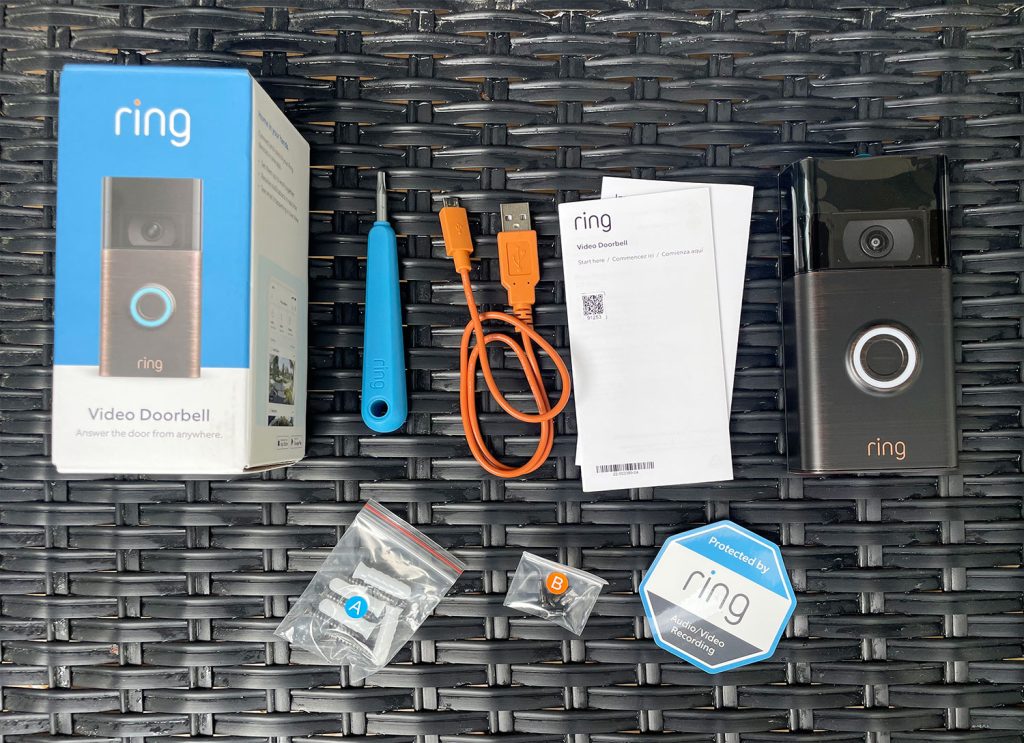
Before starting the installation of your Ring Video Doorbell, gather all necessary tools. Having the right tools ready saves time and avoids frustration. It makes the process smooth and simple.
Tools Checklist
Prepare these tools for your Ring Video Doorbell setup:
- Drill with screwdriver bits
- Level
- Measuring tape
- Wire stripper (if hardwiring)
- Hammer (for wall anchors)
- Small flathead screwdriver
- Ring Video Doorbell mounting kit
- Smartphone with Ring app installed
Having these tools at hand ensures a quick and easy installation.
Safety Precautions
Turn off power at the breaker before handling wires. This prevents electric shock.
Wear safety glasses to protect your eyes from dust and debris.
Use a sturdy ladder if you need to reach high places. Never overreach or stand on unstable surfaces.
Keep children and pets away from the work area for safety.
Follow all instructions carefully. Safety comes first during installation.
Preparing The Installation Site
Preparing the installation site is the first step to install your Ring Video Doorbell. It ensures your device works well and captures clear video. This preparation saves time and avoids problems during setup.
Selecting The Mounting Location
Choose a spot near your main entrance. The doorbell should be 4 to 5 feet above the ground. This height captures faces clearly. Avoid places with strong sunlight or shadows. The camera works best with even lighting. Pick a location where visitors naturally stand.
Make sure the doorbell is visible and easy to reach for guests. Avoid areas where the camera might get wet or dirty often. The mounting surface should be flat and sturdy. This helps the doorbell stay secure over time.
Checking Wi-fi Signal Strength
Test the Wi-Fi signal where you want to mount the doorbell. A strong signal ensures smooth video and alerts. Use a smartphone or tablet to check signal strength. Walk to the spot and see if the connection is stable.
Weak Wi-Fi can cause delays or missed alerts. If the signal is low, consider moving your router closer. Another option is to add a Wi-Fi extender. Make sure the doorbell gets at least two bars of signal.
Mounting The Doorbell
Mounting the Ring Video Doorbell is a simple task anyone can do. It holds your doorbell securely and ensures the camera has a clear view. This step is crucial for good video quality and proper device function.
Follow these steps carefully to mount your doorbell correctly. Use the right tools and take your time. The results will be worth it.
Marking And Drilling Holes
Start by holding the mounting bracket against your wall or door frame. Choose a spot near your door, about 48 inches from the ground. This height gives a clear view of visitors.
Use a pencil to mark the holes through the bracket’s screw slots. Double-check the marks for level and spacing. Use a drill with the right bit size to make holes at the marks. Drill slowly to avoid damaging the wall.
Attaching The Mounting Bracket
After drilling, insert wall anchors if your surface needs extra support. Place the mounting bracket back on the wall. Align the holes with the drilled spots.
Use the screws provided with your Ring Doorbell to fix the bracket firmly. Tighten the screws until the bracket feels stable and secure. Avoid over-tightening to prevent damage.
Now your mounting bracket is ready for the doorbell. This setup keeps your device safe and stable.
Connecting Power
Connecting power to your Ring Video Doorbell is an important step. It ensures the device works properly and stays active. You can choose between wired or battery power depending on your setup. Each option has clear steps to follow for smooth installation.
Wired Installation Steps
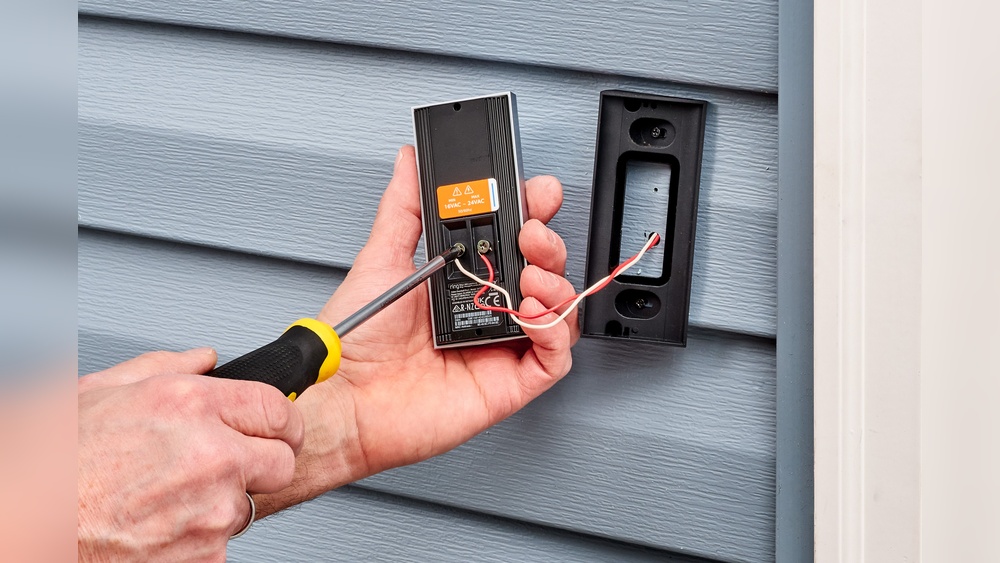
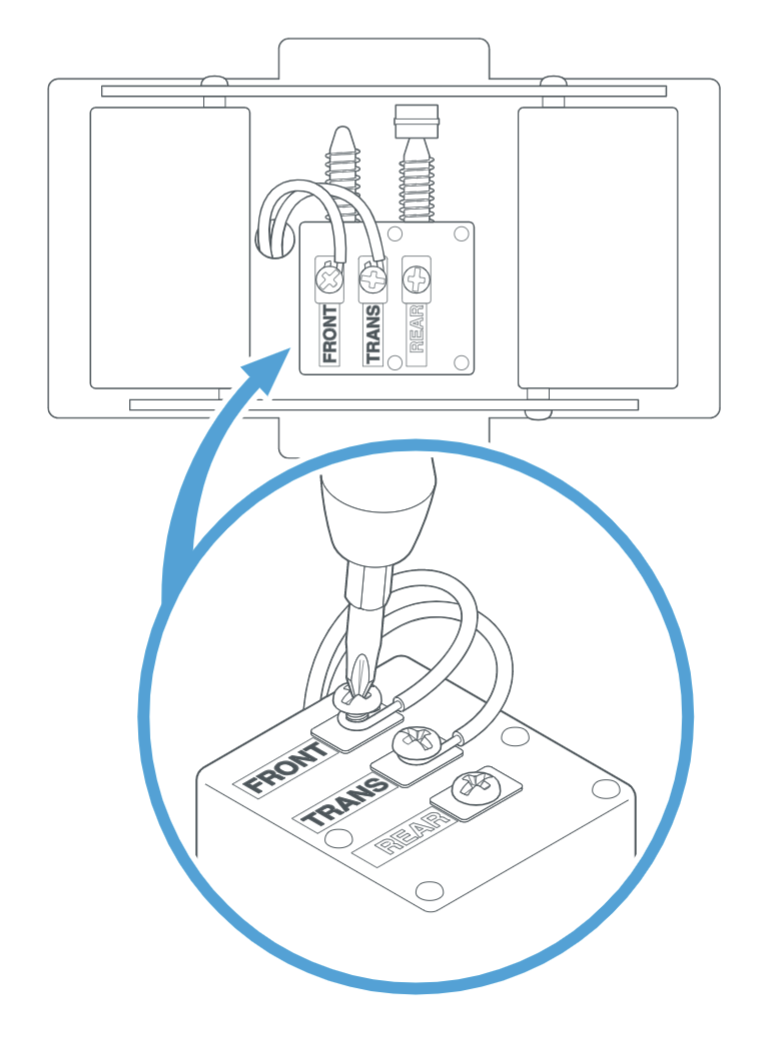
Turn off the power at the circuit breaker before starting. Remove your old doorbell if you have one. Connect the Ring doorbell wires to the existing doorbell wires. Use the screws provided to mount the doorbell securely. Turn the power back on and check if the device powers up. Test the doorbell button and video feed through the Ring app.
Battery Setup Tips
Charge the battery fully before installing the doorbell. Slide the battery into the back of the device until it clicks. Mount the doorbell using the screws or adhesive tape. Monitor the battery level in the Ring app regularly. Charge the battery again when the app shows a low battery alert. Keep a spare battery for quick replacement if needed.
Setting Up The Ring App
Setting up the Ring app is the first step to use your Ring Video Doorbell. The app connects your phone to the doorbell. It lets you see who is at your door anytime. The process is simple and quick. Follow the steps carefully to get started.
Creating An Account
Download the Ring app from your phone’s app store. Open the app and tap “Create Account.” Enter your email address and create a password. Make sure the password is strong but easy to remember. You will also need to agree to the terms of service. After this, your account will be ready to use.
Connecting To Wi-fi
Turn on your Ring Video Doorbell. The app will guide you to connect to Wi-Fi. Choose your home Wi-Fi network from the list. Enter your Wi-Fi password carefully. The doorbell needs a strong and stable connection. Wait for the app to confirm the connection. Once done, your doorbell is online and ready.
Configuring Doorbell Settings
Configuring your Ring Video Doorbell settings helps you get the best security and convenience. Adjusting these settings lets you control how the doorbell detects motion and sends alerts. This way, you avoid unnecessary notifications and focus on what matters.
Customizing Motion Zones
Customizing motion zones allows you to pick specific areas for motion detection. This helps reduce false alerts from passing cars or animals. Use the Ring app to draw zones on the live video feed. Focus on walkways, driveways, or entry points. Save your changes to ensure the doorbell only detects motion in these zones.
Adjusting Notification Preferences
Adjusting notification preferences lets you control how and when you get alerts. Choose to receive notifications on your phone or tablet. Set quiet hours to pause alerts during certain times. You can also pick types of alerts, like motion or doorbell presses. This customization keeps notifications useful and not overwhelming.
Testing The Doorbell
Testing the Ring Video Doorbell is important after installation. It makes sure the device works well. You can check video quality, sound, and alerts. This step helps catch problems early. It also ensures your home stays safe and connected.
Checking Video And Audio
Start by opening the Ring app on your phone. Press the doorbell button to start a live video feed. Look at the video quality on your screen. The picture should be clear and bright. Speak near the doorbell and listen through the app. Make sure the sound is loud and clear both ways. Test during day and night to see video changes. Adjust the camera angle if needed for a better view.
Verifying Motion Alerts
Walk in front of the doorbell to trigger motion detection. Watch your phone for a notification from the Ring app. The alert should arrive quickly and show a video preview. Check the alert settings in the app to match your needs. You can set motion zones to avoid false alerts. Test with different movements to ensure the sensor works well. This helps keep your home secure and informed.
Troubleshooting Common Issues
Setting up a Ring Video Doorbell can sometimes lead to small issues. These problems can stop the device from working well. Troubleshooting helps fix these issues fast. This guide covers two common problems users face. Follow simple steps to solve them and keep your doorbell running smoothly.
Wi-fi Connectivity Problems
Ring Doorbell needs a strong Wi-Fi signal to work well. Weak signals cause delays or no video feed. Place the router close to the doorbell for better connection. Check the Wi-Fi password is correct during setup. Restart your router and doorbell to refresh the link. Remove obstacles like walls or metal objects that block signals. Use the Ring app to test Wi-Fi strength at the doorbell.
Power And Battery Concerns
The Ring Doorbell may stop working if the battery is low or power is off. Charge the battery fully before installation. Replace the battery if it no longer holds charge. For wired models, check the power source and wiring. Turn off power before inspecting wires to stay safe. Use the Ring app to see battery status anytime. Regularly check and charge the battery to avoid interruptions.
Credit: www.younghouselove.com
Frequently Asked Questions
How Do I Install The Ring Video Doorbell?
To install, first charge the Ring doorbell fully. Then, mount it using the provided screws and anchors. Connect it to your Wi-Fi via the Ring app. Finally, customize settings and test the doorbell for proper operation.
What Tools Are Needed For Setup?
You will need a drill, screwdriver, and level. The Ring kit usually includes screws and anchors. A smartphone is required to complete Wi-Fi setup and configuration. Having these ready ensures smooth installation.
How Do I Connect Ring Doorbell To Wi-fi?
Open the Ring app, select your device, and follow Wi-Fi setup instructions. Enter your network’s SSID and password carefully. The doorbell will connect and update automatically. A strong Wi-Fi signal ensures reliable performance.
Can I Use Ring Doorbell Without Existing Doorbell Wiring?
Yes, Ring Video Doorbell works with or without existing wiring. It has a rechargeable battery for wireless use. However, wired installation offers continuous power and faster response times. Choose the option that fits your home best.
Conclusion
Installing and setting up your Ring Video Doorbell is simple and quick. Follow each step carefully for the best results. Once installed, you can watch your door from anywhere. It helps keep your home safe and connected. Enjoy the peace of mind it brings every day.
Start now and see how easy it is to protect your home.