
Have you ever wondered how a wifi video doorbell actually works to keep your home safe and connected? Imagine being able to see and talk to anyone at your door, no matter where you are.
This simple device does more than just ring—it sends live video straight to your phone. If you’re curious about what happens behind the scenes and how this technology can protect your home, keep reading. By the end, you’ll understand exactly how a wifi video doorbell works and why it’s becoming a must-have for every household.

Credit: www.youtube.com
Basics Of Wifi Video Doorbells
Wifi video doorbells are smart devices that help you see and talk to visitors. They work through your home’s wireless internet. This lets you check your door from anywhere using your phone or tablet. Understanding the basics helps you know how they function and what to expect.
These devices combine simple technology with convenience. They use cameras, microphones, and speakers to interact with visitors. The system alerts you anytime someone presses the doorbell or moves nearby. Let’s explore the core parts, how they connect, and their power options.
Core Components
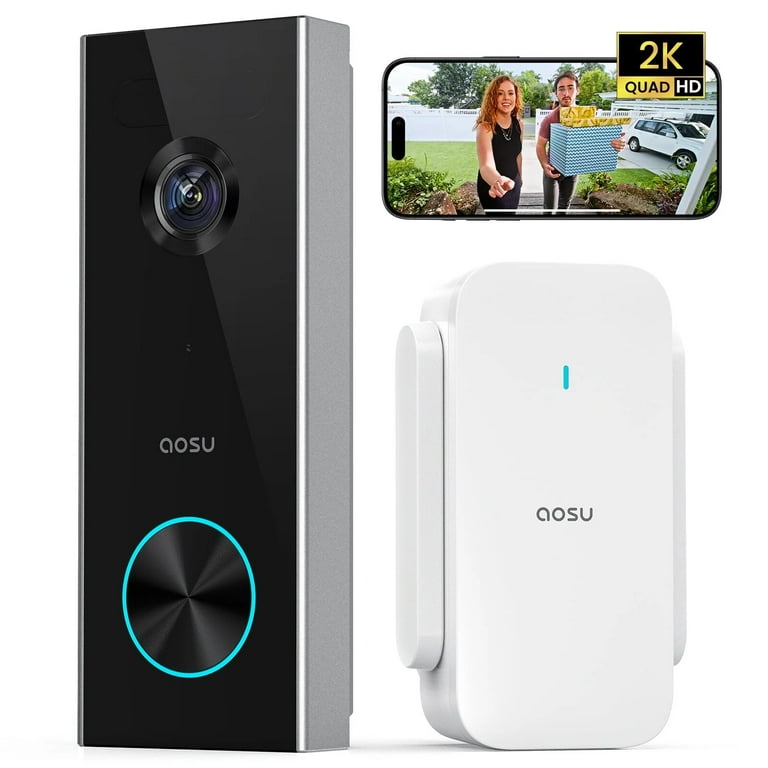
Every wifi video doorbell has a camera to record video. It captures clear images day and night. A microphone and speaker allow two-way communication. This means you can hear visitors and talk back. Sensors detect motion near your door. They trigger alerts and start recording automatically.
How They Connect To Wifi
Wifi video doorbells connect to your home’s wireless network. This connection sends video and audio to your phone. The doorbell uses your router to access the internet. A strong wifi signal ensures smooth video streaming. Setup usually involves a mobile app guiding you through steps.
Power Sources Explained
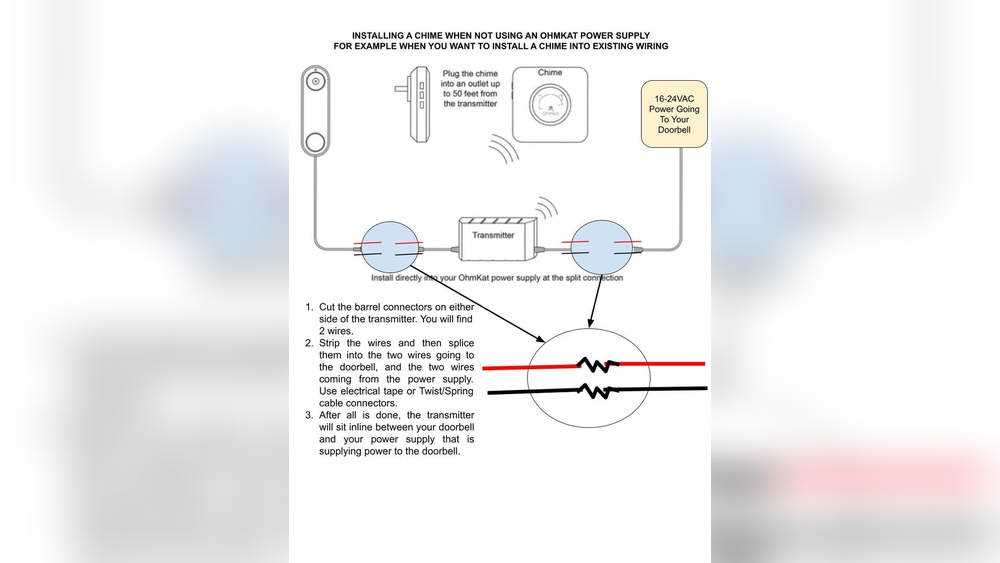
Video doorbells can be powered in different ways. Some use batteries, making installation easy and flexible. Others connect to your existing doorbell wiring for constant power. Battery models need recharging after some time. Wired models work continuously but need professional setup sometimes.
Installation Process
Installing a WiFi video doorbell is simpler than many expect. The process involves choosing a spot, following setup steps, and solving common issues. Proper installation ensures clear video and smooth operation. This section breaks down the key steps.
Choosing The Right Spot
Pick a location near your front door. It should show visitors’ faces clearly. Avoid places with too much sun or glare. Check for a strong WiFi signal. The doorbell needs good connection to work well. Also, place it at eye level for best view.
Step-by-step Setup
First, turn off power if you replace a wired doorbell. Next, mount the bracket using screws or adhesive. Attach the doorbell to the bracket. Download the doorbell app on your phone. Follow app instructions to connect the doorbell to WiFi. Test the doorbell by pressing the button. Check video and sound quality on your phone.
Common Installation Challenges
Weak WiFi can cause video delays or disconnections. Walls and distance affect signal strength. Poor power supply may stop the doorbell from working. Some models need a doorbell transformer. Outdoor weather can affect the device. Use weatherproof models for protection. Incorrect mounting can block the camera view. Double-check angle and position before finalizing installation.
Video And Audio Features
Wifi video doorbells come with important video and audio features. These features help you see and talk to visitors easily. They improve home security and convenience. Understanding these features helps you choose the right doorbell.
Camera Quality And Field Of View
The camera quality affects how clear the video appears. Most wifi video doorbells offer HD video, which shows sharp images. A wide field of view covers a larger area outside your door. This helps you see visitors and any nearby activity clearly. A good camera also adjusts well to light changes.
Two-way Audio Functionality
Two-way audio lets you speak and listen through the doorbell. It uses a built-in microphone and speaker. You can talk to visitors without opening the door. This feature also helps you give instructions or warn strangers. It adds a layer of safety and convenience.
Night Vision Capabilities
Night vision allows the camera to record clear video in the dark. Infrared LEDs light up the area without visible light. This keeps your home secure even at night. Night vision helps you identify visitors and see movements clearly after sunset. It works automatically when it gets dark.
Credit: www.walmart.com
Smart Security Integration
Smart security integration makes wifi video doorbells more useful and efficient. It connects the doorbell with other smart devices in your home. This connection helps create a safer and more convenient environment.
With smart integration, your video doorbell works with your home automation system. You can control it easily and receive alerts instantly.
Connecting With Home Automation Systems
Wifi video doorbells link to home automation hubs like Alexa or Google Home. This lets you use voice commands to check your door. You can also sync the doorbell with smart lights and alarms. When someone rings the bell, lights can turn on automatically. This adds another layer of security.
Mobile App Controls
Mobile apps give full control of the video doorbell from anywhere. You can see live video and talk to visitors through your phone. The app allows you to adjust settings and review recorded clips. It makes managing your doorbell simple and convenient.
Real-time Alerts And Notifications
The doorbell sends instant alerts to your phone. You get notifications when someone approaches or rings the bell. This helps you respond quickly, even if you are not home. Real-time alerts improve your home’s safety and keep you informed.
Data Privacy And Security
Wifi video doorbells offer convenience and security for your home. Yet, they handle sensitive data, making privacy and security important. Understanding how these devices protect your information is key to safe use.
Encryption And Data Protection
Wifi video doorbells use encryption to keep your data safe. Encryption changes your video and audio into secret code. This code stops hackers from reading your information.
Data is protected both during transmission and while stored. This means your video footage and personal details stay private. Strong encryption makes it hard for attackers to access your data.
User Privacy Concerns
Users worry about who can see and use their video footage. Some doorbells share data with third-party services. This can lead to privacy risks if not managed well.
Another concern is unauthorized access to your device. Weak passwords or outdated software can let intruders spy on you. Privacy settings vary by brand and model.
Best Practices For Secure Usage
Use strong, unique passwords for your doorbell account. Change default passwords immediately after setup. Regularly update the device software to fix security flaws.
Limit access to trusted users only. Check privacy settings and disable features you do not need. Connect your doorbell to a secure wifi network with a strong password.
Credit: reolink.com
Troubleshooting Tips
Troubleshooting a WiFi video doorbell can feel tricky. Small issues can stop it from working properly. Knowing common problems helps fix them fast. This saves time and keeps your home safe.
Common Connectivity Issues
WiFi signal problems often cause the doorbell to lose connection. Walls and distance can weaken the signal. Restart your router and doorbell to refresh the link. Check if other devices connect to the WiFi. Place the doorbell closer to the router if needed. Use a WiFi extender for better coverage in large homes.
Video And Audio Problems
Blurry video or no sound can occur. Clean the camera lens with a soft cloth. Make sure the microphone and speaker are not blocked. Adjust the video quality settings in the app. Restart the doorbell to fix frozen video or audio. Check the app permissions to allow microphone access.
Firmware Updates And Maintenance
Firmware keeps the doorbell software up to date. Updates improve performance and fix bugs. Check the app regularly for available updates. Install updates to avoid glitches or crashes. Perform routine maintenance by cleaning the device. Keep the doorbell dry and avoid extreme weather damage.
Benefits Over Traditional Doorbells
Wifi video doorbells offer many benefits over traditional doorbells. They bring new features that improve home security and daily convenience. This technology changes how people interact with visitors and protect their homes.
Enhanced Security Features
Wifi video doorbells have built-in cameras that show who is at the door. They send alerts to smartphones instantly. Users can see live video or recorded clips anytime. Motion detection helps catch suspicious activity before someone reaches the door. Many models include two-way audio to talk with visitors remotely. These features create a safer home environment.
Convenience And Accessibility
These doorbells connect to the internet and work with mobile apps. People can answer the door from anywhere using their phone. This is helpful for busy families or when away from home. Visitors do not need to wait for someone to open the door. Users can give instructions or refuse entry without being physically present. It also supports smart home systems for easier control.
Cost Considerations
Initial costs of wifi video doorbells are higher than regular ones. But they reduce the need for extra security devices. They can lower expenses on home monitoring services. Installation is simple and usually does not require professional help. Maintenance costs are low since they work on battery power or existing wiring. The long-term value justifies the upfront price.
Frequently Asked Questions
How Does A Wifi Video Doorbell Connect To The Internet?
A wifi video doorbell connects wirelessly to your home Wi-Fi network. It uses this connection to transmit video and audio data to your smartphone or cloud storage.
Can I Access The Video Doorbell Remotely?
Yes, you can access your wifi video doorbell remotely via a mobile app. This allows you to see and speak with visitors from anywhere with internet.
How Is The Video Doorbell Powered?
Most wifi video doorbells are powered by rechargeable batteries or connected to existing doorbell wiring. Battery models offer flexible installation options.
Does The Wifi Video Doorbell Store Footage Locally Or Online?
Video footage is typically stored online in the cloud. Some models also offer local storage on microSD cards for backup.
Conclusion
Wifi video doorbells help you see and talk to visitors from anywhere. They use your home’s internet to send live video to your phone. This makes your home safer and more connected. Setting one up is simple and does not need extra wires.
You can check who is at your door anytime you want. These devices bring ease and peace of mind to daily life. A smart choice for modern home security.