
Is your smoke detector beeping nonstop and driving you crazy? That annoying sound can disrupt your day and keep you up at night.
You need a quick, simple way to stop the beeping without risking your safety. You’ll discover easy steps to turn off that persistent alarm and get your home back to peace and quiet. Keep reading—you’ll learn exactly what to do the moment your smoke detector starts beeping.

Credit: waynealarm.com
Common Causes Of Beeping
Smoke detectors beep to warn you about potential problems. These sounds keep your home safe. Understanding why your smoke detector beeps helps you fix it fast. Common causes include battery issues, dirt, age, and wiring troubles. Each cause needs a different approach to stop the beeping.
Low Battery Alerts
Most beeping smoke detectors signal a low battery. The device chirps every minute or so. This sound means the battery is weak. Changing the battery usually stops the noise. Use fresh batteries to keep the detector working well.
Dust And Debris Issues
Dust or debris can block the smoke detector’s sensor. This blockage causes false alarms or beeps. Clean the detector regularly with a soft brush or vacuum. Clear sensors help the device work correctly. Avoid spraying cleaners directly on the detector.
End Of Life Signals
Smoke detectors have a lifespan, often 8-10 years. After this time, they beep to signal replacement is needed. The beeping may be constant or regular chirps. Check the manufacture date on your device. Replace old detectors to ensure safety.
Electrical Problems
Hardwired smoke detectors may beep due to wiring issues. Loose connections or power surges cause this problem. Check the circuit breaker and wiring for faults. Consult an electrician if unsure. Proper wiring keeps the detector functioning without interruptions.
Safety Precautions Before Disabling
Before turning off a smoke detector that beeps, safety must come first. Smoke detectors protect your home from fire dangers. Disabling them without caution can put everyone at risk. Follow safety steps to keep your home safe.
Ensure No Fire Hazards
Check your home carefully for any smoke or fire signs. Look for burning smells or sparks. Make sure no cooking or heating devices are causing smoke. Clear the area around the detector to avoid false alarms. Only turn off the alarm if the environment is safe.
Inform Household Members
Tell everyone in your home about your plan to disable the alarm. This prevents panic if the alarm stops beeping. Make sure children and elderly people understand the situation. Keep communication clear to avoid confusion during this time.
Have Backup Safety Measures
Keep a fire extinguisher nearby before disabling the smoke detector. Have a plan for quick evacuation if needed. Test other smoke detectors in your home to ensure they work. These steps protect your family while one alarm is off.
Step-by-step Fixes
A smoke detector that keeps beeping can be annoying and stressful. It often signals a small issue that needs fixing. Follow these simple steps to stop the beeping and keep your home safe. Each step targets a common cause of the problem.
Replace The Battery
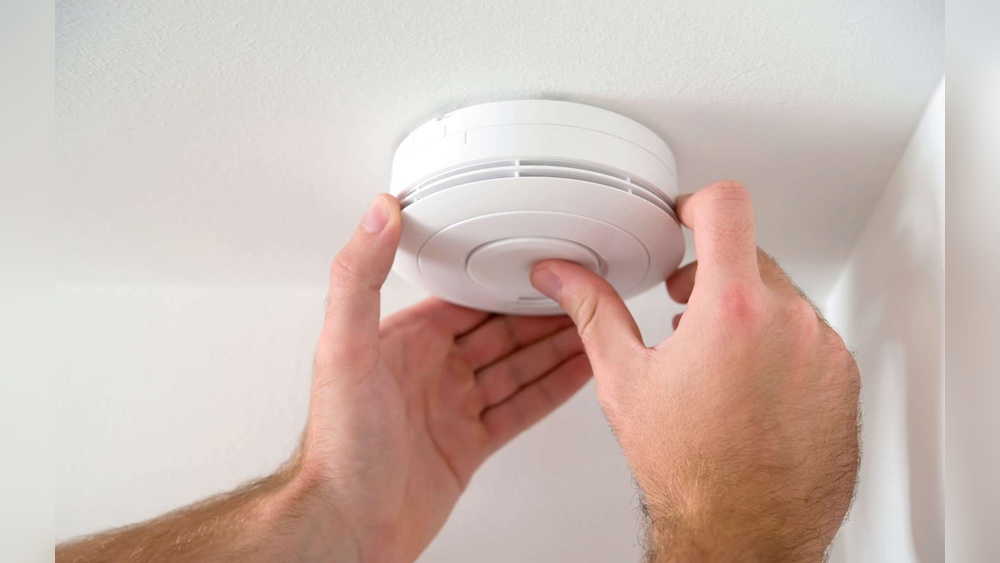
Start by checking the battery. Smoke detectors beep when the battery runs low. Open the detector’s cover carefully. Remove the old battery and replace it with a new one. Use the correct battery type as per the manual. Close the cover and see if the beeping stops. This fix solves most battery-related issues quickly.
Clean The Smoke Detector
Dust and dirt can cause false alarms and constant beeping. Take a soft brush or a vacuum cleaner with a brush attachment. Gently clean the detector’s vents and surface. Avoid using water or cleaning sprays. Regular cleaning keeps the detector working properly and prevents false signals.
Reset The Device
Sometimes the smoke detector needs a reset to stop beeping. Find the reset button on the detector. Press and hold it for about 15 seconds. Release the button and wait for the device to restart. This clears errors and resets the alarm system. Try this step if the beeping continues after battery replacement and cleaning.
Check For Wiring Issues
Hardwired smoke detectors can beep due to wiring problems. Turn off the power supply before inspecting. Look for loose or damaged wires connected to the detector. Secure any loose wires and replace damaged ones carefully. If unsure, call a professional electrician. Proper wiring ensures the alarm works without interruption.

Credit: www.youtube.com
Temporary Solutions To Stop Beeping
Beeping smoke detectors can be very annoying, especially at night. Sometimes, you need quick ways to stop the noise. Temporary solutions help silence the alarm until you fix the real problem. Here are simple steps to stop the beeping safely and fast.
Remove The Battery Temporarily
Open the smoke detector’s cover carefully. Take out the battery to stop the beeping. Wait a few seconds before putting the battery back in. This pause can reset the alarm. Remember, this is only a short-term fix. Replace the battery soon to keep your home safe.
Use A Battery Pull Tab
Some smoke detectors come with a plastic pull tab on the battery. Pulling this tab removes power and stops the beep. It is an easy and quick way to silence the alarm. Keep the tab handy if you need to stop the noise temporarily.
Press The Silence Button
Most smoke detectors have a silence or hush button. Press it once to stop the beeping sound. The silence mode usually lasts for 8 to 15 minutes. Use this time to check the detector or replace the battery. The silence button is a safe way to pause the alarm without removing power.
When To Replace The Smoke Detector
Knowing when to replace a smoke detector is important for safety. Smoke detectors do not last forever. Over time, their sensors wear out and may stop working properly. This can lead to false alarms or no alarms at all. Recognizing the right time to replace your device keeps your home safe and secure.
Device Age Limits
Most smoke detectors last about 8 to 10 years. Check the manufacturing date on the back of the device. If your smoke detector is older than 10 years, it needs to be replaced. Using an old device can put your family at risk.
Persistent Beeping Despite Fixes
Smoke detectors may beep for many reasons. Low batteries or dust often cause noise. Clean the device and change batteries first. If the beeping continues after these steps, the detector might be faulty. Persistent beeping means it is time to replace the unit.
Upgrading To Newer Models
New smoke detectors offer better technology and safety features. Some models have voice alerts or connect to smart home systems. Upgrading improves safety and may reduce false alarms. Consider replacing old devices with newer models for better protection.

Credit: www.angi.com
Preventive Maintenance Tips
Preventive maintenance helps stop smoke detectors from beeping unexpectedly. Regular care keeps them working well and alerts you only in real danger. Simple steps can extend the life of your alarms and reduce false alarms.
Regular Battery Checks
Check the battery every month to avoid low power warnings. Replace batteries with fresh ones even if the old ones still seem okay. Use the battery type recommended by the manufacturer for best results.
Routine Cleaning Schedule
Dust and dirt can cause false alarms. Clean your smoke detector every few months with a soft brush or vacuum. Avoid using water or cleaners on the device. Keep vents and nearby areas free of dust.
Testing Alarms Monthly
Press the test button once a month to ensure the alarm sounds loud. This confirms the device is working properly. Replace the smoke detector if it does not respond to the test.
Frequently Asked Questions
Why Is My Smoke Detector Beeping Intermittently?
Intermittent beeping usually means low battery power. Replace the battery immediately to stop the noise and ensure safety. Clean the detector to remove dust, which can also cause false alarms and beeping.
How Do I Silence A Smoke Detector Temporarily?
Press the “hush” or “silence” button on the smoke detector to mute it temporarily. This feature lasts around 8-10 minutes, allowing time to fix the issue without disabling the alarm entirely.
Can I Turn Off A Smoke Detector Permanently?
It is unsafe to turn off smoke detectors permanently. They protect you from fire hazards. Instead, address the cause of the beeping or replace faulty units promptly.
What Causes Smoke Detectors To Beep Without Smoke?
Smoke detectors beep due to low batteries, dust buildup, or sensor malfunctions. Regular maintenance like cleaning and battery replacement helps prevent false alarms and unwanted beeping.
Conclusion
A beeping smoke detector can be very annoying. Start by checking the battery and replacing it if needed. Clean the detector gently to remove dust. Reset the alarm following the manual’s steps. Always handle smoke detectors carefully to keep your home safe.
Remember, a working smoke detector protects you and your family. Stay calm and fix the beep step by step. This simple guide helps stop the noise quickly and safely.