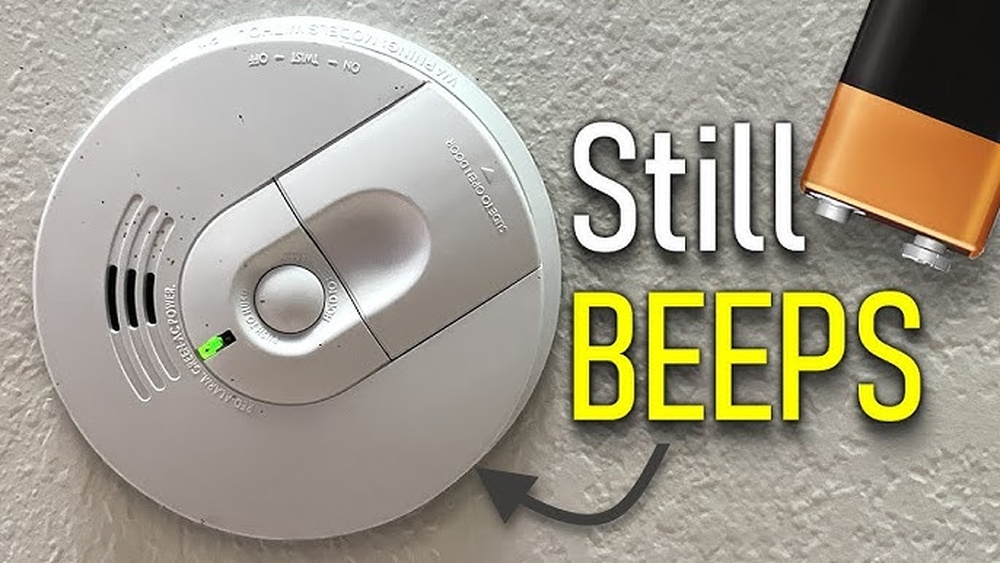

You just changed the batteries in your smoke detector, but that annoying beep keeps going off. Sound familiar?
Knowing how to reset your smoke detector after changing batteries is key to stopping those beeps and making sure your home stays safe. You’ll learn simple, step-by-step tips to quickly reset your device without any hassle. Keep reading, and you’ll never have to deal with that frustrating sound again.
Signs To Reset Smoke Detector
Knowing the signs to reset a smoke detector after changing batteries helps keep your home safe. Smoke detectors may not work properly until reset. Some signs tell you when a reset is needed. Recognizing these signs saves time and frustration.
Common Indicators After Battery Change
The smoke detector may beep or chirp repeatedly. A flashing light could stay on longer than usual. The alarm may sound briefly without smoke. Some models show a red or yellow light. These signs mean the detector did not reset automatically.
When Reset Is Necessary
Reset the smoke detector if it keeps beeping after battery change. If the test button does not work, try resetting. A constant flashing light also means a reset is needed. Resetting clears error messages and restarts the detector. This ensures the alarm works correctly and protects your home.

Credit: www.youtube.com
Tools Needed For Reset
Resetting a smoke detector after changing its batteries requires a few simple tools. Having the right equipment helps you complete the task quickly and safely. Prepare these tools before you start to avoid delays and ensure a smooth reset process.
Basic Equipment
You need a small flathead or Phillips screwdriver to open the smoke detector cover. A fresh set of batteries is essential to replace the old ones. A step stool or ladder helps you reach ceiling-mounted detectors easily. Keep a clean cloth nearby to wipe dust off the smoke detector. These tools are enough to reset most smoke detectors after battery replacement.
Safety Precautions
Turn off the power to the smoke detector at the circuit breaker to avoid shocks. Use a sturdy ladder or step stool to prevent falls. Avoid touching wires or internal parts beyond the battery compartment. Work in a well-lit area to see clearly. Follow the manufacturer’s instructions to prevent damage to the smoke detector.
Step-by-step Reset Process
Resetting a smoke detector after changing its batteries is simple. Follow each step to ensure the device works properly. This process helps clear any errors and gets the alarm ready to protect your home again.
Removing The Detector
First, find the smoke detector on your ceiling or wall. Gently twist or slide it off its base. Be careful not to pull too hard. Some models have a small tab to press before removal. Place the detector on a flat surface.
Replacing The Batteries
Open the battery compartment on the back of the detector. Remove the old batteries and dispose of them properly. Insert new batteries, matching the positive and negative ends correctly. Close the compartment securely. Check that the batteries fit snugly inside.
Performing The Reset
Press and hold the reset button on the detector. Hold it for about 15 seconds or until you hear a beep. This sound means the device has reset. Release the button and wait for the detector to return to normal. Finally, reattach the detector to its base by twisting or snapping it back in place.

Credit: www.wirechiefelectric.com
Testing The Smoke Detector
Testing the smoke detector is the final step after changing its batteries. This ensures the device works correctly and can alert you in case of fire. A simple test can confirm the smoke detector is ready to keep you safe.
Using The Test Button
Most smoke detectors have a test button on the front or side. Press and hold this button for a few seconds. The alarm should sound loudly, showing the device is working. If the alarm does not sound, check the batteries or the detector itself.
Ensuring Proper Functionality
After the alarm sounds, release the test button. The sound should stop quickly. Listen carefully for a strong, clear beep. This means the smoke detector is functioning well. Regular testing, at least once a month, helps keep your home safe.
Troubleshooting Common Issues
Sometimes smoke detectors don’t work right after changing batteries. Small problems can stop the reset process. These issues cause frustration and keep your home unsafe. Troubleshooting helps fix these common problems quickly. Below are simple steps for two frequent issues.
Detector Won’t Reset
First, check if the battery is fresh and fits well. Loose or old batteries stop the reset. Press the reset button firmly for 15 seconds. If the detector still won’t reset, try removing the battery and waiting 5 minutes. Reinstall the battery and press reset again. Dust inside the detector can also cause trouble. Use a soft brush or vacuum to clean it gently.
Persistent Beeping After Reset
Beeping may mean the battery is low or placed wrong. Replace the battery with a new one that matches the model. Make sure the battery terminals touch the contacts fully. If the beeping continues, the smoke detector may be old. Many detectors last about 10 years. Consider replacing your unit for safety. Also, smoke or steam near the detector can cause false alarms. Move the detector or reduce steam in that area.
Maintenance Tips For Longevity
Keeping your smoke detector working well means regular care. Small steps can make your device last longer. This helps protect your home and family effectively.
Simple maintenance keeps the smoke detector ready to alert you. It also saves money by avoiding early replacements. Focus on easy habits that fit your routine.
Regular Battery Checks
Check the battery every month. Replace it at least once a year, even if it still works. A weak battery can cause false alarms or no alarms.
Use fresh batteries from trusted brands. Avoid old or used batteries. Always test the smoke detector after changing batteries to ensure it works.
Cleaning The Detector
Dust and dirt can block the smoke sensor. Clean the detector every six months with a soft brush or vacuum. Avoid using water or cleaning sprays.
Remove the detector from the ceiling or wall before cleaning. Gently remove dust from all openings and vents. This keeps the sensor clear and sensitive.
Credit: www.security.org
Frequently Asked Questions
How Do I Reset A Smoke Detector After Battery Change?
After replacing the batteries, press and hold the reset button for 15-20 seconds. This clears the unit’s memory and stops false alarms. If no reset button exists, simply reinstall the detector and test it by pressing the test button.
Why Is My Smoke Detector Beeping After Battery Change?
A beeping sound after battery replacement often indicates low battery or a need to reset. Ensure batteries are fresh and properly installed. Press the reset button to clear alerts. Persistent beeping may require cleaning the detector or replacing the unit.
How Long Should I Press The Reset Button?
Press and hold the reset button for about 15 to 20 seconds. This duration allows the smoke detector to clear any error codes and recalibrate. Release the button and wait for the detector to chirp or flash, indicating a successful reset.
Can I Reset A Smoke Detector Without A Reset Button?
Yes, if your smoke detector lacks a reset button, remove the battery and power source. Wait 30 seconds, reinstall the battery, then test the detector. This process resets the device and stops false alarms.
Conclusion
Resetting your smoke detector after changing batteries keeps your home safe. Test it to make sure it works well. Regular checks help avoid false alarms or failures. This simple task protects you and your family every day. Stay safe by maintaining your smoke detector properly.
Don’t forget to replace batteries once a year. Safety starts with small steps like this. Easy to do. Worth the effort.