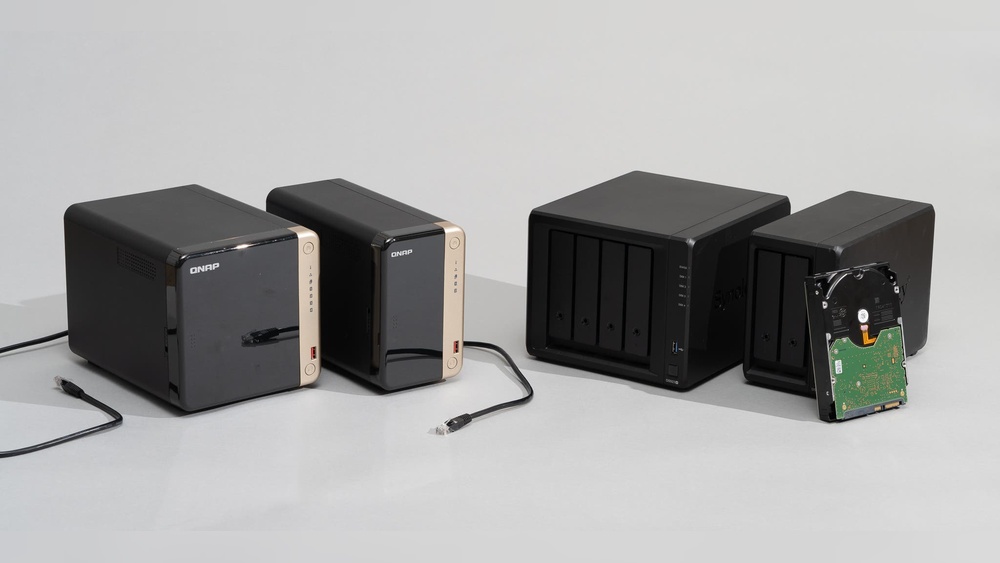

Imagine having all your important files, photos, and videos stored safely in one place—without the hassle of tangled cables or limited access. Wireless home network storage solutions make this possible, giving you the freedom to access your data anytime, anywhere within your home.
Whether you’re streaming movies, backing up work documents, or sharing files with family members, the right wireless storage can transform how you manage your digital life. Ready to discover how to simplify your storage and boost your home network’s efficiency?
Keep reading to find the perfect solution tailored just for you.
Wireless Storage Types
Wireless storage types offer flexible options for storing and sharing data at home. They remove the need for cables, making setup and access easier. Each type has unique benefits and fits different needs and budgets.
Network Attached Storage (nas)
NAS devices connect directly to your home network. They act like a personal cloud, storing files centrally. Multiple users can access files at the same time. NAS supports backups, media streaming, and file sharing. It offers large storage capacity and good security features. Many NAS units have apps for easy management and remote access.
Wireless Hard Drives
Wireless hard drives are portable and easy to use. They create their own Wi-Fi signal to connect with devices. No router is needed for direct access. These drives are great for quick file transfers and extra storage. Battery-powered models allow use without power cords. Ideal for sharing photos, videos, and documents on the go.
Cloud-integrated Solutions
Cloud-integrated storage combines local devices with online cloud services. Files sync automatically between your home and cloud servers. This setup ensures data is backed up and accessible anywhere. It offers scalable storage without hardware limits. Users benefit from easy sharing and collaboration features. Cloud integration adds convenience and extra protection for important files.
Key Features To Consider
Choosing the right wireless home network storage solution depends on several key features. These features affect performance, security, and ease of use. Understanding them helps you select the best option for your home.
Focus on storage size, speed, security, and compatibility. Each plays a vital role in how well the system meets your needs.
Storage Capacity
Storage capacity determines how much data you can save. Consider your current files and future growth. Options range from a few terabytes to much larger sizes. Choose a capacity that fits your needs without overspending.
Data Transfer Speeds
Data transfer speed affects how quickly you access or save files. Faster speeds mean less waiting and smoother streaming. Look for devices with high-speed Wi-Fi standards like Wi-Fi 5 or Wi-Fi 6. This ensures better performance for multiple users.
Security Options
Security protects your data from unauthorized access. Check for features like password protection, encryption, and user access controls. Some systems offer automatic backups and remote access with secure login. Choose a solution that keeps your data safe at all times.
Device Compatibility
Device compatibility ensures all your gadgets can connect easily. Confirm the storage solution supports smartphones, tablets, laptops, and smart TVs. Compatibility with multiple operating systems like Windows, macOS, and Android is important. This allows seamless access for every device in your home.
Setup And Installation
Setting up and installing a wireless home network storage device is simple and quick. The right setup lets you share files smoothly and keep your data safe. Follow clear steps to connect, configure, and access your storage easily.
Connecting To Your Network
First, power on your wireless storage device. Use the device’s app or web interface to find your home Wi-Fi network. Enter the password carefully to connect. Wait for the confirmation that the device joined your network. Place the device close enough to your router for a strong signal.
Configuring User Access
Open the storage device’s settings to add users. Create usernames and strong passwords for each person. Assign different access levels to control who can view or edit files. Limit guest access to protect your data. Save your settings to apply changes immediately.
Mobile And Remote Access Setup
Download the storage device’s mobile app on your phone or tablet. Sign in with your user account to connect. Enable remote access to use your storage outside the home network. Follow app prompts to set security options like two-factor authentication. Access your files anytime, from anywhere.
Top Brands And Models
Choosing the right wireless home network storage solution depends on trusted brands and reliable models. These brands offer devices that balance speed, capacity, and ease of use. Each brand has unique features that fit different storage needs and budgets.
Below are some top brands and their popular models. They provide secure and accessible storage for your home network.
Ubiquiti Unas-pro
Ubiquiti UNAS-Pro delivers fast and stable network storage. It supports multiple drives and RAID configurations. The device offers easy management through a clean interface. It suits homes needing reliable data backup and media streaming. The UNAS-Pro stands out for its strong wireless connectivity and security features.
Ugreen Nas Systems
UGREEN NAS Systems focus on simplicity and affordability. They offer compact designs with decent storage capacity. These models work well for basic file sharing and backups. UGREEN provides user-friendly setup and mobile app support. Their NAS devices fit well in small home networks.
Qnap And Terramaster
QNAP and TerraMaster offer powerful NAS solutions for advanced users. QNAP models include rich apps for multimedia and cloud services. TerraMaster emphasizes cost-effective performance and scalability. Both brands support multiple drive bays and high-speed connections. Their products suit users who want flexible and feature-rich storage.
Western Digital My Cloud
Western Digital My Cloud is popular for personal and family use. It offers easy access to files from anywhere. The My Cloud series supports automatic backup and synchronization. Its intuitive interface helps beginners manage storage effortlessly. The brand combines good performance with user-friendly design.
Performance Optimization
Optimizing performance is key for wireless home network storage solutions. It ensures smooth data access and faster transfers. Better performance means fewer interruptions and reliable connections. Simple steps can greatly improve your network’s efficiency and user experience.
Improving Wireless Range
Place your router in a central spot for better coverage. Avoid walls and metal objects that block signals. Use Wi-Fi extenders to widen the network reach. Position extenders where the signal is still strong. Clear clutter around your router to reduce interference.
Speed Boosting Tips
Choose the 5 GHz band for faster speeds and less interference. Limit the number of devices connected at once. Pause heavy downloads during important tasks. Use wired connections for devices that need consistent speed. Restart your router regularly to clear temporary issues.
Firmware Updates
Check your device’s firmware for updates often. Updates fix bugs and improve network stability. Some updates add new features that enhance speed and security. Follow manufacturer instructions carefully when updating. Keep your storage device’s software current for best results.
Use Cases For Home Storage
Wireless home network storage offers many practical uses. It helps organize, protect, and share your digital files easily. These storage solutions fit well into daily home life. They make managing media, backups, and file sharing simple and efficient.
Media Streaming
Wireless storage allows smooth media streaming to any device in your home. Watch movies and listen to music without delays or interruptions. Store your entire media library in one place. Access it from smart TVs, tablets, or phones anywhere in the house.
Backup And Recovery
Keep your important files safe with automatic backups. Wireless storage protects photos, documents, and videos from loss. Recover data quickly after accidental deletion or device failure. It ensures peace of mind by securing your digital memories and work.
File Sharing Among Devices
Share files easily across multiple devices without cables. Wireless storage connects smartphones, laptops, and tablets on the same network. Collaborate on documents or transfer photos with simple steps. It saves time and avoids the hassle of USB drives or email attachments.
Cost And Value Comparison
Comparing costs and value is essential when choosing wireless home network storage solutions. Prices vary widely based on features, capacity, and brand. Understanding what each option offers helps in making a smart decision. This section breaks down budget options, premium features, and long-term benefits to guide your choice.
Budget Options
Budget wireless storage devices cost under $300. They offer basic storage and simple setup. These models suit small homes or light users. Most provide limited capacity and slower speeds. Expect fewer advanced features and less support. Budget options fit users with simple storage needs and tight budgets.
Premium Features Worth Paying For
Premium models cost $500 and above. They include faster processors and more storage space. Features like remote access, automatic backups, and media streaming add value. Security options such as encryption protect your data. These models support multiple users and devices. Investing in premium features enhances convenience and performance.
Long-term Investment Benefits
Spending more upfront often saves money over time. High-quality storage lasts longer and needs less maintenance. Better features reduce the risk of data loss. Upgradable systems adapt to growing storage needs. Reliable devices improve productivity and ease of use. A smart investment offers peace of mind and future-proof storage.
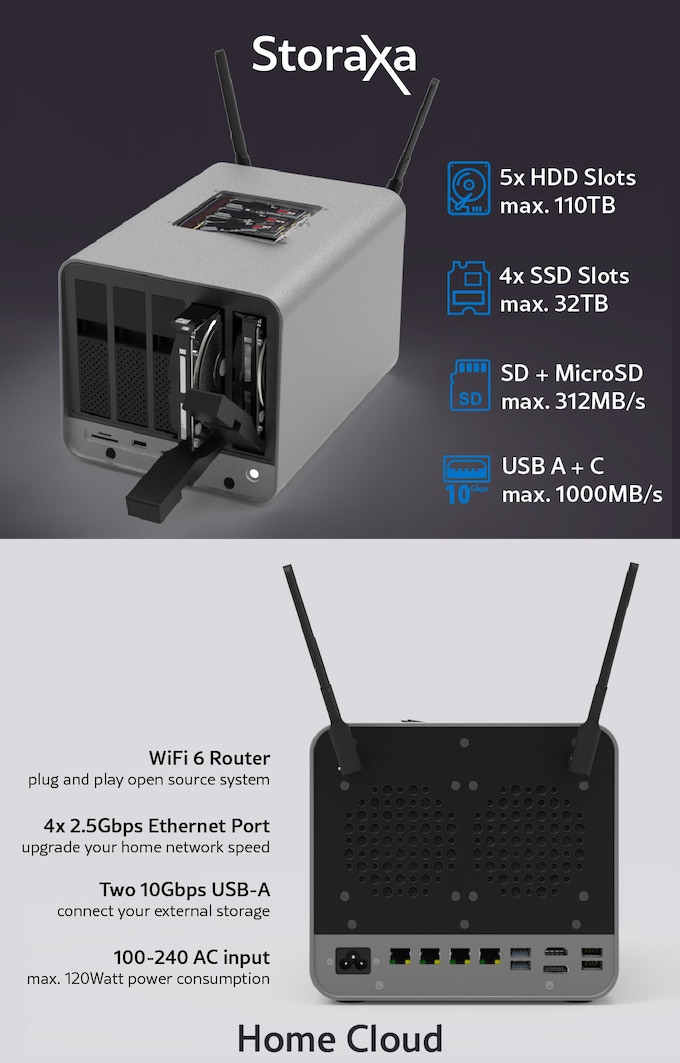
Credit: www.electronics-lab.com
Troubleshooting Common Issues
Troubleshooting common issues with wireless home network storage solutions can be simple. Understanding the typical problems helps keep your data safe and accessible. This section covers connectivity, data access, and security concerns.
Connectivity Problems
Wireless storage devices may lose connection to the network. This issue can happen due to weak Wi-Fi signals or router problems. Restart your router and storage device to reset the connection. Check if the device firmware is up to date. Place your storage closer to the router for a better signal. Avoid interference from other electronic devices.
Data Access Errors
Access errors occur when files cannot open or transfer properly. This can be caused by corrupted files or network interruptions. Use file recovery tools if files are damaged. Make sure your device has permission to access the storage. Check the network speed; slow connections may cause timeouts. Regularly back up important data to avoid loss.
Security Concerns
Wireless storage must stay secure to protect your data. Change default passwords to strong, unique ones. Enable encryption on your storage device and network. Keep your device firmware updated to fix security holes. Limit access to trusted users only. Monitor your network for unusual activity regularly.
Future Trends In Wireless Storage
Wireless home network storage is evolving fast. New trends shape how people store and access data at home. These changes improve convenience, speed, and security. The future of wireless storage looks smart and efficient.
Integration With Smart Home Devices
Wireless storage will connect more with smart home devices. This allows automatic backups from cameras, smart TVs, and speakers. Data sharing becomes seamless across devices without cables. Users can control storage with voice commands or apps. Integration makes managing home data easier and faster.
Advances In Wireless Technology
New wireless standards like Wi-Fi 6 and 7 will boost storage speed. Faster connections reduce waiting times when accessing files. Improved range covers larger homes without losing signal strength. Better security features protect stored data from hackers. These advances make wireless storage more reliable and safe.
Cloud And Hybrid Storage Solutions
Cloud storage will work alongside local wireless storage more often. Hybrid solutions let users save data on home devices and cloud servers. This setup offers extra protection and easy remote access. It also helps save space on local devices. Hybrid storage gives the best of both worlds for home users.
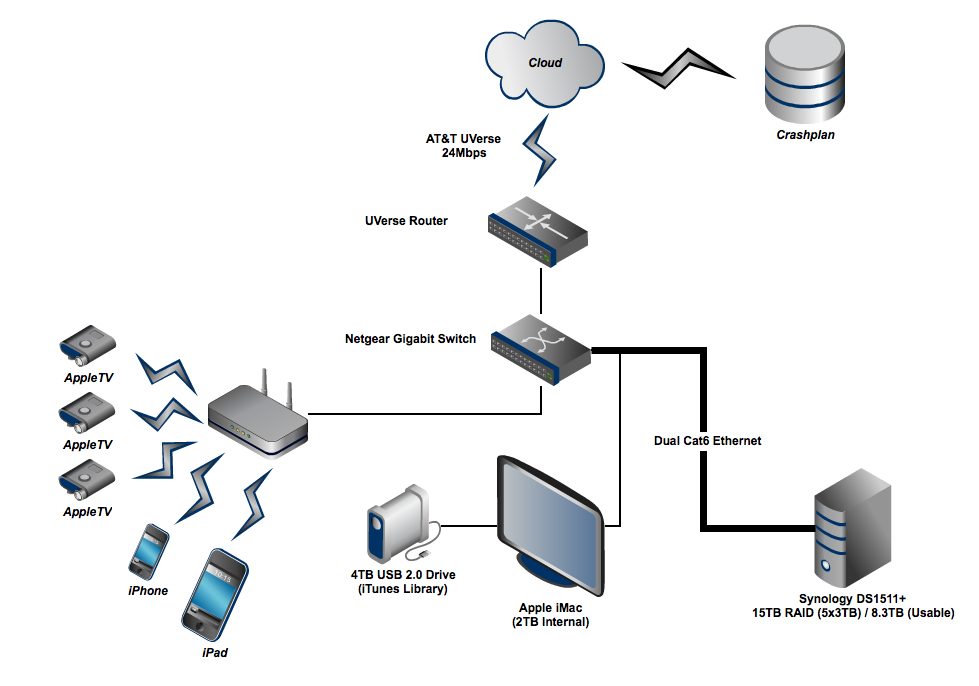
Credit: adamnash.blog

Credit: www.nytimes.com
Frequently Asked Questions
What Are The Best Network Storage Devices?
The best network storage devices include Synology NAS, QNAP NAS, Western Digital My Cloud, and TerraMaster NAS. They offer reliable, scalable, and secure storage for home and business use. Choose based on capacity, speed, and features to fit your specific needs.
Is There Such A Thing As A Wireless Hard Drive?
Yes, wireless hard drives exist and connect via Wi-Fi. They allow data access without cables, ideal for mobile and home use.
Are Nas Drives Worth It For Home Use?
NAS drives offer easy centralized storage, data backup, and media streaming for homes. They suit users needing shared access and extra security. However, casual users might find cloud storage simpler and cheaper. Consider your storage needs and budget before investing in a NAS for home use.
Can A Nas Work On Wi-fi?
Yes, a NAS can work on Wi-Fi by connecting it to a wireless router. Wi-Fi offers flexible placement but may reduce speed compared to wired connections. For best performance, use Ethernet cables. Wireless NAS suits light usage and convenience in home networks.
Conclusion
Wireless home network storage offers easy access to your files anytime. It keeps your data safe and organized in one place. Sharing photos, videos, and documents with family becomes simple and fast. Many options fit different budgets and home sizes.
Choose a solution that matches your needs and tech comfort level. Enjoy the freedom of wireless storage without clutter or cables. A good setup helps you save time and avoid data loss. Start with basic features and upgrade as your needs grow.
Wireless storage truly makes home networking more convenient and reliable.