

Imagine controlling your entire home or favorite gadgets just by speaking—no buttons, no screens, no hassle. With a voice control device, that’s exactly what you get.
Whether you want to play music, turn on lights, or check the weather, your voice becomes the ultimate remote. This technology not only makes your life easier but also adds a touch of magic to everyday tasks. Curious how it works and why it’s becoming a must-have in Austin, Texas, and beyond?
Keep reading, and discover how a voice control device can transform your world in ways you never imagined.

Credit: www.kardome.com
Voice Control Devices Explained
Voice control devices allow users to operate gadgets using simple voice commands. These devices use microphones and software to understand spoken words. They respond by performing tasks or providing information. Voice control makes technology easier and more accessible.
Many people use these devices at home or work to control lights, play music, or get news updates. They reduce the need to use hands or buttons, which is very convenient. Understanding the types and popular assistants helps in choosing the right device.
Types Of Voice-controlled Gadgets
Smart speakers are the most common voice-controlled devices. They play music, answer questions, and control smart home tools. Voice remotes help control TVs and media players without pressing buttons.
Smartphones and tablets also have voice control features built-in. Wearables like smartwatches use voice commands for calls and messages. Even some cars have voice assistants for safer driving.
Popular Voice Assistants
Alexa by Amazon is widely used in many smart devices. It can manage home appliances, set reminders, and control entertainment. Google Assistant works well on Android devices and smart speakers. It excels in answering questions and managing tasks.
Siri is Apple’s voice assistant, integrated into iPhones and Macs. It helps with calls, texts, and apps. Microsoft’s Cortana focuses on productivity and works on Windows devices. Each assistant offers unique features for different users.
Benefits For Smart Homes
Voice control devices offer many benefits for smart homes. They simplify daily tasks and improve how you interact with your home. These devices bring comfort and efficiency to your living space. Here are some key benefits.
Hands-free Convenience
Voice control lets you operate devices without using your hands. You can turn lights on or off while cooking. Adjust the thermostat without leaving the couch. Play music, set alarms, or control appliances with simple voice commands. This ease saves time and effort every day.
Enhanced Accessibility
Voice control devices help people with limited mobility or vision. They allow control of home systems without physical interaction. This makes homes more inclusive and easier to manage. Elderly users and those with disabilities gain independence and comfort.
Energy Efficiency
Smart voice devices help reduce energy use. You can turn off lights or appliances remotely. Set schedules for heating and cooling to save power. Voice commands make managing energy simple and quick. This lowers utility bills and supports a greener home.
Setting Up Voice Control
Setting up voice control is the first step to enjoy hands-free device operation. It lets you manage phones, smart home devices, and more with simple voice commands. The setup process is easy and quick. This section guides you through enabling voice access on phones and connecting devices to voice assistants.
Enabling Voice Access On Phones
Start by opening your phone’s settings menu. Look for the accessibility or voice control option. Turn on voice access or voice control feature. You may need to download an app or update your phone software. Follow on-screen instructions to allow microphone access. Set up a voice match or passphrase for security. Test voice commands by saying simple phrases like “open camera” or “call mom.”
Connecting Devices To Voice Assistants
Make sure your device and voice assistant are on the same Wi-Fi network. Open the voice assistant app on your phone or tablet. Go to the devices or settings section. Select add device or pair new device option. Follow prompts to find your voice control device. Confirm the connection by speaking a command. Adjust device settings for better response and control. This setup lets you control lights, speakers, and more by voice.
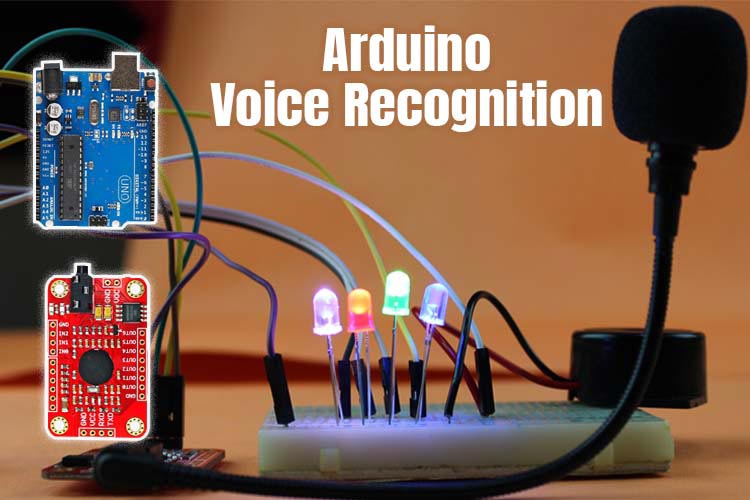
Credit: quartzcomponents.com
Common Commands And Uses
Voice control devices respond to spoken commands. They simplify daily tasks. You can control many devices without touching them. This feature helps save time and effort. It also adds convenience to everyday life. Below are common commands and uses for these devices.
Controlling Appliances
Voice commands turn appliances on or off. Say “Turn on the lights” to brighten rooms. You can adjust thermostats by speaking. Commands like “Set temperature to 72 degrees” work well. Some devices control coffee makers or fans. This hands-free control makes life easier.
Managing Entertainment Systems
Use voice commands to control TVs and speakers. Say “Play my favorite song” to start music. You can pause or skip videos by voice. Adjust volume with simple commands like “Volume up.” Search for shows without using a remote. Voice control improves your entertainment experience.
Dictating And Editing Text
Speak to write messages or notes quickly. Say “Start a new email” to begin composing. You can dictate entire paragraphs hands-free. Editing commands like “Delete last sentence” work too. This helps save time typing on keyboards. Voice control boosts productivity and convenience.
Top Voice Control Devices Today
Choosing the right voice control device is essential for a smooth user experience. The device must fit your daily needs and work well with your existing gadgets. Selecting the perfect match requires understanding key features and technical details.
Voice control devices differ in how they recognize commands and connect with other products. Knowing these differences helps you pick a device that works best at home or office.
Compatibility Considerations
Check if the device works with your smartphone or smart home system. Some devices only support Android or iOS. Others connect with popular platforms like Amazon Alexa or Google Assistant. Ensure the device supports your preferred apps and services.
Look for compatibility with devices like smart lights, speakers, or TVs. This allows you to control multiple gadgets using voice commands. Devices with wide compatibility offer more convenience and flexibility.
Offline Vs Online Voice Recognition
Some devices process voice commands offline. They do not need an internet connection to work. These devices offer faster response times and better privacy. Offline recognition is perfect for basic commands and simple tasks.
Online voice recognition devices send commands to the cloud. They need an internet connection to function. These devices can understand complex commands and improve over time. Online systems support more languages and features.
Choose offline if you want privacy and quick responses. Choose online for advanced features and continuous updates.
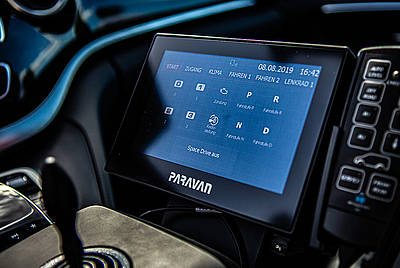
Credit: www.paravan.com
Frequently Asked Questions
What Are Voice-controlled Devices?
Voice-controlled devices respond to spoken commands via assistants like Alexa, Siri, or Google Assistant. They control smart home gadgets, speakers, and more. Users operate these devices hands-free, improving convenience and accessibility.
Where Is Voice Control On My Phone?
Open Settings on your phone. Tap Accessibility, then Interaction controls. Select Voice Access and toggle it on to enable Voice Control.
What Is Voice Control Used For?
Voice Control lets you operate devices and apps using voice commands. It enables hands-free calling, navigation, texting, and smart home control.
Are Voice-activated Devices Always Listening?
Voice-activated devices listen for their wake word only. They do not record or transmit audio until activated by the wake word.
Conclusion
Voice control devices make daily tasks easier and faster. They listen and respond to simple commands. You can control lights, music, and more without touching anything. These devices help people stay connected and organized. As technology improves, voice control becomes more accurate and useful.
Everyone can benefit from using voice control devices at home or work. They offer convenience and save time every day. Try one to see how it fits your lifestyle. Simple, smart, and helpful—voice control is here to stay.


