

Imagine controlling your entire home with just your voice. No more fumbling for switches, remotes, or apps.
With a home voice control device, you can turn on lights, adjust the thermostat, play your favorite music, and even manage your daily schedule—all by speaking naturally. If you’ve ever wished your home could be smarter and more responsive to your needs, this is the game-changer you’ve been waiting for.
Keep reading to discover how these devices can simplify your life, save you time, and bring a new level of convenience right to your fingertips—or rather, your voice.
Voice Control Devices
Voice control devices transform how you interact with your home. They let you manage lights, music, and more using simple voice commands. These gadgets bring convenience and smart technology into everyday life. Understanding their options helps you choose the right one.
Popular Models
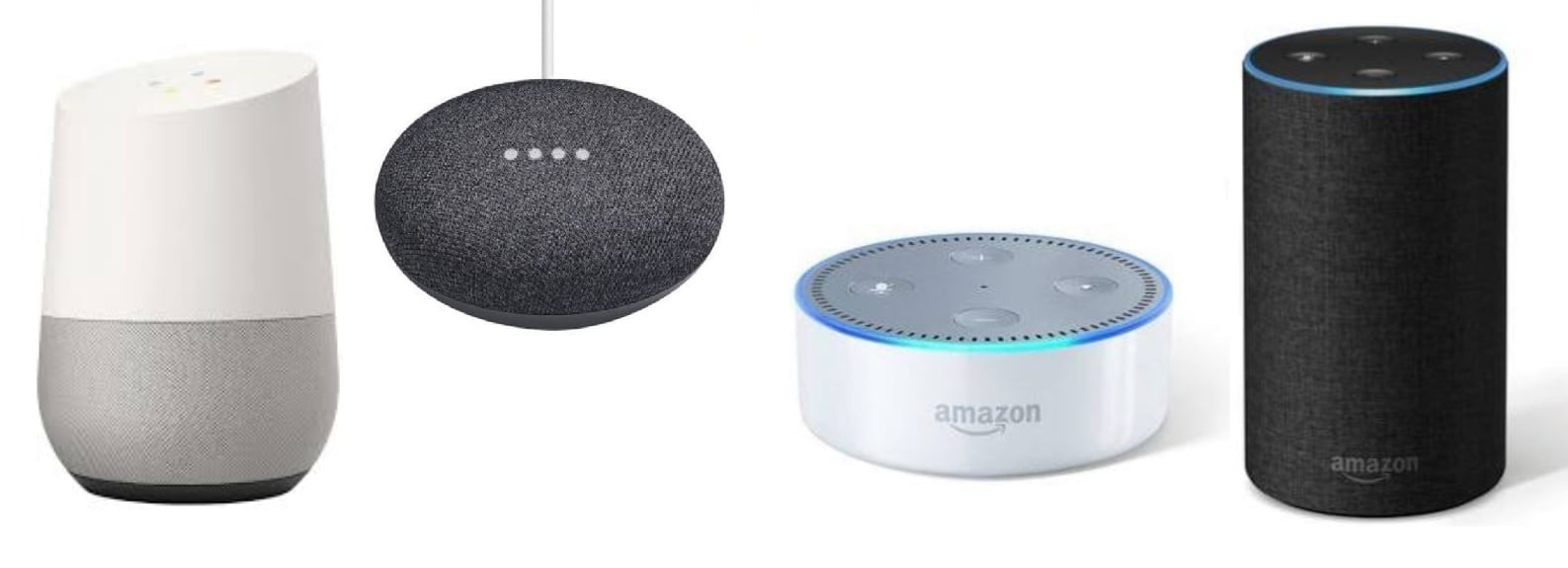
Amazon Echo Dot is a favorite for many homes. It offers reliable voice control with Alexa. Google Nest Mini provides clear sound and connects easily with Google services. Apple HomePod Mini suits users invested in the Apple ecosystem. Each model fits different needs and preferences.
Key Features
Voice control devices respond to natural speech. They control smart home gadgets like lights and thermostats. Many include built-in speakers for music and calls. Some support multiple users and language options. Privacy settings allow you to manage data and microphone use.
Price Ranges
Prices vary widely based on features and brand. Basic models like Google Home Mini start under $30. Mid-range devices, such as Amazon Echo Dot, cost around $50. Premium options like Nest Hub Max can reach $230 or more. Affordable choices make smart homes accessible to all budgets.
Credit: www.cornerstoneprotection.com
Setting Up Voice Assistants
Setting up a voice assistant at home is easier than you think. It helps you control devices, get information, and manage tasks by voice. This section guides you through the setup process.
Initial Configuration
Start by plugging in your voice assistant device. Download the official app on your smartphone. Follow the on-screen instructions to connect the device to your Wi-Fi network. Create or sign in to your account for full access. Test the assistant by saying the wake word. This confirms the device is ready.
Connecting Smart Devices
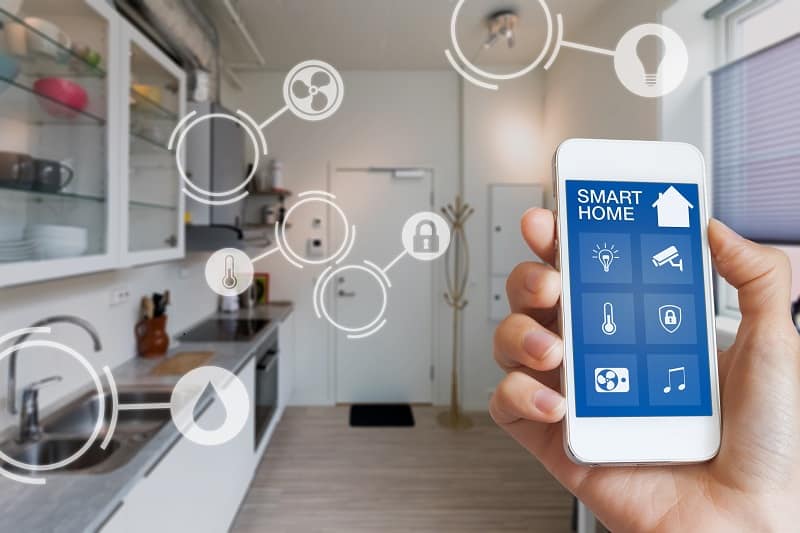
Open the voice assistant app and find the smart home section. Add compatible devices like lights, thermostats, or cameras. Ensure each device is powered on and in pairing mode. The app will search and list available devices. Select your device and confirm the connection. Organize devices into rooms for easier control.
Customizing Voice Commands
Customize commands to fit your daily routine. Use the app to create routines or shortcuts. For example, say “Good morning” to turn on lights and play news. Change the wake word if the assistant supports it. Train the assistant to recognize your voice better. This makes interactions more personal and effective.
Smart Home Integration
Smart home integration transforms simple voice commands into seamless control over your living space. It connects various devices to work together under one system. This integration enhances comfort, security, and energy efficiency without complex setups. A home voice control device acts as the central hub, making smart living easier and more intuitive.
Compatible Devices
Most voice control devices support lights, thermostats, and security cameras. They also connect with smart plugs, locks, and speakers. Compatibility depends on the brand and protocol used, such as Wi-Fi, Zigbee, or Z-Wave. Choosing devices that work well together prevents frustration and ensures smooth operation.
Automation Possibilities
Automation lets your home respond automatically to your needs. You can schedule lights to turn on at sunset or lock doors at bedtime. Voice commands can trigger routines, like starting music or adjusting temperature. These actions save time and create a personalized living environment effortlessly.
Local Vs Cloud Control
Local control keeps your data and commands within your home network. This method offers faster responses and better privacy. Cloud control relies on internet servers, allowing remote access from anywhere. It can provide more features but may depend on internet stability. Choosing the right type affects reliability and security of your smart home.
Comparing Top Brands
Choosing a home voice control device means comparing top brands. Each brand offers unique features and strengths. Understanding these helps select the right device for your home. This section explores Google Nest and Amazon Alexa, two leaders in the market. It also guides you to choose based on your needs.
Google Nest Advantages
Google Nest devices offer excellent voice recognition. They work well with Google services like Maps and Calendar. The sound quality is clear and balanced. Nest supports many smart home products, making control simple. The user interface is easy for beginners to understand. Regular updates keep the system secure and efficient.
Amazon Alexa Strengths
Amazon Alexa has a wide range of compatible smart devices. Alexa supports thousands of skills for added functions. It handles voice commands quickly and accurately. The Echo line includes many models for different rooms. Alexa can create routines for daily tasks easily. It offers good integration with shopping and entertainment.
Choosing Based On Needs
Consider your current smart home devices. Choose a system that connects well with them. Think about which voice assistant you already use on phones. Decide if you want more control over music or home automation. Budget also matters; prices vary between brands and models. Pick the device that fits your lifestyle and tech comfort.
Privacy And Security
Home voice control devices offer convenience by responding to spoken commands. Privacy and security remain top concerns for users. Understanding the risks and safeguards helps protect your personal data and home environment. This section covers key aspects of privacy and security with these devices.
Data Processing Risks
Voice control devices collect and process audio data constantly. This data may include sensitive information unintentionally captured. Some devices send data to cloud servers for processing. This can expose data to interception or unauthorized access. Weak encryption or poor data handling increase risks. Attackers might exploit these vulnerabilities to spy or steal information.
Protecting Personal Information
Always review privacy settings on your device. Disable features that you do not use or trust. Limit the data shared with third-party apps or services. Regularly check what data your device stores and deletes old records. Use strong, unique passwords for device accounts. Be cautious when linking devices to other smart home systems. Sharing less data reduces exposure to potential breaches.
Best Practices For Security
Keep your device software updated to patch security flaws. Use secure Wi-Fi networks with strong passwords. Avoid public or open networks for controlling your home device. Enable two-factor authentication if available. Monitor device activity and set alerts for unusual behavior. Turn off voice assistants when not needed to prevent accidental activation. These steps help maintain a safer smart home experience.
Credit: blog.techdesign.com
Common Challenges
Home voice control devices bring great convenience. They respond to your voice commands to control lights, music, and more. Despite their benefits, users face some common challenges that affect performance and experience. Understanding these issues helps in using the devices better.
Latency Issues
Latency means the delay between your command and the device response. This delay can frustrate users. It happens due to slow internet or device processing limits. Sometimes, many devices connected to the same network cause lag. Reducing network traffic can improve response times.
Speech Recognition Limits
Speech recognition is not always perfect. Background noise can confuse the device. Accents and speech speed also affect recognition accuracy. Some devices may struggle with uncommon words or names. Clear and slow speech improves understanding and response.
Troubleshooting Tips
Restart the device to fix many common problems. Check your internet connection for stability. Keep the device firmware updated for better performance. Place the device in a quiet area for clearer voice pickup. Use simple commands to avoid confusion.
Enhancing Smart Living
Voice control devices bring ease and comfort to daily life. They let users manage their homes with simple speech. This hands-free control saves time and effort.
Smart living means more than just gadgets. It means creating a home that responds to your needs instantly. Voice control makes this possible without complex setups or apps.
Voice Control Benefits
Voice control devices improve accessibility for all ages and abilities. They reduce the need to physically interact with devices. This helps people with mobility issues or busy hands.
These devices also speed up common tasks. Turning on lights, adjusting thermostats, or playing music happens faster by voice command. This creates a seamless and natural home experience.
Creative Use Cases
Users find new ways to use voice control every day. Some set routines for morning or bedtime with a single command. Others control security systems while away from home.
Voice assistants can read recipes aloud while cooking. They also provide hands-free help during workouts or study sessions. These creative uses add fun and function to smart homes.
Future Trends
Voice technology will become more accurate and personal. It will learn user preferences and habits for better responses. Integration with more devices will make homes smarter.
Expect advanced features like emotion recognition and natural conversations. Privacy and security will improve to protect users. The future of voice control promises easier and safer smart living.
Credit: blog.zyxel.com
Frequently Asked Questions
What Are The Voice Controlled Home Devices?
Voice controlled home devices include smart speakers, smart displays, smart TVs, and smart fans. Examples: Google Nest Mini, Apple HomePod Mini, Xiaomi Mi Smart Speaker. They respond to voice commands to control home automation, play music, and answer queries.
Can A Home Assistant Be Controlled By Voice?
Yes, home assistants can be controlled by voice using devices like Google Nest or Amazon Echo. Voice commands simplify smart home management.
What Are The Disadvantages Of Voice-activated Devices?
Voice-activated devices can struggle with privacy issues, misinterpret commands, require internet, and face latency delays. They may also mishear accents or background noise.
What Is Better, Google Nest Or Alexa?
Google Nest offers better integration with Google services and superior sound quality. Alexa supports more smart devices and skills. Choose Nest for Google ecosystem; pick Alexa for wider compatibility.
Conclusion
Voice control devices make home life simple and more comfortable. They respond quickly to your commands and save time every day. Setting up these devices is easy and fits most budgets. You can control lights, music, and even your thermostat with just your voice.
These gadgets work well for all ages and skill levels. Choosing the right device depends on your needs and preferences. Start small, learn as you go, and enjoy a smarter home. Voice control brings convenience right to your fingertips.


