
Imagine having peace of mind knowing your home is protected by smart technology that works seamlessly for you. Google Nest gadgets bring powerful home security right to your fingertips.
Whether you want to monitor your front door, keep an eye on the backyard, or detect smoke and carbon monoxide, these devices are designed to keep you and your loved ones safe. You’ll discover how Google Nest gadgets can transform your home security setup, making it smarter, simpler, and more reliable.
Ready to see how easy it is to boost your home’s protection? Let’s dive in.
Google Nest Security Devices
Google Nest Security Devices offer smart solutions for protecting your home. These devices connect easily and provide real-time alerts. They help you watch over your home from anywhere. The system is designed for simple use and reliable performance.
Indoor Cameras
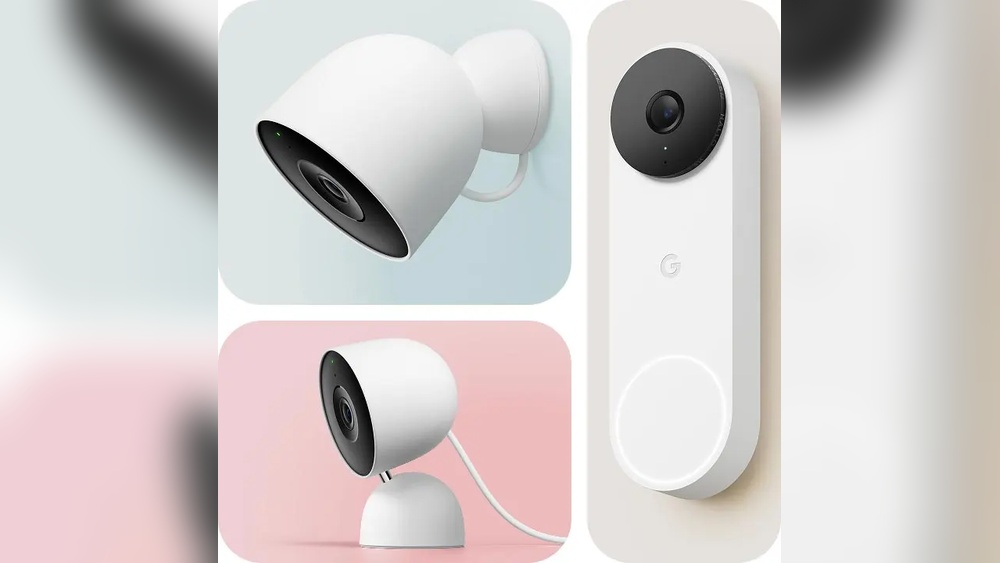
Indoor cameras keep an eye on your home inside. They have clear video quality day and night. Motion alerts notify you about unusual activity. Two-way audio lets you speak through the camera. It helps check on pets, children, or visitors.
Outdoor Cameras
Outdoor cameras protect your home’s exterior. They are weather-resistant and durable. Night vision captures activity even in darkness. Some models include floodlights to brighten dark areas. You get alerts for motion near doors or windows.
Video Doorbells
Video doorbells show who is at your door. You see visitors on your phone before opening. Two-way talk allows you to answer remotely. It improves safety and convenience. You can also record video for later review.
Alarm Systems
Alarm systems alert you to break-ins or emergencies. They connect with cameras and sensors. Loud sirens scare off intruders quickly. Mobile alerts keep you informed instantly. The system is easy to set up and control.
Smoke And Carbon Monoxide Detectors
These detectors warn about smoke or gas leaks. They send alerts to your phone for fast action. The devices have long-lasting batteries. They integrate with other Nest products. Safety stays a top priority in your home.

Credit: store.google.com
Installation Tips
Installing Google Nest gadgets for home security requires some planning to ensure they work well. Proper installation boosts device performance and keeps your home safer. Follow these tips to place and set up your devices correctly.
Choosing Device Locations
Pick spots with a clear view for cameras and sensors. Avoid places blocked by furniture or walls. Place devices near entry points like doors and windows. Higher locations reduce tampering risk. Test signal strength to ensure good connectivity.
Wiring Vs Wireless Setup
Decide between wired and wireless setups based on your home layout. Wired systems offer stable power and connection. Wireless devices provide flexible placement and easier installation. Check for power outlets near wired devices. Use strong Wi-Fi signals for wireless gadgets.
Mounting And Positioning
Mount cameras at eye level or slightly higher for a wide view. Angle devices to cover key areas without blind spots. Secure mounts tightly to avoid movement or falling. Avoid direct sunlight or glare on camera lenses. Regularly clean lenses for clear images.
System Integration
Google Nest gadgets offer strong system integration for home security. They work well with many devices to keep your home safe. Integration makes managing security easier and more efficient.
These systems connect smoothly to create a smart home network. You get control from one app or voice command. This setup helps monitor your home anytime from anywhere.
Connecting With Google Home
Google Nest devices link easily with Google Home. This connection lets you control security tools by voice. Say simple commands to check cameras or lock doors. It saves time and adds convenience.
Google Home groups all Nest devices in one place. You can ask about alerts or status without using your phone. It creates a hands-free security experience that fits daily life.
Using Nest App Features
The Nest app gives full control of your security system. You see live video feeds and receive instant alerts. The app lets you adjust settings quickly from anywhere.
Custom modes help tailor security to your schedule. Turn on alarms or cameras with a tap. The app keeps your home safer with easy, real-time management.
Linking With Other Smart Devices
Google Nest works with many smart home gadgets. Connect lights, thermostats, and locks for better security. For example, lights turn on if a camera detects motion.
This teamwork improves home safety and energy use. You create a smart system that reacts to events automatically. Linking devices makes your home more responsive and secure.
Security Features
Google Nest gadgets offer strong security features to protect your home. These devices work together to keep your space safe day and night. They use smart technology that adapts to your needs. Each feature helps detect threats and alert you quickly.
Motion Detection
Google Nest devices use advanced motion sensors to spot movement. They can tell the difference between people, pets, and objects. This reduces false alarms and ensures only important events trigger alerts. The sensors work in low light and bright conditions.
Alerts And Notifications
The system sends instant alerts to your phone or tablet. You receive notifications about detected motion or unusual activity. This keeps you informed even when away from home. You can customize alert settings for different times and zones.
Video Recording And Storage
Google Nest cameras record high-quality video footage. Videos are stored securely in the cloud for easy access. You can review past recordings anytime through the app. The storage plan offers enough space for days or weeks of video.
Two-factor Authentication
Two-factor authentication adds an extra layer of account security. It requires a code from your phone in addition to your password. This helps prevent unauthorized access to your Nest account. It keeps your devices and data safe from hackers.
Subscription Plans
Google Nest offers subscription plans that add extra security features. These plans enhance your home protection and provide peace of mind. They include video history, smart alerts, and more. Subscribing helps you get the most from your Nest devices.
Choose a plan that fits your needs and budget. Each option gives access to cloud storage and advanced features. Keep your home safe with affordable, easy-to-use plans.
Nest Aware Benefits
Nest Aware improves your security system with continuous video recording. It sends alerts for important events like motion or sound. You can review video clips and create activity zones. The plan includes intelligent notifications that reduce false alarms. It helps you stay informed about your home at all times.
Pricing Options
Google Nest offers two main pricing plans. The Basic plan is budget-friendly and covers one camera. The Premium plan supports multiple cameras and more video history. Both plans charge monthly or yearly, with discounts for annual payments. Prices vary by region but remain affordable for most users.
Cloud Storage Details
Subscription plans include cloud storage for your video footage. This storage keeps videos safe and accessible from anywhere. The Basic plan stores up to 30 days of video. The Premium plan extends storage to 60 days. Videos automatically delete after the period, saving space and data.
Troubleshooting
Troubleshooting Google Nest Gadgets for home security is essential for smooth operation. Issues can arise with connectivity, device function, or software. Understanding common problems helps maintain security and peace of mind.
This section guides you through simple fixes. It covers key areas like connectivity issues, device malfunctions, and software updates.
Connectivity Issues
Google Nest devices need a stable Wi-Fi connection. Check your router and ensure the signal reaches the device. Restart your router and Nest gadget to refresh the connection. Avoid placing devices too far from the router. Use the Google Home app to test connection status. Weak signals cause delays or failures in alerts.
Device Malfunctions
Sometimes Nest devices stop working properly. Power cycle the device by unplugging it for 30 seconds. Clean the camera lens or sensors gently to remove dirt. Check for physical damage or loose cables. Reset the device if problems persist. Use the app to run device diagnostics and follow suggested steps. Malfunctions may also result from low battery or hardware faults.
Software Updates
Keep your Google Nest devices updated for security and performance. The app usually updates devices automatically. Manually check for updates in the Google Home app. Install updates promptly to fix bugs and improve features. Avoid interrupting the update process to prevent errors. Regular updates help protect your home from new security threats.
Limitations And Discontinuation
Google Nest Gadgets have changed how many protect their homes. Still, they have limits and some products have stopped. Knowing these facts helps users plan better security setups. Understanding what ended and what stays guides future choices.
Nest Secure Shutdown
Google stopped making the Nest Secure alarm system in 2020. The shutdown means no new units or updates from Google. This decision surprised many loyal users. The system’s discontinuation affects how people secure their homes. Support for the alarm’s app and devices slowed down and eventually stopped.
Impact On Existing Devices
Existing Nest Secure devices still work but with limits. Users cannot get new features or updates. Some sensors and accessories may lose compatibility over time. Security risks rise if devices are not updated. Customers need to watch for any changes in performance. Repairs may become harder as parts run out.
Future Support And Alternatives
Google focuses more on cameras and doorbells now. Nest Cam and Nest Doorbell have full support and updates. Users should consider switching to these devices. Many third-party options also work well with Google Home. Choosing active products ensures better security and support. Planning ahead avoids gaps in home safety.
Credit: tdimmobilier.com
Enhancing Home Security
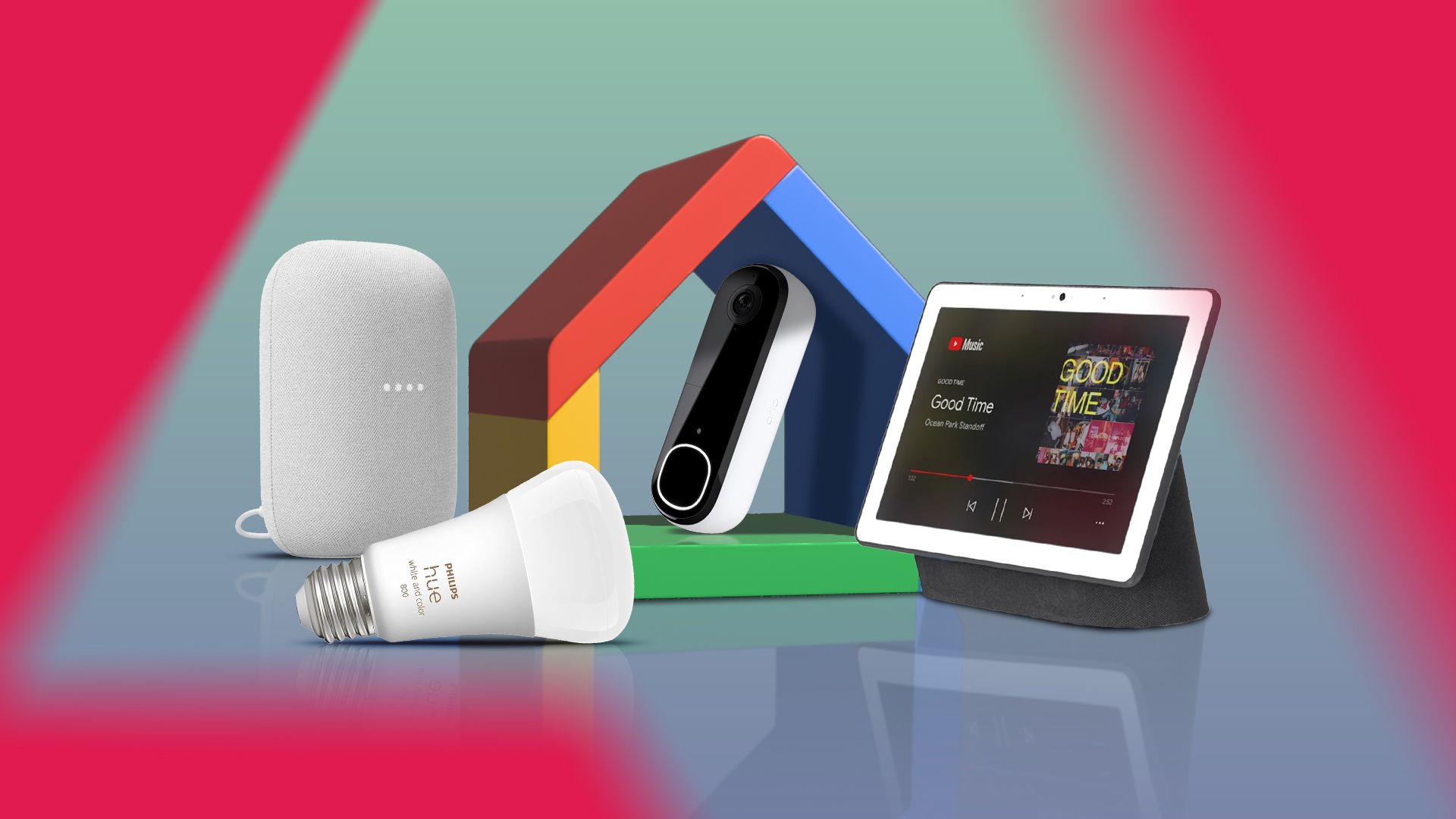
Google Nest gadgets help protect your home with smart technology. These devices work together to create a secure space. They watch over your property day and night. Their easy controls make home security simple and effective.
Using Google Nest means you get real-time alerts and clear video feeds. The system adapts to your needs and fits any home size. Trusting these gadgets adds peace of mind for you and your family.
Combining Devices For Coverage
Google Nest offers various devices to cover your home fully. Indoor and outdoor cameras monitor every corner. Doorbells with cameras let you see visitors clearly. Sensors detect motion and unusual sounds. Using multiple devices reduces blind spots.
Placing cameras at entrances and hallways ensures no area goes unseen. The system syncs devices to work as one. This creates a strong security network around your home.
Integrating With Adt
Google Nest integrates smoothly with ADT services. This partnership adds professional monitoring to your setup. ADT provides 24/7 support and fast emergency response. Combining Nest devices with ADT boosts your home’s safety.
You get expert help without losing control of your system. The integration is easy to manage through one app. It makes security smarter and more reliable for your family.
Customizing Alerts
Google Nest lets you tailor alerts to fit your lifestyle. Choose which events trigger notifications. Set alerts for motion, sound, or specific zones. This reduces false alarms and keeps you informed only when needed.
You receive alerts on your phone or other devices. Custom settings help you respond quickly to real threats. This feature keeps you connected to your home at all times.
Privacy Considerations
Privacy matters most when using Google Nest gadgets for home security. Protecting your personal information is a key concern. These devices collect data to keep your home safe. Knowing how your data is handled helps you feel secure.
Google Nest takes privacy seriously. They use strong measures to protect your data. Users can manage settings to control what information is shared. Understanding sharing and access permissions gives you more control.
Data Security Measures
Google Nest uses encryption to protect your data. Data is encrypted during transmission and storage. This stops hackers from accessing your information. Regular security updates keep the system safe. Google also monitors for unusual activity to prevent threats.
User Control Settings
You decide what data Google Nest collects and stores. The app lets you adjust privacy settings easily. You can turn off certain features if you want. Notifications inform you about security alerts and activities. This control helps you keep your home private.
Sharing And Access Permissions
Only authorized users can access your Nest devices. You can add family members or trusted friends. Permissions can be set for viewing or controlling devices. Sharing access is flexible and can be changed anytime. This keeps your home secure and your data private.

Credit: www.amazon.com
Buying Guide
Choosing the right Google Nest gadgets for home security can feel tough. This guide breaks down the steps to make your choice easy. Learn where to buy, compare models, and plan your budget.
Where To Purchase
Google Nest gadgets are available at many stores. Check online shops like the Google Store, Walmart, Best Buy, and Home Depot. Many offer free delivery and in-store pickup. Buying from official retailers ensures product authenticity and warranty. Watch for seasonal sales to get better prices.
Comparing Models
Each Google Nest model has unique features. The Nest Cam Indoor is great for inside monitoring. The Nest Doorbell adds smart alerts for visitors. Outdoor Wired Nest Cams work well in all weather. Some models include floodlights for extra security. Compare video quality, field of view, and installation type before buying.
Budgeting For Security
Set a clear budget before shopping. Basic models start around $100. More advanced systems with cameras and alarms cost up to $450. Consider installation costs if you hire help. Don’t forget subscription plans for cloud storage and alerts. Balance your budget with the features you need most.
Frequently Asked Questions
Is Nest Home Security Discontinued?
Google discontinued the original Nest Secure alarm system in 2020. Nest still sells cameras, doorbells, and other security gadgets.
Is Google Nest Good For Home Security?
Google Nest offers reliable home security with smart cameras, doorbells, and alarms. It provides real-time alerts and easy remote monitoring. Its integration with Google Assistant enhances safety and convenience. Overall, Google Nest suits smart homes seeking effective security solutions.
What Home Security Works With Google Nest?
Google Nest works with Nest Secure, Nest Cams, Nest Doorbell, Nest Protect alarms, and ADT security systems for integrated home protection.
Is Google Nest Being Phased Out?
Google Nest is not being phased out. Google continues to support and release new Nest products actively.
Conclusion
Google Nest gadgets offer smart, reliable home security solutions. They help you watch your home anytime, from anywhere. Easy setup and clear alerts keep you informed. Cameras, doorbells, and alarms work together smoothly. These devices fit well in any home style.
Protecting your family feels simple and smart. Choose Google Nest for peace of mind daily. Staying safe has never been more convenient.