
Have you ever wondered if your Alexa Voice Remote can control all your infrared (IR) devices? If you’re tired of juggling multiple remotes or struggling to find the right one in your living room, this question matters to you.
Imagine simplifying your home entertainment setup by using just your voice to switch channels, adjust volume, or power your devices on and off. But does Alexa’s voice remote really work with IR devices, or is it limited to just smart gadgets?
Keep reading to discover how Alexa interacts with your devices, what’s possible today, and how you can make the most out of your voice remote for seamless control. Your ultimate guide to mastering Alexa and IR devices starts here.

Credit: novanewenergy.en.made-in-china.com
Alexa Voice Remote Features
The Alexa Voice Remote offers a range of features to simplify your entertainment experience. It lets you control your TV and other devices using your voice. The remote combines traditional buttons with smart voice commands. This blend makes it easier to navigate and manage your devices quickly.
Understanding these features helps you use the remote more effectively. The remote supports many devices and comes in different models. Each model has unique capabilities to match various needs. Below, we explore the key features of the Alexa Voice Remote.
Voice Commands Overview
The Alexa Voice Remote lets you speak commands instead of pressing buttons. You can say things like “Play,” “Pause,” or “Open Netflix.” It understands natural language, so commands are simple and direct. Voice control extends to volume adjustments and channel changes. It also helps find shows or movies by name or genre. The remote works with Alexa’s smart assistant, responding quickly to requests.
Device Compatibility
This remote controls many devices using infrared (IR) signals. It works with most Fire TV devices, smart TVs, and soundbars. Compatibility depends on the remote model and device features. Some remotes support Bluetooth and Wi-Fi, improving control range. IR control requires a clear line of sight to the device. Alexa Voice Remote can also manage compatible smart home gadgets.
Remote Models
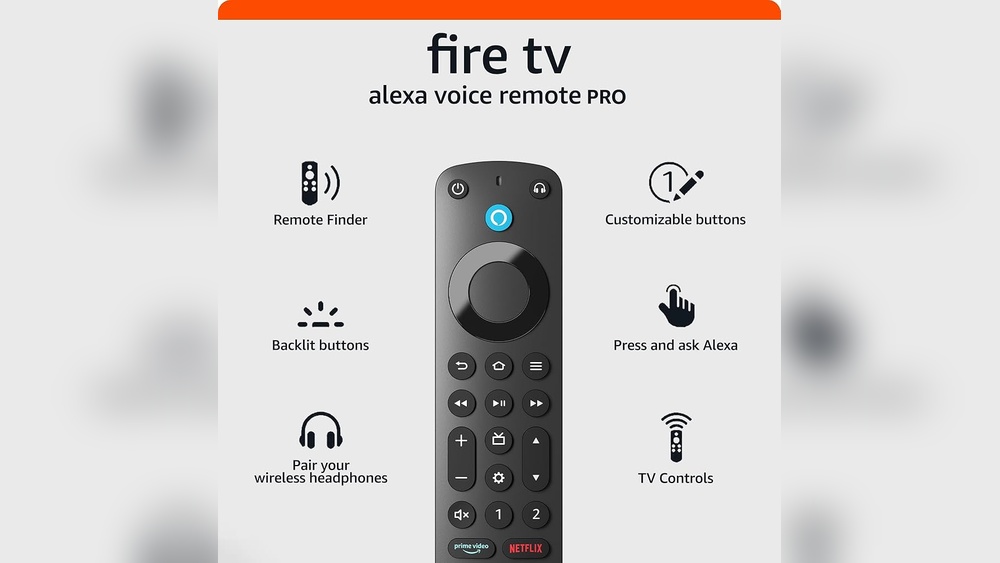
Amazon offers various Alexa Voice Remote models. Basic versions focus on IR control and voice commands. Advanced models include additional buttons and improved design. Some models support Bluetooth for easier pairing and use without direct line of sight. The Fire TV Alexa Voice Remote Pro adds customizable buttons. Different remotes fit different user preferences and device setups.
Ir Vs Rf Remotes
Remote controls use different technologies to communicate with devices. Two common types are Infrared (IR) and Radio Frequency (RF). Understanding their differences helps explain how Alexa voice remotes work with your devices.
Identifying Ir Remotes
IR remotes send signals using light waves. They need a clear line of sight to the device. You can test this by pointing the remote at your device and pressing a button. If it works only when you can see the device, it is likely an IR remote.
Also, cover the front of the remote with your hand. If the device stops responding, the remote uses IR signals. IR remotes are common in TVs and DVD players.
Differences Between Ir And Rf
RF remotes send signals using radio waves. These waves pass through walls and objects. This means you do not need to point the remote directly at the device. RF remotes work from longer distances and different rooms.
IR remotes require direct line of sight. RF remotes do not. RF remotes usually have better range but can cost more. IR remotes are simpler and cheaper but limited by obstacles.
Impact On Device Control
Alexa voice remotes often use both IR and RF technology. The IR part controls traditional devices like TVs and soundbars. Alexa sends IR commands to these devices through the remote.
RF technology allows Alexa to communicate with Fire TV sticks and other smart devices without line of sight. This improves control flexibility in your home.
Devices that rely only on IR may need to be in the same room. Alexa’s RF capabilities allow control from different rooms. This makes using voice commands easier and more reliable.
Alexa And Ir Device Control
Alexa offers a convenient way to control various devices using voice commands. Many users wonder if Alexa can manage IR devices, such as traditional TVs or sound systems. Understanding how Alexa interacts with infrared (IR) technology helps set clear expectations for users.
This section explains Alexa’s IR device control options and limitations. It covers native capabilities, Alexa Skills, and possible workarounds.
Native Ir Control Capabilities
Alexa devices with built-in IR blasters can control some IR devices directly. This means they send infrared signals like a traditional remote. For example, the Fire TV Cube has this feature. It can control TVs, soundbars, and receivers without extra hardware.
Not all Alexa devices have IR blasters. Standard Echo speakers or Echo Dots cannot send IR signals. Users need compatible hardware for native IR control.
Using Alexa Skills For Ir Devices
Alexa Skills expand device control options beyond native features. Some Skills connect Alexa to IR controllers or smart hubs. These hubs send IR commands to devices on Alexa’s behalf.
Users must enable the correct Skill and link it to their IR controller. Skills like “IR Controller” allow registering TVs and other IR devices. This setup enables voice commands for devices without native IR support.
Limitations And Workarounds
Alexa’s native IR control is limited to certain devices with IR blasters. Many Alexa products lack this hardware. Also, not all IR devices are compatible with Alexa Skills.
Workarounds include using smart hubs or universal remotes that support Alexa integration. These devices bridge Alexa and IR controls. Another option is setting up routines or using third-party apps to link Alexa commands to IR signals.
Setting Up Alexa With Fire Tv
Setting up Alexa with Fire TV makes your entertainment hands-free and simple. Alexa lets you control your Fire TV using just your voice. Follow these steps to link and use Alexa effectively. Troubleshooting tips help solve common issues fast.
Linking Fire Tv To Alexa
Open the Alexa app on your smartphone or tablet. Tap on the “Devices” icon at the bottom. Select the plus (+) symbol to add a new device. Choose “Add Device” and then select “Fire TV” from the list. Pick your Fire TV device from the available options. Follow the on-screen instructions to complete the linking process. Your Fire TV is now connected to Alexa and ready for voice control.
Using Voice Commands With Fire Tv
Press the Alexa button on your Fire TV remote to start. Speak clearly and say what you want. Commands include opening apps, searching for shows, or controlling playback. Say “Alexa, play the latest episode of [show name].” Adjust volume by saying “Alexa, turn up the volume.” You can also ask for weather updates or control smart home devices linked to Alexa.
Common Troubleshooting Tips
Check that your Fire TV and Alexa app are on the same Wi-Fi network. Restart your Fire TV and the Alexa app if commands do not respond. Make sure your Fire TV device firmware is updated. Confirm that Alexa permissions are enabled for Fire TV in the app. If voice commands still fail, unlink and relink your Fire TV device. Clear background noise for better voice recognition accuracy.
Controlling Other Ir Devices
Alexa voice remotes are known for controlling Fire TV devices easily. But what about other infrared (IR) devices? Many users want to control TVs, soundbars, or set-top boxes using Alexa. This section explores how Alexa interacts with IR devices beyond Fire TV.
Smart Home Ir Controllers
Smart home IR controllers bridge Alexa with traditional IR devices. These hubs send IR signals based on Alexa commands. They work with TVs, air conditioners, and more. Users can control multiple devices through one Alexa setup. This simplifies managing old and new gadgets together.
Third-party Solutions
Several third-party devices support Alexa voice control for IR devices. Brands like BroadLink and Logitech offer smart remotes with Alexa compatibility. These devices connect to Wi-Fi and translate Alexa commands into IR signals. They expand Alexa’s reach to many household electronics easily.
Integration Challenges
Not all IR devices respond perfectly to Alexa commands. Differences in IR codes and device models cause issues. Some devices lack official Alexa support, limiting control options. Setup can require technical steps that confuse some users. Still, many find partial control useful despite these challenges.

Credit: www.amazon.com
Future Of Alexa Remote Controls
The future of Alexa remote controls looks promising as technology evolves rapidly. Alexa is becoming smarter and more capable of managing various devices with ease. Expect greater convenience and smoother control over home entertainment systems.
Alexa remote controls will blend voice commands with traditional functions. This blend will help users interact naturally with their devices. Innovations aim to enhance user experience while expanding device compatibility.
Upcoming Features
New Alexa remotes will support advanced voice recognition. They will recognize commands more accurately and faster. Expect features like customizable buttons and better navigation options. Alexa might also include gesture controls for easier use.
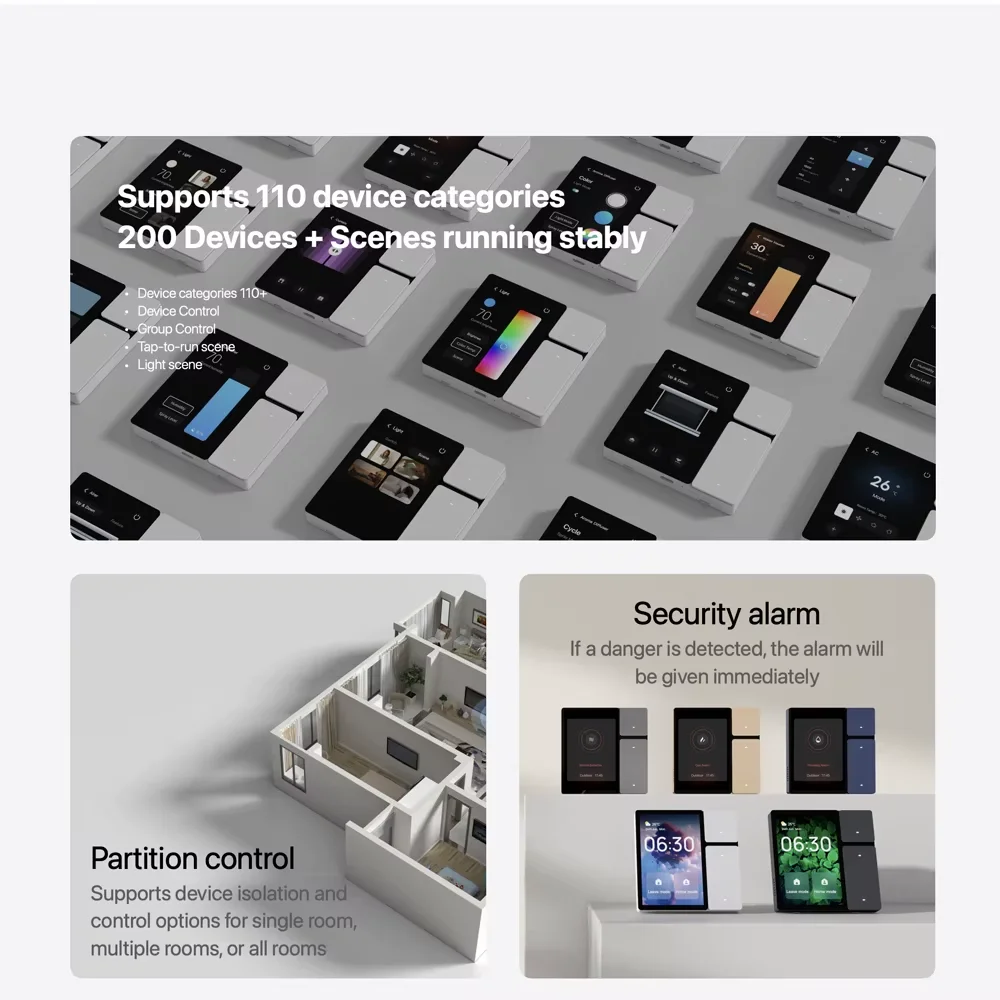
Integration with smart home devices will improve. Alexa remotes will allow control of lights, thermostats, and security systems. This creates a more unified and efficient smart home environment.
Improving Ir Compatibility
Infrared (IR) technology remains important for many devices. Alexa remotes will work on better IR signal strength and range. This means controlling TVs and sound systems from farther away will be easier.
Developers focus on broadening the list of compatible IR devices. Alexa will learn to recognize more brands and models. This expansion will reduce the need for multiple remotes in one home.
User Expectations
Users want simple, reliable, and fast control over all devices. Alexa remotes must respond instantly to voice and button commands. People expect seamless switching between controlling entertainment and smart home gadgets.
Consumers also seek intuitive design and easy setup. Alexa remote controls should work out of the box with minimal fuss. Meeting these expectations will boost user satisfaction and adoption.
Credit: www.aliexpress.com
Frequently Asked Questions
Can Alexa Control Ir Devices?
Yes, Alexa can control IR devices using compatible smart home hubs or IR blasters linked through Alexa Skills.
What Does The Alexa Voice Remote Do?
The Alexa voice remote lets you control Fire TV using voice commands. It launches apps, manages playback, adjusts volume, and controls smart home devices. Simply press the Alexa button and speak to search, play shows, or navigate menus easily on compatible Fire TV devices.
How Do I Tell If My Remote Is Rf Or Ir?
Cover the remote’s front with your hand. If the device still responds, it’s an RF remote. If not, it’s an IR remote.
Can I Use My Alexa To Control My Firestick?
Yes, Alexa can control your Firestick with voice commands. Link your Fire TV to the Alexa app, then use an Echo device or the Fire TV remote’s Alexa button to launch apps, play content, and control playback easily.
Conclusion
Alexa voice remote can control many IR devices easily. It works well with Fire TV and some smart TVs. You can use voice commands to change channels, adjust volume, or open apps. Setting it up is simple through the Alexa app.
Keep in mind, not all IR devices may work perfectly. Still, Alexa adds convenience to your entertainment setup. Voice control saves time and makes using devices easier. Overall, Alexa voice remote blends well with IR device control. A handy tool for a smoother home tech experience.