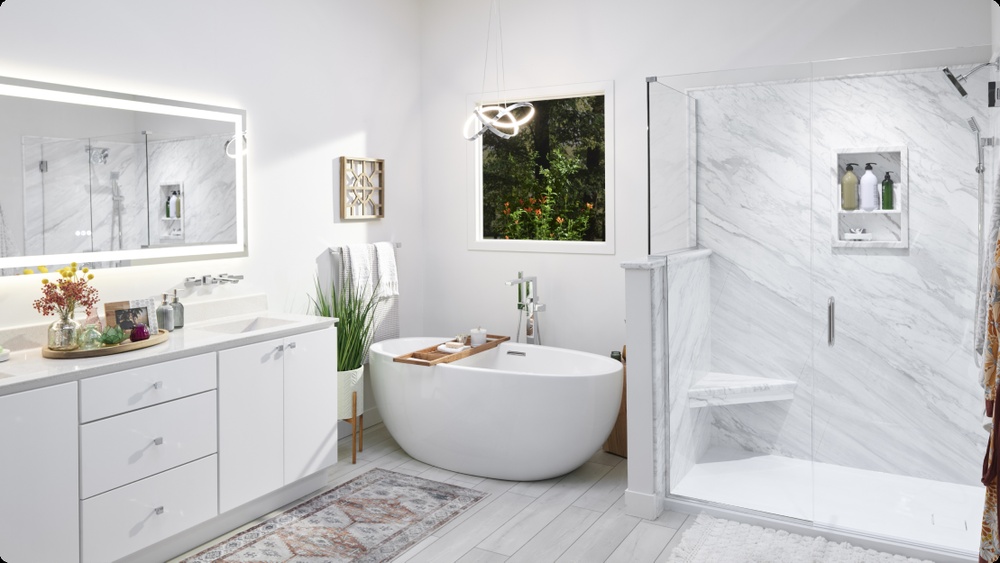

Thinking about giving your bathroom a fresh new look but not sure where to start? The Lowes Bathroom Design Tool puts the power of professional design right at your fingertips.
With this easy-to-use online planner, you can quickly map out your space, try different styles, and visualize how new sinks, tubs, and colors will transform your bathroom—all from the comfort of your home. Whether you’re dreaming of a modern makeover or a cozy retreat, this tool helps you take control of your project with confidence.
Keep reading to discover how you can use Lowes’ Bathroom Design Tool to turn your vision into reality without the stress.
Credit: www.lowes.com
Lowe’s Bathroom Design Tool Features
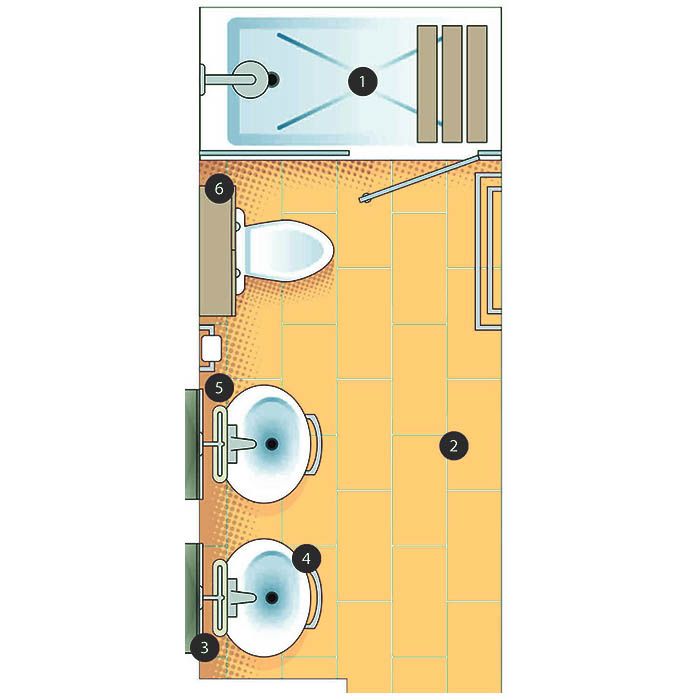
The Lowe’s Bathroom Design Tool offers a variety of helpful features. These features help you plan and visualize your bathroom remodel easily. The tool guides you through layout setup, fixture customization, and saving your work. Each feature is designed for simple use and clear results.
Layout Setup And Measurements
Start by entering your bathroom’s exact measurements. The tool creates a layout based on your input. It helps you see the shape and size clearly. You can adjust walls, doors, and windows quickly. This step ensures your design fits perfectly in your space.
Customizing Fixtures And Styles
Choose from many sinks, toilets, tubs, and showers. Pick styles and colors that match your taste. The tool lets you move fixtures around to find the best fit. It shows how different options look together in the room. This helps you create a bathroom that feels just right.
Saving And Revisiting Designs
Save your bathroom design anytime during the process. You can revisit your saved projects later to make changes. This feature keeps your ideas safe and organized. It allows you to compare different design options easily. Working at your own pace becomes simple and stress-free.
Using The Bathroom Design Tool
Using the Bathroom Design Tool from Lowe’s makes remodeling easier. It helps you visualize your space before buying products. You can create a layout, select fixtures, and try different styles. The tool saves time and reduces costly mistakes. It suits both beginners and those with some design experience.
Accessing The Tool Online
Start by visiting the official Lowe’s website. Search for the bathroom design tool in the search bar. The tool is free to use and requires no downloads. You can use it on a computer, tablet, or smartphone. Create an account to save your designs and access them anytime.
Step-by-step Design Process
Begin by entering your bathroom’s exact measurements. This sets the room size and layout. Next, add key fixtures like sinks, toilets, showers, and bathtubs. Customize the style, color, and finish of each item. Move and adjust elements until the design fits your vision. Review your design in 3D for a realistic view. Save your project to make changes later or share with others.
Tips For Effective Planning
Measure your bathroom carefully before starting the design. Consider plumbing and electrical placements to avoid costly changes. Choose styles that match your home’s overall look. Use the tool to test different layouts and colors. Save multiple designs to compare options. Take notes on dimensions and product details. Visit a Lowe’s store for expert advice and product samples.
Additional Design Resources At Lowe’s
Lowe’s offers a variety of design resources to help you create the perfect bathroom. These tools and services make planning and visualizing your space easier and more fun. Explore different options that suit your style and needs.
These resources support your project from start to finish. They help you choose colors, layouts, and materials confidently.
Virtual Color Wall Visualizer
The Virtual Color Wall Visualizer lets you see paint colors on your bathroom walls. Upload a photo or use a sample room to test colors. This tool helps you pick shades that match your style. It reduces guesswork and saves time during your remodel.
In-store And Professional Services
Visit your local Lowe’s store for hands-on help. Staff can guide you through product choices and design ideas. Professional design services are available for detailed planning. These experts assist with layout, fixtures, and materials. You can also schedule installation help to complete your project smoothly.
Digital Project Planning Tools
Lowe’s digital tools let you plan your bathroom project online. Use the bathroom design tool to create layouts with accurate measurements. Add sinks, tubs, and other features to see how they fit. Save your design to review or change anytime. These tools keep your project organized and on track.

Credit: www.lowes.com
Bathroom Remodeling And Accessibility Services
Bathroom remodeling enhances comfort and style while improving home value. Lowe’s offers services tailored for all needs, including accessibility. These services create safe, beautiful bathrooms for everyone. The process is simple with expert help from design to installation.
Free Design Consultation
Lowe’s provides a free design consultation to start your project. Share your bathroom size and style preferences. Experts suggest layouts and features that fit your space. This service helps you plan without extra costs or pressure. The consultation can be done online or in store.
Professional Installation Support
After designing, professional installation support ensures quality work. Skilled installers handle plumbing, electrical, and finishing touches. This support saves time and avoids common remodeling mistakes. Lowe’s coordinates the work to keep the project on schedule. You get a hassle-free experience from start to finish.
Accessibility Features And Options
Lowe’s offers many accessibility features to improve bathroom safety. Grab bars, walk-in tubs, and higher toilets increase ease of use. Wider doorways and non-slip floors help prevent falls. These options create a comfortable space for elderly or disabled users. Custom solutions meet specific needs and personal style.
Comparing Popular Free Bathroom Design Tools
Choosing the right bathroom design tool helps plan your space well. Free tools offer many features without cost. They let you create layouts and test styles easily. Comparing popular options helps find the best fit for your needs.
Each tool has unique features and user interfaces. Some focus on detailed customization, while others prioritize ease of use. This section explores four popular free bathroom design tools and their strengths.
Roomsketcher And Homestyler
RoomSketcher lets you draw floor plans and visualize in 3D. It includes many bathroom fixtures and materials. The interface is simple, making it good for beginners. Homestyler also offers 3D design with drag-and-drop features. It has a large library of furniture and decor. Both tools allow easy changes to colors and layouts.
Block Renovation’s Renovation Studio
Block Renovation’s tool focuses on remodeling projects. It offers realistic 3D models and smart design suggestions. Users can customize cabinets, tiles, and lighting. The platform guides you through common renovation steps. It helps visualize how changes affect the whole room.
Smartdraw And American Standard’s Roomcreate
SmartDraw is a versatile diagram tool that supports bathroom layouts. It uses templates to speed up the design process. The software exports files easily for sharing. American Standard’s RoomCreate focuses on bathroom fixtures. It lets you place sinks, toilets, and tubs precisely. The tool shows product details and style options clearly.
Credit: www.coohom.com
Choosing The Right Design Tool
Choosing the right design tool is key to a smooth bathroom remodel. It helps you plan, visualize, and manage your project. A good tool suits your skill level and project needs. Lowe’s Bathroom Design Tool offers features that make this process easier and more effective.
Below are important aspects to consider when selecting a design tool for your bathroom remodel.
Ease Of Use For Beginners
Lowe’s tool has a user-friendly interface. It guides you step-by-step through the design process. Simple menus and clear instructions reduce confusion. You do not need prior design experience. Beginners can create layouts and add fixtures with ease. This saves time and lowers frustration.
Detailed Planning And Measurements
Accurate measurements are essential for a successful remodel. The tool lets you input your bathroom’s exact size. You can adjust walls, doors, and windows precisely. This ensures your new design fits perfectly. Detailed planning helps avoid costly mistakes later. The tool also supports custom dimensions for unique spaces.
Product Integration And Visualization
Lowe’s design tool includes a wide range of products. You can add sinks, toilets, showers, and cabinets directly into your plan. The 3D visualization feature shows how everything looks together. This helps you see color schemes and styles in real time. It makes choosing the right products easier and more confident.
Cost Estimation And Contractor Matching
The tool provides an estimated cost for your design. This helps you stay within budget. You can adjust choices to lower expenses if needed. Lowe’s also offers contractor matching services. It connects you with local professionals for installation help. This makes the remodel process smoother and more reliable.
Benefits Of Digital Bathroom Design
Digital bathroom design tools offer many benefits for homeowners and designers. They simplify the planning process and reduce errors. These tools help create accurate layouts and visualize ideas before any work begins. Using digital design saves time and improves communication between everyone involved.
With easy-to-use interfaces, anyone can create a detailed bathroom plan. This technology turns complex projects into manageable tasks. It brings clarity and confidence to remodeling projects. Below are some key benefits of digital bathroom design.
Eliminating Paper Plans
Digital tools remove the need for paper drawings. Plans are stored electronically for easy access and updates. Changes can be made quickly without redrawing everything. This reduces mistakes and lost information. It also saves paper and keeps the process eco-friendly.
Streamlining Communication
Digital designs allow clear sharing between homeowners, designers, and contractors. Everyone can view the same plan and provide feedback instantly. This reduces misunderstandings and speeds up decision-making. Notes and changes are tracked in one place for better coordination.
Visualizing Your Dream Bathroom
Users can see 3D models of their bathroom design. Colors, fixtures, and layouts appear realistic. This helps imagine the final result before buying materials. Adjustments can be tested easily to find the best look. It boosts confidence in choices and avoids costly surprises.
Frequently Asked Questions
Does Lowes Have A Bathroom Design Tool?
Lowe’s offers a free online bathroom design tool to customize layouts, fixtures, and styles. Save designs and access professional help in-store.
Does Lowes Offer Free Bathroom Design?
Lowe’s offers a free bathroom design consultation through their professional remodeling services. They also provide an online bathroom design tool for DIY planning. Customers can customize layouts, fixtures, and styles easily on Lowe’s website without any cost.
What Is The Free Tool To Design A Bathroom?
Popular free tools to design a bathroom include RoomSketcher, Homestyler, Block Renovation’s Renovation Studio, SmartDraw, and American Standard’s RoomCreate. These tools offer easy layouts, photorealistic renderings, cost estimation, and product customization for effective bathroom planning.
Can Ai Design A Bathroom Layout?
Yes, AI can design bathroom layouts using tools like Lowe’s Bathroom Design Tool or RoomSketcher. These tools allow customization of measurements, fixtures, styles, and colors, helping you create and visualize your ideal bathroom efficiently.
Conclusion
The Lowe’s Bathroom Design Tool helps you plan your space with ease. Enter your bathroom measurements to create a layout that fits. Choose fixtures, colors, and styles to match your taste. Save your design to make changes anytime. For extra help, visit a Lowe’s store or use their professional services.
This tool makes bathroom remodeling simpler and more fun. Start designing today and see your ideas come to life.