Is your small office space feeling cramped and chaotic? You’re not alone.
When every inch counts, clutter can quickly steal your focus and productivity. But imagine turning that tight corner or tiny room into a neat, inspiring workspace where everything has its place—and where you actually enjoy spending your workday. This isn’t just about tidying up; it’s about creating a system that works for you, reduces stress, and sparks creativity.
Ready to discover simple, practical ways to organize your small office space and unlock your full potential? Keep reading, because transforming your workspace starts here.
Declutter Regularly
Keeping a small office space organized means clearing out clutter often. Decluttering regularly helps keep your workspace neat and productive. It stops piles of papers and unused items from taking over. A clean office feels more comfortable and helps you focus better. Set aside time to remove what you do not need. This habit will keep your office tidy and ready for work.
Sort And Purge Unnecessary Items
Start by sorting through your office items. Separate what you use daily from things you do not need. Throw away broken or old supplies. Donate or recycle items that still work but are no longer useful to you. Clearing these unnecessary objects frees up space. It also makes your office look cleaner and more organized. Keep only what helps you work efficiently.
Establish A Routine For Tidying
Create a simple daily or weekly schedule for tidying your office. Spend a few minutes each day putting things back in place. At the end of the week, do a deeper clean-up. Check for papers, tools, or supplies that are out of order. Regular tidying prevents clutter from building up. This routine keeps your office neat without much effort.
Optimize Desk Space
Optimizing desk space is key for a small office. A tidy desk boosts focus and productivity. Every inch counts in a compact workspace. Smart use of space keeps your work area neat and efficient.
Use Vertical Storage Solutions
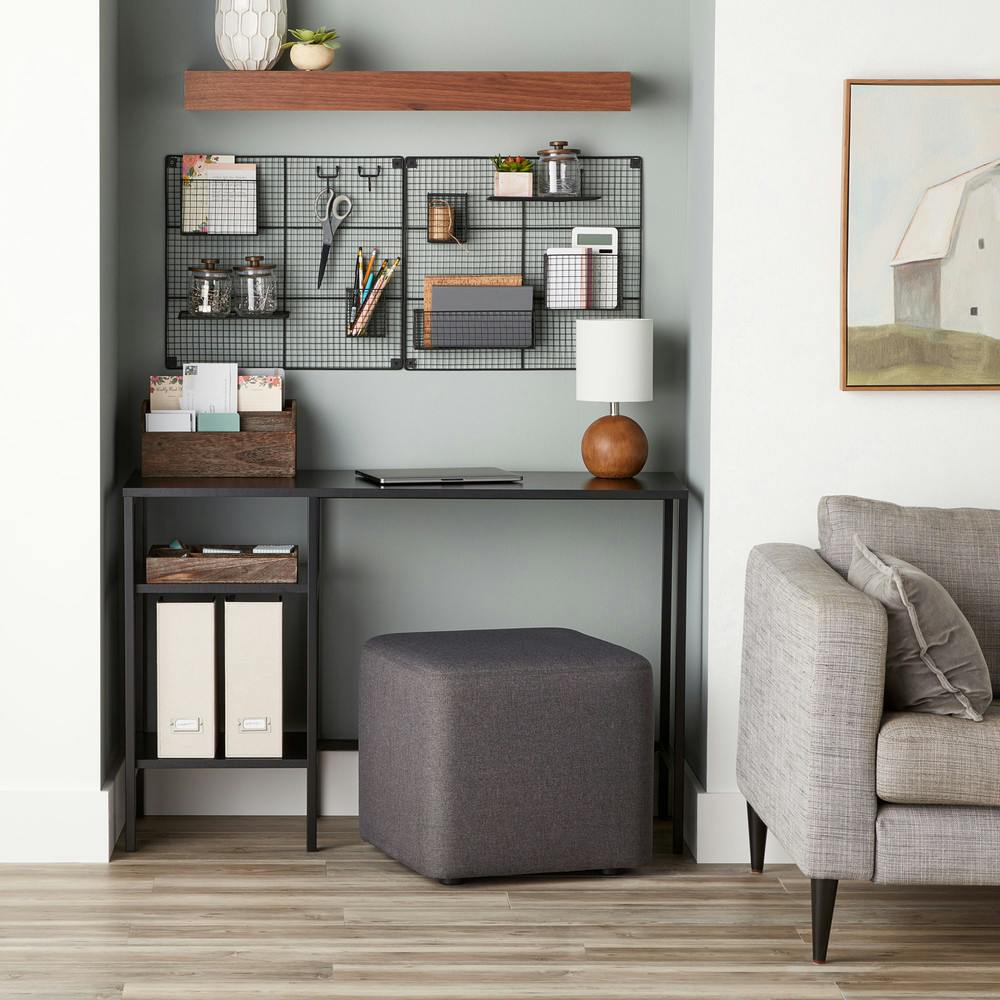
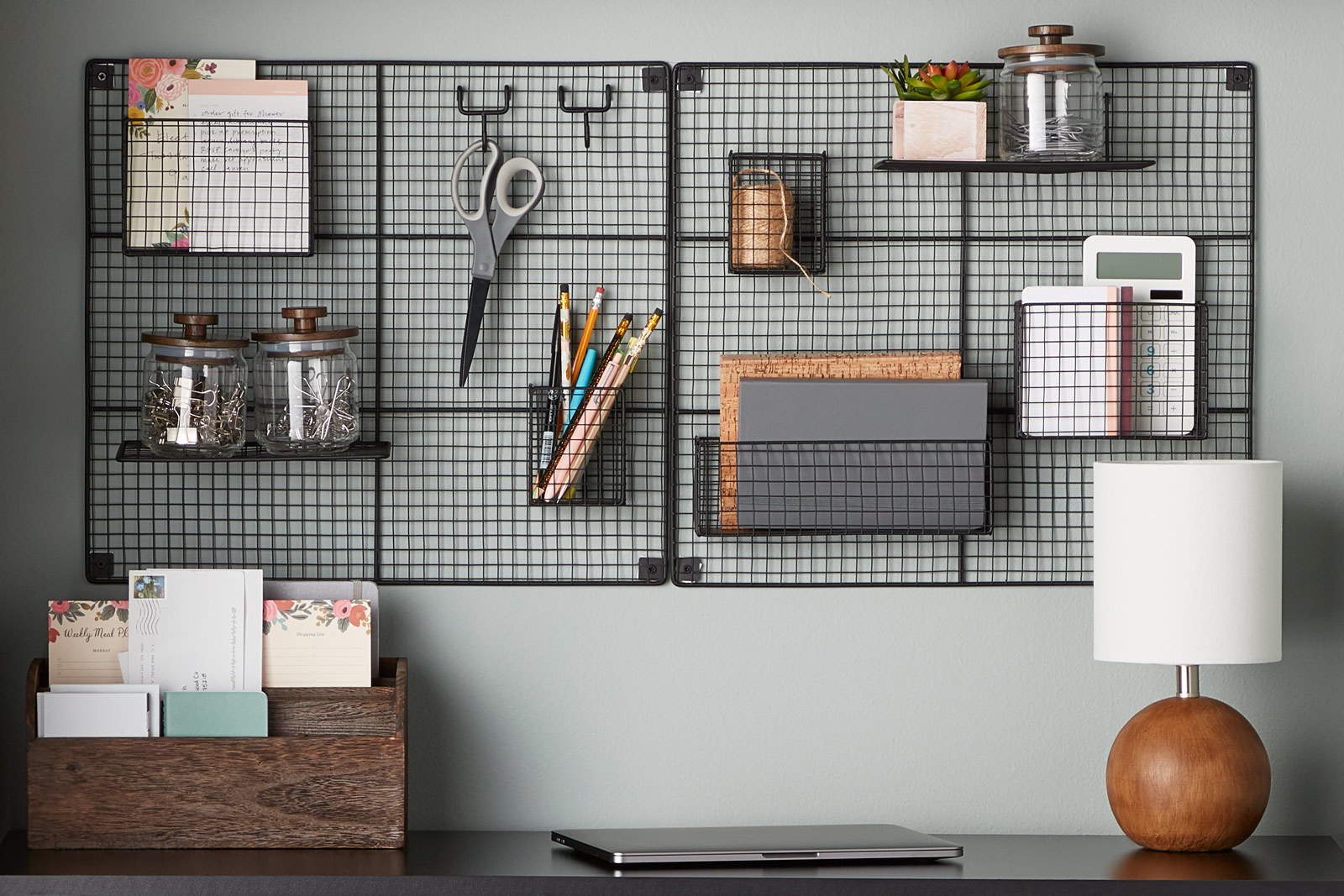
Think up, not out. Vertical shelves save desk surface for work. Wall-mounted racks keep supplies within reach. Use pegboards to hang tools and notes. Vertical storage frees up valuable desk space.
Designate Zones For Tasks
Assign specific desk areas for different tasks. Keep your computer in one zone. Place paperwork and writing tools in another. Clear zones reduce clutter and improve workflow. This method helps you stay organized and focused.
Incorporate Drawer Organizers
Drawers hold many small items that clutter desks. Use organizers to sort pens, clips, and cables. Keep similar items together for easy access. Drawer dividers prevent mixing and mess. Organized drawers make your desk look cleaner.
Streamline Paperwork
Managing paperwork in a small office can quickly become overwhelming. Streamlining this paperwork keeps your space tidy and your mind clear. It helps you find important documents fast and reduces clutter. Simple steps make a big difference in organizing your papers effectively.
Set Up Filing Systems
Create a clear filing system to sort documents by type or date. Use labeled folders for easy identification. Keep frequently used files within arm’s reach. Store older papers in a separate box or cabinet. This keeps your desk free and your papers neat.
Create A Mail Station
Designate one area for incoming and outgoing mail. Use trays or bins to separate bills, letters, and packages. Check this station daily to avoid piles. It stops mail from spreading across your desk. A small, dedicated spot controls paper flow.
Utilize Digital Alternatives
Scan important papers and save them on your computer. Use cloud storage for easy access from anywhere. Digital files reduce physical clutter and are easy to search. Try apps for note-taking and task management. This cuts down on paper and keeps your office clean.
Credit: www.containerstore.com
Maximize Storage Options
Maximizing storage options in a small office space creates more room to work and stay organized. Efficient storage helps keep supplies neat and easy to find. Smart choices can save space and improve your office’s look and feel.
Choose Multi-functional Furniture
Multi-functional furniture offers storage and workspace in one piece. Desks with built-in drawers keep essentials close. Fold-out tables serve as work surfaces and storage units. Chairs with storage compartments hide extra items. These pieces reduce clutter and free floor space.
Use Wall-mounted Shelves
Wall-mounted shelves use vertical space without taking floor room. They hold books, files, and office supplies within reach. Open shelves display items neatly, while closed ones hide clutter. Mount shelves at eye level for easy access. This method keeps your desk clear and organized.
Incorporate Storage Boxes And Bins
Storage boxes and bins group small items and keep them tidy. Label each box for quick identification. Stackable bins save space and offer flexible storage. Choose clear containers to see contents easily. Use bins under desks or on shelves to reduce mess.
Enhance Lighting And Ambiance
Lighting and ambiance play a key role in making a small office space feel inviting and productive. Proper lighting reduces eye strain and lifts your mood. A well-lit room looks bigger and more organized. Thoughtful lighting choices create a calm and focused work environment.
Add Task Lighting
Task lighting targets specific work areas like desks or shelves. Use adjustable desk lamps to focus light where needed. Bright, direct light helps with reading and detailed tasks. Choose LED bulbs for energy efficiency and long life. Position lamps to avoid glare on screens or papers.
Use Natural Light Effectively
Natural light brightens a small office and saves energy. Place your desk near windows to catch daylight. Keep window areas clear of clutter to let light flow freely. Use light-colored curtains or blinds to soften harsh sunlight. Reflective surfaces like mirrors can help spread natural light.
Incorporate Plants For Freshness
Plants add life and freshness to any office space. Small potted plants fit easily on desks or shelves. Greenery improves air quality and reduces stress. Choose low-maintenance plants like succulents or spider plants. Plants bring color and a natural feel to your workspace.
Maintain Simplicity
Simplicity creates calm in a small office space. It reduces distractions and helps focus on work. A simple design also makes the office feel larger and more open. Keeping things minimal leads to better organization and less stress.
Limit Decorative Items
Choose only a few decorative pieces. Too many items create clutter and chaos. Select items that inspire or motivate you. This keeps the space personal but tidy. Simple decor adds charm without crowding.
Keep Color Palette Neutral
Use soft, neutral colors on walls and furniture. Neutral tones make the room appear bigger and brighter. They also create a peaceful work environment. Bright or bold colors can feel overwhelming in small spaces. Stick to whites, grays, and light beiges.
Avoid Overcrowding Surfaces
Keep desks and shelves clear of unnecessary objects. Only place essential items within reach. Overcrowded surfaces make it hard to find things. Use organizers to store papers and supplies neatly. A clean surface boosts productivity and focus.
Create Personal And Shared Zones
Creating clear personal and shared zones improves small office space organization. It helps keep the workspace tidy and efficient. Employees know where to store their items and where to find shared resources. This simple step supports better workflow and reduces clutter.
Designate Space For Personal Items
Assign each worker a specific area for their personal belongings. Use shelves, drawers, or small lockers for storage. This keeps personal items off desks and floors. It also avoids mix-ups or lost things. Personal zones help employees feel comfortable and respected.
Set Up Shared Resource Areas
Create common spots for office supplies and equipment. Place printers, paper, and pens in one easy-to-reach location. Label shelves and containers clearly for quick access. Shared resource areas prevent clutter on individual desks. They encourage teamwork and save time searching for items.
Use Dividers To Define Spaces
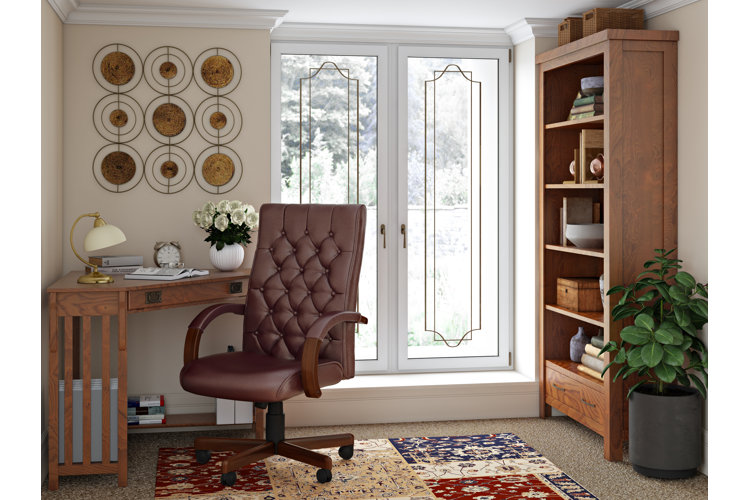
Install dividers to separate personal and shared zones visually. Use screens, plants, or low shelves as barriers. Dividers provide privacy without closing off the space. They help reduce distractions and keep items organized. Clear boundaries make the office feel orderly and inviting.
Credit: www.wayfair.com
Use Technology Wisely
Using technology wisely can improve small office space organization. It saves time and reduces clutter. Smart tech choices help keep tasks on track and work areas neat. Simple digital tools and gadgets make a big difference in daily office flow.
Implement Digital Calendars And Alerts
Digital calendars replace paper planners and sticky notes. They remind you of meetings, deadlines, and appointments. Alerts notify you in advance, so nothing is missed. Sharing calendars with team members improves coordination. This reduces paper piles and keeps schedules visible and organized.
Utilize Labeling Tools
Labeling tools help identify files, drawers, and equipment quickly. Digital label makers create clear, consistent labels for all items. They reduce time spent searching for things. Labels keep storage neat and easy to manage. Color-coded labels add extra clarity and speed up tasks.
Incorporate Cable Management Solutions
Cables can create a messy workspace if not controlled. Use cable clips, sleeves, or boxes to group wires neatly. This prevents tangling and saves desk space. Organized cables also protect devices from damage. Clean cable management makes the office look tidy and professional.
Adapt Layout For Productivity
Adapting your office layout plays a key role in boosting productivity. A well-planned space helps reduce distractions and supports smooth work flow. It makes every inch count in a small office. You can create a setting that feels open yet organized. This balance supports focus and team collaboration.
Consider Open Vs. Segmented Layouts
Open layouts encourage teamwork and quick communication. They work well for small teams that share tasks often. Segmented layouts offer privacy and reduce noise. Use partitions or screens to create separate zones. Choose the style that fits your work needs best.
Use Furniture To Reduce Noise
Soft furniture like upholstered chairs and couches absorb sound. Bookshelves and filing cabinets act as sound barriers. Position these pieces between desks to cut down noise. Rugs and curtains also help soften echoes. Quiet spaces improve concentration and reduce stress.
Arrange For Easy Movement
Clear pathways help employees move without interruptions. Keep walkways wide enough for comfort and safety. Place frequently used items within arm’s reach. Avoid clutter near doors and aisles. Easy movement saves time and prevents accidents.
Implement Time Management Strategies
Implementing time management strategies helps keep your small office space productive. It breaks work into manageable parts. This approach reduces stress and improves focus. Using clear time limits makes tasks feel achievable. Visual timers remind you to stay on track. These methods create a smooth workflow and help you finish more work.
Break Tasks Into Chunks
Divide big projects into smaller, easy tasks. This makes work less overwhelming. You can focus on one step at a time. Completing each chunk gives a feeling of progress. It helps avoid distractions and keeps momentum going. Small tasks fit better into a busy office day.
Set Clear Time Limits
Assign specific time blocks for each task. This stops work from dragging on too long. Time limits boost urgency and concentration. They prevent procrastination and help finish jobs faster. Clear deadlines create a sense of purpose. You will manage your day better with set limits.
Use Visual Timers Or Alarms
Visual timers show how much time is left. They provide a constant reminder to stay focused. Alarms signal when to start or stop tasks. This keeps you aware of your schedule. Timers reduce the chance of losing track of time. They make time management simple and effective.
Credit: www.containerstore.com
Frequently Asked Questions
How To Organize A Small Office Space?
Clear clutter by removing unnecessary items. Use shelves and filing cabinets for storage. Label organizers and designate specific zones. Keep décor minimal and add compact lighting. Maintain a tidy desk and use inboxes to manage paperwork efficiently.
What Is The Ideal Layout For A Small Office?
The ideal small office layout includes open space with divided zones using plants or shelves. Keep it clutter-free, well-lit, and organized for productivity. Use compact furniture and designate areas for work, storage, and personal items to maximize efficiency and comfort.
How To Set Up A Small Office Space?
Set up a small office by using organizers to reduce clutter. Choose simple, functional décor. Avoid overcrowding and add compact, bright lighting.
How Do People With Adhd Get Organized?
People with ADHD get organized by using clear routines, breaking tasks into small steps, and using planners or apps. They prioritize tasks, minimize distractions, and create simple, consistent systems. Visual reminders and regular decluttering help maintain focus and order.
Conclusion
Organizing a small office space can improve work focus and comfort. Clear clutter regularly to keep the area neat. Use shelves, drawers, and containers to store items smartly. Label everything for easy access and time-saving. Arrange your desk to separate work from personal items.
Add simple decorations like a plant or lamp for a pleasant feel. Small changes create a big difference in productivity. Start with one step and build your organized office gradually. You will enjoy a tidy space that helps you work better every day.