
You want to keep your home safe and know exactly who’s at your door, even when you’re not around. Adding monitoring to your video doorbell is the key to that peace of mind.
But how do you set it up so you never miss a visitor or a delivery? In this guide, you’ll discover simple, step-by-step ways to add smart monitoring to your video doorbell. By the end, you’ll feel confident that your home is protected and you’re always connected.
Keep reading to learn how easy it can be to watch over your doorstep like a pro.
Choosing The Right Video Doorbell
Choosing the right video doorbell is important for your home security. It helps you see who is at your door and talk to visitors. Picking a doorbell with the right features makes monitoring easy and effective.
Focus on what you need and how the doorbell fits your home. This guide will help you decide by explaining key points to consider.
Features To Look For
Clear video quality is a must. Choose doorbells with HD or better resolution. Night vision helps see visitors in the dark. Motion detection alerts you when someone approaches. Two-way audio lets you talk to visitors from anywhere. Some models offer cloud storage for video clips. Look for easy installation and user-friendly apps.
Compatibility With Smart Home Devices
Check if the doorbell works with your smart home system. Popular options include Alexa, Google Assistant, and Apple HomeKit. Integration allows voice control and automation. Your doorbell should connect to your Wi-Fi network without trouble. Compatibility ensures a smooth experience and better control.
Budget Considerations
Set a budget before choosing a doorbell. Prices vary from basic models to advanced ones. Decide which features are essential to you. Remember, more features usually mean higher cost. Balance quality and price for the best value. Consider any subscription fees for video storage or alerts.

Credit: www.amazon.com
Setting Up Your Video Doorbell
Setting up your video doorbell is the first step to enhancing home security. A proper setup ensures clear video, reliable alerts, and smooth operation. This section guides you through the essentials of installation. Follow these steps carefully to avoid common pitfalls.
Tools And Materials Needed
Gather these tools before starting your installation. A screwdriver helps secure the doorbell. A drill may be needed for mounting. Wire strippers assist with electrical connections. A voltage tester ensures safety during wiring. Have your video doorbell kit, screws, and anchors ready. A smartphone or tablet is necessary for app setup.
Step-by-step Installation Guide
Turn off power at the breaker to avoid shock. Remove your old doorbell if you have one. Attach the mounting bracket to the wall using screws. Connect the wires to the terminals on the doorbell. Use a voltage tester to confirm correct wiring. Snap the video doorbell onto the bracket. Turn the power back on. Download the doorbell app on your phone. Follow the app’s instructions to connect your device to Wi-Fi. Test the video and audio to ensure proper function.
Common Installation Mistakes
Do not ignore power shutdown before wiring. Loose wires can cause the doorbell to fail. Mounting on uneven surfaces affects video quality. Placing the doorbell too high or low limits the view. Skipping app setup prevents notifications. Using the wrong screws may damage walls. Forgetting to test the device delays troubleshooting.
Connecting To Monitoring Services
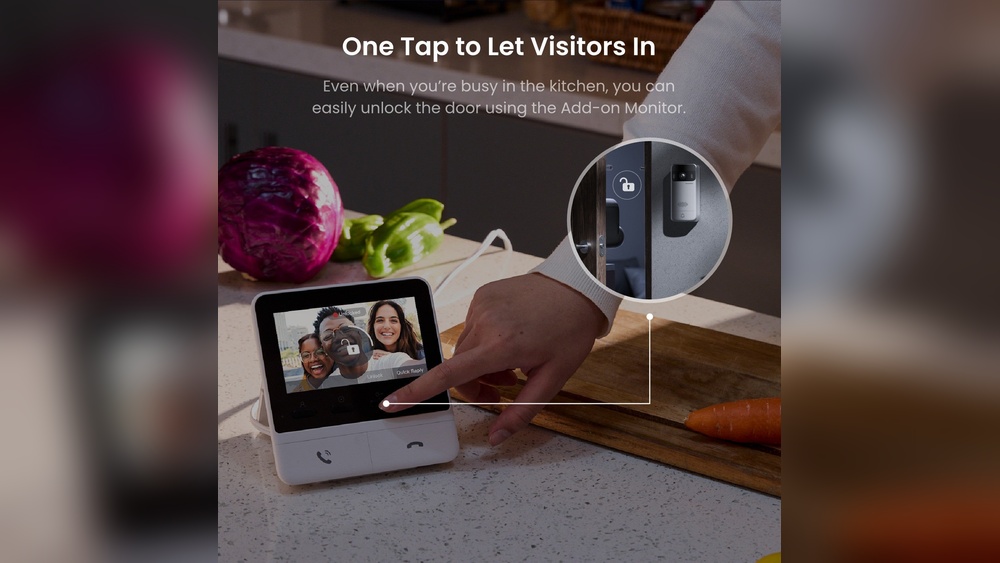
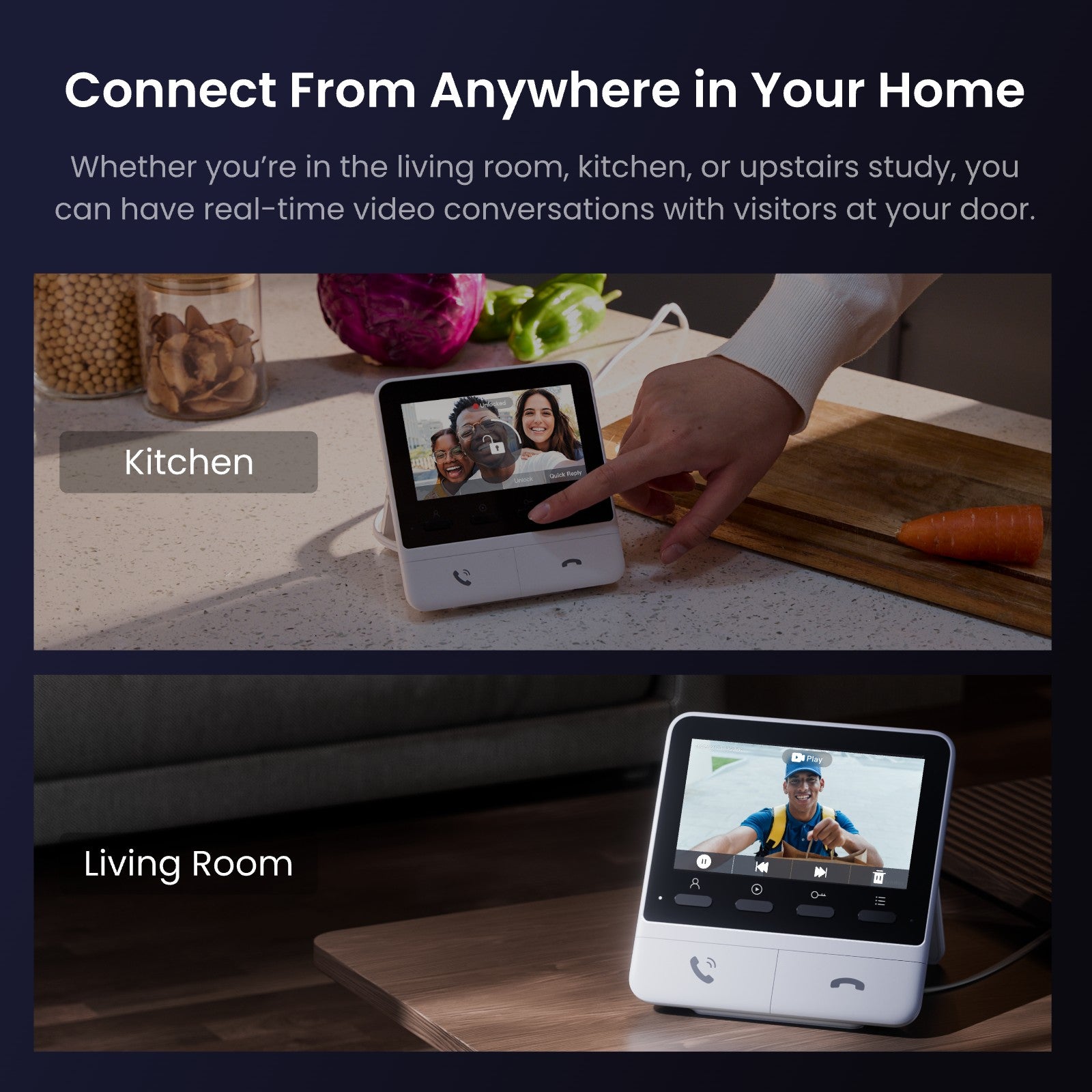
Connecting your video doorbell to monitoring services helps keep your home safe. These services watch your doorbell’s video and send alerts. You can choose free or paid options based on your needs. Mobile alerts and home security system integration make monitoring easy and effective.
Free Vs. Paid Monitoring Options
Free monitoring usually includes basic features. You get video storage for a short time and motion alerts. Paid options offer longer video storage and advanced features. These may include professional monitoring and cloud backup. Choose a plan that fits your budget and security needs.
Setting Up Mobile Alerts
Mobile alerts notify you instantly about door activity. Download the video doorbell app on your phone. Enable notifications in the app settings. Customize alerts for motion, sound, or doorbell presses. This keeps you informed wherever you are.
Integrating With Home Security Systems
Integration links your doorbell with alarms and cameras. Connect through smart home hubs or apps. This creates a unified security system. It helps respond faster to threats. Check compatibility before setting up integration.
Credit: www.switch-bot.com
Optimizing Video Quality And Coverage
Optimizing video quality and coverage improves your video doorbell’s performance. Clear images help you see visitors and spot activity. Proper coverage ensures no blind spots around your door. Adjust your settings for the best view day and night.
Adjusting Camera Angle
Set your camera angle to capture the entire entryway. Point the lens slightly downward to see faces clearly. Avoid placing the camera too high or low. Test different angles to find the best view. Make small changes and check the video feed each time.
Improving Night Vision
Night vision helps you see in dark conditions. Remove objects that block the infrared lights. Clean the camera lens regularly for a clear picture. Avoid bright lights pointing at the camera, which can cause glare. Use additional outdoor lights to improve visibility if needed.
Managing Motion Detection Settings
Set motion sensitivity to avoid false alerts from small animals or passing cars. Use motion zones to focus on important areas only. Adjust the distance range to capture activity near your door. Check your notifications to make sure alerts match your settings. Proper motion settings save battery and reduce interruptions.
Maintaining Your Video Doorbell
Maintaining your video doorbell ensures it works well for a long time. Proper care helps avoid problems and keeps the device secure. Regular attention makes sure you get clear video and reliable alerts every time.
Regular Firmware Updates
Firmware updates fix bugs and improve security. Check for updates in the doorbell app often. Download and install updates as soon as they are available. Updated firmware keeps your device running smoothly and protects it from new threats.
Cleaning And Physical Maintenance
Clean the camera lens gently with a soft cloth. Remove dirt and dust to keep the video clear. Check the doorbell for damage or loose parts. Tighten screws and make sure it stays firmly attached to the wall.
Troubleshooting Common Issues
Restart your doorbell if it stops working properly. Check your Wi-Fi connection for stability. Look for error messages in the app. Reset the device if problems continue. Contact support only if basic fixes do not help.
Enhancing Security With Additional Features
Adding monitoring to your video doorbell improves your home security. It offers extra features that help you stay aware and respond quickly. These features make your system smarter and more useful. They give you more control over who approaches your door.
Two-way Audio Communication
Two-way audio lets you talk and listen through your doorbell. You can speak to visitors without opening the door. This helps you check who is there safely. It also allows you to give instructions or warn strangers. Use it to greet friends or reject unwanted guests.
Cloud Storage Benefits
Cloud storage saves your video recordings online. This means you can watch videos anytime and anywhere. It protects your footage even if the doorbell is damaged or stolen. You can easily search through past videos. Cloud storage also helps share clips with family or police if needed.
Privacy And Data Protection Tips
Protect your privacy by using strong, unique passwords. Keep your doorbell software updated to avoid security risks. Disable sharing features if you do not need them. Use encrypted cloud services to keep your videos safe. Review your device’s privacy settings regularly to control access.

Credit: eu.switch-bot.com
Frequently Asked Questions
How Do I Add Monitoring To My Video Doorbell?
To add monitoring, connect your video doorbell to a compatible app or smart home system. Enable live streaming and notifications. Regularly check settings to ensure smooth operation and real-time alerts for visitors or activity at your door.
What Equipment Is Needed For Video Doorbell Monitoring?
You need a video doorbell, stable Wi-Fi, and a smartphone or tablet. Some setups require a smart home hub or cloud subscription. Ensure your device supports live video and motion detection for effective monitoring.
Can I Monitor My Video Doorbell Remotely?
Yes, remote monitoring is possible via a dedicated app. The app streams live video and sends alerts to your device. Ensure your doorbell is connected to the internet for real-time access from anywhere.
How To Improve Video Doorbell Monitoring Quality?
Improve quality by positioning your doorbell for clear views and strong Wi-Fi signal. Use high-resolution devices and keep firmware updated. Adjust motion sensitivity to reduce false alerts and enhance monitoring accuracy.
Conclusion
Adding monitoring to your video doorbell boosts home security easily. It lets you see visitors anytime, from anywhere. Setting it up takes just a few simple steps. This small change helps you feel safer and more aware. Stay alert and respond quickly to any situation.
Keep your home protected with smart monitoring today.