
Thinking about installing a video doorbell but worried it might be too tricky? You’re not alone.
Many people hesitate because they wonder if they need special skills or tools. What if you could find out exactly how hard it really is and what to expect before you start? This article will walk you through the process step-by-step, helping you decide if this is a job you can handle yourself or if you should call in a pro.
Keep reading, and you’ll feel confident about making your home smarter and safer.
Tools Needed
Installing a video doorbell requires some tools. These tools help you set up the device securely and correctly. Using the right tools makes the job easier and faster. Some tools are basic and almost everyone has them. Others are optional but can improve the installation process.
Basic Tools
A drill is often needed to make holes for screws. Screwdrivers, both flathead and Phillips, help tighten screws. A level ensures the doorbell is straight on the wall. A tape measure helps you find the perfect spot. Pencil or marker is useful for marking drill points. Wire cutters or strippers may be necessary if the doorbell connects to existing wiring.
Optional Accessories
Anchors or wall plugs give extra support on drywall or brick. A voltage tester can check if wires have power. A ladder helps if your doorbell is high up. A smartphone is needed to connect the doorbell to Wi-Fi and set it up. Some people use a small flashlight to see better in dim light. Extra screws or mounting brackets can offer more options for installation.
Choosing The Right Doorbell
Choosing the right video doorbell is the first step in a smooth installation. It affects how easy the setup will be and how well the doorbell works with your home. Consider your home’s needs and the features you want. This helps pick the best model for your situation.
Wired Vs Wireless
Wired doorbells need a connection to your home’s electrical system. They usually offer constant power and clear video. Installation can be harder and may need tools or an electrician.
Wireless doorbells use batteries and connect through Wi-Fi. They are easier to install and can be moved easily. Battery life varies, so you might need to recharge or replace batteries often.
Compatibility Factors
Check if the doorbell works with your existing doorbell wiring or power supply. Some require a specific voltage or transformer.
Make sure the doorbell connects well with your smartphone or smart home devices. This allows easy control and alerts.
Consider the Wi-Fi signal strength at your door. A weak signal can cause connection problems and delays.
Preparing For Installation
Preparing for installation is the first step to a smooth video doorbell setup. It helps avoid surprises and saves time. Take time to check the basics before starting the work.
Checking Existing Wiring
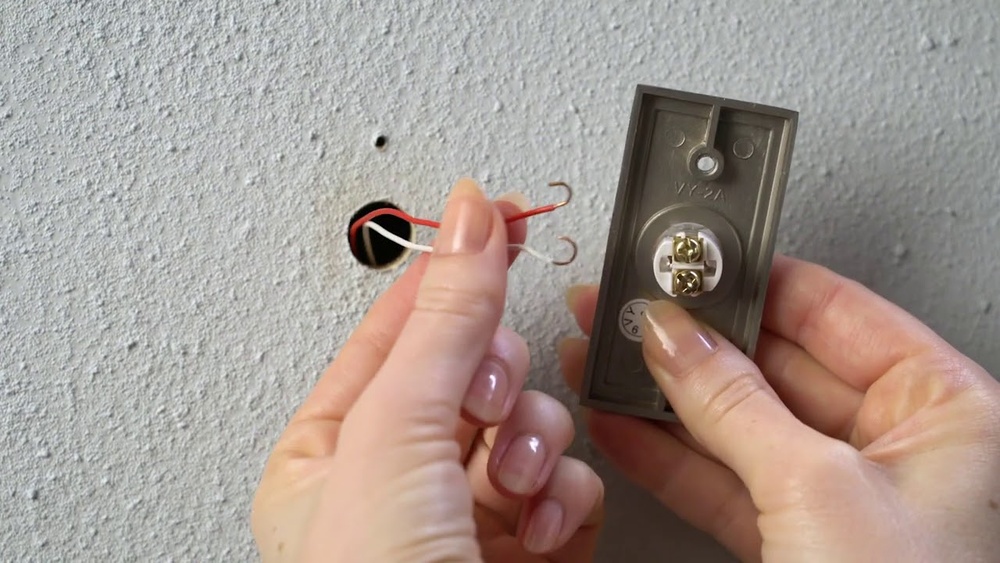
Look at your current doorbell wiring. Most video doorbells use low-voltage wires. These wires connect your old doorbell to the power source. Make sure the wires are in good shape. No breaks or rust. If you do not have wires or they are damaged, you may need extra tools or help.
Power Requirements
Video doorbells need power to work. Some models use batteries only. Others connect to your home’s electrical system. Check your doorbell’s power needs. Confirm your home’s power can support it. Using the wrong power can damage the device. It can also cause poor performance.
:strip_icc()/BHG-how-to-install-video-doorbell-6833360-part-01-step-05_30445-c97141832b6541158a12194e97fccded.jpg)
Credit: www.excelcare24.co.uk
Step-by-step Installation
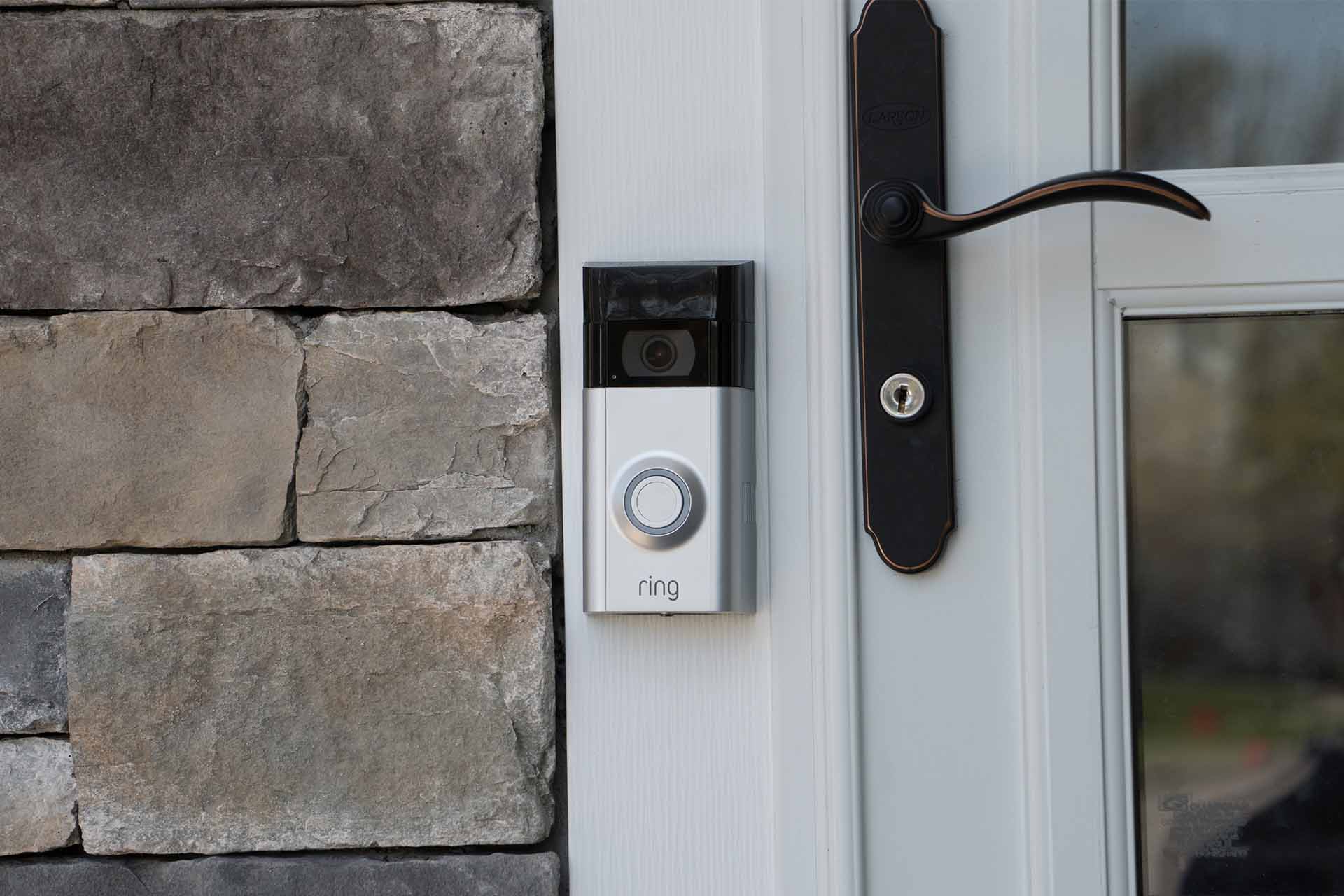
Installing a video doorbell is simpler than many think. This step-by-step guide breaks down the process clearly. Follow these easy steps to get your doorbell working fast. No special skills needed. Just basic tools and a little patience.
Mounting The Bracket
Start by choosing the right spot near your door. Use a pencil to mark where the bracket will go. Drill small holes for the screws. Attach the bracket firmly to the wall. Make sure it is level and secure. This step sets the base for your doorbell.
Connecting Wires
Turn off power at the breaker to stay safe. Find the existing doorbell wires inside the wall. Connect these wires to the doorbell’s terminals. Usually, the wires are simple to match. Tighten the screws to hold the wires in place. Check connections are tight but not damaged.
Securing The Doorbell
Place the video doorbell onto the mounted bracket. Push it gently until it clicks or locks. Use any provided screws to secure the unit. This keeps the doorbell steady and safe from theft. Finally, turn the power back on. Test the doorbell to confirm it works.
Setting Up The Software
Setting up the software is a key step in installing a video doorbell. It lets you control the device from your phone. The process is simple but important for smooth use. Follow clear steps to get your doorbell working fast.
Downloading The App
Start by downloading the doorbell app on your smartphone. Search the app store for the brand name. The app is free and easy to install. Make sure you have enough storage space before downloading.
Connecting To Wi-fi
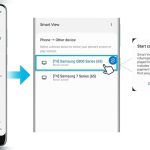
Open the app and follow the instructions to connect the doorbell to Wi-Fi. Enter your Wi-Fi name and password carefully. A strong Wi-Fi signal helps the doorbell work well. This step links your doorbell to your home network.
Configuring Settings
Next, customize your doorbell settings in the app. Choose alert types and notification preferences. Set up motion detection sensitivity and video quality. Adjust settings to fit your daily needs. This makes your doorbell personal and effective.
Credit: www.checkatrade.com
Testing The Doorbell
Testing the video doorbell is an important step after installation. It ensures the device works well and keeps your home safe. Checking both video and audio quality helps confirm clear communication. Also, testing notification alerts guarantees you won’t miss any visitors or alerts.
Video And Audio Check
Start by looking at the video feed on your phone or device. The image should be clear and bright. Check the camera angle to cover your doorstep fully. Speak near the doorbell and listen to the audio on your device. The sound must be clear without echo or noise. Test both day and night to see how the camera performs in different lights.
Notification Alerts
Press the doorbell button to trigger an alert. Your phone or tablet should get a notification quickly. Try moving away from home to test remote alerts. The notification must arrive without delay. Check the app settings to customize sounds and alerts. This ensures you know when someone is at your door anytime.
Troubleshooting Tips
Troubleshooting a video doorbell can feel tricky. Small issues often cause big frustrations. Knowing common problems and quick fixes helps save time. This section guides you through easy solutions to typical troubles. You can get your doorbell working smoothly again with simple steps.
Common Issues
Many users face connection problems. The doorbell may not link to Wi-Fi properly. Power issues are also frequent. Sometimes the doorbell does not charge or turn on. Another common problem is poor video quality. Blurry or lagging video can occur. Notifications might not arrive on your phone. This happens when settings are incorrect or the app is not updated.
Quick Fixes
Restart your doorbell and router first. This clears temporary glitches fast. Check the Wi-Fi signal strength near the doorbell. Moving your router closer can help. Make sure the doorbell is fully charged or powered. Update the doorbell app on your phone. Adjust video settings for better picture quality. Confirm notification settings are turned on. Reset the doorbell if problems continue. Follow the manufacturer’s reset instructions carefully.
Credit: gmdckalakote.in
Safety Precautions
Installing a video doorbell involves working with electrical parts and exposure to outdoor elements. Safety is very important to avoid injuries and damage. Taking the right safety steps protects you and your home.
Handling Electrical Components
Turn off power at the circuit breaker before starting. Use a voltage tester to confirm no electricity flows to wires. Avoid touching wires with wet hands or metal tools. Keep wires organized and insulated to prevent shorts. Follow the doorbell’s instructions carefully to connect wires correctly.
Weatherproofing
Choose a doorbell designed for outdoor use. Seal around the doorbell with waterproof caulk. Use weather-resistant screws and anchors for a secure fit. Check that cables and connectors are protected from rain. Proper weatherproofing stops water damage and ensures long device life.
Frequently Asked Questions
How Difficult Is Installing A Video Doorbell?
Installing a video doorbell is generally easy for most users. Basic tools and some electrical knowledge help. Many models offer step-by-step instructions and video guides. If unsure, professional installation is recommended to ensure safety and proper function.
Can I Install A Video Doorbell Without Wiring?
Yes, some video doorbells are battery-powered and require no wiring. These models are easier to install and more flexible. Battery life varies, so regular charging or battery replacement is needed. Wireless models are ideal for renters or homes without existing doorbell wiring.
What Tools Do I Need To Install A Video Doorbell?
Common tools include a drill, screwdriver, level, and wire stripper. Some installations may require a voltage tester and mounting brackets. Most video doorbells come with necessary hardware. Having these tools ready simplifies the installation process.
How Long Does It Take To Install A Video Doorbell?
Installation typically takes 15 to 30 minutes for wired or wireless models. Time varies based on your familiarity with tools and electrical work. Reading the manual beforehand speeds up the process. Complex wiring or mounting may extend installation time.
Conclusion
Installing a video doorbell is not too hard for most people. Basic tools and clear instructions help a lot. You can do it in under an hour. Some steps need care, like wiring or drilling. Taking your time makes the process easier.
Once done, your home feels safer and more modern. It’s worth trying yourself before calling a pro. Small effort, big convenience. Why not give it a shot?