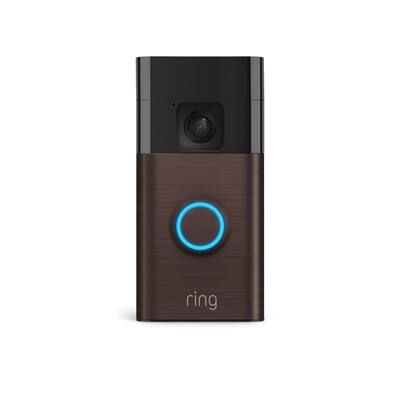
Are you ready to boost your home’s security with a stylish touch? Installing the Ring Wi-Fi Smart Video Doorbell in Venetian Bronze can give you peace of mind and add a sleek look to your front door.
But maybe you’re wondering how to set it up quickly and correctly. Don’t worry—you’re in the right place. This guide will walk you through every step, making the process simple and stress-free. Keep reading, and you’ll have your new doorbell working in no time, helping you see who’s at your door from anywhere.
Credit: www.bestbuy.com
Tools And Materials Needed
Before installing the Ring Wi-Fi Smart Video Doorbell in Venetian Bronze, gather all necessary tools and materials. This step helps ensure a smooth installation process. Having everything ready saves time and avoids interruptions.
Ring Doorbell Components
The package includes the video doorbell, mounting bracket, screws, and anchors. You will also find a charging cable and a quick start guide. These parts are essential for proper installation and setup.
Required Tools
Get a drill, screwdriver, and level for installation. A pencil helps mark drill spots on the wall. A voltage tester checks electrical wires safely. A ladder may be needed for higher door frames.
Safety Precautions
Turn off power at the circuit breaker before starting. Use insulated tools to avoid electric shock. Wear safety glasses and gloves during drilling. Work in dry weather to prevent slips and falls.
Credit: www.bestbuy.com
Preparing Your Doorway
Preparing your doorway is the first step to install the Ring Wi-Fi Smart Video Doorbell in Venetian Bronze. This step ensures a smooth setup and proper functioning. Taking time here saves frustration later. Follow these simple tasks for a perfect start.
Choosing The Installation Spot
Pick a spot at eye level, about 48 inches from the ground. This height captures clear video and face recognition. Avoid places with direct sunlight or bright lights behind the doorbell. Ensure the doorbell can see your doorstep clearly. Check for any obstructions like plants or decorations.
Checking Wi-fi Signal Strength
Test your Wi-Fi signal at the chosen spot. Use a phone or a Wi-Fi tester app. Strong Wi-Fi ensures smooth video and quick alerts. Weak signals cause delays or disconnections. Move closer to the router or add a Wi-Fi extender if needed. Good signal means better security and convenience.
Turning Off Power
Safety first. Turn off power to the doorbell circuit at your home’s breaker box. Use a voltage tester to confirm no power flows to the wires. This step prevents shocks and damage during installation. Never skip this step for your safety and device protection.
Mounting The Doorbell
Mounting the Ring Wi-Fi Smart Video Doorbell in Venetian Bronze is the first step to secure your home. Proper mounting ensures the doorbell stays in place and works well. Follow these simple steps to mount your doorbell safely and correctly.
Marking Drill Points
Start by holding the mounting bracket against the wall. Use a pencil to mark the spots where you will drill. Make sure the marks are level and match the bracket holes. Check the marks twice before drilling.
Drilling Holes
Use a drill with the right size bit for the anchors. Drill carefully on the marked points. Avoid drilling too deep or too wide. Clean the holes of any dust before moving on.
Attaching The Mounting Bracket
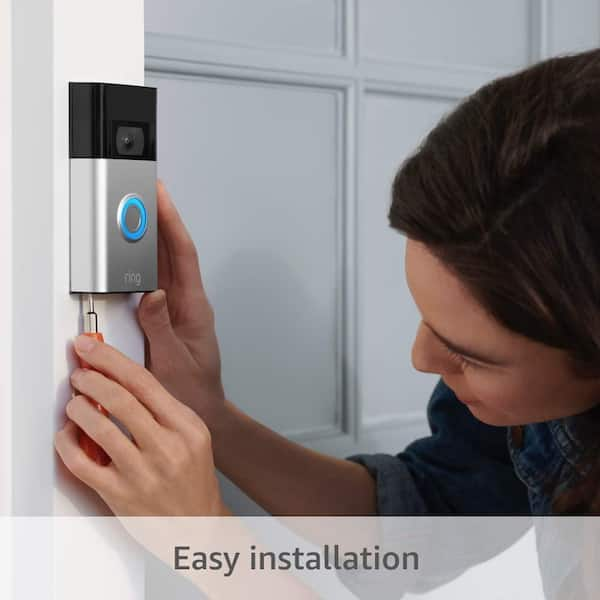
Insert anchors into the drilled holes. Place the mounting bracket over the holes. Screw the bracket tightly to the wall. The bracket should feel firm and not move.
Connecting The Doorbell
Connecting the Ring Wi-Fi Smart Video Doorbell in Venetian Bronze is simple. This step links the doorbell to your home system. Proper connection ensures clear video and smooth operation.
Follow the instructions carefully for a safe and secure setup. Use the right tools to avoid damage. Take your time to connect everything correctly.
Wiring Instructions
Turn off the power at the breaker to avoid shocks. Remove the old doorbell wiring carefully. Connect the two wires from your home to the doorbell screws. Polarity does not matter for Ring doorbells. Tighten the screws to hold wires firmly. Check that no wire strands are loose or touching each other.
If your wires are too short, use wire extenders. Make sure the wires are clean and free of corrosion. Restore power to test the doorbell’s light or sound. The light should turn on if wiring is correct.
Securing The Doorbell To The Bracket
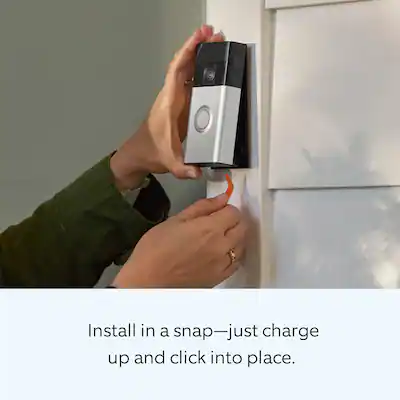
Align the doorbell with the mounting bracket holes. Press the doorbell firmly against the bracket until it clicks. Use the provided screws to secure the doorbell in place. Tighten screws to prevent the doorbell from moving or falling.
Check the doorbell’s angle to cover your doorway well. Adjust if needed by loosening screws slightly and repositioning. Avoid over-tightening screws to prevent damage to the device.
Setting Up The Device
Setting up your Ring Wi-Fi Smart Video Doorbell in Venetian Bronze is simple. Follow these steps carefully to start using your device quickly. The setup involves downloading the app, connecting to Wi-Fi, and adjusting your settings for the best experience.
Downloading The Ring App
Start by downloading the Ring app on your smartphone. The app works on both iOS and Android devices. Search for “Ring” in your app store. Tap download and wait for the app to install. Open the app once it is ready. You will use this app to control your doorbell.
Connecting To Wi-fi
Turn on your doorbell and open the Ring app. Follow the instructions to connect your doorbell to your home Wi-Fi. Make sure your Wi-Fi signal is strong near your door. Enter your Wi-Fi password carefully. The doorbell will connect to the network and update itself if needed.
Configuring Settings
After connection, set up your preferences in the app. Choose how you want to receive alerts. Adjust motion detection zones to avoid false alarms. Set your privacy settings to control video sharing. Test your doorbell to check audio and video quality. Change settings anytime for better performance.
Testing And Troubleshooting
After installing your Ring Wi-Fi Smart Video Doorbell in Venetian Bronze, testing and troubleshooting ensure it works well. This step helps confirm video clarity, sound quality, and motion detection. It also helps find and fix common problems early.
Checking Video And Audio
Open the Ring app and view your doorbell’s live video feed. Check if the picture is clear and bright. Listen to the audio and speak through the app to test the two-way talk feature. Make sure you can hear and be heard easily.
Adjust the camera angle if the view is not right. Test at different times of day to check lighting effects. Clear video and crisp audio mean your doorbell is ready.
Adjusting Motion Settings
Go to the motion settings in the Ring app. Set the motion zones to cover key areas like your doorstep and walkways. Adjust the sensitivity to avoid too many alerts from small movements, like tree branches or passing cars.
Test motion alerts by walking in front of the doorbell. Fine-tune the settings until notifications are accurate and useful. Proper motion settings help you get the right alerts every time.
Common Issues And Fixes
Sometimes, the doorbell may not connect to Wi-Fi. Restart your router and doorbell to fix this. Weak Wi-Fi signals cause video lag or missed alerts. Try moving your router closer or use a Wi-Fi extender.
Audio problems may happen if the microphone or speaker is blocked. Clean the device gently and check app volume settings. If the doorbell does not ring, check wiring or battery level.
Regular checks keep your Ring doorbell working smoothly and protect your home better.
Maintaining Your Doorbell
Keeping your Ring Wi-Fi Smart Video Doorbell in good shape is important. Proper care helps it work well for a long time. Simple steps keep your doorbell clean, updated, and powered. This section shows how to maintain your doorbell easily.
Cleaning Tips
Use a soft cloth to clean the doorbell surface. Avoid harsh chemicals or abrasive materials. Gently wipe the camera lens to keep clear video. Clean regularly to stop dirt and dust build-up. Avoid spraying water directly on the device.
Firmware Updates
Check for firmware updates in the Ring app. Updates improve performance and fix bugs. Install new versions as soon as available. Keep your doorbell secure with the latest software. Regular updates ensure smooth operation.
Battery Care
Charge the battery fully before first use. Remove the battery for charging if needed. Avoid letting the battery drain completely. Charge the doorbell regularly for best performance. Replace the battery if it no longer holds charge well.
Credit: www.homedepot.com
Frequently Asked Questions
How Do I Install The Ring Wi-fi Smart Video Doorbell?
To install, first turn off power to your doorbell. Mount the bracket, connect wires, attach the doorbell, and restore power. Follow the Ring app setup for Wi-Fi connection and configuration.
What Tools Are Needed For Installation?
You need a screwdriver, drill, level, and the mounting screws provided. A voltage tester is helpful to ensure power is off. These tools help secure the doorbell safely and correctly.
How Do I Connect The Doorbell To Wi-fi?
Open the Ring app, select your device, and follow the Wi-Fi setup prompts. Enter your network name and password. Ensure your Wi-Fi signal is strong near the doorbell for best performance.
Can I Install The Doorbell Without Existing Wiring?
Yes, the Ring Video Doorbell supports battery power. Charge the battery fully before installation. Use the app to sync and configure your device without hardwiring.
Conclusion
Installing the Ring Wi-Fi Smart Video Doorbell in Venetian Bronze is simple. Follow each step carefully to ensure proper setup. Your home gains extra security and convenience. Enjoy clear video and easy app control. This doorbell fits well with many home styles.
Keep your entry safe and stay connected anytime. Take your time, and you will succeed. Now, you are ready to protect your home smarter.