
Imagine having complete control over who’s at your door, right from your phone. Creating a video doorbell app can make this possible, giving you real-time video, instant alerts, and peace of mind wherever you are.
If you’ve ever wondered how to build an app that connects you to your doorstep with just a tap, you’re in the right place. This guide will walk you through the essential steps to create your very own video doorbell app—simple, clear, and practical.
Ready to turn your idea into a powerful, secure tool? Let’s get started.
Credit: ring.com
Choosing The Right Platform
Choosing the right platform is the first step in building a successful video doorbell app. The platform you select affects the app’s performance, user experience, and development cost. It also determines which devices your app can run on. Picking the best option helps you reach more users and save time during development.
Native Vs Cross-platform
Native apps are built for one specific platform, like iOS or Android. They offer better speed and use all device features well. Cross-platform apps work on many platforms with one codebase. They save time and money but may lack some native features. Decide based on your budget, timeline, and app goals.
Popular Development Tools
For native iOS apps, use Swift or Objective-C with Xcode. Android apps often use Java or Kotlin with Android Studio. Cross-platform tools include Flutter, React Native, and Xamarin. These let developers write code once and run it on multiple platforms. Choose tools that match your team’s skills and app needs.
Platform-specific Considerations
Each platform has rules and design guidelines. Apple App Store has strict approval processes. Google Play is more flexible but requires good security. iOS users expect smooth animations and clean design. Android users look for customization and variety. Keep these differences in mind to create a better app experience.
Credit: support.nightowlsp.com
Essential Features To Include
Creating a video doorbell app requires careful planning. The app must include key features to work well and keep users safe. These features make the app useful and easy to use. Focus on what really matters for a smooth experience.
Live Video Streaming
Live video streaming lets users see visitors in real-time. It provides a clear view of the doorstep anytime. This feature must have low delay and good video quality. Users should feel like they are right there.
Two-way Audio Communication
Two-way audio allows users to talk and listen through the app. This helps users greet visitors or give instructions without opening the door. Clear sound and easy controls improve communication. It makes the app more interactive and useful.
Motion Detection Alerts
Motion detection alerts notify users when someone approaches the door. The app sends instant messages to keep users informed. This feature adds a layer of security and awareness. Custom settings let users control alert sensitivity and timing.
Cloud Storage Options
Cloud storage saves video recordings safely online. Users can access videos anytime from any device. This feature protects important footage from being lost. Different storage plans offer flexibility for user needs and budgets.
Designing The User Interface
Designing the user interface for a video doorbell app is key to user satisfaction. The app must be easy to use and clear. A good design helps users feel confident and secure.
The interface should focus on simplicity. Users want quick access to features without confusion. Clear buttons and logical layout improve the experience.
Simple Navigation
Navigation should be straightforward. Use large icons and clear labels for main actions. Users should reach any function within two taps. Avoid clutter to keep the screen clean. A simple menu helps users find settings and live view easily.
Real-time Notifications
Notifications must appear instantly. Users rely on alerts for visitors and events. Show clear messages with sound or vibration options. Allow users to view live video directly from notifications. This keeps them informed and ready to act quickly.
Customizable Settings
Allow users to adjust settings based on their needs. Options like motion sensitivity, alert types, and video quality matter. Simple toggles and sliders work best. Custom settings give users control and improve app usefulness.
Credit: www.youtube.com
Integrating Hardware Components
Integrating hardware components is a key step in creating a video doorbell app. It connects the app with physical devices to deliver real-time video and alerts. The process needs clear planning and careful handling of each part.
Good integration ensures smooth interaction between the app and the doorbell camera. It also keeps data safe and supports different devices. This section explains how to connect hardware, secure data, and manage compatibility.
Connecting To Doorbell Camera
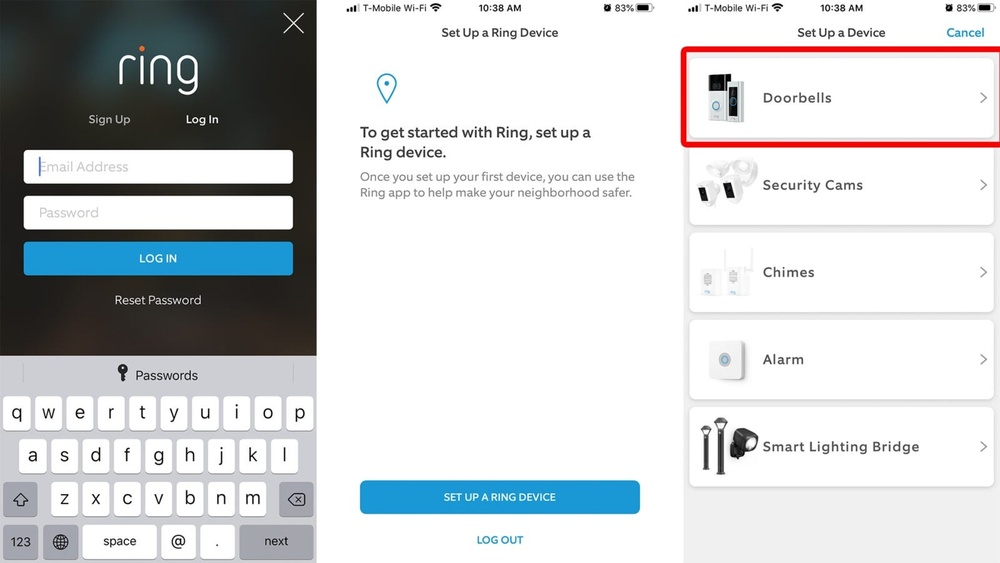
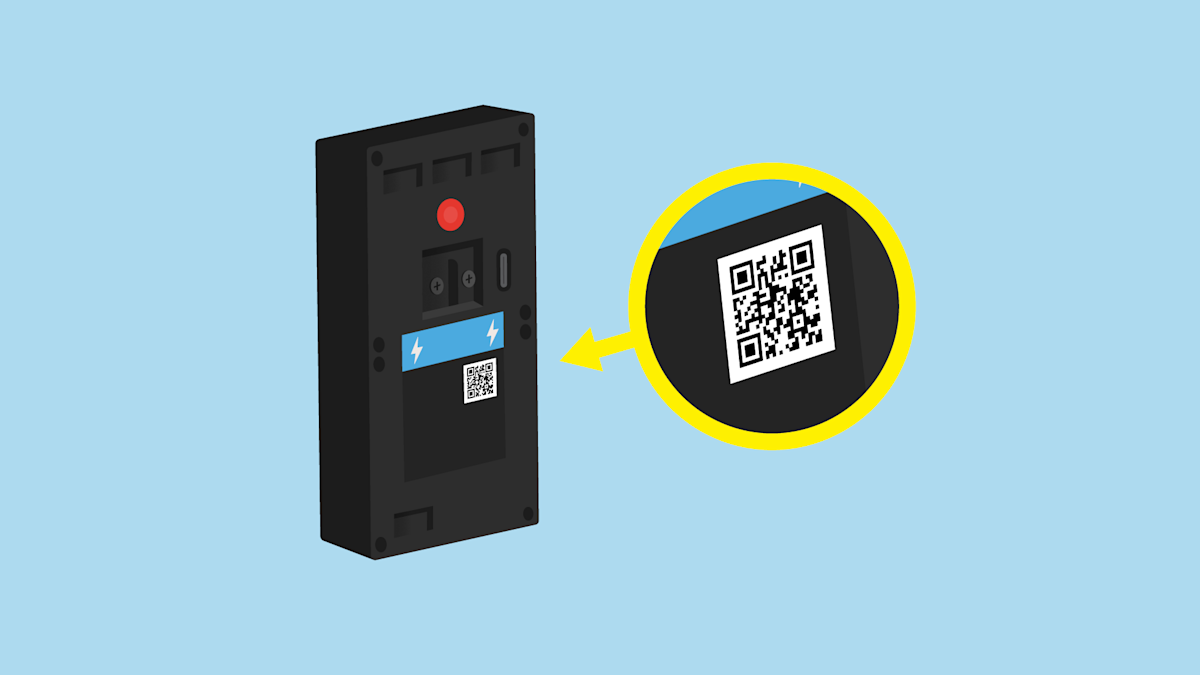
Start by linking the app to the doorbell camera hardware. Use standard protocols like RTSP or ONVIF for video streaming. These protocols help the app receive live video feeds smoothly.
Set up the camera’s IP address and port in the app settings. Test the connection to confirm the app shows live video without delay. Use APIs provided by the camera manufacturer for better control.
Ensuring Secure Data Transmission
Protect video and audio data during transmission. Use encryption methods such as SSL/TLS to secure the data stream. This prevents hackers from intercepting sensitive information.
Implement authentication steps between the app and the camera. Tokens or passwords help verify authorized users only. Regularly update security protocols to keep the system safe.
Handling Device Compatibility
Design the app to work with many doorbell camera models. Check the hardware specs and software APIs for each device. Avoid using features that only work on a few models.
Test the app on different devices to find and fix issues early. Use adaptable code that can adjust to various screen sizes and hardware limits. This approach improves user experience across devices.
Implementing Security Measures
Security is a top priority when building a video doorbell app. Protecting users’ data and privacy builds trust. Strong security measures keep hackers away and prevent data leaks. Implementing these safeguards helps create a safe user experience.
Data Encryption
Data encryption scrambles information so only authorized users can read it. Encrypt video feeds and user data during transmission and storage. Use strong encryption standards like AES-256. This protects sensitive data from being stolen or intercepted.
User Authentication
User authentication verifies the identity of app users. Require strong passwords and enable two-factor authentication. This adds an extra layer of protection against unauthorized access. Regularly update authentication methods to stay secure.
Privacy Controls
Privacy controls let users manage their data and permissions. Allow users to control who can view video streams and recordings. Provide clear options to turn off data sharing or delete data. Transparent controls increase user confidence and privacy.
Testing And Debugging
Testing and debugging are crucial steps in building a video doorbell app. They ensure the app works smoothly and offers a good user experience. Without proper testing, the app may fail at key moments or have poor performance. Debugging helps find and fix problems early, saving time and effort later. This section covers important methods to test and improve your app.
Simulating Real-world Scenarios
Testing with real-world scenarios helps check how the app behaves outside the development environment. Simulate different lighting conditions, network speeds, and motion events. Try various doorbell press patterns and camera angles. Use device emulators and physical devices for better accuracy. This approach uncovers issues that users might face in daily use.
Performance Optimization
Optimize the app to reduce battery use and improve response time. Monitor CPU and memory usage during video streaming and notifications. Compress video files without losing quality. Use caching to avoid loading delays. A faster app keeps users happy and reduces crashes or freezes.
Bug Fixing Techniques
Start by reproducing bugs reliably to understand their cause. Use logging and debugging tools to track errors. Fix one bug at a time and test thoroughly before moving on. Keep code clean and organized to prevent new bugs. Regular updates and user feedback help maintain app stability.
Launching And Marketing The App
Launching and marketing a video doorbell app is a key step. It helps your app reach users and gain popularity. A smooth launch builds trust and attracts downloads. Marketing spreads the word and brings in new users.
App Store Submission Tips
Prepare your app for store submission carefully. Check all features work without bugs. Use clear and simple app descriptions. Add high-quality screenshots that show app functions. Choose the right keywords for better visibility. Follow the store’s guidelines exactly. Submit on time and be ready for review.
User Feedback Collection
Collect feedback from your users often. Use surveys or in-app prompts to ask opinions. Listen to complaints and fix issues quickly. Positive reviews increase your app’s reputation. Reply to user comments to build trust. Keep improving the app based on feedback.
Promoting Your App Effectively
Use social media to share app features and updates. Create simple videos to explain how the app works. Partner with bloggers or local businesses for wider reach. Use email campaigns to inform interested users. Offer limited-time free trials or discounts. Track your marketing efforts to see what works best.
Frequently Asked Questions
What Are The Main Features Of A Video Doorbell App?
A video doorbell app typically includes live video streaming, motion detection alerts, two-way audio, and cloud storage. It allows users to see and communicate with visitors remotely. These features enhance home security and convenience by providing real-time monitoring from smartphones.
How Do I Start Developing A Video Doorbell App?
Begin by defining app requirements and choosing development platforms like iOS or Android. Focus on integrating camera streaming, motion detection, and notifications. Use APIs for video and audio, and ensure secure data transmission. Testing and user feedback are crucial for improvement.
Which Programming Languages Suit Video Doorbell App Development?
Common languages include Swift or Objective-C for iOS and Java or Kotlin for Android. For backend, use Node. js, Python, or Java. These languages support real-time video streaming, device integration, and secure data handling effectively.
How Can I Ensure Video Security In The App?
Use end-to-end encryption for video and audio streams. Implement strong authentication methods and secure data storage. Regularly update the app to patch vulnerabilities. Secure communication prevents unauthorized access and protects user privacy effectively.
Conclusion
Creating a video doorbell app takes careful planning and simple steps. Focus on clear design and easy use. Test your app often to fix any bugs. Keep security strong to protect users’ privacy. Add useful features like live video and alerts.
Stay patient and keep improving your app over time. This helps build trust and keeps users happy. A good app can make homes safer and more connected. Start small, learn, and grow your skills as you go.