
Have you ever wondered how your Blink Video Doorbell actually works to keep your home safe? Understanding the technology behind it can help you make the most of its features and feel more secure every day.
This simple device does much more than just show you who’s at the door—it lets you see, hear, and even speak to visitors from anywhere. Keep reading to discover how the Blink Video Doorbell operates and why it might be the perfect addition to your home security.
Blink Video Doorbell Features
The Blink Video Doorbell offers a range of useful features. These features help keep your home safe and let you see visitors clearly. Simple design and smart technology come together in this device. Let’s explore its main features and how they work.
Design And Build
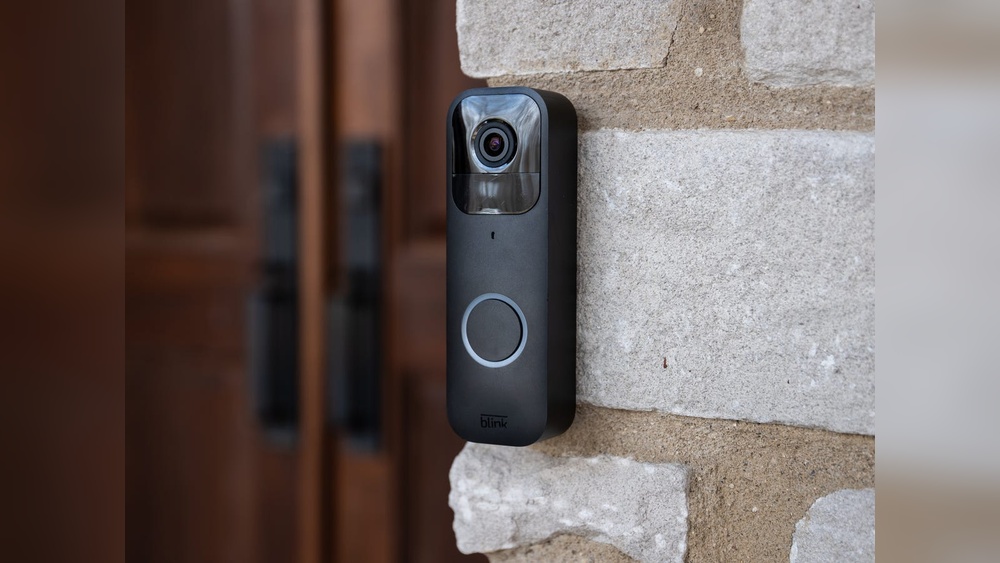
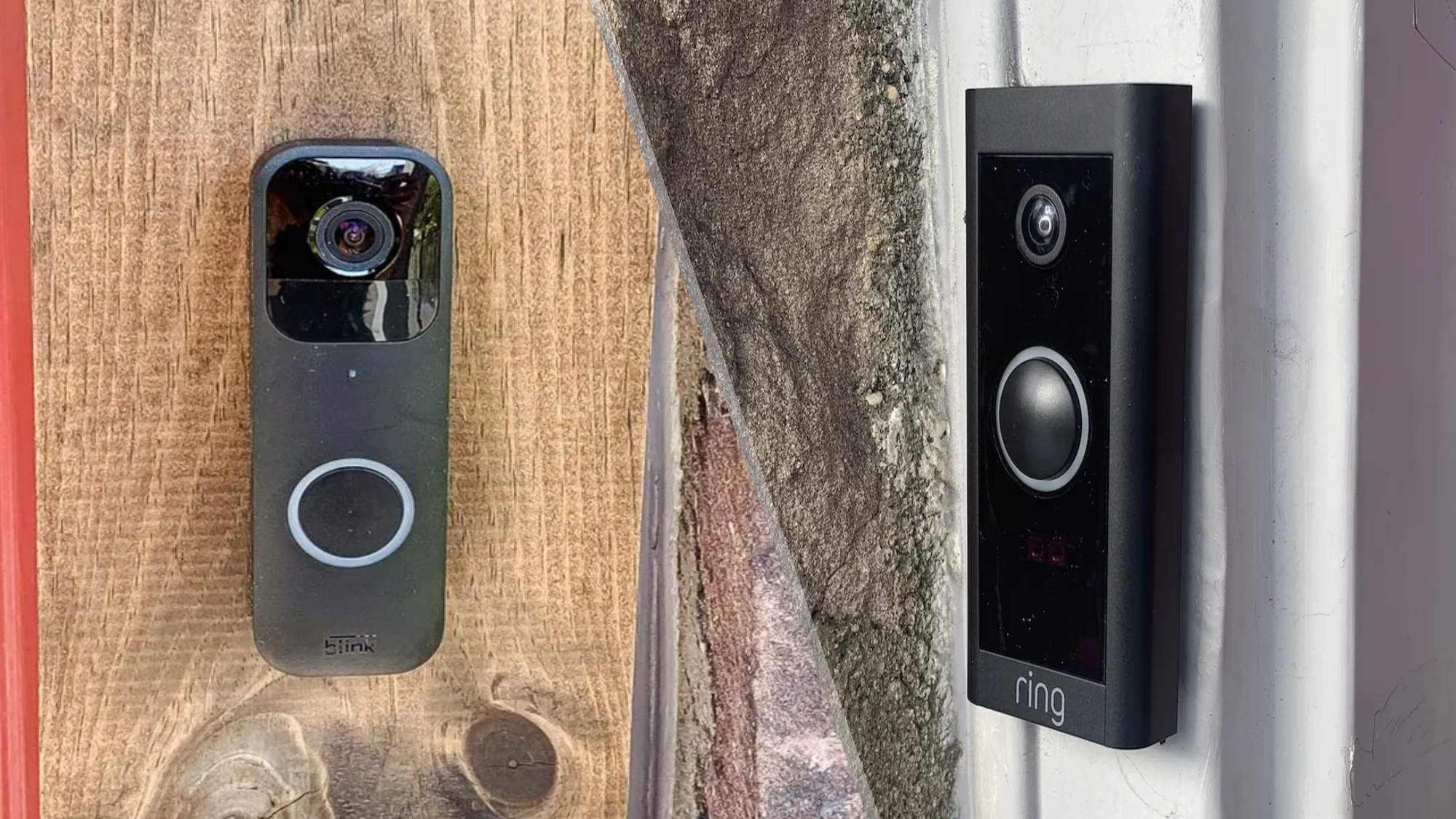
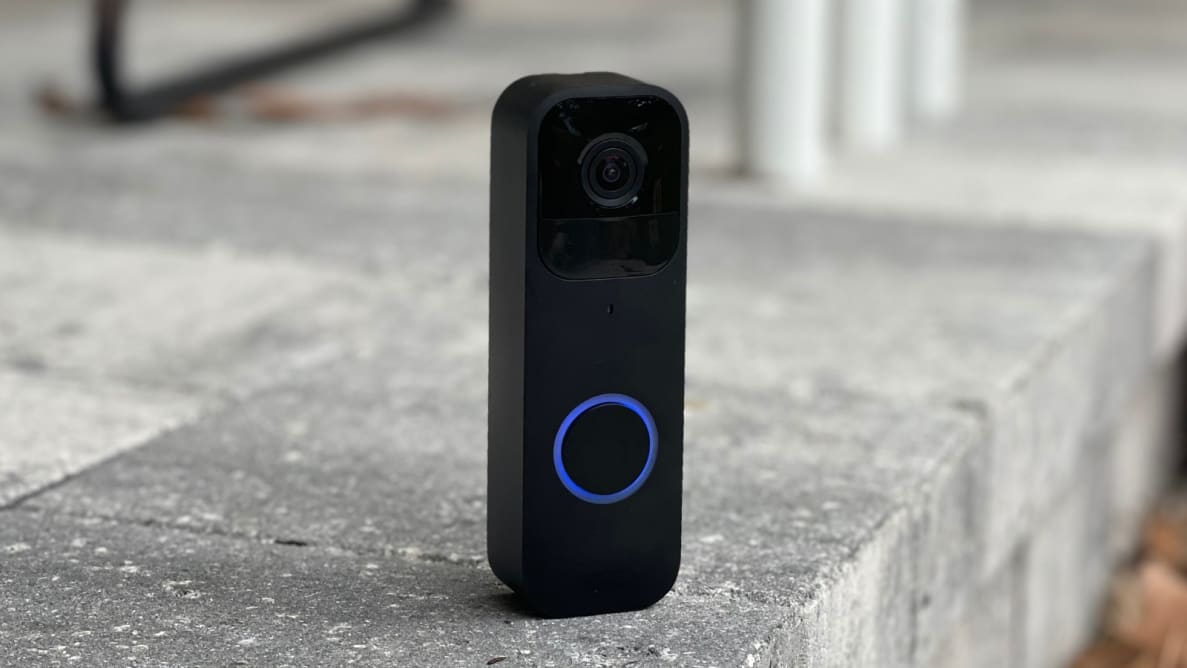
Blink Video Doorbell has a sleek, compact shape. It fits easily next to any door. The device is weather-resistant, so rain or sun won’t harm it. It uses lightweight materials but feels sturdy. Installation is quick with basic tools. The design also includes a bright button that visitors can press easily.
Video Quality
The doorbell records video in HD resolution. This means clear and sharp images. You can see faces and details even at night. The camera has a wide field of view. It captures a broad area in front of your door. Live video streams directly to your phone or tablet. This helps you check your door anytime.
Audio Capabilities
Blink includes two-way audio communication. You can hear visitors and speak to them. This works through your smartphone or tablet. The microphone picks up sounds clearly. The speaker delivers your voice loud enough outside. This feature helps you talk without opening the door.
Motion Detection
The doorbell senses movement near your door. It sends alerts to your phone instantly. You decide the motion zones to monitor. This reduces false alarms from far away. The sensitivity level is adjustable for your needs. Motion clips are saved for later review. This helps you stay aware of any activity.

Credit: www.reddit.com
Installation Process
The installation process of the Blink Video Doorbell is simple and quick. It does not require expert skills or complex tools. This section guides you through every step, making setup easy to follow. You can install the doorbell by yourself in less than 30 minutes.
Required Tools
Gather these tools before starting:
- Screwdriver (Phillips head)
- Drill (optional, for wall mounting)
- Level (to keep the doorbell straight)
- Pencil (for marking holes)
- Measuring tape (to ensure proper placement)
Having these tools ready will make the process smooth and faster.
Step-by-step Setup
First, choose a spot near your door with a good view. Use the level and pencil to mark where to drill holes. Drill holes carefully if mounting on a wall. Attach the mounting bracket using screws provided. Place the Blink Video Doorbell onto the bracket. Press it firmly until it clicks into place. Check that the doorbell is secure and straight.
Connecting To Wi-fi
Open the Blink app on your smartphone. Follow the instructions to add a new device. Select your doorbell model from the list. The app will guide you to connect to your home Wi-Fi. Enter your Wi-Fi password carefully. Wait for the app to confirm the connection. Once connected, the doorbell is ready to use.
Live Video Streaming
Live video streaming is a key feature of the Blink Video Doorbell. It lets you see who is at your door in real time. The camera sends video directly to your phone or tablet. This helps you decide how to respond quickly.
Streaming video works over your home Wi-Fi network. The Blink app connects to the doorbell to show a live view. This feature keeps you informed and secure anytime, anywhere.
Accessing The Camera Feed
Open the Blink app to access the live video stream. Tap the doorbell camera icon to start viewing. The feed shows clear video from the doorbell camera. You can watch the live view anytime you want.
The app also allows you to talk through the doorbell. This helps you communicate without opening the door. Easy access makes it simple to check your door quickly.
Latency And Performance
Latency is the delay between the camera and your device. Blink’s system keeps latency low, usually under a few seconds. This speed is good for real-time conversations and quick reactions.
Performance depends on your Wi-Fi signal strength. Strong Wi-Fi means smoother video and less buffering. If the signal is weak, video may lag or pause.
Multiple Device Support
Many users can access the live video feed at once. You can share camera access with family or roommates. Everyone can watch the doorbell feed on their own devices.
This feature helps keep all household members informed. It also adds convenience if multiple people answer the door. Each device connects independently for a smooth experience.
Credit: www.tomsguide.com
Motion And Alert System
The Blink Video Doorbell uses a smart motion and alert system to keep you aware of visitors. It senses movement near your door and sends quick alerts to your phone. This system helps you monitor your home even when you are away. It reduces false alarms by focusing on important areas.
Customizing Motion Zones
Set specific areas for motion detection. This feature lets you ignore busy streets or sidewalks. Focus only on your porch or driveway. Custom zones reduce unwanted alerts from passing cars or pets. Adjust these zones easily in the app to fit your needs.
Notification Settings
Choose how and when you receive alerts. You can get instant notifications or delay them. Silence alerts during certain hours or activate them only when you are away. The app gives control over sounds, vibrations, and alert types. This ensures you are notified at the right time.
Integration With Smart Home Devices
The Blink Video Doorbell works with other smart devices. Connect it to your Alexa or Google Home for voice alerts. Link with smart lights to turn them on during motion detection. This integration adds convenience and improves home security. Control your doorbell through multiple devices easily.
Power And Battery Life
The power and battery life of the Blink Video Doorbell are crucial for its smooth operation. A reliable power source ensures the doorbell stays active to capture video and send alerts. Users want a device that lasts long without frequent recharging or battery changes. Blink focuses on efficient power use to extend battery life and reduce maintenance.
Battery Type And Replacement
The Blink Video Doorbell uses two AA lithium batteries. These batteries provide long-lasting power compared to standard alkaline types. Lithium batteries hold charge better in cold weather and last up to two years under normal use. Replacing batteries is simple. Just open the battery compartment, remove old batteries, and insert new ones. No special tools are needed.
Energy Efficiency
Blink doorbells are designed to use minimal energy. They stay in low-power mode when idle and only activate when motion or button press occurs. This smart energy use conserves battery life. The device’s sensors and camera work efficiently to avoid wasting power. This efficiency helps the doorbell perform well over long periods without constant battery replacement.
Charging Options
The Blink Video Doorbell does not require wired charging. It runs solely on replaceable batteries. This wireless design offers flexibility in installation. Users do not need to connect the doorbell to home electrical wiring. The absence of charging ports means fewer worries about water damage or wear from frequent charging.
Credit: vicentetorns.com
Storage And Privacy
Storage and privacy are important parts of using the Blink Video Doorbell. The device records video clips when it detects motion or when someone presses the doorbell. These videos need to be saved safely for you to watch later. Blink offers different ways to store your videos, and strong privacy rules protect your data.
Cloud Storage Plans
Blink offers cloud storage plans that keep your videos online. These plans store your clips on Blink’s secure servers. You can access your videos anytime from your phone or computer. The cloud storage saves videos for a set time, usually 60 days. This option is easy and does not require extra equipment at home.
Local Storage Options
Blink also supports local storage using a USB drive. You connect the USB to the Blink Sync Module. This lets you save videos directly at your home. Local storage means you control your data without using the internet. It is a good choice for users who want to avoid monthly fees.
Data Security Measures
Blink uses encryption to keep your videos safe. Encryption changes data into code that only you can read. The company follows strict rules to protect your privacy. Your video clips and personal information stay private. These security steps help stop unauthorized access to your data.
Troubleshooting Tips
Troubleshooting your Blink Video Doorbell can solve many common problems. Understanding simple fixes helps keep your device working smoothly. This section shares easy tips for quick solutions.
Common Issues
Sometimes the doorbell does not connect to Wi-Fi. Check your internet signal strength near the doorbell. Weak signals cause delays and missed alerts. Battery drain is another frequent problem. Make sure the batteries have enough power. Motion detection might not work right. Adjust the motion settings in the app for better results.
Resetting The Device
Resetting the doorbell often fixes bugs and freezes. Find the reset button on the back of the device. Hold it down for 10 seconds until the light blinks. The doorbell will restart and try to reconnect to Wi-Fi. Remember, resetting erases some settings. You will need to set up the device again in the app.
When To Contact Support
Contact Blink support if issues continue after troubleshooting. Problems like hardware failure or repeated connection loss need expert help. Support can guide you through advanced steps. They can also arrange repairs or replacements if necessary. Keep your device details ready for faster service.
Frequently Asked Questions
How Does Blink Video Doorbell Detect Motion?
Blink Video Doorbell uses advanced motion sensors to detect movement. It alerts users instantly via the app. This helps monitor your doorstep in real-time, enhancing home security efficiently.
Can Blink Video Doorbell Work Without Wi-fi?
No, Blink Video Doorbell requires a stable Wi-Fi connection. It streams video and sends alerts through the internet. Without Wi-Fi, the doorbell cannot transmit live footage or notifications.
What Powers The Blink Video Doorbell?
The Blink Video Doorbell is battery-powered, using two AA lithium batteries. This allows flexible installation without wiring. Battery life lasts up to two years with typical usage.
How Is Video Footage Stored In Blink Doorbell?
Video clips are stored securely in the Blink cloud. Users can access recordings anytime via the app. Cloud storage ensures footage is safe even if the device is damaged.
Conclusion
The Blink Video Doorbell helps you see visitors anytime, anywhere. It sends alerts straight to your phone. You can talk to guests without opening the door. The device uses motion sensors to detect activity. Installation is simple and does not need wires.
This doorbell adds a layer of safety to your home. It fits well in many types of houses. Easy to use and reliable. A smart choice for home security.