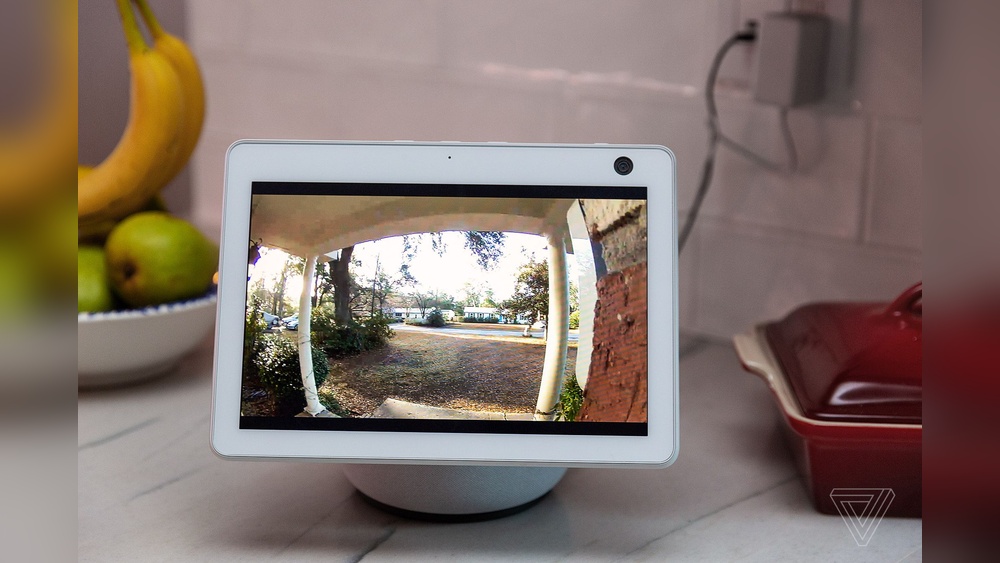

Have you ever wondered what happens the moment someone rings your doorbell? With the Nest Video Doorbell, you don’t have to guess anymore.
This smart device lets you see, hear, and speak to visitors right from your phone, no matter where you are. Imagine feeling safer and more in control of your home with just a few taps. Curious how it all works?
Keep reading, and you’ll discover the simple technology behind Nest’s powerful features—and how it can change the way you protect your home.

Credit: www.esseg.eu
Nest Video Doorbell Features
The Nest Video Doorbell offers many useful features to keep your home safe. It combines smart technology with easy use. These features help you see and talk to visitors, and get alerts about activity at your door. The doorbell fits well into modern homes and works with your smartphone. Below are the key features that make this device stand out.
Design And Build
The Nest Video Doorbell has a sleek, modern look. It is small and fits on most door frames. The build is strong and weather-resistant. It works well in rain or sun. The design includes a button that lights up. This helps visitors find it at night.
Video Quality And Field Of View
The doorbell records video in high definition. The picture is clear and sharp. It has a wide field of view. You can see more area around your door. This helps you spot visitors and packages easily. Night vision lets you see in the dark too.
Two-way Audio
Talk to visitors through the doorbell using your phone. The microphone and speaker are clear. You can hear what visitors say and reply. This feature is helpful for giving instructions or greeting guests. It works even if you are not home.
Motion And Sound Detection
The Nest doorbell senses movement near your door. It also detects sounds like knocking or ringing. When it senses activity, it sends an alert to your phone. You can check the video right away. This keeps you informed about any visitors or unusual events.
Installation Process
The installation process of the Nest Video Doorbell is simple and user-friendly. It involves a few clear steps. Each step ensures your doorbell works correctly and stays secure. Follow the instructions carefully for the best results.
Wiring Requirements
The Nest Video Doorbell needs power to work. It connects to existing doorbell wires. Check if your current doorbell has low-voltage wiring. The wires should provide 16-24 volts AC. Use a multimeter to test voltage if needed. If no wiring exists, you may need a professional install.
Mounting Steps
Choose a spot near your door at about 48 inches high. Use the included mounting plate and screws. Mark the holes with a pencil. Drill small holes for the anchors if needed. Attach the plate securely to the wall. Connect the wires to the doorbell terminals. Snap the doorbell onto the mounting plate until it clicks.
Connecting To Wi-fi
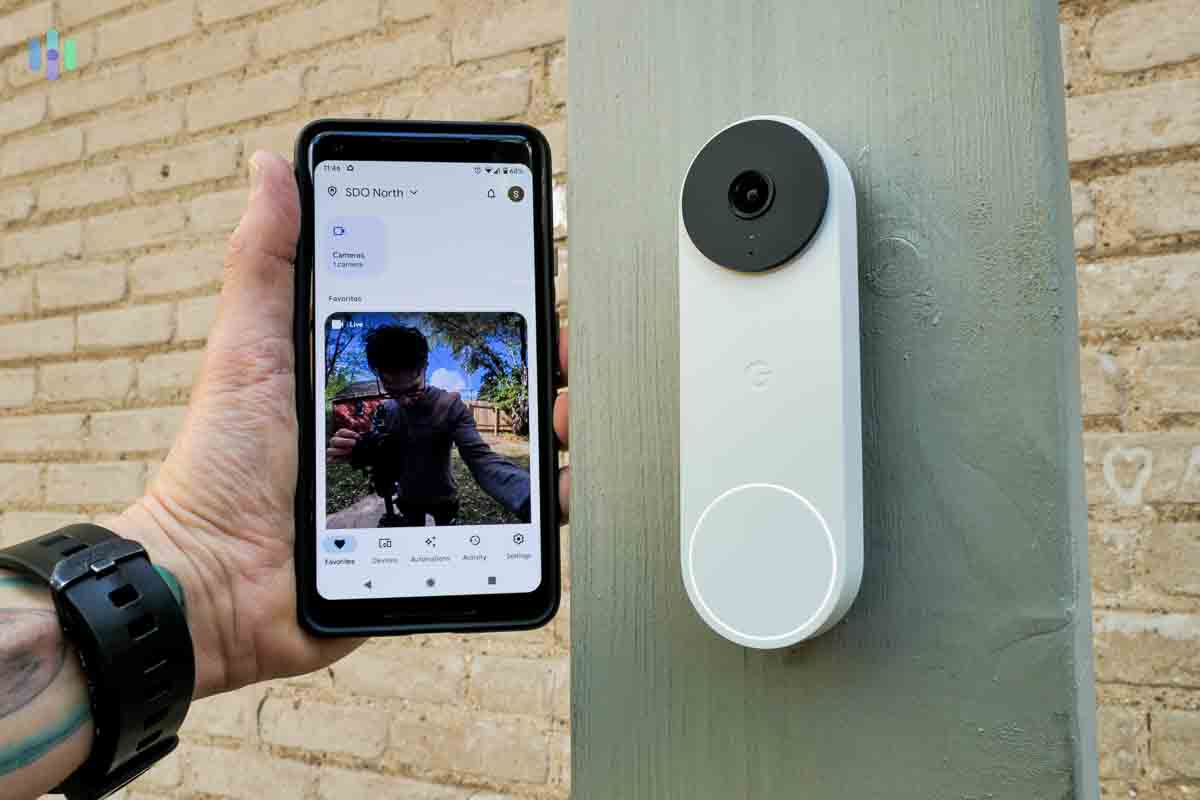
Download the Google Home app on your phone. Follow the app prompts to add a new device. Select your Nest Video Doorbell from the list. Enter your Wi-Fi network name and password. Wait for the doorbell to connect. A green light confirms a successful connection. Your doorbell is now ready for use.
How It Captures And Streams Video
The Nest Video Doorbell captures and streams video to keep your home safe. It uses smart sensors and technology to see clearly. The video is sent live to your phone or device. You can also save clips for later viewing. Understanding how it works helps you trust its performance.
Camera Sensors And Technology
The doorbell has a high-definition camera. It records in sharp 1080p quality. Infrared sensors enable night vision. It captures clear video even in low light. The lens has a wide angle to cover more area. Motion detection alerts you when someone is near.
Live Streaming Mechanism
The doorbell connects to your Wi-Fi network. It sends video feed in real time. You see live video on your smartphone or tablet. The app shows who is at your door instantly. Audio lets you talk to visitors remotely. Streaming uses minimal data for smooth playback.
Video Storage Options
Videos can be saved automatically in the cloud. You access stored clips anytime via the app. Cloud storage keeps videos safe and private. Some plans offer longer storage periods. Local storage is not available on this model. Cloud backup helps review past events easily.
Credit: blizanovy.cz
Smart Alerts And Notifications
Smart alerts and notifications make the Nest Video Doorbell very useful. These alerts keep you informed about activities at your door. You get real-time updates on your phone. This helps you respond quickly to visitors or potential issues. The alerts are clear and easy to understand. They help you feel safer and more connected to your home.
Motion Alerts
The Nest Video Doorbell sends alerts when it detects motion near your door. It uses advanced sensors to spot movement. This means you know when someone approaches. The alerts help you watch for visitors or strangers. You can check the video feed right after you get a notification. Motion alerts keep you aware of any activity outside.
Package Detection
The doorbell can recognize when a package is delivered. It sends a special alert for packages left at your door. This feature helps you know when deliveries arrive. You can act fast if a package is at risk of theft. Package detection saves you from missing important parcels. It makes online shopping safer and easier.
Customizable Zones
You can set specific areas for motion detection. These are called customizable zones. This stops unwanted alerts from passing cars or pets. You only get alerts from important zones like your walkway or porch. Custom zones reduce false alarms and save your time. This feature makes alerts more accurate and useful.
Integration With Google Home
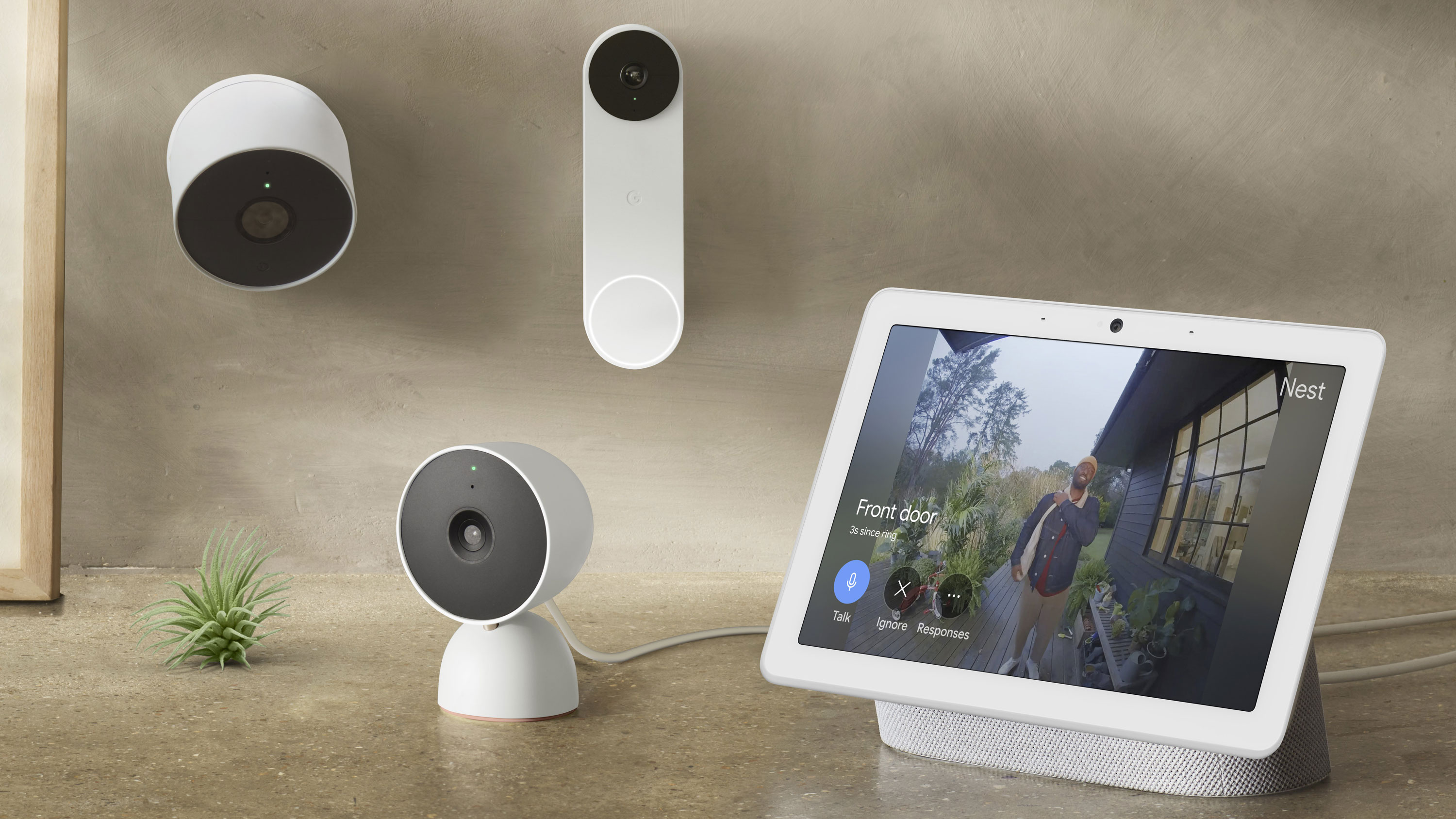
The Nest Video Doorbell works smoothly with Google Home to make your home smarter. It connects easily to Google’s smart home system. This lets you control the doorbell with your voice and link it to other devices. The integration helps you stay connected and secure without extra hassle.
Voice Control Features
You can use voice commands to check who is at the door. Just say, “Hey Google, show the front door camera,” and your Google Nest Hub or Chromecast will display the video. You can also ask Google to silence alerts or ring the doorbell from another room. This hands-free control adds convenience to your daily routine.
Automation And Routines
The Nest Video Doorbell can be part of your Google Home routines. For example, you can set a routine that turns on porch lights when motion is detected. Or create a routine to receive a notification and live video feed when someone presses the doorbell. These automations help you manage your home’s security effortlessly.
Compatibility With Other Devices
The doorbell works well with many Google Home-compatible devices. It pairs with smart lights, speakers, and cameras for a connected home experience. For instance, you can link it to smart locks to unlock the door remotely after seeing the visitor. This compatibility expands the usefulness of your Nest Video Doorbell.
Privacy And Security Measures
Privacy and security are key parts of the Nest Video Doorbell. It protects your home and your data. The device uses several strong safety features. These features keep your information safe and control who can see your video feed.
Data Encryption
Data encryption scrambles your video and audio. This means only you can view the recordings. Encryption works during transmission and storage. It stops hackers from accessing your data. Nest uses advanced encryption standards for high security.
User Access Controls
User access controls limit who can use the doorbell. You decide who sees live video and recordings. You can add or remove users easily. Controls include two-step verification for extra safety. This stops unauthorized access to your account.
Regular Firmware Updates
Firmware updates fix bugs and improve security. Nest sends updates automatically to your doorbell. These updates add new protections against threats. Regular updates keep your device safe and reliable. They ensure your doorbell stays up to date with the latest security.
Subscription Plans And Benefits
The Nest Video Doorbell offers useful features for home security. Some features come free, while others require a subscription. These plans add benefits like video history and alerts. Understanding these options helps you choose the right plan for your needs.
Free Features
The Nest Video Doorbell includes free features. It sends alerts when someone rings the doorbell. You also get live video streaming anytime. Basic motion detection is included. These features help you see who is at your door instantly.
Nest Aware Subscription
Nest Aware adds more advanced features. It records video history for up to 30 days. You can review past events easily. It also provides activity zones to focus on important areas. The subscription improves motion detection accuracy. This means fewer false alerts and better security.
Additional Cloud Storage
With a Nest Aware subscription, you can add extra cloud storage. This lets you keep videos longer. It is useful if you want to save important footage. Extra storage ensures you never lose key moments. You can access all recordings from your phone or computer.
Troubleshooting Common Issues
Troubleshooting common issues with the Nest Video Doorbell helps keep your device working smoothly. Small problems can stop your doorbell from recording or sending alerts. Fixing these issues quickly saves time and frustration. Here are some ways to solve the most frequent problems.
Connectivity Problems
Your doorbell needs a strong Wi-Fi signal to work well. Weak Wi-Fi causes delays or no video feed. Move your router closer or use a Wi-Fi extender. Restart your router and doorbell to reset the connection. Check if your internet is working on other devices. Make sure your doorbell firmware is up to date. Avoid thick walls or metal objects blocking the signal.
Video Quality Fixes
Blurry or pixelated video reduces security. Clean the doorbell camera lens gently with a soft cloth. Check your internet speed; slow speeds lower video quality. Adjust the video settings in the Nest app for better clarity. Restart the doorbell to refresh the camera. Ensure the camera is not exposed to direct sunlight or harsh lighting. Keep the firmware updated to avoid bugs affecting video.
Notification Delays
Late or missing notifications can cause missed visitors. Confirm notifications are enabled in the Nest app settings. Check your phone’s notification permissions for the app. Restart your phone and the doorbell for a fresh start. Avoid battery saver modes that block notifications. Make sure your internet is stable to send alerts quickly. Update the app to fix any notification bugs.
Comparing Nest Video Doorbell To Competitors
Comparing the Nest Video Doorbell to other video doorbells helps buyers make smart choices. Many options exist, but not all offer the same features or ease of use. Understanding what sets Nest apart is key. This section breaks down the main points that matter most.
Key Differences
Nest Video Doorbell offers clear 1080p HD video with HDR. It uses intelligent alerts to detect people, packages, and animals. Some competitors provide only motion detection without object recognition. Nest integrates deeply with Google Home devices. Many other doorbells support different smart home systems but lack this tight connection. Its design is sleek and weather-resistant, suitable for all seasons.
Price And Value
The Nest Video Doorbell costs slightly more than many rivals. The higher price reflects its advanced features and Google support. Competitors often offer lower prices but fewer smart options. Some require extra fees for cloud storage or advanced alerts. Nest includes a trial period for its subscription service. Its value depends on how much users want smart alerts and integration.
User Experience
Nest’s app is simple and clean, making setup fast and easy. It sends clear notifications and allows two-way talk through the doorbell. Video quality is consistent, even in low light. Some competitors have clunkier apps or delayed notifications. Nest also updates software regularly to improve security and features. Users often report fewer connection problems with Nest than with other brands.
Credit: www.esseg.eu
Tips For Maximizing Security
Maximizing your Nest Video Doorbell’s security helps protect your home better. Simple steps improve video quality and alert accuracy. Follow these tips to get the most from your device. Stay safer with smart setup and regular care.
Optimal Placement
Place the doorbell at eye level, about 4 to 5 feet high. This height captures clear faces and actions. Avoid direct sunlight or glare to keep images sharp. Aim for a spot with a wide view of the entrance. Ensure the doorbell covers main pathways and entry points.
Regular Maintenance
Clean the camera lens often to keep the picture clear. Dust and dirt can blur the video. Check the battery or power source to avoid unexpected shutdowns. Update the doorbell’s software to fix bugs and add features. Test alerts and video feed regularly to confirm proper function.
Using Advanced Features
Turn on motion detection to get alerts of any activity. Customize motion zones to focus on key areas only. Use the two-way talk feature to communicate with visitors or delivery people. Set up familiar face recognition if available for better alerts. Store recordings securely to review footage if needed.
Frequently Asked Questions
How Does Nest Video Doorbell Connect To Wi-fi?
Nest Video Doorbell connects to your home Wi-Fi using a 2. 4GHz or 5GHz network. This allows live video streaming and notifications on your smartphone or other devices.
Can Nest Video Doorbell Record Video Continuously?
Yes, Nest Video Doorbell offers continuous video recording with a Nest Aware subscription. It stores footage securely in the cloud for easy access anytime.
Does Nest Video Doorbell Have Night Vision?
Nest Video Doorbell includes infrared night vision. This feature ensures clear video footage in low-light or dark conditions, enhancing your home security 24/7.
How Do Motion Alerts Work On Nest Video Doorbell?
The doorbell detects motion using built-in sensors. It sends instant alerts to your phone, allowing you to see and respond to visitors in real-time.
Conclusion
The Nest Video Doorbell helps you see and talk to visitors easily. It sends alerts straight to your phone. You can check who is at your door anytime. The device records video, so you never miss a moment. It works with your home Wi-Fi for smooth connection.
Simple to use and install, it adds safety to your home. Choosing it means staying aware and connected. A smart step for everyday peace of mind.