
Is your smoke detector beeping nonstop, driving you crazy? That constant beep can be more than just annoying—it can disrupt your peace and even cause unnecessary worry.
But don’t panic. You can stop that beeping quickly and easily with the right steps. You’ll learn exactly why your smoke detector is beeping and how to fix it without stress. Keep reading, and take control of your home’s safety and quiet today.
Common Causes Of Beeping
Smoke detectors beep to warn you about potential problems. Knowing the common causes of beeping helps fix issues fast. This section explains why your smoke detector might beep and what each signal means.
Low Battery Signals
The most common reason for beeping is a low battery. Smoke detectors need power to work properly. When the battery runs low, the detector beeps to alert you. Changing the battery usually stops the noise quickly.
Dust And Debris Issues
Dust or dirt inside the smoke detector can cause false alarms. Small particles block the sensors and trigger beeping sounds. Regular cleaning keeps your smoke detector working well and quiet.
End Of Life Alerts
Smoke detectors do not last forever. After about 8 to 10 years, they reach the end of their life. The device beeps to tell you it needs replacement. Ignoring this alert risks your safety.
Electrical Problems
Hardwired smoke detectors depend on your home’s electricity. Loose wires or power issues can cause random beeps. Checking connections and power sources helps fix these electrical problems.

Credit: www.angi.com
Immediate Fixes To Stop Beeping
Beeping smoke detectors can cause stress and interrupt your day. The sound usually means the device needs attention quickly. Immediate action helps stop the noise and ensures your safety. Simple fixes often solve the problem fast. Below are easy steps to try right away.
Replacing The Battery
The most common cause of beeping is a low battery. Open the detector’s cover carefully. Remove the old battery and put in a new one. Use the battery type recommended by the manufacturer. Close the cover firmly. The beeping should stop after a few seconds.
Resetting The Smoke Detector
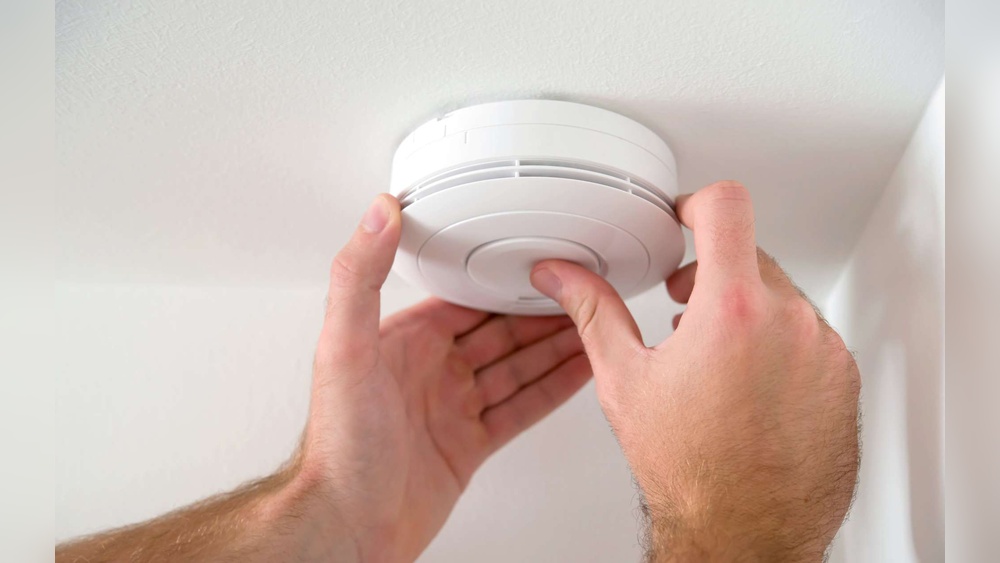
Sometimes the detector needs a reset to stop beeping. Press and hold the test button for 15-20 seconds. Wait for the beep to stop. Release the button and check if the alarm is silent. Resetting clears errors and refreshes the device.
Cleaning The Device
Dust or dirt can cause false alarms and beeping. Use a soft brush or vacuum cleaner to remove dust from vents. Avoid using water or cleaning chemicals. Clean the detector every few months to keep it working well. Clean devices beep less often.
Checking The Power Supply
Hardwired smoke detectors rely on home power. Check the circuit breaker to ensure it is on. Look for loose wires or connections inside the detector. Turn off power before inspecting wires. Secure any loose connections carefully. A steady power supply keeps the detector silent.
Preventing Future Beeping
Stopping your smoke detector from beeping is important for peace at home. Prevention helps avoid constant noise and ensures safety. Small steps keep your device working well and quiet. Follow simple tips to stop future beeping and keep your home safe.
Regular Maintenance Tips
Check your smoke detector every month. Dust and dirt can cause false alarms and beeping. Clean the device with a soft brush or vacuum. Test the alarm button to make sure it works. Replace the smoke detector every 10 years for best safety.
Choosing The Right Battery
Use batteries recommended by the manufacturer. Cheap or wrong batteries cause beeping and short life. Change batteries once a year or when the alarm beeps. Always keep spare batteries in your home. Use long-lasting lithium batteries for fewer replacements.
Proper Installation Practices
Install smoke detectors on ceilings or high on walls. Avoid placing them near windows, fans, or kitchens. These places cause false alarms and frequent beeping. Follow the instructions in the manual carefully. Proper placement keeps your alarm working well and quiet.

Credit: www.angi.com
When To Replace Your Smoke Detector
Knowing when to replace your smoke detector is crucial for safety. Smoke detectors can wear out over time. A faulty detector might not warn you during a fire. Replacing old units keeps your home secure. Below are signs to watch for and tips on upgrading.
Signs Of Wear And Tear
Smoke detectors show signs before they stop working well. Constant beeping is one sign. It may mean the battery or detector is failing. Dust or dirt inside can cause false alarms. Cracks or discoloration on the device also signal damage. If you notice any, consider replacement soon.
Manufacturer’s Recommended Lifespan
Most smoke detectors have a set lifespan. Usually, it ranges from 8 to 10 years. Check the label or manual for this information. Using a detector beyond this time reduces its reliability. Replace it after the recommended years for best protection.
Upgrading To Newer Models
New smoke detectors come with better features. Some can connect to your phone or other alarms. They detect smoke faster and reduce false alarms. Upgrading improves your home’s safety system. Choose models that meet current safety standards.
Safety Tips While Handling Smoke Detectors
Handling smoke detectors requires care and attention to safety. These devices protect homes from fire dangers. Mistakes during handling can cause damage or false alarms. Follow safety tips to keep your home safe and your smoke detector working well.
Avoiding False Alarms
False alarms cause stress and waste time. Avoid using strong sprays or cleaners near the detector. Do not place detectors too close to kitchens or bathrooms. Keep smoke detectors free from dust and insects. Test detectors regularly to ensure they work properly.
Handling With Care
Always handle smoke detectors gently. Avoid dropping or hitting the device. Use a sturdy ladder when checking or replacing detectors. Remove batteries carefully to prevent damage. Keep detectors away from water and extreme heat.
Following Manufacturer Guidelines
Read and follow the instructions from the manufacturer. Use only recommended batteries and replacement parts. Replace smoke detectors every 10 years or as advised. Follow guidelines for cleaning and testing the device. Proper care ensures reliable performance.

Credit: waynealarm.com
Frequently Asked Questions
Why Is My Smoke Detector Beeping Intermittently?
Your smoke detector beeps intermittently to signal low battery power or a malfunction. Replace batteries promptly. Check for dust or debris inside the detector. Regular maintenance ensures it functions correctly and prevents false alarms.
How Do I Stop A Smoke Detector From Beeping?
To stop beeping, first replace the battery with a fresh one. If beeping continues, clean the sensor using a vacuum or soft cloth. Reset the detector by pressing the test button. Replace the entire unit if issues persist.
Can Humidity Cause Smoke Detector Beeping?
Yes, high humidity or steam can trigger false alarms and cause beeping. Place detectors away from bathrooms or kitchens. Use ventilation fans to reduce moisture. Regular cleaning helps maintain detector accuracy and prevents unnecessary beeping.
How Often Should I Replace Smoke Detector Batteries?
Replace smoke detector batteries at least once a year. Some recommend changing batteries during daylight saving time changes. Regular battery replacement ensures reliable operation and prevents low battery alerts that cause beeping.
Conclusion
Stopping a smoke detector from beeping can be simple. Check the battery first—it often causes the noise. Clean the detector to remove dust and dirt. Replace old batteries regularly to avoid beeping. Test the alarm after fixing it to ensure it works.
Remember, a working smoke detector keeps you safe. Taking these steps helps you stop annoying beeps fast. Stay calm and follow the tips for quiet, safe living.