
If you have a Ring Video Doorbell, you probably want to hear it chime inside your home when someone rings the bell. But sometimes, getting your chimes to work with your Ring Video Doorbell isn’t as simple as it sounds.
You might be wondering why your traditional chimes stay silent or how to connect everything without expert help. In this guide, you’ll discover easy steps and clear tips to make your chimes ring perfectly every time. By the end, you’ll enjoy the full convenience of your smart doorbell with the familiar sound you want.
Keep reading to find out exactly how to get your chimes working with your Ring Video Doorbell.

Credit: www.youtube.com
Check Compatibility
Before setting up your Ring Video Doorbell with a chime, checking compatibility is essential. Not every chime works with every Ring model. Confirming this helps avoid installation problems and ensures smooth operation. Compatibility depends on the doorbell model and the type of chime you have or plan to buy.
Ring Doorbell Models
Ring offers several doorbell models. Some have built-in chimes, while others need external ones. Older models might not support all chime types. Newer models often work better with Ring Chimes or certain wired chimes. Knowing your specific model helps pick the right chime.
Popular Ring doorbells include Ring Video Doorbell 2, Ring Video Doorbell Pro, and Ring Video Doorbell 3. Each has different power and compatibility needs. Check the Ring website or manual for your model’s chime compatibility details.
Chime Types Supported
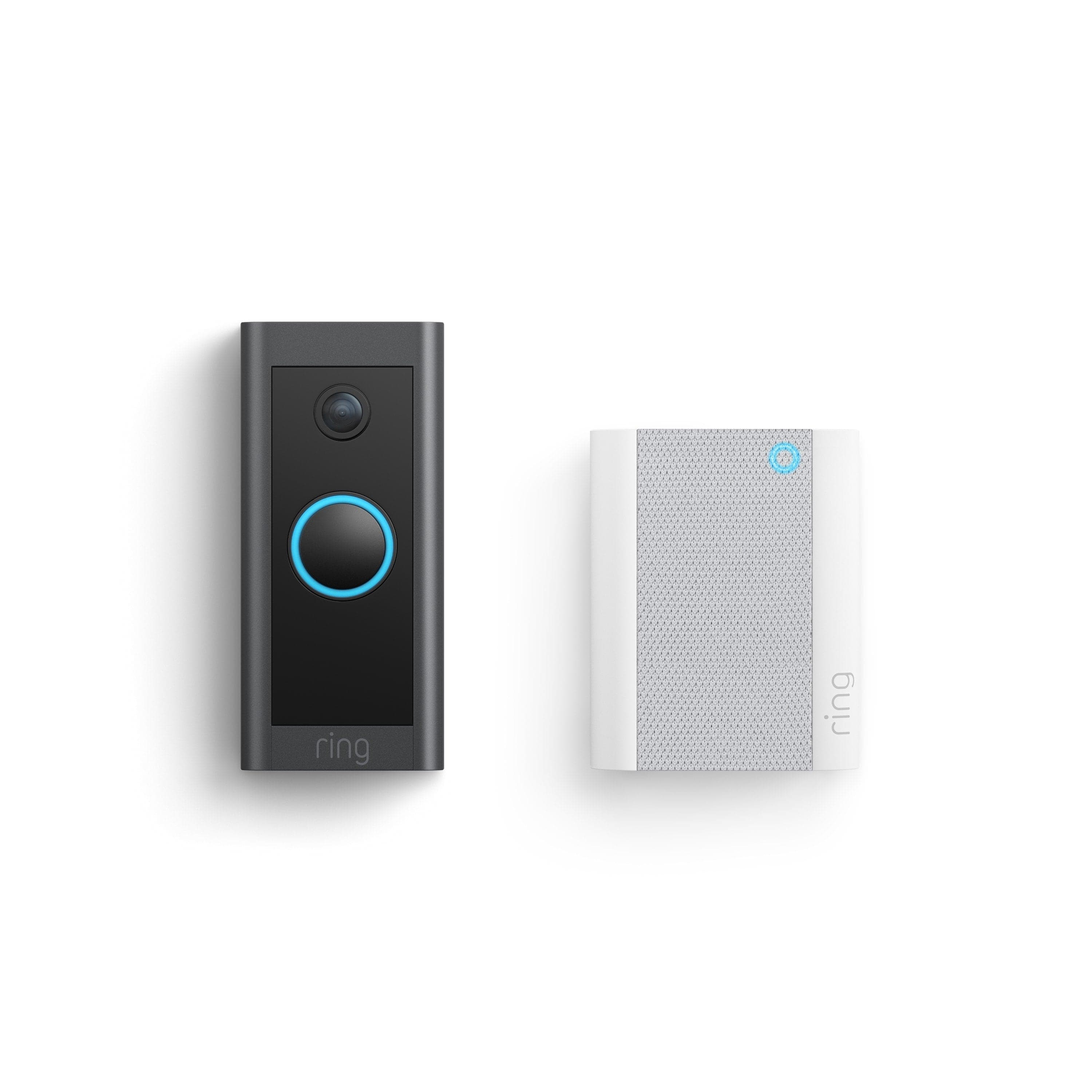
Ring supports two main chime types: Ring Chime (wireless) and mechanical or digital wired chimes. Wireless Ring Chimes plug into outlets and connect via Wi-Fi. They work with most Ring doorbells and offer easy setup.
Wired chimes need to match the voltage and wiring of your Ring doorbell. Mechanical chimes produce sound by striking metal bars. Digital chimes use electronic sounds. Verify your home’s existing chime type before connecting it to Ring.
Using an incompatible chime may cause it not to ring or damage the device. Always check the voltage and wiring requirements for your chime and Ring doorbell model.
Gather Required Tools
Before installing your Ring Video Doorbell with chimes, gather all necessary tools. Having the right tools makes the process smooth and safe. It helps avoid delays and errors during installation. Prepare your workspace and tools carefully to ensure a quick setup.
Basic Tools Needed
You will need a few basic tools to connect chimes with the Ring doorbell. A screwdriver is essential for removing and attaching screws. A drill may be required if you need to make new holes. Wire strippers help prepare electrical wires. A voltage tester checks if power is off. Finally, have electrical tape handy for securing wires.
Safety Precautions
Safety is crucial when working with electrical devices like doorbells. Always turn off power at the breaker box before starting. Use a voltage tester to confirm no current flows through wires. Wear insulated gloves to protect against shocks. Avoid working in wet conditions. Keep children and pets away from the work area.
Turn Off Power
Turning off the power is a key step before installing or fixing your Ring Video Doorbell chimes. It keeps you safe from electric shocks. Working with electricity without cutting power can cause serious harm. Always take this step seriously to avoid accidents.
Start by cutting power to the doorbell circuit. This protects you and your devices during installation. Follow the steps below carefully to turn off the power properly.
Locate Circuit Breaker
Find your home’s main electrical panel. Look for the circuit breaker that controls the doorbell. It is usually labeled “doorbell” or “front door.”
If not labeled, check each breaker one by one. Flip the switch off to cut power to the doorbell. You may hear a click sound when it turns off.
Verify Power Is Off
Use a non-contact voltage tester to check the wires. Place the tester near the doorbell wires. It should not light up or beep if power is off.
Another way is to press your existing doorbell button. No sound means power is off. Double-check to be sure before starting your work.

Credit: vicentetorns.com
Connect Ring Doorbell To Chime
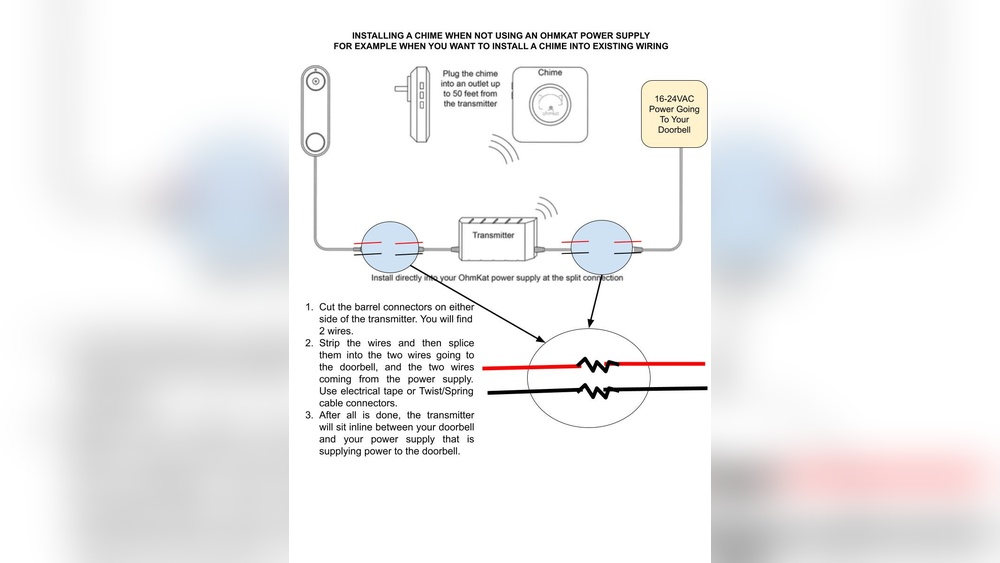
Connecting your Ring Video Doorbell to a chime lets you hear alerts inside your home. The chime rings when someone presses the doorbell. This guide helps you link the devices with simple steps.
Start by understanding your home’s current doorbell setup. Then, connect the Ring doorbell wires properly. This ensures the chime works well with your new doorbell.
Locate Existing Doorbell Wires
First, find the wires behind your old doorbell button. Turn off power at the circuit breaker. This keeps you safe while working with wires.
Remove the old doorbell button carefully. Look for two wires connected to it. These wires send the signal to your chime. Note their position for the next step.
Trace the wires back to your chime box. The chime is usually inside your home, near the main door or hallway. Make sure the wires are in good condition and not damaged.
Wire Ring Doorbell Correctly
Attach the two existing wires to the Ring doorbell terminals. Usually, these terminals are labeled “Front” or “Trans.” Connect one wire to each terminal.
Secure the wires tightly to avoid loose connections. Loose wires can cause the chime to fail or ring weakly. Use a screwdriver to tighten the screws on the terminals.
Once wired, mount the Ring doorbell on your door frame. Turn the power back on at the circuit breaker. Test the system by pressing the doorbell button.
The chime should ring inside your home. If it does not, check the wiring and power supply again. Proper wiring ensures your Ring doorbell and chime work perfectly together.
Setup Chime In Ring App
Setting up the chime in the Ring app is simple and fast. This lets your Ring Video Doorbell ring inside your home. You will hear alerts clearly when someone presses the doorbell.
Follow the steps below to add your chime device and set notification options. This helps you customize alerts for your needs. The process works well on both iPhone and Android devices.
Add Chime Device
Open the Ring app on your phone. Tap the menu button at the top left. Select “Devices” to see your Ring products. Tap “Set Up a Device” and choose “Chime.”
Follow the app instructions to connect your chime to Wi-Fi. Make sure your phone is near the chime during setup. The app will confirm when the chime is ready to use.
Configure Notification Settings
After adding the chime, go back to “Devices” in the app. Select your Ring Video Doorbell from the list. Tap “Device Settings,” then choose “Alert Settings.”
Turn on notifications for the chime here. You can also adjust volume and choose alert tones. Save your settings to start receiving chime alerts immediately.
Credit: ring.com
Test Chime Functionality
Testing the chime functionality is a key step after setting up your Ring Video Doorbell. It ensures your chime rings properly when someone presses the doorbell. This step saves time and avoids surprises later. Follow these simple checks to confirm the chime works well with your device.
Press Doorbell Button
Press the button on your Ring Video Doorbell. Listen carefully for the chime sound inside your home. The chime should ring clearly and without delay. Try pressing the button a few times for consistency. If the chime sounds each time, it means the connection is working. No sound? That means you need to check further.
Troubleshoot Common Issues
Check the power supply to your chime first. Weak power may cause no sound or a faint chime. Verify the wiring between the doorbell and chime is secure. Loose wires can block the chime signal. Reset your Ring Video Doorbell and try again. Also, check the chime settings in the Ring app. Make sure the chime is enabled and volume is up. Finally, test your Wi-Fi connection to avoid network problems.
Alternative Solutions
Sometimes, the Ring Video Doorbell does not connect well with your existing chimes. This can cause missed alerts or no sound at all. Alternative solutions help you get chimes working smoothly with your Ring doorbell. These options are easy to install and use.
Using Ring Chime Pro
Ring Chime Pro is a useful device for extending your doorbell’s Wi-Fi signal. It also acts as a wireless chime. This means you can hear your Ring doorbell alerts anywhere in your home. The setup is simple. Plug in the Chime Pro, connect it to your Ring app, and place it where you want the sound. It works with all Ring Video Doorbell models and gives loud, clear alerts.
Wireless Chime Options
Wireless chimes are a good option if you want extra sound devices. These chimes do not need wiring, so installation is quick. Many third-party wireless chimes work well with Ring doorbells. They connect via Bluetooth or Wi-Fi. You can place them in different rooms for better coverage. Choose a chime with adjustable volume and tones. This way, you can find the right sound for your home.
Frequently Asked Questions
How Do I Connect Chimes To My Ring Video Doorbell?
To connect chimes, first power off the doorbell. Then, link the chime wires to the Ring base. Finally, power the doorbell back on and test the chime sound through the app settings.
Why Isn’t My Chime Ringing With Ring Doorbell?
Check if the chime is compatible with your Ring model. Also, ensure the chime’s wiring is secure and power is active. Resetting the doorbell or chime often fixes connection issues.
Can I Use Existing Doorbell Chimes With Ring Video Doorbell?
Yes, most standard wired chimes work with Ring Video Doorbells. Confirm compatibility in Ring’s support documentation before installation to avoid wiring or power issues.
What Voltage Do Ring-compatible Chimes Require?
Ring Video Doorbells typically require chimes powered by 8-24 volts AC. Using the correct voltage ensures proper chime functionality and prevents damage.
Conclusion
Getting your chimes to work with the Ring Video Doorbell is possible. Follow the steps carefully to connect them. Double-check your wiring and settings for best results. Test your doorbell after setup to ensure it rings properly. Small adjustments can fix most common issues quickly.
Enjoy clear alerts when someone visits your door. Stay patient and take it one step at a time. This setup brings convenience and safety to your home.