
Are you ready to boost your home’s security with the Ring Video Doorbell? Setting it up might seem tricky, but you’re closer to a safer doorstep than you think.
Imagine seeing who’s at your door, even when you’re not home, and getting instant alerts on your phone. In this guide, you’ll learn exactly how to install and set up your Ring Video Doorbell step-by-step. By the end, you’ll have a fully working device that keeps you connected and in control.
Let’s get started and make your home smarter and safer today.
Choosing The Right Ring Doorbell
Choosing the right Ring Video Doorbell makes installation and use easier. Each model offers different features and power options. Knowing what fits your home and needs helps you make the best choice. This guide breaks down key points to consider before buying.
Battery Vs Wired Options
Ring doorbells come in two power types: battery and wired. Battery models offer easy installation without wiring. They need recharging every few months. Wired models connect to your home’s existing doorbell wires. They do not require charging but need professional installation in some cases. Choose based on your comfort with wiring and power preferences.
Features To Consider
Look at video quality, motion detection, and two-way talk. Higher video resolution shows clearer images. Motion zones let you control where alerts come from. Two-way talk allows you to speak with visitors through the app. Some models include smart home integration and cloud storage options. Pick features that match your security needs.
Compatibility With Your Home
Check if the doorbell fits your door frame and wall material. Some models work better with certain Wi-Fi speeds. Make sure your internet connection supports video streaming. Also, confirm the doorbell works with your existing chime if you want sound alerts. Ensuring compatibility avoids installation issues and frustration.
:strip_icc()/BHG-how-to-install-video-doorbell-6833360-part-01-step-05_30445-c97141832b6541158a12194e97fccded.jpg)
Credit: www.vicentetorns.com
Tools And Materials Needed
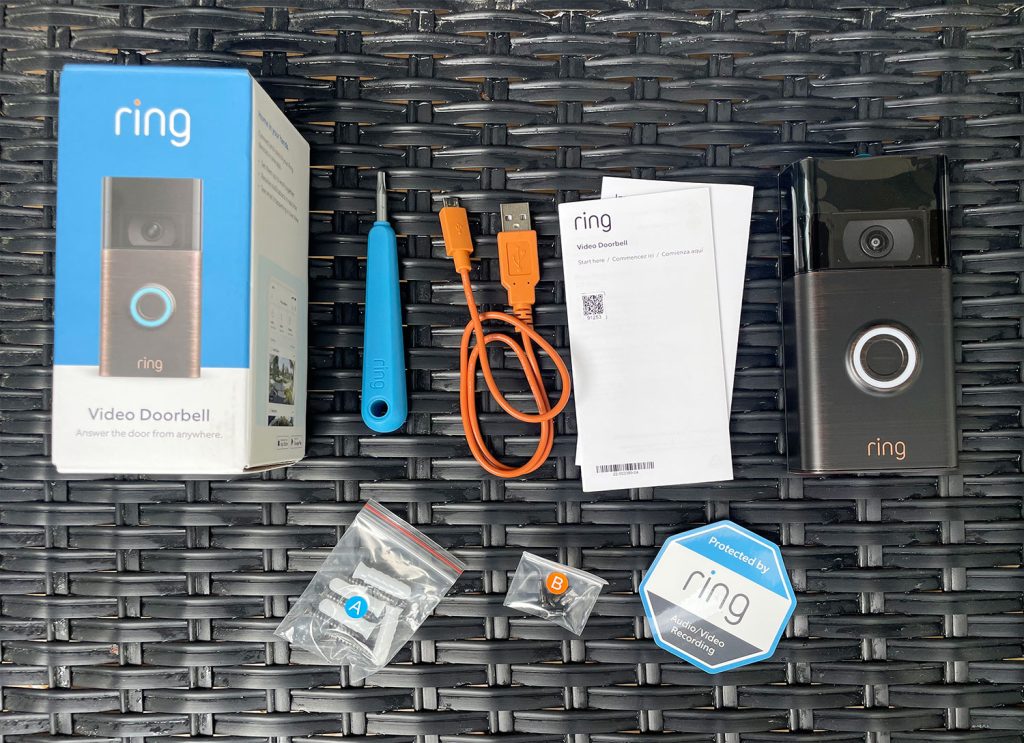
Setting up a Ring Video Doorbell is simple with the right tools and materials. Having everything ready before you start saves time and avoids frustration. Below is a list of what you need for a smooth installation process.
Essential Tools
A drill with a 3/16-inch drill bit is needed for mounting the doorbell. A screwdriver, preferably a Phillips head, will help secure the screws. A level ensures the doorbell is straight on the wall. You will also need the mounting screws that come with the Ring doorbell. A pencil is useful for marking the drill holes. Finally, have a ladder ready if your doorbell location is high.
Additional Accessories
A power drill bit extension can be handy for tight spaces. Anchors may be needed if mounting on drywall or brick. A wire stripper is useful if you connect to existing doorbell wires. Having a smartphone or tablet nearby helps with setup through the Ring app. A portable charger can keep your device powered during installation. Optional weatherproof tape protects connections from rain.
Preparing For Installation
Preparing for installation is the first step to set up your Ring Video Doorbell correctly. This stage helps ensure your device works smoothly and lasts longer. It involves choosing the right spot, checking your Wi-Fi, and handling power safely for wired models.
Selecting The Installation Spot
Pick a location near your front door. The spot should show visitors clearly. Avoid places with too much sun or shadows. Make sure the doorbell is easy to reach for installation and maintenance. A height of about 48 inches from the ground works well.
Checking Wi-fi Signal Strength
Test your Wi-Fi signal at the chosen spot. A strong connection helps the doorbell send video without delay. Use a smartphone or Wi-Fi app to check signal strength. If the signal is weak, consider moving your router or adding a Wi-Fi extender.
Turning Off Power (for Wired Models)
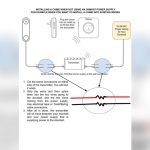
Safety first. Switch off power at the circuit breaker before starting installation. This step stops electric shocks and damage. Use a voltage tester to confirm the power is off. Only proceed once you are sure it is safe to work.
Credit: www.younghouselove.com
Physical Installation Steps
Setting up your Ring Video Doorbell starts with the physical installation. This step is key to ensure the doorbell works well and stays secure. The process is simple and only takes a few minutes. Follow these clear steps to mount your device properly.
Mounting The Bracket
First, find a good spot near your door. The bracket holds the doorbell in place. Use the included template to mark the drill holes. Make sure the bracket is level. Drill holes carefully, then insert wall anchors if needed. Finally, attach the bracket to the wall with screws.
Attaching The Doorbell
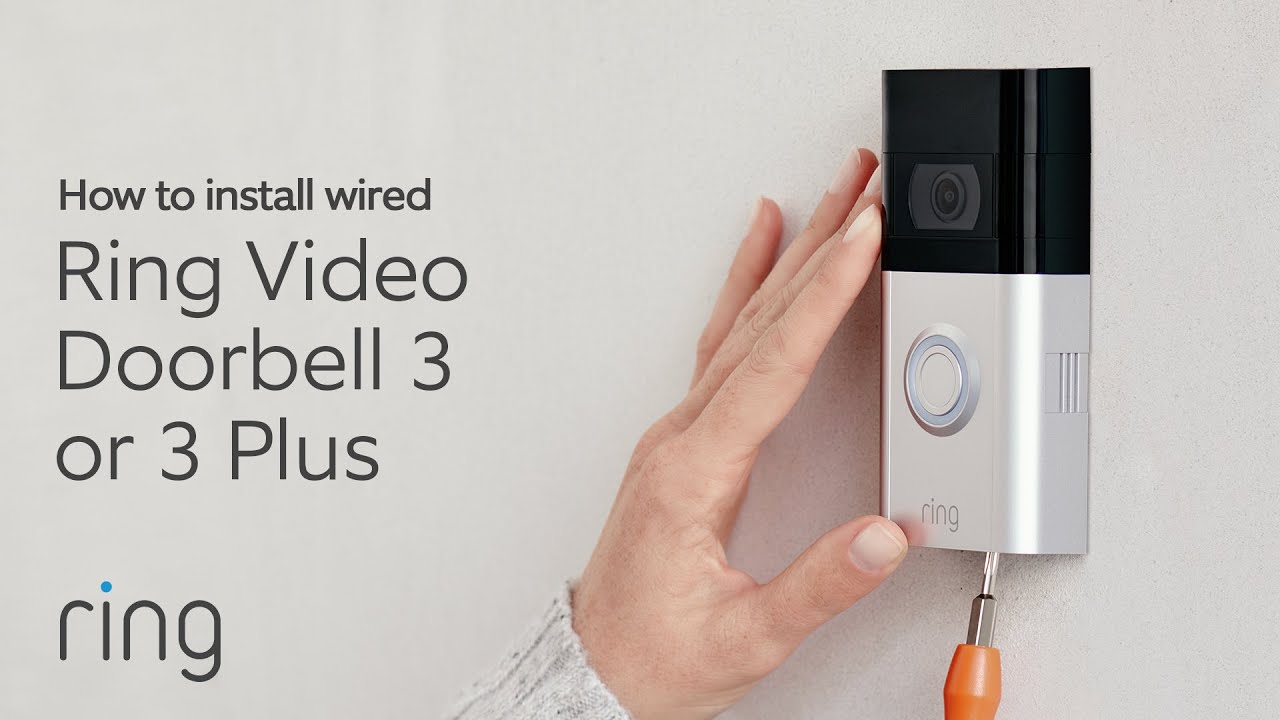
Next, connect the doorbell to the bracket. Align the bottom of the doorbell with the bracket hooks. Then, snap the top of the doorbell into place. Check that it fits snugly and does not move. This step secures the device for good video capture.
Securing With Screws
Secure the doorbell with the small security screws. Use the special screwdriver included in the box. Tighten screws until the doorbell is firmly attached. This prevents theft and keeps the device stable. Avoid over-tightening to protect the doorbell.
Connecting To The Ring App
Connecting your Ring Video Doorbell to the Ring app is a key step. This connection allows you to control your device from your phone. You can see who is at your door anytime. You also get instant alerts for any activity.
The Ring app is easy to use. It guides you through the setup process. Follow each step to connect your doorbell successfully. Let’s start with downloading and setting up the app.
Downloading And Setting Up The App
First, open the app store on your smartphone. Search for the “Ring” app. Tap the download button. Wait for the app to install. Once installed, open the app to begin setup. The app will ask for permissions. Allow notifications and location access for better performance.
Creating Or Logging Into Your Account
Next, you need a Ring account. Tap “Create Account” if you don’t have one. Enter your email, create a password, and fill in your phone number. If you already have an account, tap “Log In.” Use your email and password to sign in. This account keeps your devices and settings safe.
Adding Your Device
After logging in, tap “Set Up a Device.” Choose “Doorbells” from the list. Follow the app’s instructions to connect your Ring Video Doorbell. It will ask you to scan a QR code on the device. Connect your phone to your home Wi-Fi network. The app then links the doorbell to your account. Your doorbell is ready to use after this step.
Credit: www.youtube.com
Configuring Settings
Configuring your Ring Video Doorbell settings helps tailor its functions to your needs. Proper setup improves security and avoids unnecessary alerts. Spend time adjusting these key settings for the best experience.
Customizing Motion Zones
Motion zones let you choose specific areas to monitor. This reduces false alerts from roads or neighbors. Open the Ring app and select your doorbell. Tap “Motion Settings” and then “Motion Zones.” Draw zones around your porch or driveway. Save your changes to start monitoring only these areas.
Setting Up Notifications
Notifications keep you aware of all activity at your door. You can choose alerts for motion, doorbell presses, or both. Go to the Ring app’s settings and find “Notification Preferences.” Turn on alerts for the events you want. Choose whether you want push, email, or both alerts. Adjust the schedule to avoid disturbances at night.
Adjusting Video Quality
Video quality affects how clearly you see visitors. Higher quality uses more Wi-Fi and battery. Lower quality saves resources but reduces clarity. In the Ring app, open “Video Settings.” Select the resolution that fits your needs. Test the video to ensure it shows a clear picture. Change the setting anytime based on your preference.
Testing Your Doorbell
Testing your Ring Video Doorbell ensures it works perfectly before daily use. This step helps catch any issues early. It makes sure you get clear video, proper motion alerts, and timely notifications. Follow these simple tests to confirm your doorbell is ready.
Checking Live Video Feed
Open the Ring app on your phone. Tap the doorbell icon to view live video. Check the picture quality and brightness. Move around to see if the camera adjusts well. Make sure the video is clear and smooth. This confirms the camera works correctly.
Testing Motion Detection
Walk near your doorbell to trigger motion detection. Watch if the app alerts you about movement. Adjust the motion zones in the app for better coverage. Test again by walking in different spots. This makes sure the sensor catches all important activity.
Ensuring Notification Alerts
Press the doorbell button to send an alert to your phone. Check if your device receives the notification quickly. Test notifications on different devices if possible. This confirms you will not miss visitors or alerts.
Troubleshooting Common Issues
Troubleshooting common issues helps keep your Ring Video Doorbell working well. Problems may appear during setup or daily use. Fixing them fast avoids missed visitors and alerts.
Connectivity Problems
Check your Wi-Fi signal strength near the doorbell. Move your router closer if the signal is weak. Restart the router and the doorbell to refresh connections. Make sure your network uses 2.4 GHz, not 5 GHz, for better range. Confirm the Wi-Fi password is correct in the app. Remove any network interference from other devices.
Power Supply Issues
Ensure the doorbell battery is fully charged. Replace old batteries if needed. For wired models, check the doorbell’s wiring and power source. Use a voltage tester to confirm power flow. Turn off power at the breaker before fixing wires. Avoid power surges by using a surge protector.
App Malfunctions
Close and reopen the Ring app to refresh it. Update the app to the latest version in your app store. Clear the app cache from your phone’s settings. Restart your smartphone to fix minor glitches. Uninstall and reinstall the app if problems persist. Check your phone’s storage space for enough room.
Maintaining Your Ring Doorbell
Keeping your Ring Video Doorbell in good shape helps it work well. Regular care makes sure the video stays clear and the device stays powered. Maintenance is simple and saves you time and trouble later.
Regular Cleaning Tips
Clean your Ring Doorbell often. Use a soft cloth to wipe the lens and body. Avoid harsh cleaners that can damage the surface. Dirt and dust can block the camera and microphone. Keep the device dry to prevent water damage.
Battery Maintenance
Check your battery level through the Ring app. Charge the battery when it is low. Remove the doorbell from its mount to charge. Use the original charger for best results. Replace the battery if it no longer holds a charge well.
Firmware Updates
Firmware updates improve your doorbell’s performance and security. The Ring app notifies you about new updates. Connect your doorbell to Wi-Fi to download updates. Install updates as soon as possible. This keeps your device running smoothly and safely.
Frequently Asked Questions
How Do I Connect Ring Video Doorbell To Wi-fi?
To connect your Ring Video Doorbell to Wi-Fi, open the Ring app and follow the setup instructions. Ensure your phone is near the doorbell and your Wi-Fi network is active. Select your Wi-Fi network and enter the password to complete the connection.
What Tools Are Needed To Install Ring Doorbell?
You typically need a drill, screwdriver, level, and anchors. These tools help mount the Ring Doorbell securely to your wall or doorframe. The Ring kit often includes screws and anchors, but tools must be supplied separately.
How Do I Charge The Ring Doorbell Battery?
Remove the battery pack from the doorbell and connect it to the included USB charger. Charge until the LED indicator shows full power. Reinsert the battery and mount the device back in place.
Can I Use Ring Doorbell Without Existing Doorbell Wiring?
Yes, Ring Video Doorbell can work wire-free with its rechargeable battery. You can install it without connecting to existing doorbell wiring, but battery life depends on usage and settings.
Conclusion
Setting up your Ring Video Doorbell is simple and quick. Follow each step carefully to avoid problems. Test your doorbell to ensure it works well. Enjoy added safety and convenience at your home. Stay connected to visitors from anywhere, anytime.
Regularly check the app for updates and alerts. This small device can improve your home security. Take your time during installation for best results. Feel confident knowing you can see who’s at your door.