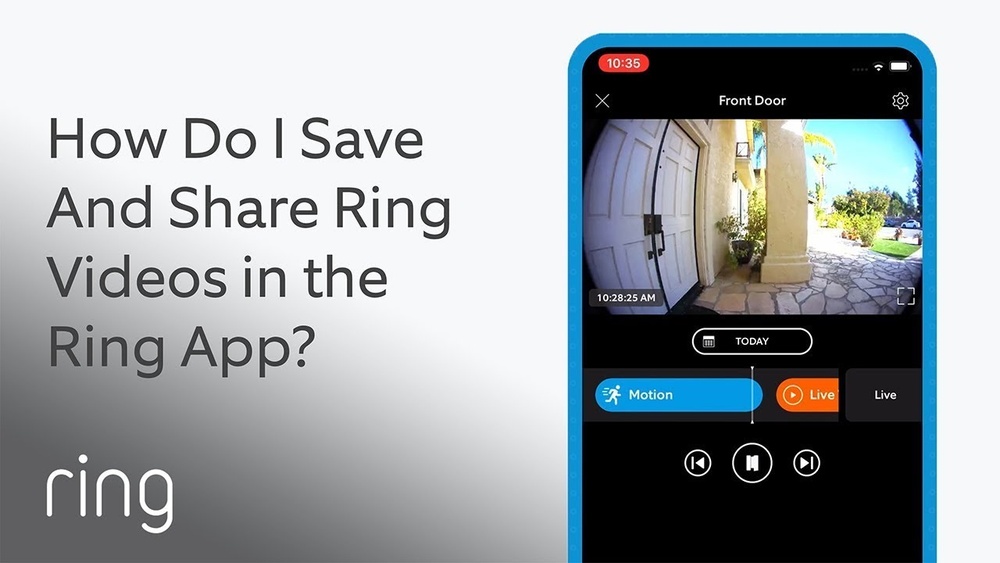

Have you ever wanted to save a crucial moment caught on your Ring Doorbell? Whether it’s a delivery, a visitor, or something unexpected, being able to download and keep your Ring Doorbell video can give you peace of mind and proof when you need it most.
In this guide, you’ll learn simple, step-by-step ways to download your videos quickly and easily. Keep reading to make sure you never miss out on capturing important moments right at your doorstep.

Credit: www.youtube.com
Accessing Your Ring App
Accessing your Ring app is the first step to download your Ring doorbell videos. The app stores all recorded events, making it easy to find and save videos. Understanding how to open and navigate the app helps you get the videos you want quickly.
Logging Into Your Account
Open the Ring app on your smartphone or tablet. Enter your email address or phone number. Type your password carefully. Tap the login button. If you forgot your password, use the reset option. Logging in gives you access to all your Ring devices and videos.
Navigating To Event History
After logging in, look for your Ring doorbell device on the main screen. Tap the device to open its settings and features. Find the “Event History” or “History” tab. This section lists all the recent videos recorded by your doorbell. Scroll through the list to find the video you want to download. Each event has a timestamp for easy identification.
Locating The Desired Video
Finding the right video on your Ring Doorbell app is the first step to downloading it. The app stores many clips, so it may take time to find the one you want. Using tools to narrow down your search saves time and effort. This section explains how to locate the exact video you need.
Filtering Events By Date And Time
The Ring app lets you filter videos by date and time. This feature helps you see videos from a specific day or hour. Use the calendar tool to pick the date. Then, select the time range to narrow your search further. This way, you avoid scrolling through many clips.
Start by opening the app and going to the Event History. Tap the filter icon and choose the date. Next, adjust the time slider to match when the event happened. The app then shows only videos from that period. This makes finding your desired clip faster and easier.
Previewing Video Clips
Previewing videos before downloading saves storage space. The Ring app allows you to watch a short clip without downloading. Tap on a video thumbnail to see a quick preview. Check if it contains the event you want to save.
Use this feature to avoid downloading unnecessary videos. It helps confirm the video’s content and quality. Watching previews also ensures you do not miss important moments. Once you find the right video, you can proceed to download it.
Downloading Videos On Mobile
Downloading videos from your Ring Doorbell on your mobile device is simple. It lets you save important clips for later. You can watch them anytime without the internet. This is helpful for security or sharing with others.
Using the Ring app, you can quickly save videos to your phone. The app works on both Android and iOS. It stores videos directly in your mobile gallery or camera roll. This way, your footage is easy to find and use.
Saving Clips To Your Device
Open the Ring app and select the video you want. Tap the download icon to save the clip. The video will appear in your phone’s gallery. You can watch, share, or back it up from there.
Make sure your phone has enough space before downloading. Large videos might take time and use data. Use Wi-Fi to avoid extra mobile charges.
Managing Storage Space
Videos can quickly fill your phone’s storage. Delete old or unwanted clips regularly. Move important videos to cloud storage or a computer. This keeps your phone running smoothly and free from clutter.
Check your storage settings often. Clear cache or unused apps to free more space. This helps in saving more Ring Doorbell videos without issues.

Credit: www.eufy.com
Downloading Videos On Desktop
Downloading Ring Doorbell videos on a desktop is simple and quick. It helps save important videos for later use. You can watch videos anytime without internet connection. This guide shows the basic steps to download your Ring videos on a desktop.
Using The Ring Website
Start by opening the Ring website on your desktop browser. Log into your account with your email and password. Find the video you want in the Event History section. Click on the video thumbnail to open it. Look for the download button below the video player. Click the button to save the video to your desktop. The file usually saves to your Downloads folder.
Choosing Download Formats
Ring videos usually download in MP4 format. MP4 works well on most devices and players. You can play or edit MP4 files easily. Some browsers or apps may offer other formats. Choose the format that suits your needs best. Keep the file size in mind for faster downloads. MP4 is the most common and reliable choice.
Troubleshooting Download Issues
Downloading videos from your Ring Doorbell should be simple. Sometimes, problems stop the download process. These issues can be frustrating but are often easy to fix. This guide helps solve common download problems fast. It also explains how to get help from Ring support if needed.
Common Problems And Fixes
Videos may fail to download due to poor internet connection. Check your Wi-Fi signal and try again. Sometimes, the Ring app needs an update. Open your app store and install the latest version. Storage space on your phone can block downloads. Clear some space and attempt the download again.
Another issue is incorrect app permissions. Allow the Ring app access to your phone’s storage. This permission enables video saving. Also, make sure your Ring device has enough battery or power. Low power can interrupt downloads. Restart your Ring device and try downloading once more.
Contacting Ring Support
Persistent problems may require help from Ring support. Visit the official Ring website and find the support section. You can chat, call, or email their team. Provide clear details about your problem and device. This helps them give quick and accurate advice.
Ring support can guide you through advanced fixes. They may check your account or device settings remotely. Keep your Ring app and device ready for troubleshooting. This speeds up the support process and solves download issues efficiently.
Tips For Efficient Video Management
Managing Ring Doorbell videos well saves time and keeps your footage useful. Proper video management helps you find important clips quickly. It also protects your videos from being lost or deleted. Efficient management means better security and easier sharing.
Organizing Saved Videos
Create folders for different types of videos. For example, one for deliveries, one for visitors, and one for alerts. Name files with dates and times. This makes searching for videos simple. Delete old videos you no longer need to save space.
Setting Up Notifications
Turn on notifications for important events only. Choose alerts for motion or specific zones around your door. This reduces unnecessary notifications and saves battery life. Check your notification settings regularly to stay updated.

Credit: www.eufy.com
Frequently Asked Questions
How Can I Download Videos From My Ring Doorbell?
Open the Ring app and go to the event history. Select the video you want, then tap the download icon. The video saves directly to your device’s gallery or downloads folder for easy access.
Is Downloading Ring Doorbell Videos Free?
Yes, downloading videos from your Ring Doorbell through the app is free. However, you need an active Ring Protect subscription to access and save recorded videos.
Can I Download Ring Doorbell Videos On My Computer?
Yes, log in to your Ring account on ring. com. Go to your event history, select a video, and click “Download” to save it on your computer.
Why Can’t I Download Videos From My Ring Doorbell?
Ensure you have a Ring Protect plan and a stable internet connection. Also, update the Ring app to the latest version to enable video downloads.
Conclusion
Downloading your Ring Doorbell video is easy with the right steps. Save important moments quickly to your device. Keep your videos safe for future use or sharing. Follow the guide carefully to avoid common mistakes. Enjoy peace of mind knowing you have your footage stored.
Try these tips to make downloading smooth and simple. Stay secure by regularly backing up your videos. This helps you manage your Ring Doorbell recordings well. Simple and clear steps make the process stress-free.