
Your hardwired smoke detector is a crucial part of keeping your home safe. But what do you do when it starts beeping unexpectedly or won’t reset after an alarm?
Knowing how to reset your hardwired smoke detector quickly can save you time, prevent frustration, and ensure your safety system is working properly. You’ll learn simple, step-by-step methods to reset your device with confidence. Keep reading to take control of your home’s safety and avoid common mistakes that could leave you unprotected.
Credit: www.youtube.com
Safety First
Safety is the top priority before resetting a hardwired smoke detector. These devices connect directly to your home’s electrical system. Working with electricity can be dangerous without proper care. Taking safety steps helps prevent accidents and injuries. Always prepare well before starting any work on smoke detectors.
Follow the right safety practices to protect yourself and your home. This section explains key safety actions you must take first. Doing this ensures a safe and smooth reset process.
Turn Off Power Supply
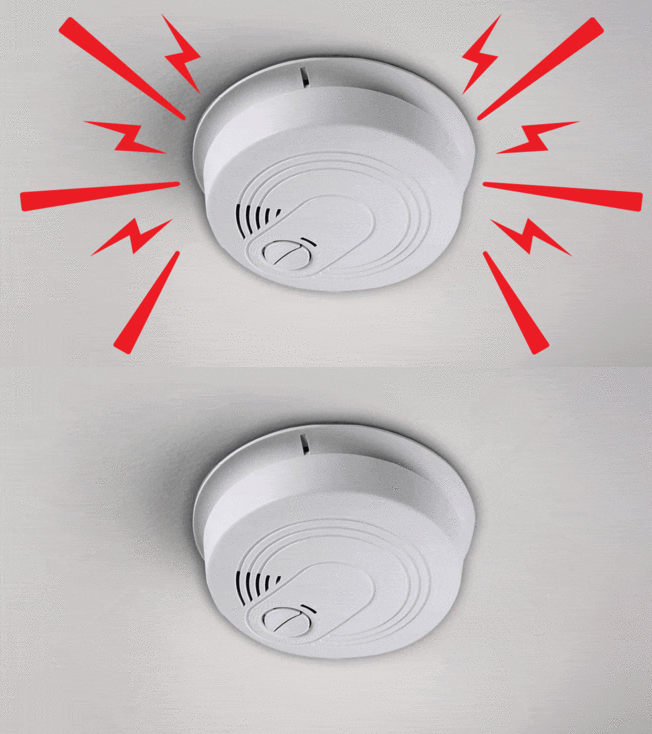
Start by switching off the power to the smoke detector. Locate your home’s circuit breaker panel. Find the breaker that controls the smoke detector’s circuit. Flip the breaker to the OFF position. This stops electricity from flowing to the device. Double-check by pressing the test button on the smoke detector. It should not sound if power is off. Never skip this step to avoid electric shock.
Gather Necessary Tools
Prepare all tools before you begin the reset process. Common tools include a screwdriver and a ladder. A flashlight may help if the area is dark. Use a non-contact voltage tester to confirm no power is present. Having these tools ready saves time and improves safety. Do not use damaged or faulty tools during the reset.
Credit: www.consumerreports.org
Locate The Smoke Detector
Finding the smoke detector is the first step in resetting a hardwired unit. These detectors are usually fixed on ceilings or high on walls. Knowing where each unit is helps ensure you reset the correct device.
Some homes have multiple smoke detectors connected to the same system. It is important to know all their locations to check each one properly.
Identify All Units
Walk through your home and note every smoke detector. Look in hallways, bedrooms, kitchens, and basements. Some might be hidden behind furniture or decorations.
Mark each unit’s spot on paper or your phone. This helps during the reset process and future maintenance.
Check Detector Model
Look at the label on each smoke detector. It shows the brand and model number. This info helps you find reset instructions specific to your device.
Different models may have different reset methods. Knowing the model saves time and avoids errors.
Remove The Smoke Detector
Removing a hardwired smoke detector is the first step in resetting it. This process needs care to avoid damage or injury. Follow clear steps to safely take the detector off the ceiling or wall. Always turn off the power before starting to prevent electric shock.
Detach From Mounting Plate
Most smoke detectors attach to a mounting plate fixed to the ceiling or wall. To detach, gently twist the detector counterclockwise. The detector should release from the plate with little force. If it feels stuck, check for screws or clips holding it. Remove any fasteners carefully to avoid breaking the unit.
Disconnect Wiring Harness
After detaching the detector, locate the wiring harness connecting it to the house wiring. Press the release tab or gently pull the connector apart. Do not pull on the wires themselves. Keep the wires safe and separated to avoid shorts. This step fully disconnects the detector from power, allowing for a reset or replacement.
Reset The Smoke Detector
Resetting a hardwired smoke detector is an important step after it sounds or detects smoke. This process helps clear any false alarms and gets your device ready to protect your home again. Follow these simple steps to reset your smoke detector safely and easily.
Press The Reset Button
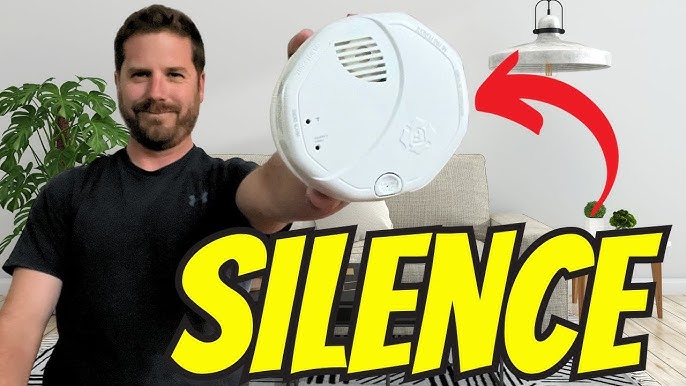
Locate the reset button on your smoke detector. It is usually a small, round button on the front or side. Press and hold the button for about 15 seconds. This action clears the smoke detector’s memory and stops the alarm sound. If the alarm does not stop, try pressing the button again or check the power supply.
Wait For Indicator Light
After pressing the reset button, watch the indicator light on the device. It may blink or stay solid to show the smoke detector is resetting. Wait for the light to return to its normal state. This process may take up to one minute. Once the light stabilizes, your smoke detector is ready to use again.
Reinstall The Detector
After resetting your hardwired smoke detector, it is time to put it back in place. Reinstalling the detector ensures it works properly and stays secure. Follow clear steps to reconnect and secure it safely.
Reconnect Wiring
First, match the wires from the smoke detector to the wires in the ceiling. Usually, the wires have color codes. Connect the black wire to black, white to white, and the red wire if your system has one. Use wire nuts to twist the wires together tightly. Make sure no wire is loose or exposed. Proper connection is crucial for the detector to get power and communicate with other alarms.
Secure Back To Mount
Next, align the smoke detector with the mounting bracket on the ceiling. Twist or click the detector into place according to your model’s instructions. Check that it fits snugly and does not wiggle. A loose detector might not work well or could fall off. Finally, restore power at the circuit breaker. Test the smoke detector by pressing the test button. It should beep loudly, showing it is ready to protect your home.
Restore Power And Test
After resetting your hardwired smoke detector, restoring power is the next step. This ensures the device works correctly and keeps your home safe. Testing the alarm confirms that everything functions as it should.
Switch On Circuit Breaker
Find the circuit breaker that controls your smoke detector. Flip the switch back to the ON position. This restores electrical power to the device. Wait a few seconds for the detector to reboot. Make sure no other breakers are off by mistake.
Perform Alarm Test
Press the test button on your smoke detector. Hold it for a few seconds until the alarm sounds. A loud beep means the device is working properly. If the alarm does not sound, check the power again. Repeat the test to confirm consistent operation.
Troubleshooting Tips
Troubleshooting a hardwired smoke detector can save time and keep your home safe. Sometimes, the reset process does not work as expected. Knowing common problems helps fix the issue quickly. This section covers typical reset issues and signs that mean it is time to replace the detector.
Common Reset Issues
One common problem is the smoke detector not resetting after pressing the button. This can happen if the power supply is interrupted. Check the circuit breaker or fuse box to ensure power is on.
Another issue is a persistent beep or chirp. This often means the battery backup is low. Even if hardwired, these detectors have batteries that need replacement.
Sometimes, dust or dirt blocks the sensor. Clean the detector gently with a soft brush or vacuum. Avoid using water or spray cleaners.
Interconnected alarms may fail to reset if one unit has a problem. Inspect all alarms in the network to find any faulty unit.
When To Replace Detector
Smoke detectors do not last forever. Most have a lifespan of 8 to 10 years. Check the manufacturing date on the back of the unit.
If the alarm frequently malfunctions or will not reset, replacement is a good option. Faulty detectors can give false alarms or fail during an emergency.
Physical damage, such as cracks or missing parts, also calls for a new detector. Safety should never be compromised.
Regular testing keeps your smoke detector reliable. Replace it if it fails tests or shows signs of wear.

Credit: localperthelectrician.com.au
Frequently Asked Questions
How Do I Reset A Hardwired Smoke Detector?
To reset, turn off the power at the circuit breaker. Press and hold the detector’s reset button until it beeps. Restore power and test the alarm to ensure it’s working properly.
Why Won’t My Hardwired Smoke Detector Reset?
Check if the power is off and the battery is removed. Dust or debris can also prevent resetting. Clean the unit and try again. If it still won’t reset, the detector may need replacement.
Can I Reset A Hardwired Smoke Detector Without Power?
No, you cannot reset it without cutting power first. Turning off the circuit breaker ensures safety and allows the detector to reset properly before restoring power.
How Often Should I Reset My Hardwired Smoke Detector?
Resetting is usually only needed after testing or maintenance. Regular testing monthly is recommended. Reset the detector if it sounds false alarms or after battery replacement.
Conclusion
Resetting a hardwired smoke detector is simple and important. It helps keep your home safe from fire hazards. Always turn off the power before starting. Follow the steps carefully to avoid mistakes. Test the alarm after resetting to make sure it works.
Regular checks keep your smoke detector reliable. Stay safe by maintaining your smoke alarms often. Remember, a working smoke detector can save lives. Take action today to protect your home and family.


