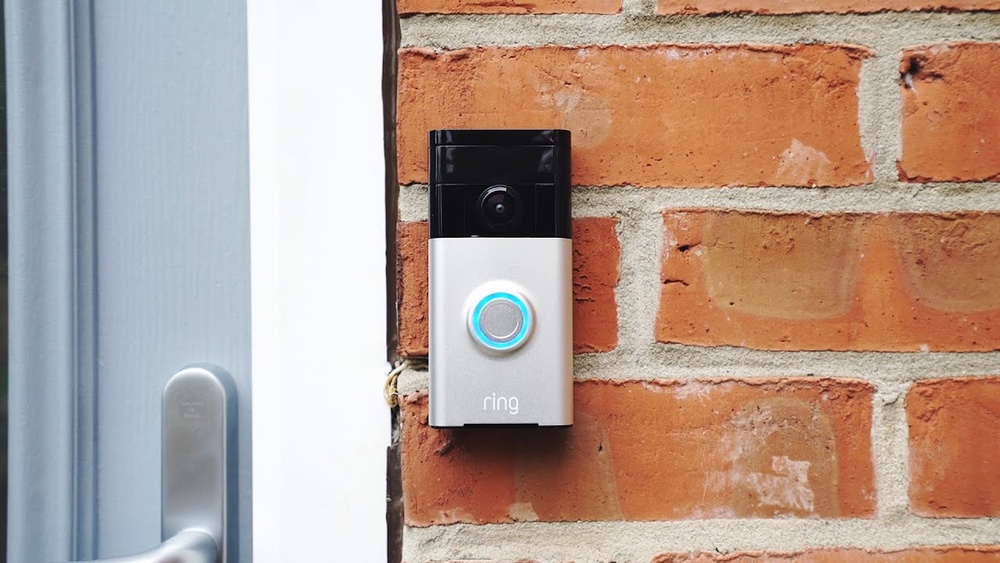

Have you ever wondered how video doorbells actually work? Imagine being able to see who’s at your door without even getting up.
Your front door becomes smarter, safer, and more convenient. But what’s behind this simple device that changes the way you protect your home? You’ll discover exactly how video doorbells function, the technology inside them, and why they are becoming a must-have for every household.
Keep reading—you’ll soon see how this small gadget can make a big difference in your daily life.
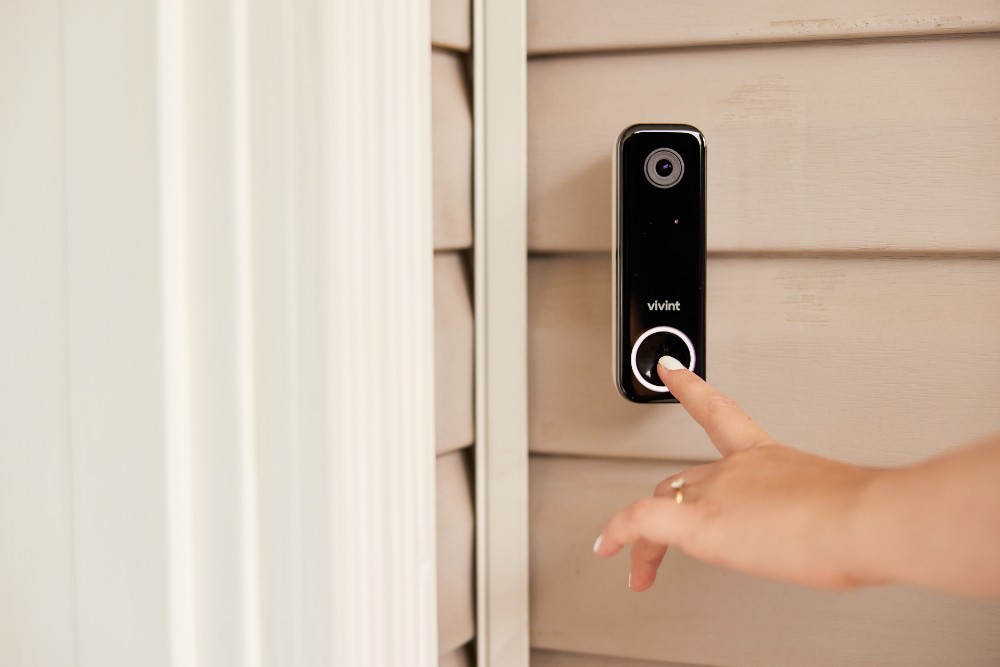
Credit: www.vivint.com
Video Doorbell Basics
Video doorbells let you see and talk to visitors at your door. They connect to your smartphone or other devices. This helps you know who is there without opening the door. They work day and night to keep your home safe.
Understanding how these devices work starts with their basic parts and how they capture video. This knowledge helps you choose and use a video doorbell better.
Core Components
A video doorbell has a camera to record video. It has a microphone and speaker for two-way talk. A button lets visitors ring the bell. The device also includes motion sensors to detect movement. It connects to Wi-Fi to send alerts and video to your phone.
How They Capture Video
The camera uses a lens to focus on visitors. It records video in real-time and sends it through Wi-Fi. Many cameras have night vision for clear images in the dark. Motion sensors trigger the camera to start recording. This saves power and storage by recording only when needed.

Credit: www.aboutamazon.com
Connectivity And Communication
Video doorbells connect your home to your phone and internet. This connection lets you see and talk to visitors from anywhere. The system relies on strong links between devices to work smoothly. Understanding how video doorbells communicate helps you use them better.
Wi-fi Integration
Video doorbells use Wi-Fi to send video and audio. They connect to your home network like other smart devices. This link allows live streaming and recording. A steady Wi-Fi connection ensures clear video and fast alerts. Without Wi-Fi, the doorbell cannot share real-time information.
Mobile App Interaction
Mobile apps control video doorbells easily. They show live video and let you speak to visitors. Apps send alerts when someone presses the doorbell or moves nearby. You can view recorded clips and adjust settings through the app. This direct link keeps you connected to your front door at all times.
Motion Detection And Alerts
Motion detection and alerts are key features of video doorbells. They help you know when someone is near your door. This feature keeps your home safe by sending instant alerts to your phone. It also lets you see visitors even if you are not home.
Sensors And Technology
Video doorbells use special sensors to detect motion. These sensors spot movement within a certain range. Some use infrared to detect heat from people or animals. Others use cameras that watch for changes in the scene. The technology filters out false alarms, like moving branches or cars passing by. This helps you get alerts only when needed.
Customizing Notifications
You can adjust alert settings on your video doorbell. Choose how close someone must be to trigger an alert. Set quiet hours to stop notifications at night. Some doorbells let you create activity zones to focus on specific areas. Custom alerts make sure you get the right information at the right time. This way, you stay informed without constant interruptions.
Two-way Audio Features
Two-way audio features make video doorbells very useful. They allow you to hear and speak to visitors at your door. This adds a layer of security and convenience. You can communicate clearly without opening the door or being outside.
These features help you respond quickly. You can tell delivery people where to leave packages. You can also greet guests or warn strangers. Two-way audio makes your home smarter and safer.
Microphone And Speaker Setup
The microphone picks up sound from outside your door. It captures voices and other noises clearly. The speaker plays your voice so visitors can hear you. Both parts work together for smooth communication.
Good microphones reduce background noise. This helps to hear visitors better. Speakers are loud enough to be heard even outdoors. The setup ensures clear audio both ways.
Real-time Conversations
Real-time talk means no delay in communication. You speak and listen instantly through your phone or device. This makes conversations flow naturally.
You do not need to shout or repeat yourself. Visitors get your message right away. This helps in many situations, like receiving deliveries or answering questions.
Cloud Storage And Privacy
Cloud storage plays a key role in video doorbells. It keeps your recorded videos safe and easy to access. Understanding how cloud storage works helps you choose the right device. Privacy is also a big concern. Knowing how your data is protected gives peace of mind.
Video Storage Options
Video doorbells offer two main storage options: local and cloud. Local storage saves videos on a device like an SD card. Cloud storage uploads videos to a remote server. Cloud storage allows easy access from anywhere using an app. It also protects videos from theft or damage to the doorbell. Many brands offer subscription plans for cloud storage space.
Data Security Measures
Data security is vital for cloud-stored videos. Most video doorbells use encryption to keep videos safe. Encryption turns data into a code that only you can unlock. Secure connections protect your videos during upload and download. Strong passwords and two-factor authentication add extra security. Companies must follow privacy laws to protect your information. Always check the privacy policies before choosing a video doorbell.
Installation And Power Options
Installing a video doorbell requires choosing the right power option and placement. These factors affect how well the doorbell works and how easy it is to use. Understanding the differences in power types helps in picking the best doorbell for your home.
Wired Vs. Battery-powered
Wired video doorbells connect to your home’s existing doorbell wiring. They get constant power and never need recharging. These models usually offer better video quality and more features. Installation can be more complex and may need an electrician.
Battery-powered doorbells run on rechargeable batteries. They are easier to install and can fit anywhere. Batteries must be charged every few months depending on use. These doorbells are great for homes without existing doorbell wiring.
Placement Tips
Place the doorbell near your main entrance. It should capture visitors’ faces clearly. Avoid direct sunlight or bright lights behind the doorbell. These cause glare and poor video quality.
Mount the doorbell at about 48 inches high. This height works for most adults and children. Ensure the doorbell has a strong Wi-Fi signal for smooth video streaming. Test the signal before final installation.
Integration With Smart Home Systems
Video doorbells have become a key part of many smart homes. They do more than just show who is at the door. They connect with other smart devices to make life easier and safer. Integration with smart home systems allows video doorbells to work smoothly with other gadgets.
This connection helps users control and monitor their home from one place. It also allows devices to work together automatically. This section explores how video doorbells fit into smart homes.
Compatibility With Assistants
Most video doorbells work with popular voice assistants like Alexa, Google Assistant, and Siri. This means you can see visitors or answer the door using voice commands. It adds hands-free convenience and quick access to your doorbell’s features.
Compatibility ensures the doorbell fits well with your existing smart home setup. It also means regular updates keep everything running smoothly. You can check live video or receive alerts on your smart speaker or phone.
Automation Possibilities
Video doorbells can trigger actions in other smart devices. For example, the porch light can turn on when the doorbell rings. Or your smart lock might unlock for trusted visitors.
Automation makes your home respond to real-time events. It enhances security and saves time. You can create rules so devices work together without manual input. This smart integration improves your daily routines and home safety.
Enhancing Home Security
Video doorbells improve home security by combining technology and convenience. They allow you to see and talk to visitors at your door from anywhere. This helps you keep an eye on your home at all times. Many models also record video, providing extra protection and evidence if needed.
These devices act as an early warning system for suspicious activity. They bring peace of mind by letting you respond quickly to any situation. The following features make video doorbells a valuable part of home security.
Deterrence And Monitoring
Video doorbells show visitors that your home is watched. The camera is visible, making people think twice before approaching. This simple presence can stop burglars or unwanted guests.
You can watch live video on your phone or tablet. This helps you check on deliveries, visitors, or any unusual activity. Motion sensors alert you when someone is near your door. This way, you never miss a visitor or suspicious movement.
Emergency Response Features
Many video doorbells include quick alert options for emergencies. You can press a button to call for help fast. Some models connect directly to security services for faster response.
Recorded video helps law enforcement if a crime happens. You can share footage easily to aid investigations. These features add an extra layer of safety to your home.

Credit: www.aboutamazon.eu
Frequently Asked Questions
How Do Video Doorbells Connect To Wi-fi?
Video doorbells connect to your home Wi-Fi network to stream live video and send notifications. This allows remote access via smartphones or tablets for real-time monitoring and communication.
What Powers A Video Doorbell?
Video doorbells are powered either by batteries or existing doorbell wiring. Battery-powered models offer flexible placement, while wired models ensure continuous power without frequent recharging.
Can Video Doorbells Record Video Footage?
Yes, most video doorbells record video footage locally or to the cloud. Recorded videos help review past events and improve home security by providing evidence if needed.
How Do Motion Sensors Work In Video Doorbells?
Motion sensors detect movement near your door and trigger alerts. This feature helps notify you about visitors or potential intruders, enhancing your home’s safety.
Conclusion
Video doorbells help you see and talk to visitors easily. They send alerts to your phone when someone is at the door. Many models record video, which helps keep your home safe. Installation is simple and does not need special tools.
Choosing the right video doorbell depends on your needs and budget. These devices add convenience and extra security to your home. They bring peace of mind whether you are inside or away. Video doorbells are a smart choice for modern homes.


