
Imagine looking into your mirror every morning and seeing more than just your reflection. What if your mirror could show you the weather, your calendar, or even news updates while you get ready?
You can make this happen by coding your own smart mirror. This guide will walk you through simple, clear steps to build a smart mirror that fits your needs. By the end, you’ll have a cool, personalized device that saves you time and keeps you informed.
Ready to turn your ordinary mirror into a smart assistant? Let’s get started!
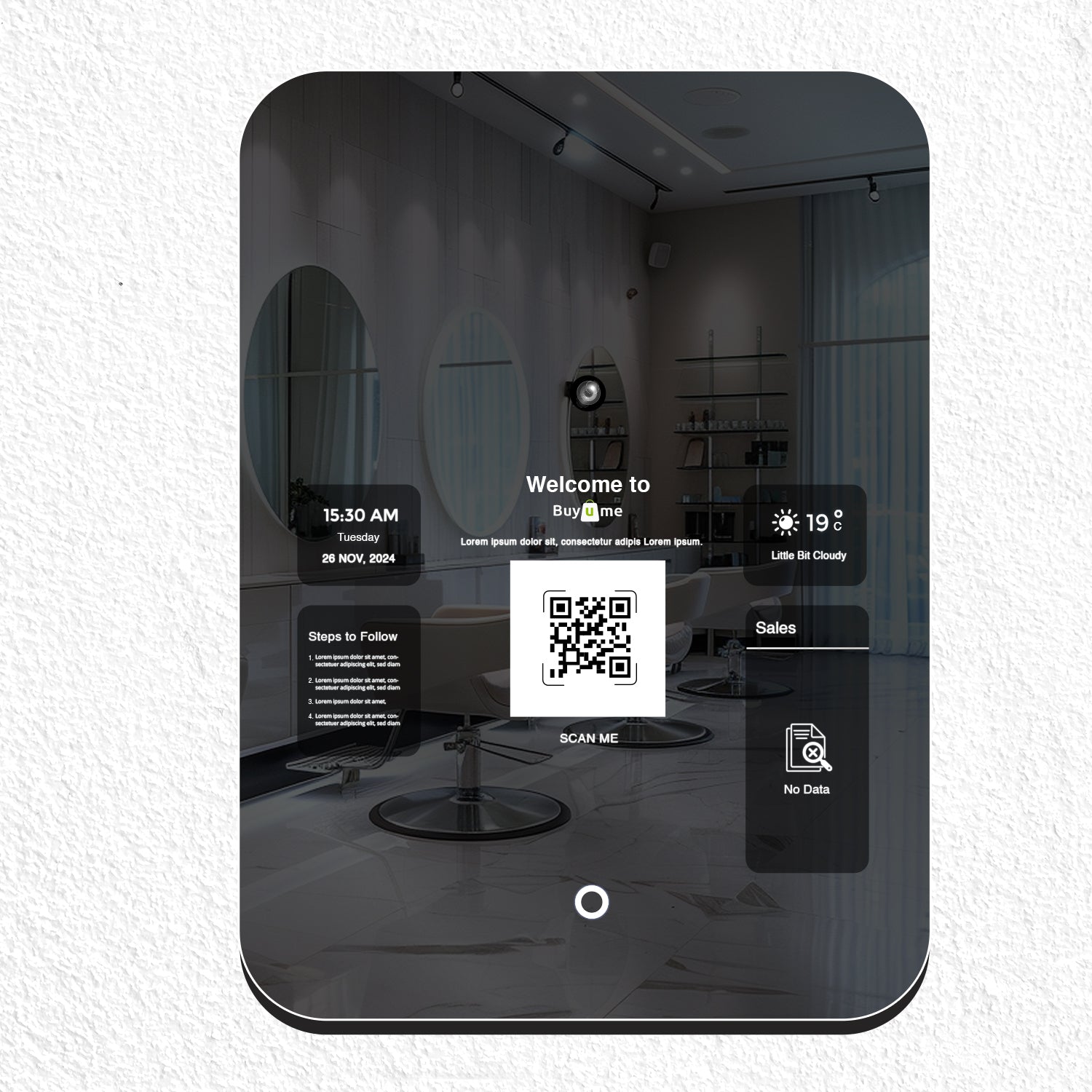
Credit: floridabeautylabs.com
Smart Mirror Basics
Understanding the basics of a smart mirror is the first step in coding one. A smart mirror blends technology with everyday life. It shows useful information while still working as a normal mirror.
Smart mirrors are becoming popular in homes and offices. They offer convenience and help you stay organized. Knowing their key features makes coding easier and more fun.
What Is A Smart Mirror
A smart mirror is a regular mirror with a digital display behind it. This display shows data like time, weather, or news. The mirror surface lets you see your reflection and the display at once.
It usually connects to the internet and other smart devices. This connection allows it to update information automatically. Smart mirrors can also respond to voice commands or touch.
Key Features And Benefits
Smart mirrors show useful details such as calendar events, weather updates, and news headlines. They can control smart home devices like lights or speakers. Some models track health data like steps or heart rate.
They save time by showing information while you get ready. This helps you plan your day better. Smart mirrors add a modern look to any room and improve daily routines.

Credit: learn.adafruit.com
Essential Components
Building a smart mirror needs some key parts. These parts work together to create a mirror that shows useful information. Knowing these parts helps you build a smart mirror that works well.
Each component has a clear job. Some parts show the display. Others run the software that controls the mirror. Both are important to make the smart mirror useful and smooth.
Hardware Requirements
The main hardware includes a two-way mirror. This mirror lets you see your reflection and the screen behind it. A monitor or screen fits behind the mirror. It shows the information you want.
A small computer like a Raspberry Pi runs the smart mirror software. Sensors can add extra features. For example, a motion sensor can turn the display on or off.
Power supply and cables are needed to connect all parts. A frame holds everything together. Choose parts that fit your budget and size needs.
Software Options
Smart mirrors run special software to display information. Open-source platforms like MagicMirror² are popular choices. They are free and easy to customize.
These platforms show weather, news, calendar events, and more. You can add modules to add new features. Some software runs on Linux, which works well on Raspberry Pi.
Choose software that matches your coding skills. Simple options help beginners start fast. More advanced software allows custom coding for unique features.
Designing Your Smart Mirror
Designing your smart mirror is an exciting step. It sets the base for how your mirror will look and work. The design affects both style and function. Simple choices here make your coding easier later.
Choosing The Frame And Size
The frame holds everything together. Pick a size that fits your space. Small mirrors suit bathrooms well. Large mirrors work for bedrooms or hallways. Wood frames give a warm look. Metal frames feel modern and sleek. Make sure the frame does not block the screen. Measure twice before buying parts.
Selecting The Display Type
The display shows all your smart features. LCD screens are common and affordable. OLED screens offer better colors and contrast. Touchscreen displays allow direct control. Choose a display with good brightness. It should be clear under room lights. Keep the power needs in mind. Match the display size to your frame. Quality display means better user experience.

Credit: www.edn.com
Setting Up The Hardware
Setting up the hardware is the first step to build your smart mirror. It involves choosing the right parts and putting them together carefully. This section covers the main tasks for hardware setup.
Installing The Display
Choose a flat screen display that fits your mirror size. A computer monitor or tablet screen works well. Remove any casing or frame around the screen. Make sure the screen is clean and free of dust. Secure the display on a flat surface or inside the mirror frame. Use double-sided tape or screws to hold it firmly. Check that the screen turns on and shows images clearly.
Mounting The Two-way Mirror
Select a two-way mirror that matches your display size. This mirror lets light pass through but also reflects like a regular mirror. Place the mirror over the display carefully. Align it so the screen is fully covered. Attach the mirror to the frame using clips or glue. Avoid fingerprints or dust on the mirror surface. The mirror should be tight and stable.
Connecting The Computer
Use a small computer like a Raspberry Pi for your smart mirror. Connect the computer to the display with an HDMI cable. Plug in a power source for both the computer and the screen. Connect a keyboard or mouse if needed for setup. Make sure all cables are secure and hidden for a clean look. Turn on the computer and check the display shows the boot screen.
Coding The Smart Mirror Software
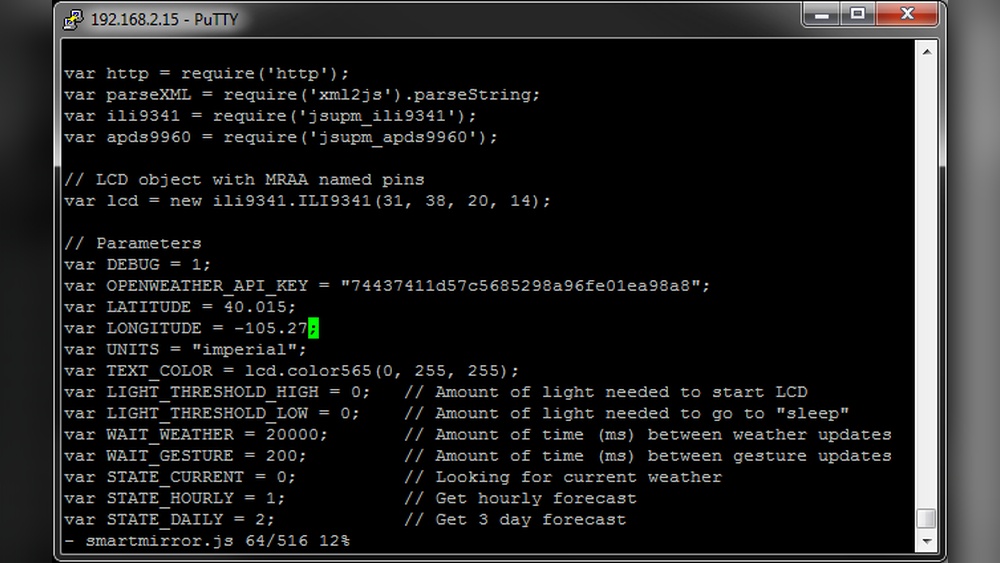
Coding the smart mirror software is a key step in creating your project. It brings the hardware to life and makes the mirror interactive. The software controls what you see on the mirror, like time, weather, and news. It also allows you to add new features. Writing clean and simple code helps keep the project easy to update and fix.
Choosing A Programming Language
Selecting the right programming language shapes your smart mirror project. Popular choices include JavaScript, Python, and HTML/CSS. JavaScript works well for interactive displays and web-based apps. Python is great for handling data and integrating sensors. HTML and CSS help design the mirror’s interface. Pick a language you find easy and that fits your needs.
Using Existing Frameworks
Existing frameworks save time and effort. They offer ready-made code for smart mirrors. One popular option is MagicMirror², which is open source and supports many modules. Frameworks handle basic functions like displaying time and weather. You can customize them by adding or removing parts. This approach helps beginners start quickly and build a solid base.
Building Custom Modules
Custom modules add unique features to your smart mirror. You can create modules for calendars, news feeds, or voice control. Start by learning how modules communicate with the main software. Use simple scripts to pull data from the internet or sensors. Test each module separately before combining. Custom modules make your mirror personal and useful.
Integrating Smart Features
Integrating smart features transforms a regular mirror into a useful device. It shows helpful information right on the mirror’s surface. Coding these features requires connecting to online services and using sensors. This part explains how to add key smart functions to your mirror.
Weather And News Updates
Display current weather using APIs from trusted weather services. Fetch data like temperature, humidity, and forecasts. Show this information clearly on the mirror screen. For news updates, connect to news APIs that provide headlines. Choose topics that interest you and update them regularly. Keep the text short and easy to read.
Voice Control Integration
Add voice control to make your mirror hands-free. Use voice recognition libraries to listen to commands. Commands can include checking weather, playing music, or setting reminders. Process voice input quickly and respond with audio or visual feedback. This feature makes the mirror interactive and user-friendly.
Calendar And Notifications
Sync your calendar to show daily events on the mirror. Use calendar APIs to access event data securely. Display upcoming meetings and reminders in a simple format. Add notifications for messages or important alerts. This helps keep your schedule visible and easy to follow.
Testing And Troubleshooting
Testing and troubleshooting are vital steps in building a smart mirror. They help find problems early and ensure smooth operation. Proper testing saves time and prevents frustration later. Troubleshooting guides you to fix errors quickly and keep the project on track.
Common Issues And Fixes
One common issue is the display not showing data correctly. Check your API keys and internet connection first. Another problem is the touch screen not responding. Verify all wiring and calibrate the touch sensor. If the mirror runs slowly, test the code for heavy loops or delays. Errors in the console log often point to missing files or syntax mistakes. Restart the system after each fix to test changes.
Performance Optimization
Optimizing performance improves the mirror’s speed and responsiveness. Use lightweight libraries and avoid unnecessary animations. Minimize API calls by caching data locally. Reduce background processes to save memory. Test on the actual hardware to see real performance. Keep code clean and modular for easier updates. Regularly update software and firmware for better stability.
Enhancing And Expanding
Enhancing and expanding your smart mirror takes the project beyond basic features. It allows the mirror to interact more with your daily life. Adding new functions can make the mirror more useful and fun.
Start by integrating features that control other devices around your home. Then, move on to adding intelligence with AI and machine learning. These steps help your mirror adapt to your needs and habits.
Adding Smart Home Controls
Connect your smart mirror to home devices like lights, thermostats, and security cameras. Use protocols such as MQTT or Zigbee for communication. This lets you control devices from the mirror’s interface.
Use simple buttons or voice commands to turn devices on or off. Show the status of each device on the mirror screen. This keeps you informed without using other gadgets.
Link your mirror to popular smart home platforms like Google Home or Alexa. This expands control options and improves compatibility. Your mirror becomes a central hub for your smart home.
Incorporating Ai And Machine Learning
Integrate AI to recognize faces and customize information shown. The mirror can greet users and display personal updates. Machine learning helps the mirror learn your schedule and preferences.
Use AI to predict weather changes or suggest daily tasks. This makes the mirror more helpful and timely. You can also add voice assistants to answer questions or set reminders.
Train the system to improve over time with your interactions. This creates a more natural and adaptive experience. Small AI features turn your mirror into a smart companion.
Maintenance Tips
Maintaining your smart mirror keeps it running smoothly. Regular care helps avoid problems and extends its life. Follow simple steps to keep both software and hardware in good shape.
Regular Software Updates
Update your smart mirror software often. Updates fix bugs and improve features. They protect against security risks. Check for updates weekly or monthly. Use the official source to download updates. Restart your mirror after installing updates to apply changes.
Hardware Care
Clean the mirror surface gently with a soft cloth. Avoid harsh chemicals that can damage the glass. Keep the device away from moisture and dust. Check cables and connections regularly to ensure they are tight. Handle the frame carefully to prevent scratches or dents. Store the smart mirror in a safe place if not in use.
Frequently Asked Questions
What Programming Languages Are Best For Smart Mirror Coding?
Python and JavaScript are popular for smart mirror projects. Python handles backend tasks, while JavaScript manages the user interface. Both languages have extensive libraries and community support, making development efficient and flexible.
How Do I Connect Sensors To A Smart Mirror?
Sensors connect via GPIO pins or USB interfaces. Use microcontrollers like Raspberry Pi to read data. Proper wiring and compatible software drivers ensure accurate sensor integration and real-time data display on the mirror.
Can I Customize The Smart Mirror Display Content?
Yes, you can customize using modular software frameworks. Modify widgets, layouts, and data sources easily. This flexibility allows you to display weather, news, calendar, and personalized notifications.
What Hardware Components Are Essential For A Smart Mirror?
Essential components include a two-way mirror, display monitor, microcontroller (e. g. , Raspberry Pi), sensors, and power supply. These parts work together to provide an interactive and functional smart mirror experience.
Conclusion
Coding a smart mirror can be simple and fun. Start with clear steps and basic tools. Test your code often to avoid errors. Add features little by little to keep it manageable. Remember, patience helps you learn and improve. Soon, you will have a smart mirror that works well.
Keep practicing and enjoy the process. You made something useful with your own skills. That is a great achievement.