
Setting up your Ring Video Doorbell Pro might seem tricky at first, but it doesn’t have to be. Imagine answering your door from anywhere, seeing who’s there, and keeping your home safe—all with just a few simple steps.
In this guide, you’ll discover exactly how to install and configure your Ring Video Doorbell Pro quickly and easily. By the end, you’ll feel confident using your new device to protect what matters most. Ready to get started? Let’s dive in.
Credit: www.esseg.eu
Ring Video Doorbell Pro Features
The Ring Video Doorbell Pro offers many useful features. These features make home security easier and smarter. It helps you see, hear, and speak to visitors from anywhere.
This doorbell connects to your Wi-Fi for instant alerts. It uses advanced motion sensors to detect activity. The video quality is clear, day or night. Let’s explore the main features of the Ring Video Doorbell Pro.
High Definition Video And Night Vision
The doorbell records in 1080p HD video. You get clear images of visitors and packages. Infrared night vision works in low light. It ensures you see details even in the dark.
Two-way Audio Communication
Speak directly to visitors through the doorbell. The built-in microphone and speaker offer clear sound. You can warn strangers or greet guests anytime. No need to open the door to talk.
Advanced Motion Detection
The device detects movement around your door. Customize motion zones for better accuracy. Receive alerts only when needed. Avoid false alarms from cars or pets passing by.
Wi-fi Connectivity And Instant Alerts
Connect the doorbell to your home Wi-Fi. Get notifications on your phone or tablet. See live video and answer calls remotely. Stay connected even when you are away.
Works With Alexa
Control the doorbell using Alexa devices. Ask Alexa to show the front door camera. Use voice commands for hands-free operation. Integration adds convenience to your home.

Credit: www.youtube.com
Tools And Materials Needed
Setting up the Ring Video Doorbell Pro requires some basic tools and materials. Having everything ready makes the process smoother and faster. You do not need many items, but each one is important. This list helps you prepare before installation.
Tools Needed
You need a drill to make holes for mounting the doorbell. A screwdriver helps to secure screws tightly. A level ensures the doorbell is straight on the wall. Wire cutters or strippers are useful if you need to work with wires.
Materials Needed
The Ring Video Doorbell Pro unit is the main material. Use the mounting bracket that comes with the doorbell. Screws and anchors are necessary to fix the bracket firmly. Electrical tape helps to secure wire connections safely.
Optional Items
A ladder may be needed if your doorbell is high. A voltage tester checks if wires carry electricity safely. A pencil helps mark drill points on the wall. Having a flashlight can help if you install at night or in dark spots.
Prepare Your Doorbell Location
Preparing the location for your Ring Video Doorbell Pro is a key step. This ensures your doorbell works well and captures clear video. A good setup helps you see visitors clearly and hear them without trouble. Follow these tips to get the best spot for your doorbell.
Choose Optimal Height
Mount the doorbell at about 48 inches from the ground. This height fits most faces and captures clear video. Too high or too low can miss important details. Keep it near your main door for easy use.
Check Wi-fi Signal Strength
Strong Wi-Fi is vital for your doorbell to work smoothly. Test the signal at the spot you want to install it. Use a phone or laptop to check the connection speed. Move closer to your router if the signal is weak.
Turn Off Existing Doorbell Power
Safety first. Switch off the power at your circuit breaker before starting. This stops electric shocks during installation. Double-check with a voltage tester that power is off. Only handle wires when the power is fully off.
Remove Existing Doorbell
Removing your existing doorbell is the first step in setting up the Ring Video Doorbell Pro. It makes space for the new device and prevents electrical problems. This task is simple and safe if done carefully.
Turn Off Power At The Circuit Breaker
Find the circuit breaker that controls your doorbell. Switch it off to cut power. This prevents electrical shock while working. Use a tester to check the wires are not live.
Unscrew The Old Doorbell
Use a screwdriver to remove the screws holding the doorbell. Keep the screws safe for later use. Gently pull the doorbell off the wall to expose the wires.
Disconnect The Doorbell Wires
Note how the wires connect to the old doorbell. Unscrew the wire terminals carefully. Keep the wires straight and separated to avoid short circuits. Tape the wire ends for safety.
Mount The Ring Doorbell Pro
Mounting the Ring Video Doorbell Pro is a key step in setting up your device. This process ensures the doorbell stays secure and works properly. Follow simple steps to attach the bracket, connect the wires, and secure the doorbell.
Attach Mounting Bracket
Begin by placing the mounting bracket on the wall. Use a pencil to mark the screw holes. Drill holes at the marked spots. Insert wall anchors if needed. Screw the bracket tightly to the wall. Make sure it is level and firm.
Connect Wires
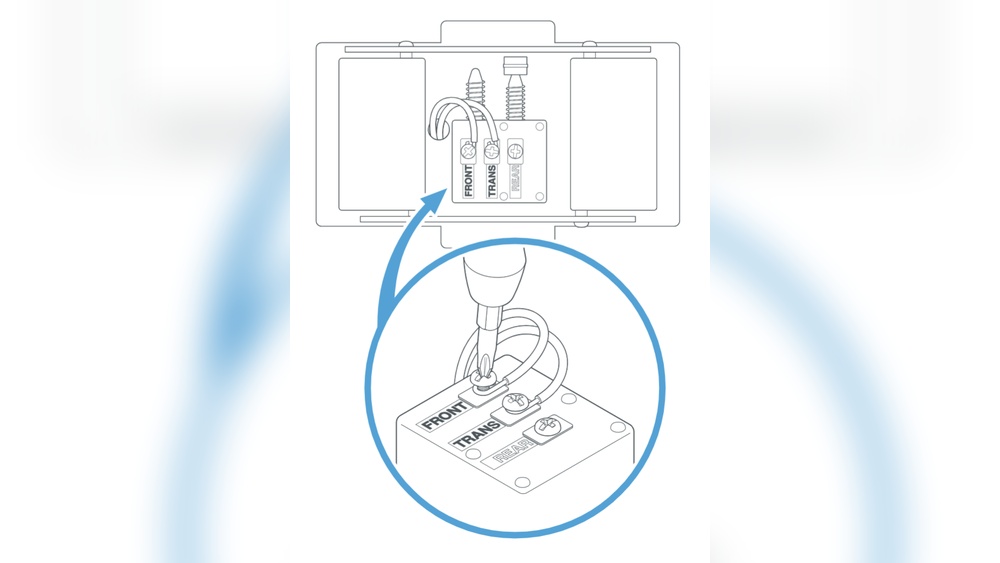
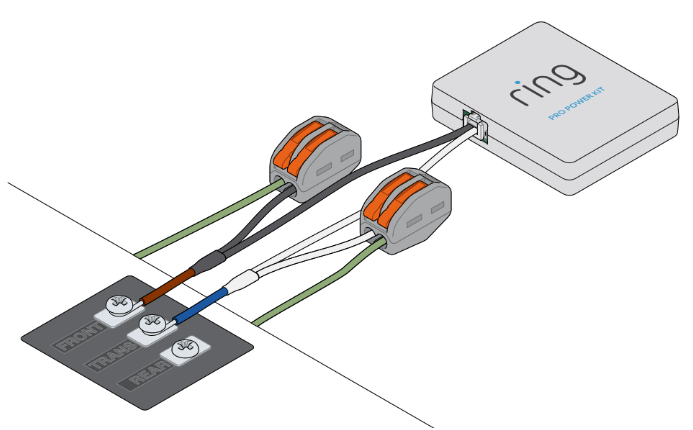
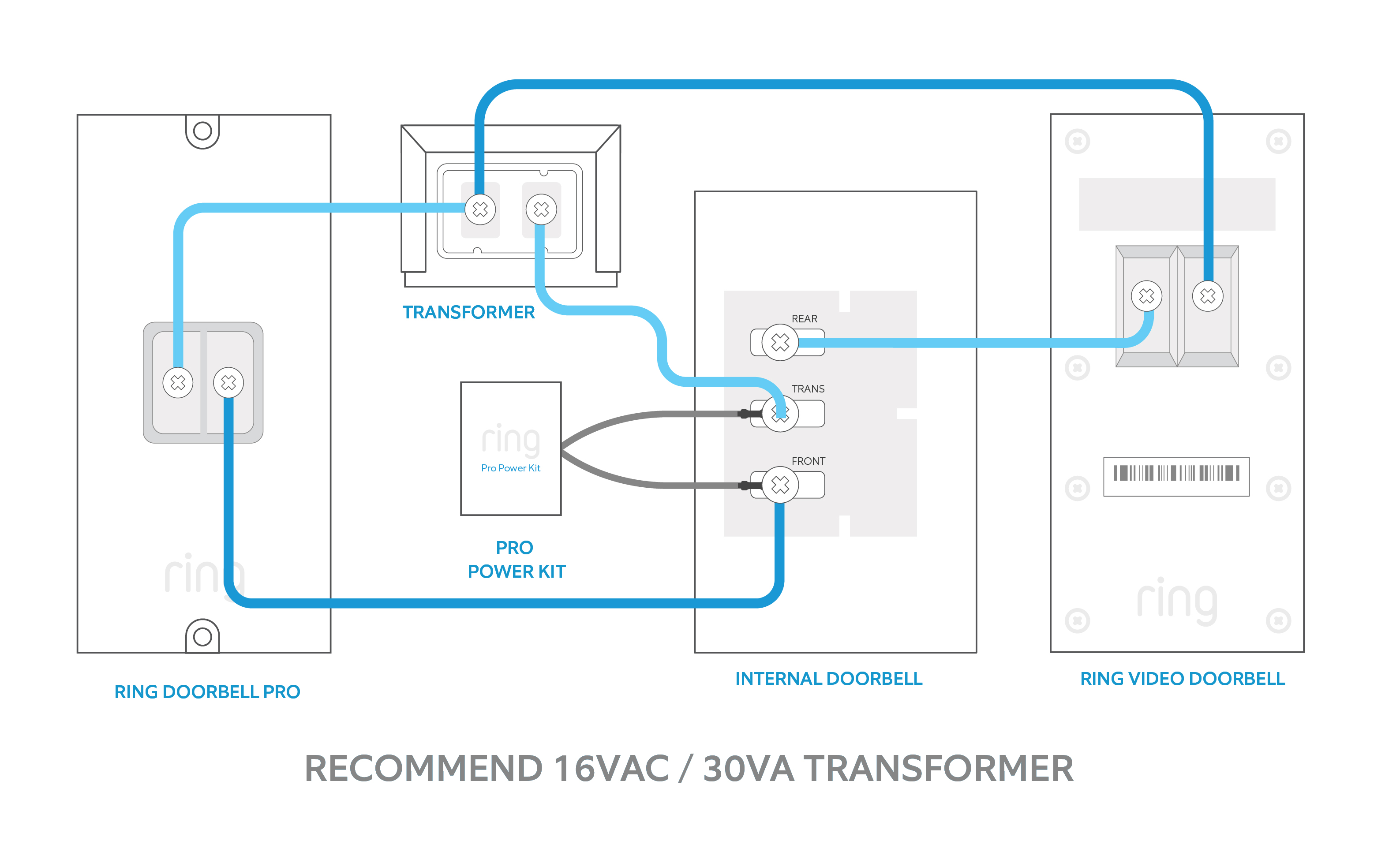
Turn off the power to the existing doorbell system. Pull out the wires from the wall. Connect the wires to the back of the mounting bracket. Use the provided screws to secure the wires. Check that the wires are tight and will not slip. Turn the power back on after the connection.
Secure Doorbell To Bracket
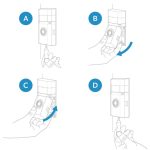
Align the Ring Doorbell Pro with the bracket. Slide the doorbell onto the bracket until it clicks. Use the security screws provided to lock it in place. Tighten screws with the included screwdriver. Test the doorbell to ensure it is stable and works well.
Credit: vicentetorns.com
Set Up In Ring App
Setting up your Ring Video Doorbell Pro through the Ring app is simple. The app guides you step-by-step. It helps connect the doorbell to your home network and personalize settings. Follow these instructions to get started quickly and easily.
Create Or Log Into Account
Open the Ring app on your phone or tablet. Tap “Create Account” if you don’t have one. Enter your email and create a strong password. If you already have an account, tap “Log In.” Use your existing email and password. This account keeps your device data safe and lets you control your doorbell remotely.
Add New Device
After logging in, tap the “Set Up a Device” button. Choose “Doorbells” from the device list. The app will ask you to scan the QR code on your Ring Doorbell Pro. This links the app to your device. Follow the on-screen instructions to continue. The app will prepare your doorbell for Wi-Fi connection.
Connect To Wi-fi
Select your home Wi-Fi network from the list. Enter your Wi-Fi password carefully. The doorbell needs a strong connection to work well. The app will confirm the connection once it succeeds. If it fails, try moving closer to the router and reconnect. After the connection, your Ring Video Doorbell Pro is ready to use.
Test And Adjust Settings
Testing and adjusting your Ring Video Doorbell Pro settings is crucial for optimal performance. This step ensures your device works the way you want it to. Proper adjustments improve security and convenience.
Take your time to check each feature carefully. Small tweaks can make a big difference in daily use.
Check Video And Audio
Start by viewing the live video feed on your app. Make sure the image is clear and covers your doorstep. Speak through the doorbell to test the audio. Listen for clear sound both ways. Adjust the camera angle if the view is blocked or unclear. Good video and audio quality help you see and hear visitors clearly.
Customize Motion Zones
Set motion zones to focus on important areas only. This reduces false alerts from passing cars or pets. Use the app to draw zones where you want motion detected. Avoid placing zones near busy streets or sidewalks. Custom zones help you get alerts that matter most. This saves battery life and reduces unnecessary notifications.
Set Notification Preferences
Choose how and when you want alerts on your phone. Turn on notifications for motion or doorbell rings. Set quiet hours to avoid alerts at night. You can choose sound or vibration alerts. Adjust notification settings for each family member. Proper notification settings keep you informed without being overwhelmed.
Troubleshooting Tips
Troubleshooting your Ring Video Doorbell Pro can help keep it working well. Problems like poor connection, power issues, or installation errors may stop it from working right. Simple fixes can often solve these problems fast.
Fix Connectivity Issues
Check your Wi-Fi signal near the doorbell. A weak signal can cause delays or no video feed. Move your router closer or use a Wi-Fi extender. Restart your router and the Ring app to refresh the connection. Make sure your Wi-Fi password is correct. Remove other devices that may use too much bandwidth.
Resolve Power Problems
Confirm the doorbell is wired correctly to your home’s power supply. Use a multimeter to check voltage. The Ring Video Doorbell Pro needs 16-24 volts AC. Replace the existing doorbell transformer if voltage is too low. Check the wiring for damage or loose connections. If the battery is removable, ensure it is fully charged.
Address Installation Errors
Make sure the doorbell is mounted firmly and level. Tighten all screws to avoid loose parts. Follow the installation steps in the Ring app carefully. Use the correct mounting bracket and tools. Check that the device firmware is up to date. Remove obstacles that block the camera view or motion sensors.
Frequently Asked Questions
How Do I Install Ring Video Doorbell Pro?
To install, first turn off your doorbell’s power. Mount the bracket, connect the wires, attach the doorbell, and restore power. Then, complete setup in the Ring app for full functionality.
What Tools Are Needed For Ring Doorbell Pro Setup?
You need a drill, screwdriver, wire stripper, and level. These tools help mount the doorbell securely and connect wiring properly for optimal performance.
How To Connect Ring Doorbell Pro To Wi-fi?
Open the Ring app, select your device, and follow the Wi-Fi setup prompts. Ensure your phone is near the doorbell and use a 2. 4GHz or 5GHz network.
Can I Use Existing Doorbell Wiring With Ring Pro?
Yes, Ring Pro uses your existing doorbell wiring for power. Make sure the voltage is compatible to avoid installation issues or device damage.
Conclusion
Setting up your Ring Video Doorbell Pro is simple and quick. Follow the steps carefully for best results. Make sure your Wi-Fi is strong and stable. Test the doorbell after installation to check its functions. Enjoy better home security with clear video and alerts.
Stay connected and feel safer every day. This guide helps you get started with confidence. No extra tools or skills needed. Ready to protect your home easily?