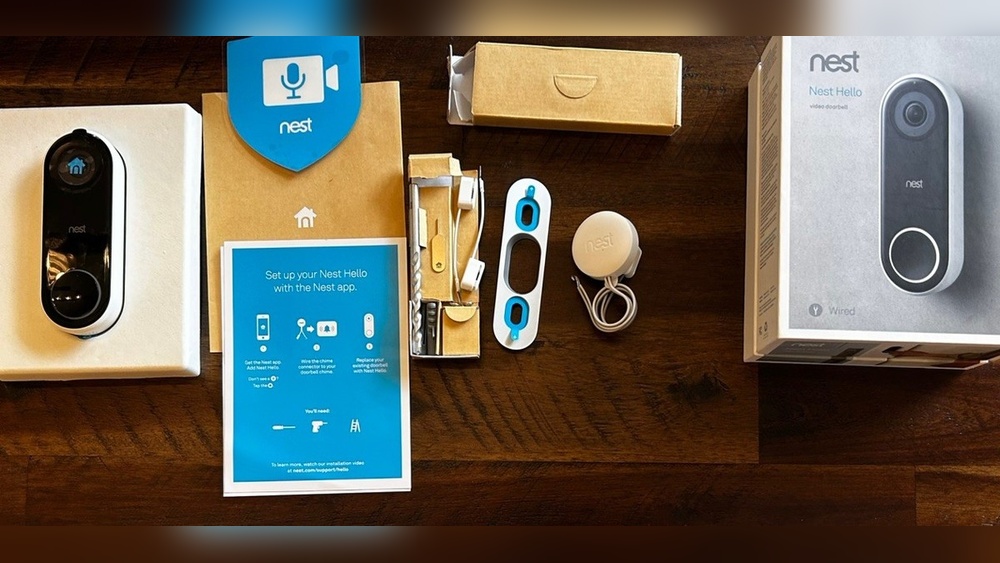

Have you ever wanted to save a video clip from your Nest Hello Doorbell but didn’t know how? Whether it’s a special delivery moment or something important you want to keep, downloading videos from your doorbell can be a game changer.
In this guide, you’ll learn simple, step-by-step ways to get those videos onto your device quickly and easily. Stick with me, and you’ll never miss a moment captured by your Nest Hello again. Ready to take control of your video footage?
Let’s dive in.

Credit: www.nicepng.com
Nest Hello Doorbell Features
The Nest Hello Doorbell offers many useful features for home security. It lets you see who is at your door in real time. The device records video and sends alerts to your phone. It works day and night with clear video quality. Understanding its key features helps you use it better.
Video Recording Capabilities
The Nest Hello Doorbell records high-definition video. It captures clear images even in low light. The camera records both video and audio. It starts recording as soon as it detects motion or rings. You can watch live or saved videos on your phone. The device also supports continuous streaming for full monitoring.
Cloud Storage Options
Videos from the Nest Hello Doorbell are stored in the cloud. This means you can access videos anytime from anywhere. Cloud storage protects your videos from being lost or damaged. Nest offers various storage plans to fit different needs. You can save and download important clips easily. This makes reviewing footage simple and convenient.

Credit: teltex.com
Preparing To Download Videos
Before you download videos from your Nest Hello Doorbell, some steps must be done first. These steps help ensure smooth video access. Preparing correctly saves time and avoids errors during the download process.
Start by checking your subscription. Then, install the Nest app on your phone or tablet. Finally, confirm your device has good internet connection. Each step is important for easy video downloads.
Checking Subscription Status
To download videos, your Nest Hello needs a Nest Aware subscription. This service stores your video history in the cloud. Without it, video downloads are limited or unavailable.
Check subscription status in the Nest app. Open the app, go to account settings, and find subscription details. Ensure your plan is active and supports video history.
Installing The Nest App
The Nest app is necessary to view and download videos. Download it from Google Play Store or Apple App Store. Install the app on your smartphone or tablet.
After installation, log in with your Google or Nest account. Link your Nest Hello Doorbell to the app. This connection allows easy access to your videos.
Ensuring Proper Connectivity
Your device needs a strong internet connection for video downloads. Check Wi-Fi signal strength near the Nest Hello Doorbell. Weak signals can cause slow or failed downloads.
Use a stable Wi-Fi network with good speed. Avoid mobile data if possible, as it may be slower or limited. Confirm your phone or tablet connects well to the internet before downloading.
Downloading Videos Via Nest App
Downloading videos from your Nest Hello Doorbell is simple using the Nest app. This app lets you access and save important video clips quickly. You can review events and keep copies on your device for easy sharing or safekeeping.
Follow these steps to find and download your Nest Hello videos. The app makes it easy to manage your video history and store clips without hassle.
Accessing Event History
Open the Nest app on your phone or tablet. Tap on your Nest Hello Doorbell device. Look for the event history or activity feed section. This area shows all recent video recordings triggered by motion or doorbell presses. Scroll through the list to see video thumbnails and timestamps. This helps you find specific moments quickly.
Selecting Desired Video Clips
Tap on any video thumbnail in the event history to open it. Watch the clip to check if it contains the footage you want. Use the timeline slider to find exact moments in longer videos. You can select multiple clips if needed. This step ensures you only save videos that matter most to you.
Saving Videos To Your Device
Once you select a video, look for the download or save option in the app. Tap this button to begin saving the clip to your phone or tablet. The video will save in your device’s gallery or downloads folder. Check your storage space to avoid interruptions. Now you have easy access to your Nest Hello videos anytime.
Downloading Videos On Desktop
Downloading videos from your Nest Hello Doorbell on a desktop is simple and convenient. It lets you save important clips for later use or sharing. Using the Nest web interface, you can access and download your videos quickly. Follow these clear steps to get your videos saved on your computer.
Logging Into Nest Web Interface
Open your preferred web browser on your desktop. Go to the official Nest website. Enter your email and password linked to your Nest account. Click the sign-in button to access your dashboard. Make sure you use the correct login details for smooth access.
Navigating To Video Library
Once logged in, find the menu and select the “Video History” or “Video Library” option. This section stores all recorded clips from your Nest Hello Doorbell. Scroll through the list to find the video you want. Use date and time filters to locate clips faster.
Downloading Clips To Computer
Click on the desired video clip to open it. Look for the download icon, usually shown as a downward arrow. Click this icon to start saving the clip. Choose a folder on your computer to store the video. Wait for the download to finish before closing the browser.
Troubleshooting Download Issues
Downloading videos from your Nest Hello Doorbell should be simple. Sometimes, problems occur during the download process. These issues can stop your videos from saving properly. Knowing how to fix these common problems helps save your footage without stress.
Common Errors And Fixes
One common error is slow or failed downloads. This often happens due to weak Wi-Fi. Check your internet connection strength before downloading.
Another issue is storage space. Your phone or computer might not have enough free space. Clear unused files or apps to free up storage.
Sometimes, the Nest app may freeze or crash. Restart the app or your device to solve this. Make sure your app is updated to the latest version.
Video files may not play after download. This can be caused by unsupported file formats. Use a reliable video player that supports common formats like MP4.
Tips For Smooth Downloads
Download videos during off-peak hours to avoid slow internet. Early mornings or late nights usually have better speeds.
Keep your Nest app updated to access the latest features and fixes. Updates often improve download stability.
Connect your device to a strong Wi-Fi network. Avoid using mobile data for large video files.
Save videos directly to a folder with enough free space. Organizing files helps find videos quickly later.
Close other apps running in the background. This frees up resources for faster download performance.
Alternative Methods For Video Backup
Backing up videos from your Nest Hello Doorbell is important for safety and review. Sometimes, the usual methods might not work or suit your needs. Alternative methods help you save your videos without relying on the official app alone. These options give you extra ways to keep your footage safe and accessible.
Using Third-party Apps
Some apps can connect to your Nest Hello Doorbell. They allow you to download and store videos directly on your phone or computer. These apps often support multiple devices and formats. Choose apps with good reviews and security features. Always check app permissions before use. Third-party apps can help manage your videos more flexibly.
Manual Screen Recording
Screen recording is a simple way to save video clips. Play the video on your device and use a screen recorder to capture it. Most smartphones and computers have built-in screen recording tools. This method works well for short videos or quick backups. Remember to keep the video quality high for clarity. Screen recording does not require extra apps or software.
Legal And Privacy Considerations
Downloading videos from your Nest Hello Doorbell involves more than just saving files. It requires careful thought about legal and privacy issues. These rules help protect you and others around you. Always follow the law and respect personal privacy when handling video footage.
Respecting Privacy Laws
Privacy laws vary by country and region. They control how you can record and use video footage. Avoid filming areas where people expect privacy, like neighbors’ homes. Do not share videos without permission from those recorded. Use videos only for personal security or legal reasons. Breaking privacy laws can lead to fines or legal trouble.
Secure Storage Practices
Keep downloaded videos safe and private. Store files on password-protected devices. Avoid saving videos on shared or public computers. Back up videos securely to prevent loss. Delete videos when no longer needed to reduce risk. Protecting your video files helps prevent misuse or hacking attempts.

Credit: kdfoundation.org
Frequently Asked Questions
How To Save Videos From Nest Hello Doorbell?
To save videos, open the Nest app and select your Hello doorbell. Tap the video you want and click the download icon. Videos save to your device’s gallery for easy access anytime.
Can I Download Nest Hello Videos Without A Subscription?
No, downloading videos requires a Nest Aware subscription. The subscription unlocks video history and download features for your Nest Hello doorbell.
Where Are Nest Hello Downloaded Videos Stored?
Downloaded videos are stored in your device’s default download or gallery folder. You can access and share them like any other saved media file.
How Long Does It Take To Download Nest Hello Videos?
Download speed depends on your internet connection and video length. Typically, short clips download within seconds, while longer videos may take a few minutes.
Conclusion
Downloading videos from your Nest Hello Doorbell is simple and quick. Follow the steps carefully to save your clips. Keep your videos safe for future use or sharing. This process helps you access important moments anytime. Stay organized by naming and storing files properly.
Regular downloads ensure you never lose valuable footage. Enjoy peace of mind knowing your videos are ready when needed.