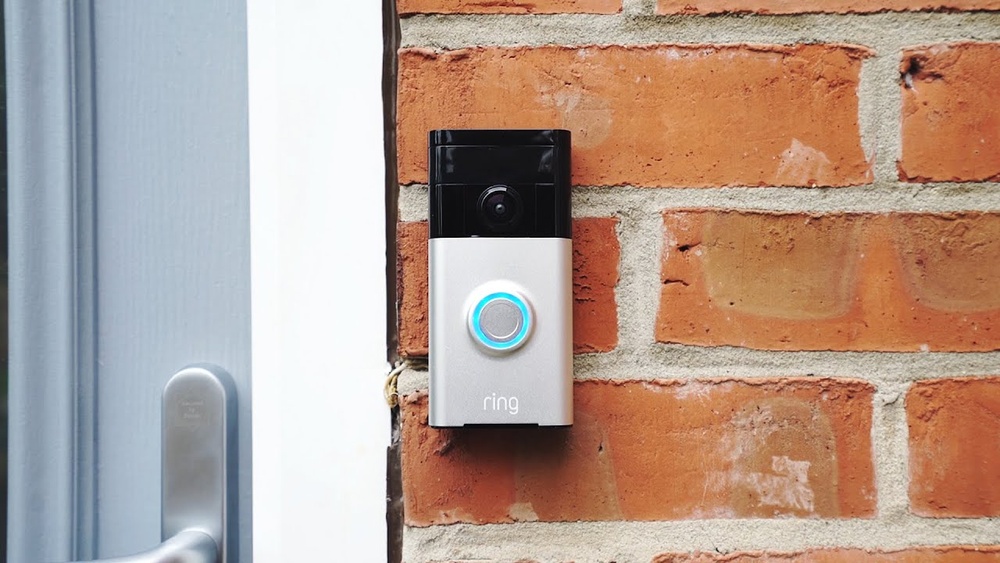

Have you ever wondered how a video doorbell actually works to keep your home safe and connected? Imagine being able to see who’s at your door from anywhere, at any time, right on your phone.
It’s not just convenient—it gives you peace of mind like never before. You’ll discover the simple technology behind video doorbells and how they turn an ordinary doorbell into a smart, powerful security tool. By the end, you’ll know exactly how these devices protect your home and make your life easier.
Keep reading to unlock the secret behind this game-changing gadget.
Video Doorbell Basics
Video doorbells have become popular for home security and convenience. They let you see and talk to visitors at your door using your smartphone. Understanding the basics helps you use them better.
Core Components
A video doorbell has a camera, microphone, and speaker. The camera captures video of visitors. The microphone and speaker allow two-way audio. A button alerts you when someone is at the door. Some models include motion sensors to detect movement. The device usually has a built-in battery or connects to your home’s power.
How It Connects
The doorbell connects to your home Wi-Fi network. This connection sends alerts and video to your phone. The app on your smartphone lets you see live video. It also records footage for later viewing. The connection must be strong to avoid delays or drops. Some doorbells use cloud storage to save videos securely.

Credit: www.aboutamazon.com
Motion Detection Features
Motion detection is a key feature in video doorbells. It helps alert you when someone approaches your door. This feature keeps your home safer by notifying you of any movement. It also triggers the camera to start recording automatically.
Different sensors detect motion in various ways. Understanding these sensors helps in choosing the right video doorbell. It also helps you make the most of the motion detection function.
Types Of Sensors
Most video doorbells use infrared sensors. These sensors detect heat from people or animals. Some models use radar sensors that sense movement by bouncing radio waves. Another type is a camera-based sensor that analyzes changes in images. Each sensor type has its own strengths and weaknesses.
Adjusting Sensitivity
Adjusting motion sensitivity helps reduce false alerts. You can set it higher to catch small movements. Or lower it to avoid alerts from passing cars or animals. Many video doorbells let you choose specific zones to monitor. This customization improves accuracy and saves battery life.
Two-way Communication
Two-way communication is a key feature of video doorbells. It lets you talk and listen to visitors at your door without opening it. This feature improves home security and convenience. You can answer the door from anywhere using your smartphone or other devices. Clear sound and video make interactions easy and safe.
Audio Setup
The audio setup in a video doorbell includes a microphone and a speaker. The microphone captures the visitor’s voice clearly. The speaker lets you speak back to them with good sound quality. Noise cancellation technology reduces background noise. This ensures clear conversations even in noisy environments. The system uses Wi-Fi to send and receive audio signals instantly.
Video Streaming
Video streaming allows you to see who is at the door in real time. The video doorbell uses a camera to capture live footage. It sends this video to your phone or tablet through the internet. High-definition cameras show clear images day and night. Some models include infrared lights for better night vision. Streaming works smoothly over Wi-Fi, giving instant access to your door’s view.
Credit: www.arloren.com
Installation Process
Installing a video doorbell is a straightforward task with clear steps. This process changes slightly depending on the type of doorbell you choose. Understanding the basics helps make installation easier and faster. Let’s explore the key parts of the installation process.
Wired Vs Wireless
Wired video doorbells connect to your home’s existing doorbell wiring. This means they get power without needing batteries. Installation can be tricky if you are not familiar with electrical work. It may require turning off power and using tools.
Wireless video doorbells run on batteries. They offer more flexibility in placement. No need to connect wires or mess with home wiring. Batteries need replacing or recharging over time. Wireless models are easier to install for beginners.
Mounting Tips
Choose a spot near your door with a clear view. Avoid placing the doorbell where sunlight hits directly. Too much light can affect video quality. Mount it at about chest height for the best angle.
Use the mounting bracket that comes with the doorbell. Secure it firmly with screws or adhesive strips. Check that the device is stable and not loose. Test the video feed before finishing the installation. Adjust the angle to cover the desired area.
Integration With Smart Home
Video doorbells blend smoothly with smart home setups. They add convenience and boost security. You can control them using apps or voice commands. Integration helps you manage devices from one spot. It also lets your video doorbell work with other smart gadgets.
Compatible Devices
Most video doorbells connect with popular smart home systems. These include Amazon Alexa, Google Assistant, and Apple HomeKit. You can view the doorbell camera on smart displays. Some models work with smart locks and lights. This lets you see visitors and open doors remotely. Check your doorbell’s compatibility before buying.
Automation Options
Automation makes your smart home smarter. Your video doorbell can trigger lights when someone approaches. It can send alerts to your phone instantly. You can set routines to record video at certain times. Some systems allow voice announcements through smart speakers. Automation saves time and adds safety to your home.
Power And Battery Life
Power and battery life are key parts of how a video doorbell works. These devices need energy to stay active and capture video. Good battery life means less frequent charging and more security. Many video doorbells use rechargeable batteries or connect to home wiring for power.
Charging Methods
Most video doorbells have built-in rechargeable batteries. You can charge them using a USB cable. Some models connect to your home’s existing doorbell wiring. This provides constant power without the need to recharge. Others offer solar panel options to keep batteries charged outdoors. Choose a method that fits your home setup.
Optimizing Battery Use
Battery life depends on how often the doorbell records video. Adjust settings to reduce unnecessary alerts. Lowering video resolution saves battery power. Use motion zones to limit recording to important areas. Turning off features like continuous video streaming also helps. Regularly updating the device software can improve battery efficiency.
Security And Privacy
Security and privacy are key concerns for video doorbell users. These devices capture video and audio at your doorstep. Protecting this data is essential to keep your home safe and your information private. Video doorbell makers use several methods to secure your footage and control access.
Data Encryption
Data encryption scrambles video and audio files before sending them over the internet. It stops hackers from reading or stealing your footage. Strong encryption uses advanced codes that only your device can unlock. This means your videos stay private, even if intercepted during transmission.
User Access Controls
User access controls limit who can view your video doorbell feed. You can set passwords and use two-factor authentication. These steps ensure only trusted users see your camera streams. Some systems allow temporary access for guests or service people. This control keeps your home’s security tight and personal data safe.
Troubleshooting Common Issues
Video doorbells offer great convenience and security. Yet, issues can occur. Troubleshooting helps fix these problems fast. This guide covers common troubles and quick solutions. Keep your device working well with simple checks.
Connectivity Problems
Video doorbells rely on Wi-Fi to work properly. Connection issues stop video streaming and notifications. Check your Wi-Fi signal near the doorbell. A weak signal causes delays or no response. Try moving your router closer or use a Wi-Fi extender.
Restart your router and doorbell to refresh the connection. Make sure your Wi-Fi password is correct in the app. Firmware updates fix bugs that affect connectivity. Keep your doorbell’s software up to date for smooth performance.
Video Quality Fixes
Low video quality can hide important details. Clean the camera lens gently to remove dirt or smudges. Position the doorbell to avoid direct sunlight or glare. These affect image clarity and color.
Adjust video settings in the app for better resolution. Choose higher quality if your internet supports it. Close other devices using the same Wi-Fi to reduce bandwidth use. Clear video helps identify visitors and improves security.
Choosing The Right Video Doorbell
Choosing the right video doorbell matters for your home security. It can protect your house and give you peace of mind. Picking the best one depends on your needs and budget. Understanding key features helps make a smart choice. This guide explains what to compare and how to think about costs.
Features To Compare
Look for video quality. Clear video helps you see visitors well. Check the field of view. A wide angle covers more area. Motion detection is important. It alerts you when someone approaches. Two-way audio lets you talk to visitors remotely. Storage options matter. Some doorbells save videos online, others on a device. Battery life affects how often you recharge. Some models connect to Wi-Fi; others need wires.
Budget Considerations
Set a budget before shopping. Video doorbells come in many price ranges. Basic models offer simple features at low cost. Higher-end models provide advanced security and better video. Think about extra costs like subscriptions for video storage. Installation may also add to the price. Choose a doorbell that fits your budget and needs well.

Credit: www.aboutamazon.eu
Frequently Asked Questions
How Does A Video Doorbell Detect Visitors?
A video doorbell uses motion sensors to detect movement near your door. It activates the camera and sends alerts to your phone instantly.
Can Video Doorbells Work Without Wi-fi?
Most video doorbells require Wi-Fi for live streaming and notifications. Some models offer limited offline features but need Wi-Fi for full functionality.
What Powers A Video Doorbell?
Video doorbells are usually powered by your home’s doorbell wiring or rechargeable batteries. Battery-powered models need periodic recharging for continuous use.
Are Video Doorbells Compatible With Smart Home Systems?
Yes, many video doorbells integrate with smart home platforms like Alexa, Google Assistant, and Apple HomeKit for voice control and automation.
Conclusion
Video doorbells let you see who is at your door anytime. They send alerts straight to your phone or device. You can talk to visitors without opening the door. These devices use cameras, microphones, and Wi-Fi to work. They help increase home safety and convenience.
Installing one is simple and brings peace of mind. Everyone can benefit from this useful home tool. It’s a smart way to watch over your home easily.


