Is your hardwired smoke detector beeping nonstop and driving you crazy? That constant noise isn’t just annoying—it can make it hard to focus, sleep, or even enjoy your time at home.
You might be wondering how to stop that irritating beep without risking your safety. Don’t worry, you’re not alone, and there are simple steps you can take right now to silence the alarm safely. Keep reading to find out exactly what causes that beeping and how you can fix it quickly.

Credit: waynealarm.com
Common Causes Of Beeping
Hardwired smoke detectors can beep for several reasons. Understanding these causes helps stop the annoying sound quickly. Most beeping signals a problem that needs fixing. Here are common causes that make your smoke detector beep.
Low Battery Backup
Even hardwired smoke detectors have backup batteries. These batteries keep the alarm working during power outages. When the battery runs low, the detector beeps. This sound warns you to replace the battery soon.
Dust And Debris
Dust and dirt can settle inside the smoke detector. This buildup can block the sensor and cause false alarms. Regular cleaning helps prevent beeping caused by dust and debris.
Wiring Issues
Loose or damaged wires may cause the smoke detector to beep. Wiring problems affect the power supply. Check the connections and call an electrician if needed.
End Of Life Signal
Smoke detectors have a lifespan, usually 8 to 10 years. After this, they beep to signal they need replacement. This warning keeps your home safe with updated devices.
Safety Precautions
Handling a hardwired smoke detector requires care and attention. Safety is the top priority before stopping the beeping sound. Taking the right precautions prevents accidents and keeps you safe.
Turn Off Power
Start by turning off the power to the smoke detector. Locate the circuit breaker and switch it off. This step cuts electricity to the device. It prevents electric shocks or short circuits. Confirm the power is off before touching the smoke detector.
Use Protective Gear
Wear protective gear to shield yourself. Use gloves to protect your hands from dust and debris. Safety glasses help keep particles out of your eyes. Protective gear reduces the risk of injury while working on the detector.
Quick Fixes To Stop Beeping
Hardwired smoke detectors can beep for several reasons. These quick fixes help stop the annoying noise fast. Follow these simple steps to keep your home quiet and safe.
Replace Backup Battery
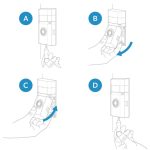
Even hardwired smoke detectors have backup batteries. When the battery runs low, the alarm beeps. Open the detector’s cover and find the battery. Remove the old one and insert a new battery. Make sure it fits properly and closes tightly.
Clean The Detector
Dust and dirt can cause false alarms and beeping. Use a vacuum cleaner or soft brush to clean the detector. Gently remove dust from vents and sensors. Clean the detector every few months to avoid beeping.
Reset The Alarm
Resetting the alarm can stop continuous beeping. Press and hold the test button for 15-20 seconds. This resets the system and clears any error codes. Check if the beeping stops after reset.
Check The Wiring
Loose or damaged wires can cause beeping. Turn off the power at the breaker box before checking. Open the detector and inspect the wires for damage or looseness. Tighten any loose connections carefully. Call a professional if wires look damaged.

Credit: localperthelectrician.com.au
When To Replace The Smoke Detector
Knowing when to replace a hardwired smoke detector is important for safety. Smoke detectors do not last forever. Over time, they lose their ability to detect smoke properly. A beeping sound can signal that it is time for a new detector. Ignoring this can put your home and family at risk.
Detector Age
Most smoke detectors last about 10 years. Check the manufacturing date on the back of the unit. If it is older than 10 years, replace it. Even if it works, the sensors may be less reliable. A new detector ensures better protection from fire hazards.
Repeated False Alarms
False alarms can happen for many reasons. Dust, insects, or low batteries might cause beeping. But frequent false alarms could mean the detector is failing. If cleaning and battery changes don’t help, replacement is best. A faulty detector can cause confusion and reduce safety.
Preventing Future Beeping
Stopping a hardwired smoke detector from beeping is important. Just as important is preventing it from beeping again. Regular care and correct setup help keep your smoke detector working well. This section explains simple steps to avoid future beeping.
Regular Maintenance
Clean the smoke detector often to stop dust buildup. Dust can cause false alarms or beeping. Use a soft brush or vacuum to remove dust gently.
Test the smoke detector once a month. Press the test button and listen for the alarm. This check ensures the detector works well.
Replace batteries every year, even if no beeping occurs. Old batteries may cause the device to beep. Fresh batteries keep it running smoothly.
Proper Installation
Install smoke detectors away from kitchens and bathrooms. Steam and cooking smoke cause false alarms. Place them in hallways or living rooms instead.
Follow the manufacturer’s instructions carefully. Wrong installation can make the detector beep unnecessarily. Use the right screws and secure the device firmly.
Keep detectors at least 10 feet from cooking appliances. This distance reduces false alarms and unwanted beeping. Proper spacing helps the device work correctly.

Credit: www.wirechiefelectric.com
Frequently Asked Questions
Why Is My Hardwired Smoke Detector Beeping?
Your smoke detector beeps due to low battery, wiring issues, or dust buildup. It alerts you to potential problems needing immediate attention.
How Can I Stop A Hardwired Smoke Detector From Beeping?
To stop the beeping, replace the backup battery, clean the unit, and check wiring connections for faults or corrosion.
What Causes False Alarms In Hardwired Smoke Detectors?
False alarms often happen due to dust, steam, cooking fumes, or electrical interference. Regular cleaning and proper placement reduce false alerts.
How Do I Reset A Hardwired Smoke Detector After Beeping?
Press and hold the reset button for 15-20 seconds. This clears error signals and stops unnecessary beeping.
Conclusion
Stopping a hardwired smoke detector from beeping is important for your peace. Start by checking the battery and wiring. Clean the detector to remove dust and debris. Reset the alarm after fixing any issues. Regular maintenance helps keep your detector working well.
Remember, a quiet detector means a safer home. Stay alert and follow these simple steps. Your safety depends on it.