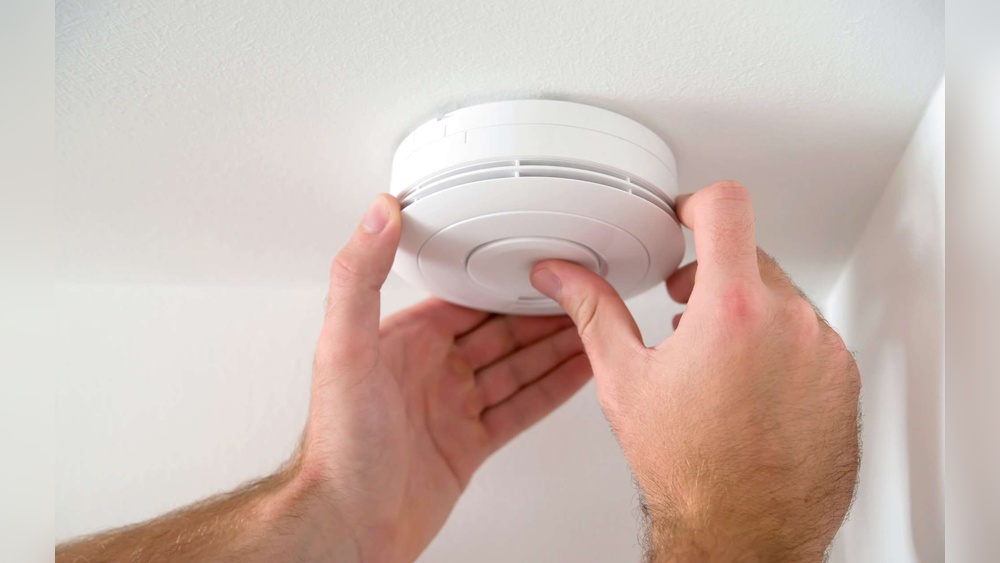

Is your smoke detector beeping nonstop, driving you crazy? That annoying sound can interrupt your focus, sleep, and peace of mind.
You might wonder, “How do I stop the beeping on my smoke detector quickly and safely? ” The good news is, you don’t have to live with that constant beep. You’ll discover simple steps you can take right now to silence your smoke detector for good.
Keep reading, and you’ll have your quiet home back in no time.
Credit: expresselectricalservices.com
Common Causes Of Smoke Detector Beeping
Smoke detectors beep to warn you about safety issues. These sounds help protect your home from fire hazards. Understanding the common causes of beeping can help you stop the noise quickly. Knowing why your smoke detector beeps ensures your safety and peace of mind.
Low Battery Alerts
The most common cause of beeping is a low battery. Smoke detectors use batteries to stay powered. When the battery runs low, the alarm beeps regularly. This beep is a warning to replace the battery soon. Changing the battery often stops the beeping immediately.
Dust And Debris
Dust and dirt can build up inside the smoke detector. This buildup can cause false alarms or random beeping. Dust blocks the sensor, making the alarm think there is smoke. Cleaning the detector with a soft brush or vacuum can fix this problem. Regular cleaning keeps your detector working well.
End Of Life Warning
Smoke detectors do not last forever. Most have a life span of about 8 to 10 years. After this time, they beep to signal they need replacement. This warning helps keep your home safe with a working alarm. Check the device’s date and replace it if needed.
Electrical Issues
Hardwired smoke detectors connect to your home’s electrical system. Problems with wiring or power can cause beeping sounds. Power surges or loose wires may make the alarm beep. A professional electrician should check and fix electrical issues. This ensures your smoke detector works properly.
Quick Battery Replacement Tips
Replacing the battery in your smoke detector stops the annoying beeping fast. Quick battery changes keep your home safe and your device working right. Follow simple steps to pick the best battery, remove the old one safely, and install the new one correctly.
Choosing The Right Battery
Pick the battery type your smoke detector needs. Most use 9-volt or AA batteries. Check the device label or manual for the correct size. Use fresh batteries from a trusted brand. Avoid used or old batteries; they cause beeping.
Safe Battery Removal
Turn off the smoke detector if possible before removing the battery. Open the battery compartment carefully. Use gentle pressure to avoid damage. Remove the old battery and recycle it properly. Do not force the battery out; it may break.
Proper Installation Techniques
Insert the new battery with correct polarity. Match the plus (+) and minus (–) signs inside the compartment. Press the battery firmly into place. Close the compartment securely. Test the detector by pressing the test button. The beep should stop, confirming a good install.
Cleaning Your Smoke Detector
Cleaning your smoke detector is a simple way to stop it from beeping. Dust and dirt can block the sensor inside. This causes false alarms or constant beeping. Regular cleaning keeps your smoke detector working well and quiet.
Tools You Need
- Soft brush or a clean paintbrush
- Vacuum cleaner with brush attachment
- Microfiber cloth
- Compressed air can (optional)
- Step stool or ladder (if needed)
Step-by-step Cleaning Process
- Turn off the power to the smoke detector at the circuit breaker.
- Remove the smoke detector from the ceiling or wall.
- Use a soft brush to gently remove dust from vents and sensors.
- Vacuum around the detector using a brush attachment.
- Blow out any remaining dust with compressed air, if available.
- Wipe the outside with a dry microfiber cloth.
- Reinstall the smoke detector and restore power.
- Test the smoke detector to ensure it works properly.
Preventing Future Dust Build-up
Clean your smoke detector every six months. Avoid placing it near windows or vents. Keep the area around the detector free from dust. Regular dusting and vacuuming help reduce buildup. This keeps the detector working smoothly and stops beeping.

Credit: www.angi.com
Resetting Your Smoke Detector
Resetting your smoke detector often stops the annoying beep. This process clears errors and resets the device to normal. It helps when the alarm sounds without smoke or fire. Resetting is simple and takes just a few minutes. Follow these easy steps to reset your smoke detector safely and quickly.
Manual Reset Methods
Some smoke detectors have a manual reset option. Look for a small button or switch on the unit. Press and hold this button for 15-20 seconds. The alarm will stop beeping and reset itself. If the beep continues, try another reset method.
Using The Reset Button
Most modern smoke detectors include a reset button. Press this button once and release it. The alarm should stop beeping immediately. This method works when the battery is good and no smoke is detected. If the alarm still beeps, check the battery or try power cycling.
Power Cycle Techniques
Power cycling means cutting power to the smoke detector. Remove the battery or unplug the unit from the ceiling. Wait about 30 seconds before reinserting the battery or plugging it back in. This step clears any temporary errors inside the detector. After power cycling, press the reset button to finish the process.
When To Replace Your Smoke Detector
Knowing when to replace your smoke detector is key to keeping your home safe. Smoke detectors do not last forever. Over time, their parts wear out or become less sensitive. This can cause false alarms or missed detections. Pay attention to signs that tell you it is time for a new unit.
Signs Of Wear And Tear
Smoke detectors show signs of aging. They may beep often even after changing the battery. Dust or dirt buildup can cause problems. Cracks on the casing or discoloration also mean wear. If your detector is damaged, replace it soon.
Manufacturer’s Lifespan Guidelines
Most smoke detectors last about 8 to 10 years. Check the date printed on the back of your device. Follow the manufacturer’s advice for replacement. Using an old detector reduces your safety. New models work better and with fewer false alarms.
Choosing A New Model
Pick a smoke detector that fits your home needs. Look for models with a sealed battery that lasts 10 years. Consider both photoelectric and ionization types for better detection. Choose a device with clear alerts and easy installation.

Credit: waynealarm.com
Preventing False Alarms
False alarms from smoke detectors can be annoying and stressful. They cause unnecessary beeping and may disrupt your daily life. Preventing these false alarms helps keep your home safe and quiet. Simple steps can reduce the chance of your smoke detector going off without a real emergency.
Proper Placement Tips
Place smoke detectors away from kitchens and bathrooms. Avoid areas near cooking appliances or showers. Heat, steam, and smoke from cooking can trigger false alarms. Install detectors on ceilings or high on walls, at least 10 feet from cooking areas.
Keep detectors away from windows and vents. Drafts can push smoke or steam toward detectors. This can cause unwanted beeping. Proper placement reduces false alarms and improves safety.
Avoiding Steam And Smoke Triggers
Do not install smoke detectors too close to bathrooms. Steam from hot showers can set off alarms. Use a bathroom fan to reduce steam. Wait for steam to clear before resetting your detector.
Use kitchen fans or range hoods when cooking. This helps remove smoke and fumes. Avoid frying or grilling near detectors. Cooking smoke is a common cause of false alarms.
Regular Maintenance Schedule
Test your smoke detector every month. Press the test button to check the alarm sound. Replace batteries at least once a year, or when the low battery beep starts.
Clean your smoke detectors regularly. Dust and dirt can build up and cause false alarms. Use a vacuum or soft brush to clean the detector. Replace the entire unit every 10 years for best performance.
Frequently Asked Questions
Why Is My Smoke Detector Beeping Intermittently?
Intermittent beeping usually indicates a low battery. Replace the battery promptly to stop the beep. If the beep continues, check for dust or debris inside the detector.
How Can I Reset My Smoke Detector Beep?
To reset, press and hold the test button for 15-20 seconds. This clears any error signals. If it still beeps, try replacing the battery or cleaning the device.
What Causes A Smoke Detector To Beep Without Smoke?
Beeping without smoke often means low battery, dust buildup, or sensor malfunction. Regular maintenance and battery checks prevent false alarms and keep your detector functioning properly.
How Often Should I Replace Smoke Detector Batteries?
Replace batteries at least once a year. Some models suggest changing batteries every six months. Regular replacement ensures your smoke detector works reliably and prevents annoying beeping.
Conclusion
Stopping the beeping on your smoke detector is simple. Check the battery first and replace it if low. Clean the detector to remove dust and dirt. Make sure it is properly installed and not loose. Reset the device if needed by pressing the test button.
Regular maintenance helps keep your home safe and quiet. Don’t ignore the beeping; it signals an important warning. Taking these easy steps will help you fix the problem fast. Stay safe and keep your smoke detector working well.