
Are you ready to boost your home’s security with the Ring Video Doorbell but don’t know where to start? Installing it might seem tricky, but with the right steps, you can have it up and running in no time.
Imagine answering your door from anywhere, seeing who’s there, and keeping your home safe—all at your fingertips. Keep reading, and I’ll guide you through a simple, clear process that anyone can follow. By the end, you’ll feel confident and ready to protect what matters most.
Let’s get started!
Credit: www.youtube.com
Preparing For Installation
Preparing for the installation of your Ring Video Doorbell is a key step. It ensures the device works well and lasts long. Taking time to prepare makes the process smooth and quick. This section guides you through the basics before you start the setup.
Checking Compatibility
Check if your home supports the Ring Video Doorbell. Look at your door frame and wall. Make sure the device fits well in the chosen spot. Confirm your Wi-Fi signal reaches the door area. Weak signals can cause poor video quality. Verify your existing doorbell wiring, if applicable. Some Ring models need specific wiring to work.
Gathering Tools And Materials
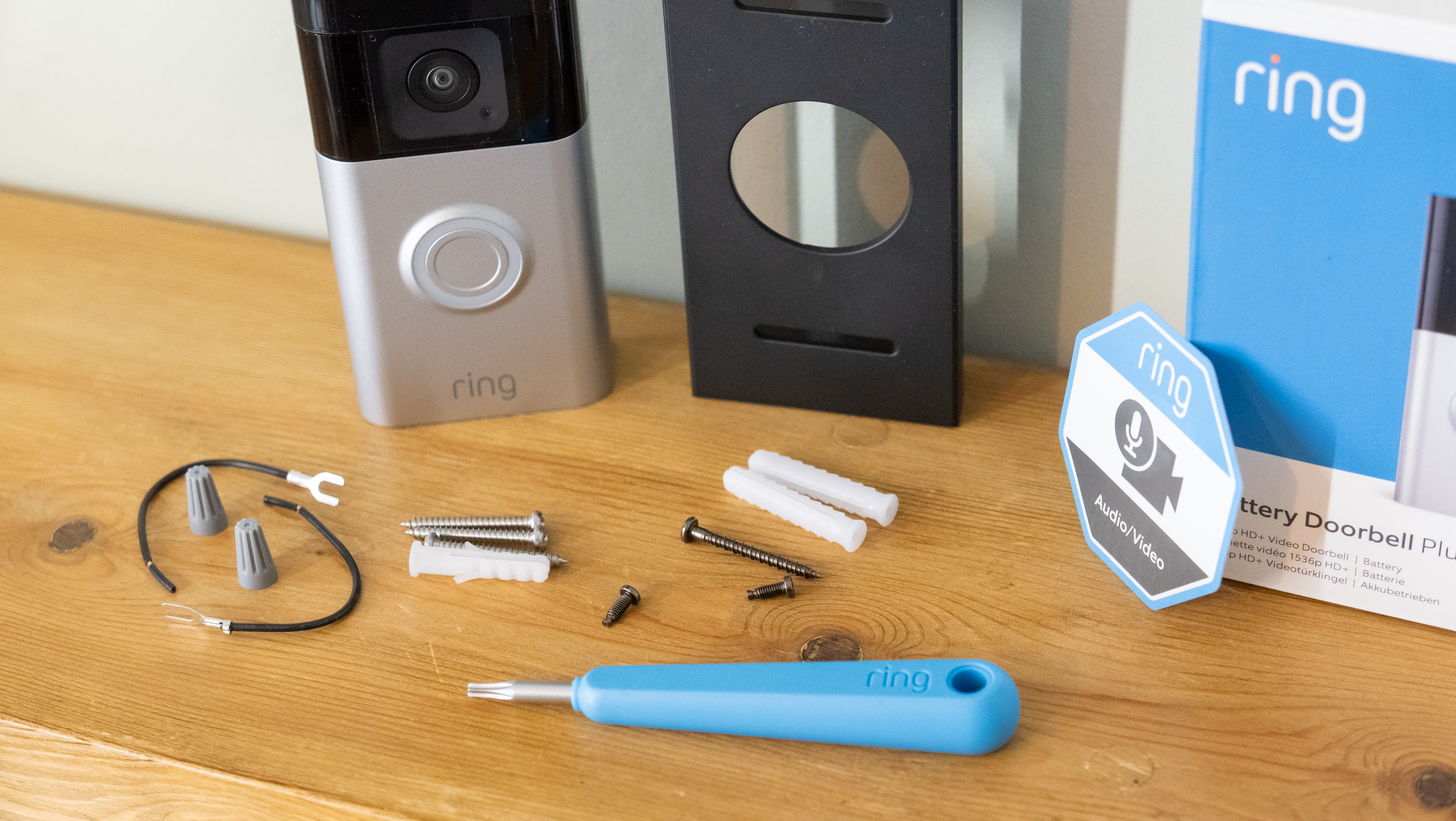
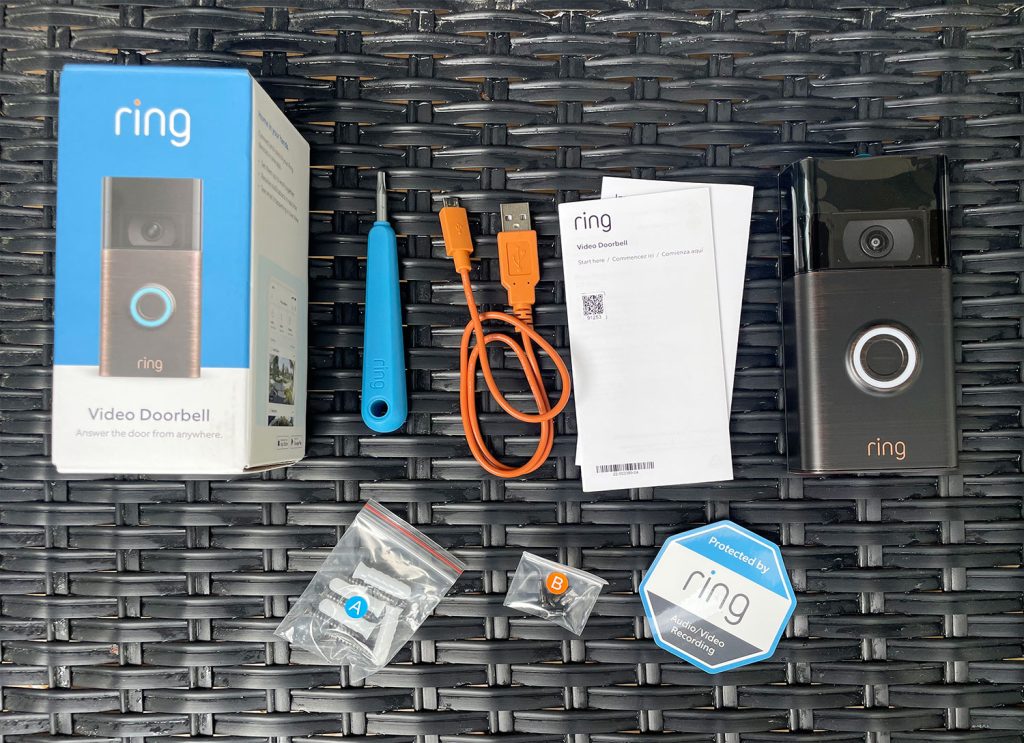
Collect all tools before starting. You will need a drill, screwdriver, and level. Have the mounting bracket and screws ready. Keep the instruction manual nearby. Use a ladder if your doorbell spot is high. Having everything in place saves time. Avoid interruptions during installation.
Charging The Doorbell Battery
Charge the Ring doorbell battery fully before installation. Connect it to a USB charger using the cable provided. A full charge ensures the device works without power issues. Charging may take several hours. Check the battery status with the Ring app. Install the device only after the battery is ready.
Credit: www.techradar.com
Setting Up The Ring App
Setting up the Ring app is the first step to use your Ring Video Doorbell. This app controls your doorbell from your phone. It lets you see visitors and talk to them anytime. Follow these simple steps to get started.
Downloading The App
Find the Ring app in your phone’s app store. It is free to download. Search for “Ring” in the Apple App Store or Google Play Store. Tap “Install” or “Get” to download the app. Wait for the installation to finish before opening it.
Creating An Account
Open the Ring app after download. Tap “Create Account” to start. Enter your email and make a strong password. Provide your phone number for extra security. Agree to the terms and privacy policy. Tap “Continue” to finish setting up your account.
Connecting To Wi-fi
Turn on your Ring Video Doorbell. The app will ask to connect to Wi-Fi. Choose your home Wi-Fi from the list. Enter the Wi-Fi password carefully. Wait a few moments for the doorbell to connect. Good Wi-Fi ensures smooth video and audio.
Choosing The Installation Location
Choosing the right spot to install your Ring Video Doorbell is important. The location affects how well it works and what it can see. Picking a good place helps you get clear video and strong connection. Consider these points to find the best spot.
Ideal Height And Angle
Place the doorbell at about 48 inches from the ground. This height captures faces clearly. Angle the doorbell slightly down to see visitors’ faces well. Avoid placing it too high or too low. The right height and angle improve video quality.
Considering Wi-fi Signal Strength
Check the Wi-Fi signal near your door. A strong signal ensures smooth video streaming. Use your phone to test signal strength. Move the router or doorbell closer if the signal is weak. A good connection stops video from lagging or cutting out.
Avoiding Obstructions
Keep the doorbell clear of objects like plants or decorations. These can block the camera’s view or motion sensors. Avoid metal objects that may interfere with Wi-Fi. Make sure nothing covers the doorbell lens. Clear space helps the device work properly.
Credit: www.younghouselove.com
Mounting The Doorbell
Mounting the Ring Video Doorbell is an important step for proper functioning. It needs to be secure and positioned correctly. Follow these steps carefully for a safe and effective installation.
Marking Drill Points
Hold the mounting bracket against the wall. Use a pencil to mark the holes. Check the level to keep the doorbell straight. Make sure marks are clear and easy to follow.
Drilling Holes
Use a drill with the right bit size. Drill holes where you marked the points. Be careful not to drill too deep or wide. Clean out any dust from the holes.
Attaching The Mounting Bracket
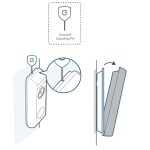
Align the bracket with the drilled holes. Insert the screws and tighten them firmly. The bracket should feel stable and not move. This holds the doorbell securely in place.
Securing The Doorbell
Place the Ring Video Doorbell onto the bracket. Press it until you hear a click. Check that the doorbell is locked in place. This prevents it from falling or being removed easily.
Connecting To Existing Doorbell Wiring
Connecting the Ring Video Doorbell to your existing doorbell wiring allows the device to use your home’s power supply. This connection helps keep the battery charged and enables the chime to ring inside your house. Proper wiring ensures the doorbell works smoothly without interruptions.
Follow these steps carefully to connect the Ring Video Doorbell to your current doorbell wires safely and correctly.
Turning Off Power
Start by turning off power to your doorbell at the circuit breaker. This step prevents electrical shock and protects the device. Confirm power is off by pressing the existing doorbell button. No sound means the power is off and safe to work on.
Identifying Wires
Remove the old doorbell from the wall. You will see two wires connected to the terminals. These wires usually carry low voltage power. Note their position and color for easier reattachment. Use a voltage tester to check wires carry current once power is back on.
Attaching Wires To The Doorbell
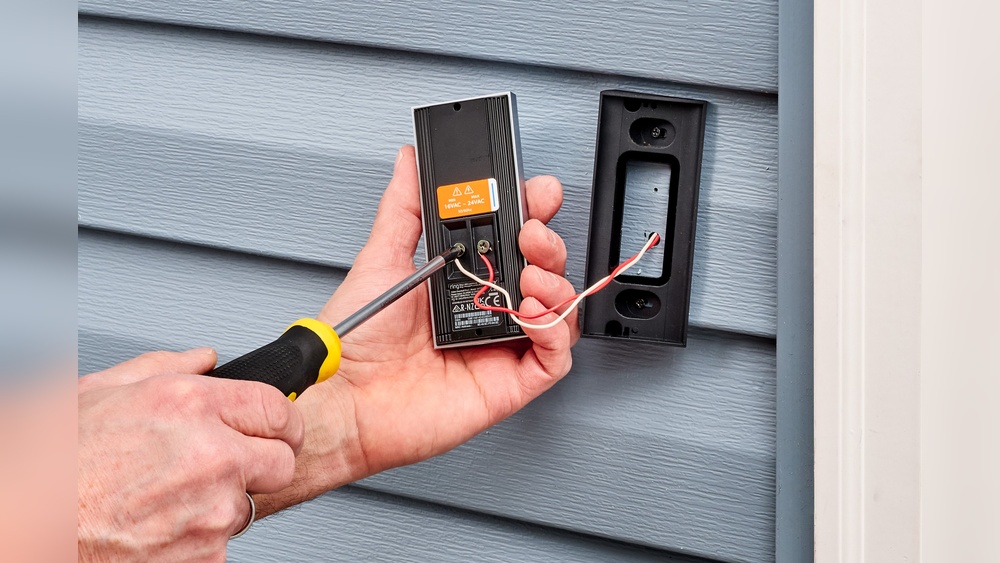
Attach the two wires to the screws on the back of the Ring Video Doorbell. It does not matter which wire goes to which screw. Tighten the screws firmly to hold wires in place. Ensure no loose strands touch other parts to avoid short circuits.
Testing The Connection
Turn the power back on at the circuit breaker. Press the Ring doorbell button to check if the indoor chime rings. Also, check the Ring app to see if the device has power. If both work, the connection is successful and ready to use.
Finalizing Setup In The App
Finalizing the setup in the Ring app is the last step to get your video doorbell ready. This step makes sure your device works well with your phone. It also lets you control how the doorbell behaves. The app guides you through each part, making setup simple and clear.
Completing Device Setup
Open the Ring app on your phone. Follow the on-screen instructions to finish connecting your doorbell. The app checks your Wi-Fi connection and updates the doorbell if needed. Wait for the confirmation message that the setup is complete.
Adjusting Settings
Choose your preferences in the app. Set motion sensitivity to avoid false alerts. Pick notification types you want to receive. Adjust the privacy zones to block areas you do not want the camera to watch. These settings help you get the most from your doorbell.
Testing Video And Audio
Test the live video feed to check the camera view. Speak through the app to test the two-way audio. Make sure the sound is clear both ways. Adjust the volume if needed. Testing ensures you can see and talk to visitors smoothly.
Troubleshooting Common Issues
Installing a Ring Video Doorbell is mostly easy. Still, some common issues can appear. Troubleshooting helps fix these problems fast. It keeps your doorbell working well.
This section covers typical problems. It shows simple ways to solve them. Follow the tips to enjoy smooth use of your device.
Wi-fi Connectivity Problems
Wi-Fi issues often cause the doorbell to stop working. Check your router’s distance from the doorbell. Walls and metal objects can block the signal. Move the router closer or use a Wi-Fi extender.
Restart your router to refresh the connection. Make sure your Wi-Fi password is correct in the app. The doorbell needs a strong and steady Wi-Fi signal.
Power Issues
The doorbell needs power to run well. Check the battery level in the app. Charge or replace the battery if it is low. If hardwired, check the circuit breaker and wiring.
Loose wires can stop power flow. Tighten screws and connections. Avoid overcharging the battery to keep it healthy.
Video Quality Concerns
Blurry or lagging video can frustrate users. Clean the camera lens with a soft cloth. Dirt or water drops can blur the picture.
Strong Wi-Fi helps video stream smoothly. Lower video quality settings if your internet is slow. Check for app updates to improve performance.
Frequently Asked Questions
How Do I Prepare My Door For Ring Video Doorbell Installation?
First, check your door’s compatibility with the Ring Video Doorbell. Ensure a stable Wi-Fi signal and turn off power to the existing doorbell. Gather necessary tools like a drill, screwdriver, and level for smooth installation.
What Tools Are Needed To Install The Ring Video Doorbell?
You need a drill, screwdriver, level, and mounting bracket included with the doorbell. A pencil helps mark drilling spots. Having a ladder and safety gloves is helpful for higher door installations.
How Do I Connect Ring Doorbell To Wi-fi During Setup?
After mounting, power on the Ring Doorbell. Open the Ring app, follow prompts to connect your device. Select your Wi-Fi network and enter the password to link the doorbell to your network.
Can I Install Ring Video Doorbell Without Existing Doorbell Wiring?
Yes, Ring Video Doorbell works with or without doorbell wiring. Use the rechargeable battery option if no wiring exists. The app guides you through battery installation and setup for wireless use.
Conclusion
Installing the Ring Video Doorbell is simple and quick. Follow the steps carefully for the best results. Make sure your Wi-Fi is strong and your tools are ready. Test the device after installation to confirm it works well. Enjoy the added security and peace of mind at your door.
Stay safe and keep your home connected with ease.