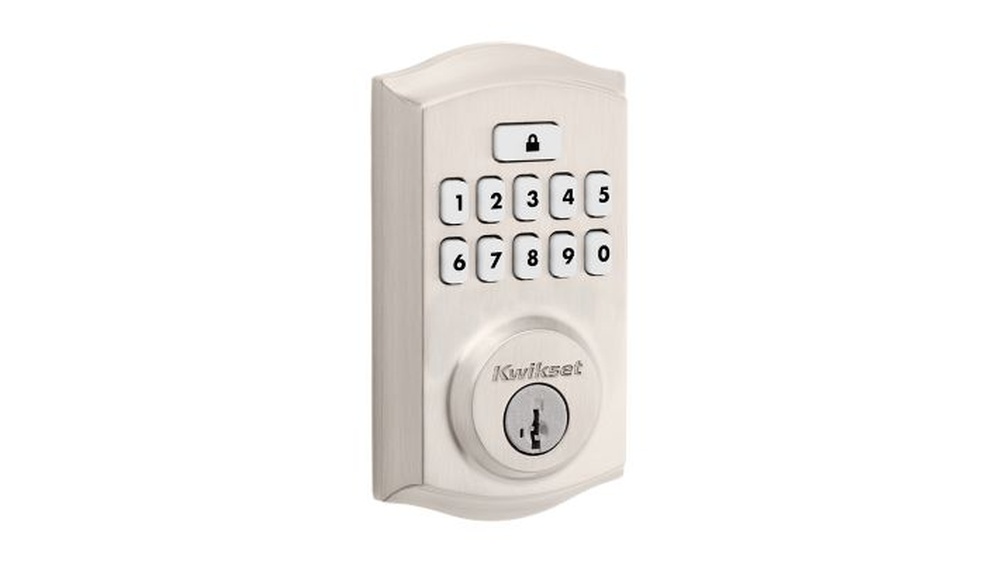

Imagine never fumbling for your keys again or worrying about lost copies. Your smart code door lock can make that a reality.
But how do you set it up so it works perfectly for you? In this guide, you’ll discover simple, step-by-step instructions to program your smart lock quickly and easily. By the end, you’ll have full control over your home’s security right at your fingertips.
Ready to unlock the secret to hassle-free access? Keep reading and take charge of your door’s safety today.
Choosing The Right Smart Lock
Choosing the right smart lock is important for home security and convenience. A good smart lock fits your needs and works well with your door. This section explains different types of smart locks, key features to look for, and how to check door compatibility.
Types Of Smart Locks
Smart locks come in several types. Keypad locks use a code to open the door. Bluetooth locks connect to your phone nearby. Wi-Fi locks allow remote access from anywhere. Fingerprint locks use your fingerprint to unlock. Choose a type that fits your lifestyle and security needs.
Key Features To Consider
Look for features like easy installation and strong security. Check if the lock has an alarm for tampering. Battery life matters; longer battery means less hassle. Some locks offer auto-locking for extra safety. User management lets you add or remove access for others.
Compatibility With Doors
Not all smart locks fit every door. Measure your door thickness before buying. Check if the lock works with your door’s material. Some locks need a deadbolt, others replace the whole lock. Confirm the lock fits your door’s shape and size for smooth installation.
Credit: www.wideworldofindoorsports.com
Preparing For Installation
Preparing for installation is the first step to program your smart code door lock. This stage ensures a smooth setup and proper functioning of the lock. Careful preparation saves time and prevents errors during installation.
Start by collecting all needed tools and parts. Next, verify the door fits the lock’s requirements. Finally, make sure the lock has power by charging or installing batteries.
Gathering Necessary Tools
Collect all tools before starting. Common tools include a screwdriver, drill, measuring tape, and pencil. Keep screws and mounting plates ready. Having everything nearby helps avoid pauses during installation.
Checking Door Specifications
Measure the door thickness and backset distance. The lock must fit perfectly. Check if the door material supports the lock. Wooden or metal doors usually work well. Confirm the door swings correctly for the lock to operate.
Charging Or Installing Batteries
Smart locks need power to work. Charge the batteries fully before installation. If the lock uses removable batteries, insert fresh ones. Test battery life to avoid interruptions. A powered lock ensures programming goes smoothly.
Installing The Smart Lock
Installing a smart code door lock is the next step after choosing the right model. This process replaces your old lock with a new, more secure one. It does not require special tools or skills. Follow the steps below to install your smart lock properly. This will ensure it works well and lasts long.
Removing The Old Lock
Start by opening your door fully. Use a screwdriver to remove screws from the old lock. Take out the lock parts carefully. Keep screws safe in case you need them later. Remove the latch from the door edge. Check the door for any damage or dirt. Clean the area to prepare for the new lock.
Mounting The New Lock
Take the smart lock parts out of the box. Match the lock parts to the holes on your door. Insert the latch into the door edge. Attach the exterior keypad or panel first. Make sure wires, if any, go through the hole correctly. Place the interior mounting plate on the inside. Align all parts so they fit well. Tighten screws but do not overtighten.
Securing The Lock Mechanism
Attach the lock mechanism to the mounting plate. Connect any cables to the lock’s interior unit. Insert batteries as instructed by the manual. Test the lock by turning the knob or keypad. Ensure the latch moves smoothly. Fix any loose parts with screws. Close the door and check the lock works properly.

Credit: www.youtube.com
Setting Up The Programming Interface
Setting up the programming interface is the first step to control your smart code door lock. This process lets you manage the lock easily from your phone or computer. It connects your device to the lock for smooth operation. Follow simple steps to get started quickly.
Downloading The Lock’s App
Find the app designed for your smart lock in the app store. Search by the lock’s brand name to avoid confusion. Download and install the app on your smartphone or tablet. This app is the main tool to program and control the lock.
Creating An Account
Open the app and sign up for a new account. Use a valid email address and create a strong password. This account keeps your lock settings safe and personal. It also allows you to access the lock from different devices.
Connecting To The Lock Via Bluetooth Or Wi-fi
Turn on your lock and enable Bluetooth or Wi-Fi on your device. Follow the app instructions to find and connect to the lock. Bluetooth is best for close range, while Wi-Fi works from anywhere. Ensure the connection is stable before starting programming.
Programming User Codes
Programming user codes is key to using a smart code door lock effectively. It controls who can enter your home or office. You can set different codes for different people. This section shows how to add, create, and manage these codes easily.
Adding Master Codes
The master code is the main code for your lock. It allows full access and control. Start by entering the programming mode on your lock. Press the designated buttons as per your lock’s manual. Then, enter your new master code. Confirm the code by re-entering it. This code must be strong but easy for you to remember. Keep it private to prevent unauthorized access.
Creating Temporary Or Guest Codes
Temporary codes give short-term access to guests or workers. They expire after a set time or number of uses. Enter programming mode and select the guest code option. Choose a code that is simple and unique. Set the expiration period or usage limit. This keeps your property safe from long-term access. Delete these codes once they are no longer needed.
Managing And Deleting Codes
Managing codes keeps your lock secure. Regularly check all active codes. Delete any code that is no longer needed or is compromised. Use the lock’s menu to find the code list. Select the code to remove and confirm deletion. This helps keep control over who can enter. Always update codes after major security changes.

Credit: www.youtube.com
Configuring Advanced Features
Configuring advanced features on your smart code door lock helps improve security and ease of use. These settings let you customize the lock to fit your daily routine. You can set the lock to secure itself automatically or send alerts to your phone. Integration with other smart devices also makes your home smarter and safer.
Enabling Auto-lock And Unlock
Auto-lock keeps your door locked without needing manual input. Set the timer to lock the door after a few seconds or minutes. This reduces the risk of leaving the door open by mistake. Auto-unlock lets the door open when you approach with your phone or a key fob. This feature saves time and makes entering easier, especially when your hands are full.
Setting Up Notifications
Notifications alert you about important lock activities. You can receive messages when someone enters or tries to unlock the door. These alerts help you monitor who comes in and when. Set notifications for low battery warnings to avoid lockouts. Custom alerts keep you informed and enhance your home’s security.
Integrating With Smart Home Systems
Connecting your lock with smart home systems adds convenience. Sync the lock with devices like voice assistants or security cameras. This allows you to control the lock using voice commands or check the door status remotely. Integration creates a seamless home security network. It makes managing your home easier from one app or device.
Troubleshooting Common Issues
Troubleshooting common issues with your smart code door lock helps keep it working smoothly. Small problems can stop the lock from working right. Knowing how to fix these issues saves time and stress. Follow these simple steps to solve common problems quickly.
Resetting The Lock
Resetting the lock can fix many problems. Start by finding the reset button. Press and hold it for about 10 seconds. The lock will beep or flash to show it is resetting. After reset, reprogram your access codes. This clears old settings and fixes errors.
Resolving Connectivity Problems
Smart locks rely on Wi-Fi or Bluetooth. Check if your phone or device connects to the lock. Move closer to the lock to improve signal strength. Restart your router to refresh the connection. Remove and add the lock again in the app. Make sure the lock’s firmware is up to date.
Battery Replacement Tips
Low battery causes many lock issues. Use the right type of batteries as per the manual. Replace all batteries at the same time. Check battery contacts for dirt or corrosion. Clean contacts with a dry cloth if needed. Always keep spare batteries handy to avoid lockouts.
Frequently Asked Questions
How Do I Program A Smart Code Door Lock?
To program a smart code door lock, start by entering the master code. Follow the manufacturer’s instructions to add or delete user codes. Save the settings, then test the lock to ensure proper functionality.
Can I Change The Master Code On My Smart Lock?
Yes, you can change the master code through the lock’s programming menu. Use the current master code to access settings, then create a new secure master code. Always remember to save changes before exiting.
What If I Forget My Smart Lock Code?
If you forget your code, reset the lock using the master code or reset button. Consult your lock’s manual for exact steps. Some models allow remote reset via an app for added convenience.
How Many User Codes Can I Store In A Smart Lock?
Most smart locks allow storing between 10 to 100 user codes. Check your specific model’s capacity. This feature lets multiple users have personalized access without sharing a single code.
Conclusion
Programming a smart code door lock is simple with clear steps. Follow the instructions carefully for correct setup. Test the lock to ensure your codes work well. Change codes regularly to keep your home safe. Enjoy the convenience and security of your smart lock.
Stay confident knowing you control who enters your space. Keep your lock’s manual handy for future reference. Small effort, big peace of mind.