
Are you struggling to keep your home data safe and organized? Whether it’s precious family photos, important documents, or your favorite movies and music, losing them can be heartbreaking.
That’s where RAID storage solutions come in. They offer a smart and reliable way to protect your data and keep everything accessible when you need it. You’ll discover how RAID can transform your home storage, making it faster, safer, and more efficient.
Ready to find the perfect RAID setup for your home? Let’s dive in and explore your best options.
Raid Basics
RAID, or Redundant Array of Independent Disks, is a method to store data across multiple hard drives. It improves speed, security, or both by combining several drives into one system. RAID is popular for home storage because it helps protect your files and can boost performance. Understanding the basics of RAID makes it easier to pick the right setup for your needs.
Types Of Raid
There are several RAID types, each with a unique way of storing data. RAID 0 splits data evenly across two or more drives, increasing speed but offering no protection. RAID 1 copies the same data on two drives, providing a backup if one fails. RAID 5 spreads data and parity information over three or more drives, balancing speed and protection. RAID 10 combines RAID 1 and RAID 0 for both speed and redundancy but requires more drives.
How Raid Works
RAID works by distributing data across multiple hard drives. Depending on the RAID type, it either copies data or divides it into pieces. Some RAID levels add parity data, which helps rebuild lost information if a drive fails. A RAID controller or software manages this process, ensuring data stays organized and accessible. This setup can improve read and write speeds or protect against data loss.
Advantages And Risks
RAID offers faster data access and better protection against drive failure. It can keep your files safe and reduce downtime. RAID 1 and RAID 5 are popular for home users because of their balance between speed and safety. Risks include complex setup and no protection from all types of failure. RAID does not replace regular backups. Drive failure during rebuilding can cause data loss. Choose RAID carefully and keep backups for best results.
Choosing Raid For Home
Choosing the right RAID storage for home use can protect your data and improve performance. RAID systems combine multiple hard drives to work as one unit. This setup can increase speed, add backup safety, or both. Understanding the options helps you pick the best RAID setup for your home needs.
Best Raid Levels For Home Use
RAID 0 splits data across drives for faster access but offers no backup. It suits users who want speed and can risk data loss. RAID 1 copies data on two drives, creating a mirror. It provides safety by backing up data in real time. RAID 5 uses three or more drives and balances speed with backup. It can handle one drive failure without data loss. For home users, RAID 1 and RAID 5 are popular choices because they protect important files.
Comparing Raid And Nas
RAID is a method to combine drives inside a computer or device. NAS is a storage device connected to your network. NAS often includes RAID to secure data. NAS lets multiple users share files easily at home. It also offers backup and remote access features. RAID alone focuses on drive performance and safety. NAS adds convenience for families with many devices. Choosing depends on whether you want simple drive protection or shared storage with extra features.
Cost Considerations
RAID setups require multiple hard drives, increasing cost. RAID 1 needs at least two drives, doubling storage expenses. RAID 5 requires three or more, costing more upfront. NAS devices with RAID built-in may cost more but add features. Consider your budget and data needs carefully. Investing in reliable drives can save money later by avoiding data loss. Balance cost with the level of protection and convenience you want at home.
Hardware Options
Choosing the right hardware is key for RAID storage at home. Hardware defines speed, reliability, and capacity of your storage. Different devices fit different needs and budgets.
Understanding your options helps you pick the best setup. Here are some common hardware choices for home RAID storage.
Raid-enabled Hard Drives
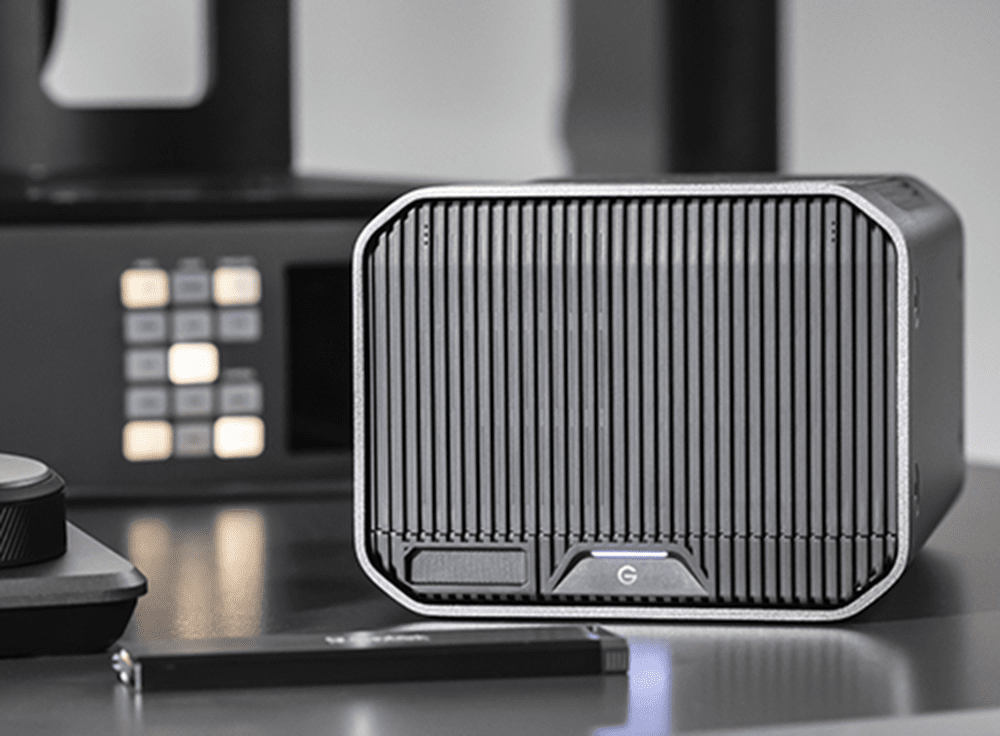
RAID-enabled hard drives come with built-in support for RAID. They simplify the setup process by handling RAID functions internally. These drives often boost performance and improve data safety.
They work well for users who want a simple plug-and-play RAID solution. These drives are available in various sizes and speeds to fit your needs.
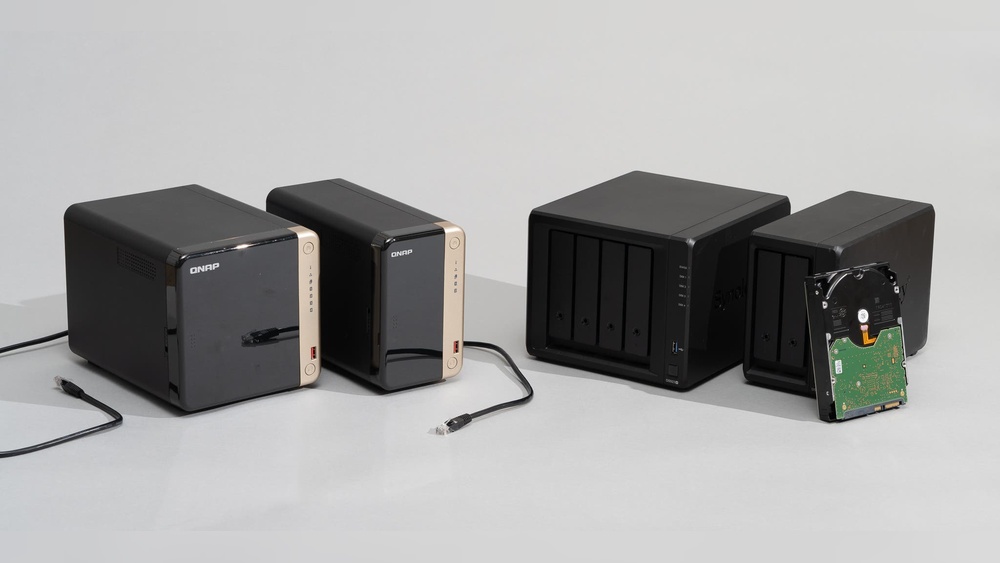
Network Attached Storage Devices
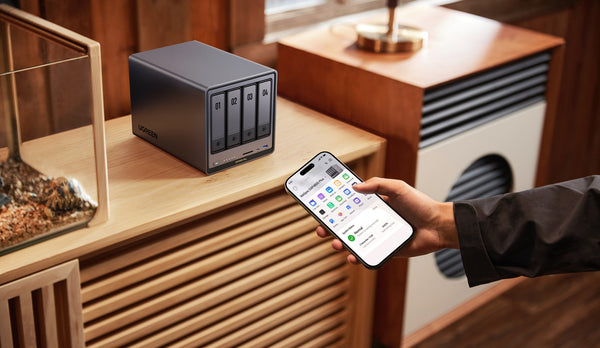
Network Attached Storage (NAS) devices connect to your home network. They allow multiple users to access stored data easily. NAS often comes with RAID support for extra data protection.
These devices offer flexible storage options and remote access. They are ideal for families and small offices needing shared storage.
Popular Raid Storage Brands
Several brands lead the market in RAID storage hardware. Western Digital, Synology, and QNAP are well-known for quality and reliability. These brands offer a range of products from basic to advanced RAID setups.
Choosing a trusted brand ensures better support and product updates. It also helps secure your data with tested technology.
Setup And Configuration
Setting up and configuring RAID storage at home can improve data safety and speed. Clear steps help avoid common mistakes. The process varies based on the RAID level and hardware used. Understanding each part ensures your RAID system works well.
Building A Raid Array
Start by choosing the RAID level that fits your needs. Common types include RAID 0, 1, 5, and 10. Next, install the drives in your computer or RAID enclosure. Make sure all drives are the same size and speed for best results.
Access the RAID setup utility, usually found in the BIOS or RAID controller software. Follow the prompts to create a new array. Select the drives and the RAID level. Confirm the settings and start the build process. This may take some time depending on the array size.
Software Vs Hardware Raid
Software RAID runs through your operating system. It is easier to set up and often free. However, it can use more CPU power, which may slow your system.
Hardware RAID uses a dedicated controller card. It works independently from the CPU. This option is faster and more reliable but costs more. Choose based on your budget and performance needs.
Troubleshooting Common Issues
RAID arrays can face problems like drive failure or degraded performance. First, check the RAID management software for error messages. Replace any failed drives immediately to prevent data loss.
Sometimes the array may not boot. Check all cable connections and BIOS settings. Update the RAID controller firmware if needed. Regular backups remain important, even with RAID protection.
Data Security
Data security is a key concern for any home RAID storage system. Protecting your files from loss or damage requires careful planning. RAID offers redundancy to reduce risk but it is not foolproof. Understanding backup methods, drive health, and failure handling can keep your data safe.
Backup Strategies
Always keep copies of your data outside the RAID array. Use external drives or cloud storage for backups. Schedule regular backups to avoid data loss. Having multiple backup versions helps recover from errors. Backups protect against accidental deletion and hardware failure.
Monitoring Drive Health
Check your drives often to spot problems early. Use software tools that monitor disk status and temperature. Look for warning signs like slow speeds or strange noises. Replace drives showing signs of failure quickly. Proactive monitoring reduces the chance of data loss.
Handling Drive Failures
Know how to respond if a drive fails in your RAID. Replace failed drives immediately to restore protection. Follow the RAID system’s rebuild process carefully. Avoid using the system during rebuild to prevent further damage. Having a spare drive ready speeds up recovery.
Credit: www.westerndigital.com
Performance Tips
Improving the performance of RAID storage at home boosts your overall experience. It helps to get faster access to files and safer storage. Small changes can make a big difference in speed and reliability.
Optimizing Speed
Choose RAID levels that focus on speed, like RAID 0 or RAID 10. Use faster hard drives or solid-state drives (SSDs) to reduce wait times. Connect your RAID system with high-speed interfaces such as SATA III or NVMe. Keep your storage firmware and drivers up to date for best results. Avoid filling drives over 80% to keep speed steady.
Balancing Redundancy And Capacity
Pick RAID configurations that protect your data but don’t waste space. RAID 5 and RAID 6 offer good balance between backup and storage size. Use larger drives for more capacity without adding extra disks. Regularly check your drives for errors to avoid sudden failures. Plan your storage needs before setting up RAID to avoid frequent changes.
Streaming And Media Use Cases
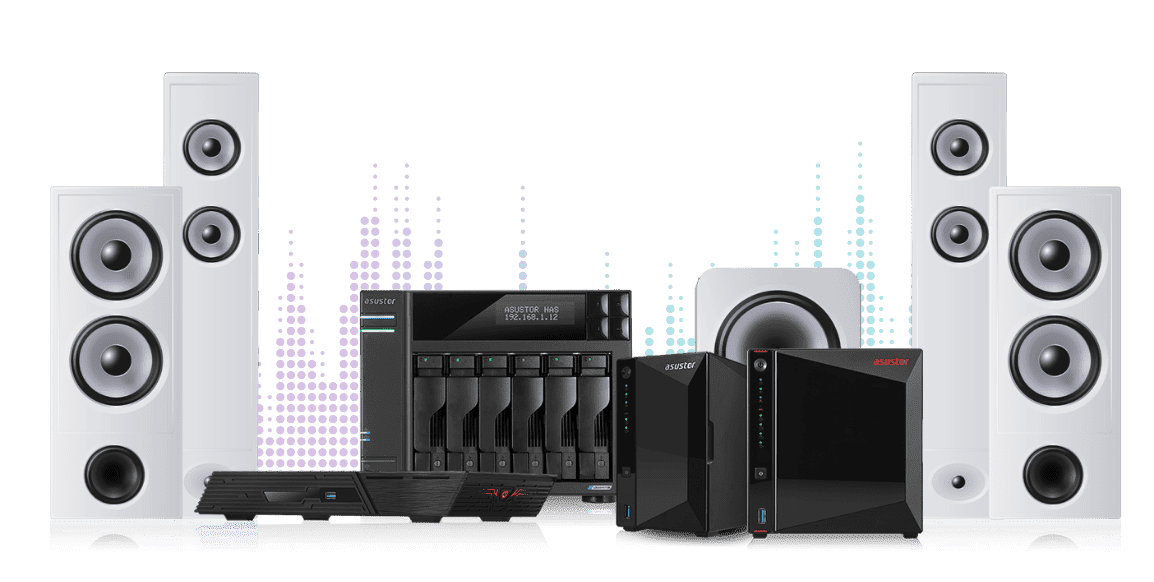
RAID storage shines for streaming videos and music at home. It allows smooth playback without buffering delays. Use RAID 10 or RAID 5 to handle multiple streams with ease. Store media files in organized folders for quick access. Consider a NAS with RAID for easy sharing across devices. This setup supports smart TVs, computers, and mobile devices effortlessly.
Future-proofing Storage
Future-proofing your home RAID storage means planning ahead. Your data needs will grow over time. New devices, more files, and higher resolutions demand more space and speed. RAID systems can adapt to these changes. Choosing the right setup now saves money and effort later. Let’s explore how to keep your storage flexible and ready for the future.
Scalability Options
Scalability lets you add more drives as your needs increase. Some RAID systems support extra hard drives without replacing the entire array. This means more storage without downtime. You can start small and grow your capacity over time. Look for RAID solutions that allow easy expansion. This keeps your system efficient and cost-effective.
Cloud Integration
Combining RAID with cloud storage offers extra security. Cloud backups protect your data from local disasters. You can access files from anywhere with internet. Many RAID systems support automatic syncing with cloud services. This adds a layer of safety and convenience. Cloud integration helps balance speed, space, and backup reliability.
Upgrading Raid Systems
Upgrading your RAID setup keeps it current and powerful. Newer RAID controllers improve performance and support larger drives. Firmware updates add features and fix bugs. Some systems allow switching RAID levels for better speed or redundancy. Plan upgrades to match your changing needs. Regular updates extend your storage lifespan and reliability.
Credit: nas.ugreen.com
Credit: www.asustor.com
Frequently Asked Questions
What Is The Best Raid Option For Home Use?
RAID 1 offers the best home use option, providing data mirroring for protection and easy recovery. It balances safety and simplicity.
Why Should Raid 5 No Longer Be Used?
RAID 5 is outdated due to slow rebuilds and high risk of data loss during drive failure. It lacks reliability for large drives.
Is A Nas Worth It For Home Use?
A NAS offers secure, centralized storage and easy backups for home users. It saves money on cloud fees and supports multiple devices efficiently.
What Are The Disadvantages Of Raid Storage?
RAID storage can be costly and complex to set up. It offers no warning before drive failure. Rebuilding large arrays takes time and risks data loss. Some RAID levels reduce usable storage capacity. It may not protect against all data loss scenarios.
Conclusion
Choosing the right RAID storage helps keep your data safe and organized. RAID offers speed, backup, and easy access for home use. Consider your needs carefully to pick the best RAID level. Regularly check and maintain your drives to avoid data loss.
With the right setup, your home storage becomes reliable and efficient. RAID solutions make managing digital files simpler and safer. Start small and grow your storage as your needs increase. Your data deserves protection that fits your daily life.