
Imagine controlling your entire home with just your voice—no more fumbling for switches or remotes. If you use X10 devices, this isn’t a futuristic dream; it’s something you can set up today.
Voice control for X10 devices makes managing lights, appliances, and other gadgets effortless and intuitive. You’ll discover how to unlock the full potential of your existing home automation system, save time, and add convenience to your daily routine. Ready to transform your living space with simple voice commands?
Keep reading to learn exactly how you can make it happen.
X10 Technology Basics
X10 technology is a simple way to control home devices remotely. It sends commands over your home’s existing electrical wires. This method avoids extra wiring or complex setups.
Many homeowners use X10 for lighting, appliances, and small electronics. It offers basic automation and remote control options. Understanding its basics helps you decide if it fits your needs.
How X10 Works
X10 sends signals through power lines by using short bursts of radio frequency. These signals travel alongside normal electricity without interference. Each device has a unique code for identification.
A controller sends commands using a house code and unit code. The receiving device acts only if the codes match. This system allows multiple devices to work independently on the same line.
Advantages And Limitations
X10 needs no new wiring, saving time and money. It is affordable and widely available for many home projects. The system is easy to expand with more devices.
Signal speed can be slow, causing delays in response. Electrical noise from appliances may disrupt communication. Some devices only send commands without confirming receipt.
Distance and surge protectors may weaken signals. This can limit the range and reliability in larger homes. Despite these limits, X10 remains popular for simple automation.
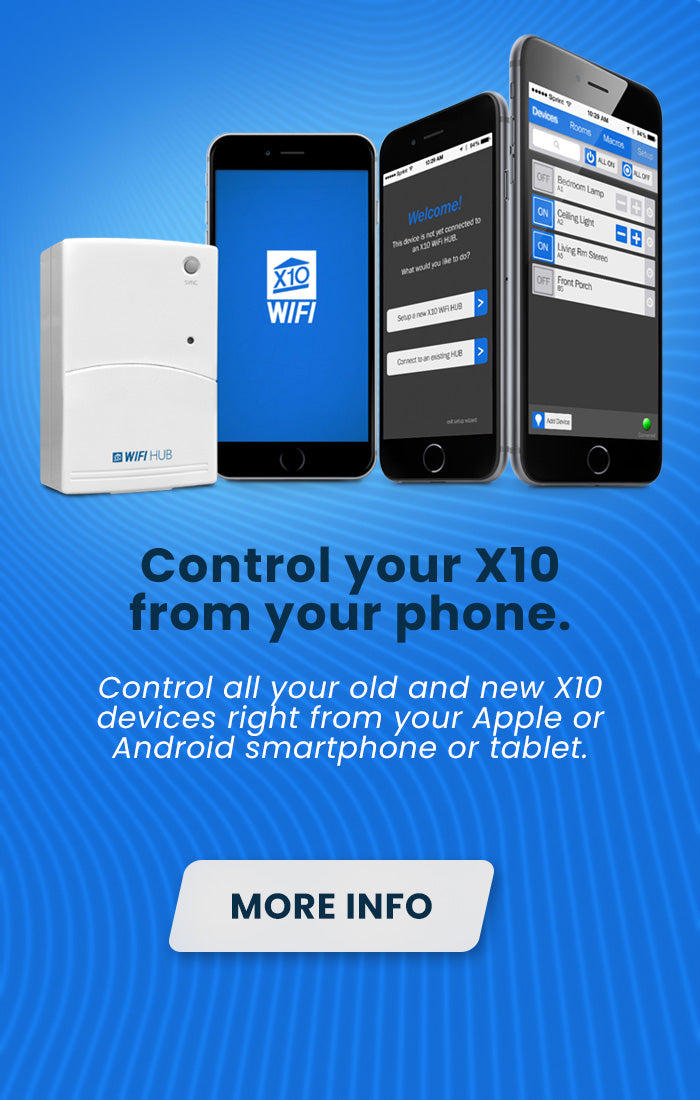
Credit: www.x10.com
Setting Up X10 Devices
Setting up X10 devices is the first step to enjoy voice control in your smart home. This process involves gathering the right hardware and installing devices properly. Clear setup helps prevent common issues and ensures smooth operation.
Required Hardware
To start, you need an X10 controller. This device sends commands through your home’s electrical wiring. Common options include the CM11A or the newer CM15A controller.
Next, X10 modules are necessary. These plug into power outlets and control lights or appliances. Modules come in many types, such as lamp modules, appliance modules, and wall switches.
A computer or smart hub may be needed for voice control. It connects the X10 controller to Alexa, Google Assistant, or other voice systems. A compatible interface like the USB or Firecracker interface is also important.
Installation Tips
Plug the X10 modules into outlets near the device you want to control. Avoid surge protectors or power strips, as they can block signals. Place the controller where it can connect easily to your PC or hub.
Assign unique house and unit codes to each module. This prevents conflicts and allows precise control. Use the manual provided with your devices for code settings.
Test each device after installation. Send simple ON/OFF commands to confirm responsiveness. Troubleshoot by moving modules or checking connections if commands fail.
Integrating Voice Assistants
Integrating voice assistants with X10 devices makes home automation simpler and more accessible. Voice control lets users operate lights, appliances, and other devices using spoken commands. This hands-free approach saves time and adds convenience to daily routines.
Compatibility with popular voice assistants like Alexa and Google Assistant expands the functionality of X10 systems. These integrations connect your smart home devices to your voice assistant, enabling seamless control through simple phrases.
Alexa And X10 Compatibility
Alexa supports many X10 devices through third-party skills. Enable the appropriate skill in the Alexa app to link your X10 controller. Once connected, Alexa can turn devices on or off, dim lights, and run preset scenes.
Using Alexa also allows scheduling and remote control with voice commands. This integration works well for users who already use Amazon Echo or other Alexa-enabled devices.
Google Assistant Integration
Google Assistant works with X10 devices using compatible hubs or smart home platforms. Connect your X10 system through Google Home to control devices by voice. Commands include switching devices, adjusting settings, and activating routines.
Google Assistant integration offers flexibility for users of Android devices and Google Nest products. It enables voice control in multiple languages and supports multiple users in one home.
Voice Control Configuration
Configuring voice control for X10 devices brings convenience to your smart home. It allows simple commands to control lights, appliances, and other gadgets. Setting up voice control requires connecting your X10 system to popular voice platforms or using third-party bridges. This section explains how to get started with these options for seamless control.
Connecting X10 With Voice Platforms
To control X10 devices by voice, link them with platforms like Amazon Alexa or Google Assistant. Start by ensuring your X10 controller supports network communication. Then, use the platform’s app to discover and add your X10 devices. Follow the prompts to grant necessary permissions. Once connected, voice commands can turn devices on or off, adjust settings, or activate scenes.
Remember to name your devices clearly for easy recognition. Testing commands helps confirm proper setup. Regular updates to your apps and devices improve performance and security.
Using Third-party Bridges
Some X10 systems need a third-party bridge to connect with voice assistants. These bridges act as translators between your X10 hardware and the voice platform. Popular bridges include Home Assistant and OpenHAB. Install the bridge software on a computer or smart hub in your home.
Configure the bridge to recognize your X10 devices by entering their codes or scanning the network. Then link the bridge to your voice assistant app. This setup expands compatibility and offers more control options. Keep the bridge software updated for best results.
Common Challenges
Voice control for X10 devices adds convenience but faces some common challenges. These challenges can affect how smoothly your smart home operates. Understanding them helps you manage your system better.
Signal Interference Issues
X10 devices send signals over electrical wiring. Other electronics on the same wiring can cause interference. This interference may block or weaken commands. Large appliances, fluorescent lights, and surge protectors often disrupt signals. Distance between devices also reduces signal strength. Interference makes voice commands less reliable. It can cause delays or missed responses from devices. Proper placement of modules and reducing noisy electronics nearby can help.
Troubleshooting Commands
Sometimes voice commands do not work as expected. Misheard words or unclear pronunciation can cause errors. The voice assistant may not recognize the device name correctly. X10 devices often lack feedback, so you cannot confirm command success. Restarting your voice assistant and X10 controller can fix many issues. Checking device names and repeating commands clearly improves response. Regular updates of your voice assistant software help maintain compatibility. Patience and simple commands reduce troubleshooting time.
Enhancing Smart Home Convenience
Voice control for X10 devices makes managing your smart home easier and faster. You can operate lights, appliances, and other gadgets just by speaking. This hands-free control adds comfort and saves time every day.
Using voice commands with X10 technology helps you control many devices at once. It turns complex tasks into simple actions. Your home becomes more responsive and adaptive to your needs.
Creating Macros And Scenes
Macros combine multiple commands into one voice instruction. For example, say “Good night” to turn off lights and lock doors. Scenes set a mood by adjusting several devices together. You can create a “Movie time” scene to dim lights and turn on the TV. These features make your home feel smart and personal.
Scheduling And Automation
Set schedules to control devices automatically at certain times. Voice control lets you change these schedules anytime without using an app. You can automate lights to turn on at sunset or coffee makers to start in the morning. Automation reduces manual work and helps save energy.
Future Of X10 And Voice Control
The future of X10 and voice control holds exciting potential for smart homes. Voice commands offer a hands-free way to manage X10 devices easily. This convenience drives ongoing improvements and new innovations. As technology advances, expect better integration and smoother operation of X10 systems with voice assistants.
Smart home users will benefit from more responsive and reliable voice control. Developers focus on enhancing communication between devices and voice platforms. This progress promises a more user-friendly experience with fewer errors and delays.
Emerging Technologies
New technologies aim to boost the capabilities of X10 voice control. Artificial intelligence helps devices understand commands better. Machine learning allows systems to adapt to user habits over time. Improved sensors and connectivity options support seamless device interaction.
Voice assistants like Alexa and Google Assistant continue adding support for X10 devices. Enhanced protocols make communication faster and more secure. Integration with other smart home standards creates a unified control system. These innovations push X10 beyond its original design limits.
Improving Reliability
Reliability remains a key focus for future X10 voice control. Interference and signal loss challenge traditional X10 setups. New methods reduce noise and strengthen signals across home wiring.
Two-way communication helps confirm command delivery and device status. Firmware updates improve device performance and fix bugs remotely. Backup systems ensure continuous control during power fluctuations.
Voice recognition technology also becomes more accurate. This reduces misunderstandings and repeated commands. Together, these improvements make X10 voice control a dependable smart home solution.

Credit: www.atotodirect.com
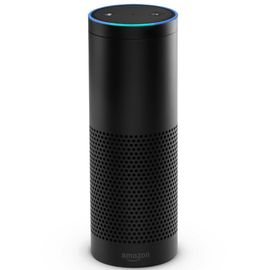
Credit: www.instructables.com
Frequently Asked Questions
Does X10 Still Work?
Yes, X10 still works by sending signals through electrical wiring for home automation. It remains functional but faces interference and limited two-way communication. Many users continue using it for basic remote control despite newer technologies offering improved reliability and features.
Is X10 Still In Business?
X10, a home automation pioneer, is no longer actively operating as a standalone business. Its technology persists through other brands and communities.
What Is An X10 Controller?
An X10 controller is a device that sends signals over electrical wiring to remotely control home automation devices. It uses specific codes to operate lights, appliances, and switches without extra wiring. This system is affordable and easy to install but can face signal interference and delay issues.
What Is The X10 Communication Protocol?
The X10 communication protocol uses existing electrical wiring to send control signals between home automation devices. It enables remote device management without extra wiring. X10 sends signals via specific house and unit codes, but may face interference and slow response.
It is affordable and widely used in smart homes.
Conclusion
Voice control makes managing X10 devices easy and convenient. You can turn lights and appliances on or off with simple commands. This hands-free option saves time and adds comfort to daily life. While some limits exist, many users find voice control practical and helpful.
Experiment with your setup to see what works best for you. Enjoy a smarter home without complex wiring or extra devices. Voice control for X10 brings old technology into today’s connected world.