
Are you planning to redesign your bathroom but don’t know where to start? Choosing the right bathroom design software can make all the difference.
With CAD bathroom design software, you can bring your ideas to life, visualize layouts, and experiment with styles—all from your computer. Whether you’re a DIY enthusiast or a professional, these tools help you create the perfect bathroom that fits your space and needs.
Keep reading to discover the best CAD software options that simplify bathroom design and turn your vision into reality.
Top Bathroom Design Software
Choosing the right bathroom design software can simplify your renovation or new build project. The top bathroom design programs offer varied features for different skill levels. From easy-to-use tools for beginners to powerful software for professionals, you can find an option that fits your needs. Some programs focus on detailed layouts, while others emphasize realistic visualizations.
Best Tools For Beginners
RoomSketcher is a popular choice for beginners. It has a simple interface and allows easy floor plan creation. Users can add fixtures and finishes from a large product library. SmartDraw offers drag-and-drop features and pre-made templates. It helps quickly create bathroom layouts without complex commands. Both tools support online use, which means no installation is needed.
Professional Software Options
AutoCAD is a trusted name among professionals for precise design work. Foyr Neo combines advanced features with ease of use. It supports 3D modeling and realistic renders to show detailed bathroom designs. SketchUp provides flexible 3D modeling tools popular with architects and designers. Cedreo focuses on fast home and bathroom designs with clear visual presentations.
Notable Specialized Programs
Innoplus stands out by integrating exact product details from brands. This helps create highly accurate virtual bathrooms. Design Flex links designs to manufacturer catalogs, ensuring real-world product use. Some software comes from tile or bathroom product manufacturers, offering specialized planning tools. These programs cater to users needing detailed, product-specific layouts and visuals.
Key Features To Consider
Choosing the right CAD bathroom design software depends on key features. These features affect how smoothly you create your designs. Focus on what makes the software practical and efficient. Here are important aspects to review before selecting a tool.
User Interface And Ease Of Use
A clear and simple user interface saves time. Easy navigation helps beginners and experts work faster. Look for drag-and-drop options and clear icons. The software should let you create layouts without confusion. Quick access to tools improves the design process.
Product Catalog Integration
Access to a large product catalog is vital. It lets you include real items in your designs. Choose software with manufacturer catalogs for tiles, fixtures, and furniture. This ensures your plan matches actual products. It also helps to compare styles and prices directly.
Customization And Flexibility
Custom options let you adjust designs to your needs. Change colors, materials, and layouts easily. Flexible software adapts to different bathroom sizes and styles. It should support unique shapes and special features. More control means better final results.
Ai And Automation Tools
AI tools speed up the design process. Automation can generate layouts based on your input. Some software offers smart suggestions for space use. These features reduce manual work and errors. They help create efficient and stylish bathroom plans quickly.
Benefits Of Cad In Bathroom Design
CAD bathroom design software offers many benefits for creating functional and stylish bathrooms. It helps designers and homeowners plan every detail with precision and clarity. The software simplifies complex tasks and improves communication between clients and contractors. Using CAD tools saves time and reduces costly errors during the design process.
Accurate Layout Planning
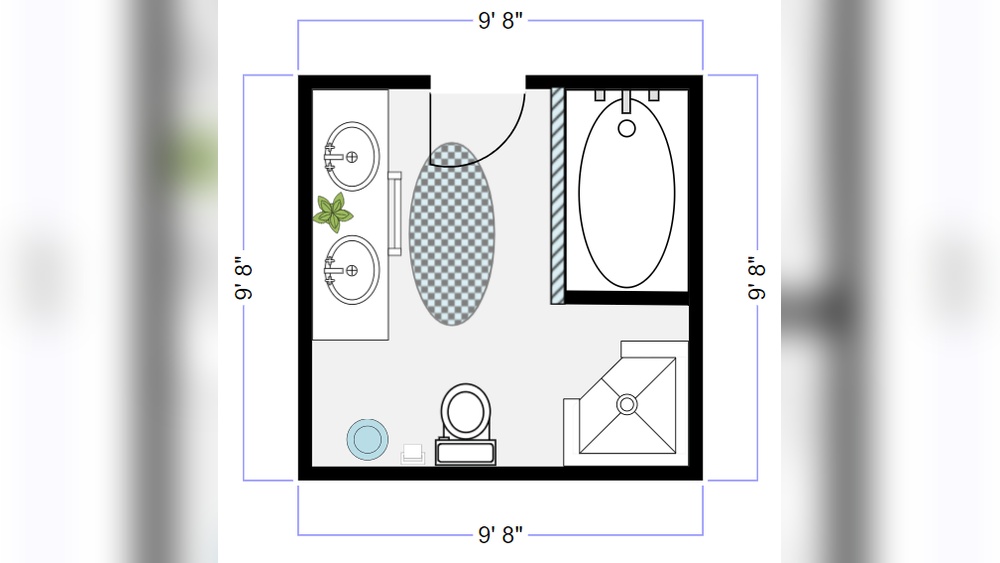
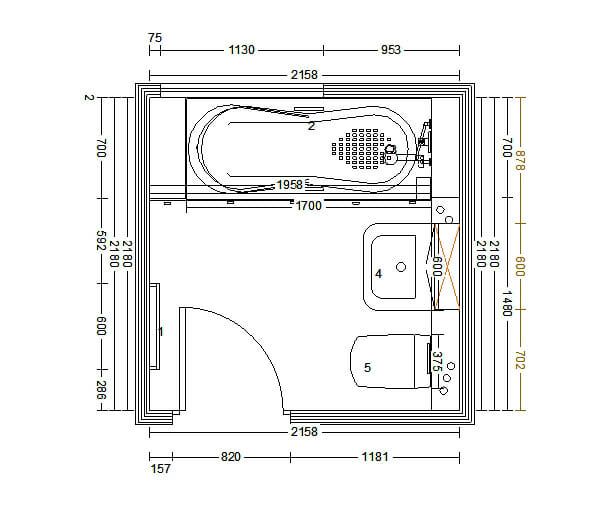
CAD software allows precise measurements and placement of bathroom elements. Walls, fixtures, and plumbing can be arranged exactly to scale. This accuracy prevents space issues and ensures the design fits the room perfectly. It helps visualize how everything will work together in the available space.
3d Visualization
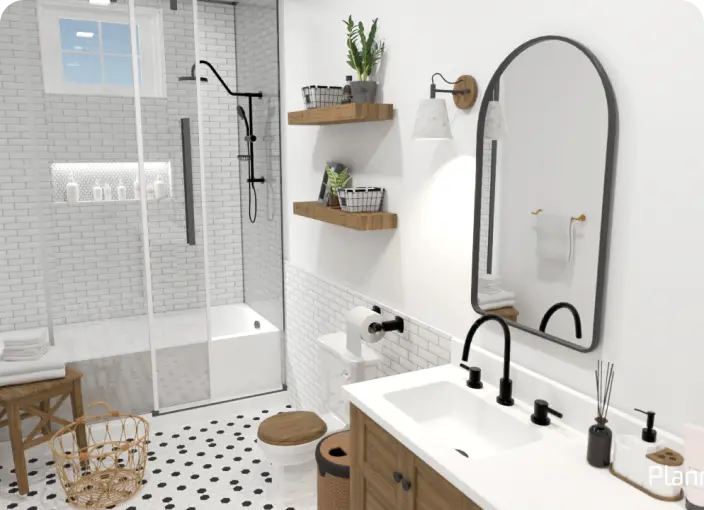
With 3D views, users can see the bathroom from all angles before building. This makes it easier to understand the design and spot potential problems. Realistic renderings show how colors, textures, and lighting will appear. It provides a clear picture of the final look.
Material And Product Selection
CAD tools offer libraries of materials and fixtures to choose from. Users can try different tiles, countertops, and faucets in the design. This feature helps find the best style and match for the bathroom. It also ensures that all selected products fit well together.
Cost And Time Efficiency
Designing with CAD reduces mistakes that cause delays and extra costs. Changes can be made quickly without redrawing plans by hand. It speeds up project approval and communication with contractors. Overall, CAD saves money and shortens the design timeline.
Credit: planner5d.com
Choosing The Right Software
Choosing the right CAD bathroom design software sets the foundation for a smooth project. The best software matches your skills and project needs. It helps visualize your ideas clearly and avoids costly mistakes. Consider key factors carefully before making a choice.
Assessing Project Complexity
Start by understanding your project’s size and detail level. Simple bathroom layouts need basic tools. Complex projects require advanced features like 3D rendering and custom fittings. Match software capabilities with your design goals. This saves time and effort during the design process.
Budget And Licensing
Check the cost of software licenses before deciding. Some programs offer one-time purchase options. Others have monthly or yearly subscriptions. Free versions may have limited features. Pick software that fits your budget without sacrificing essential functions.
Compatibility And Support
Make sure the software works on your computer’s operating system. Windows and Mac support varies between programs. Reliable customer support is important for troubleshooting. Look for active user communities and regular software updates. These improve your design experience.
Trial Versions And Demos
Try free trials or demos before buying. This lets you explore the interface and tools. Check if the software feels easy to use. Test key functions like layout planning and 3D views. Trial runs help avoid surprises after purchase.
Tips For Effective Bathroom Design
Designing a bathroom requires careful planning to create a space that is functional and pleasing. Effective bathroom design balances comfort, style, and practicality. Using CAD bathroom design software can simplify this process by allowing precise planning and visualization. Here are some essential tips to help you design a better bathroom.
Maximizing Small Spaces
Small bathrooms need smart design to feel open and comfortable. Use wall-mounted fixtures to free up floor space. Choose compact sinks and toilets to save room. Mirrors can create an illusion of more space. Plan the layout carefully to avoid cluttered areas. CAD software helps visualize the best arrangement easily.
Lighting And Ventilation
Good lighting makes the bathroom brighter and safer. Combine natural light with artificial lights for balance. Use task lighting near mirrors for grooming tasks. Proper ventilation reduces moisture and prevents mold growth. Install exhaust fans or windows to keep air fresh. CAD tools can help place lights and vents perfectly.
Selecting Fixtures And Finishes
Choose fixtures that match your bathroom style and budget. Materials should be durable and water-resistant. Pick finishes that are easy to clean and maintain. CAD software offers a wide range of options to try before buying. Mixing textures and colors can add depth and interest to your design.
Incorporating Storage Solutions
Storage keeps the bathroom organized and tidy. Use built-in shelves or cabinets to save space. Vertical storage uses wall space without crowding the floor. Choose multi-functional furniture like vanity units with drawers. CAD design software allows testing different storage ideas visually. Plan enough space for towels, toiletries, and cleaning supplies.

Credit: www.roomsketcher.com
Resources And Tutorials
Finding the right resources and tutorials can make using CAD bathroom design software easier. These tools offer step-by-step instructions and helpful tips. Users can learn quickly and improve their design skills. Various formats suit different learning styles and experience levels.
Video Guides
Video guides show how to use CAD bathroom design software clearly. They cover everything from basic tools to advanced features. Watching a video helps users understand processes visually. Many software providers and experts share free tutorials online. These videos save time and reduce confusion.
User Communities And Forums
User communities and forums offer a place to ask questions and share ideas. Members discuss design challenges and solutions. Beginners and professionals exchange tips and advice. These platforms often have dedicated sections for specific software. Joining a community supports continuous learning and problem-solving.
Manufacturer Catalogs
Manufacturer catalogs provide real product information for accurate bathroom designs. They include details like sizes, colors, and materials. Using these catalogs helps create realistic and practical layouts. Many CAD programs integrate catalogs directly into their software. This integration ensures designs match available products.
Professional Training
Professional training offers structured learning for CAD bathroom design software. Courses range from beginner classes to advanced workshops. Training helps users gain confidence and improve skills quickly. Many programs offer certifications that boost career opportunities. Attending training ensures users stay updated on software changes.
Credit: www.alanheathandsons.co.uk
Frequently Asked Questions
What Is The Best Software To Design A Bathroom?
Foyr Neo offers professional features with user-friendly design, ideal for bathroom projects. RoomSketcher suits beginners with easy floor planning. AutoCAD and SketchUp serve advanced users. SmartDraw provides drag-and-drop simplicity. Cedreo and Innoplus excel in detailed, brand-specific layouts. Choose based on skill and project needs.
What Cad Program Do Interior Designers Use?
Interior designers commonly use AutoCAD, SketchUp, Chief Architect, and Foyr Neo for precise and creative CAD designs.
What Is The Program For Bathroom Designer?
A bathroom designer program helps create floor plans, visualize layouts, and select fixtures using CAD or 3D design software like Foyr Neo or RoomSketcher.
What Is The Free Ai Tool For Bathroom Design?
RoomSketcher and SmartDraw offer free, user-friendly AI tools for bathroom design with easy floor planning and visualization features.
Conclusion
Choosing the right CAD bathroom design software makes planning easier and faster. These tools help you visualize your ideas clearly. They offer options for beginners and professionals alike. You can try simple drag-and-drop programs or advanced software with detailed features.
Using CAD software reduces mistakes and saves money during remodeling. It also helps you see how materials and fixtures fit together. Experiment with different layouts until you find the best one. Good bathroom design software turns your vision into reality step by step.
Start designing with confidence and enjoy the process.