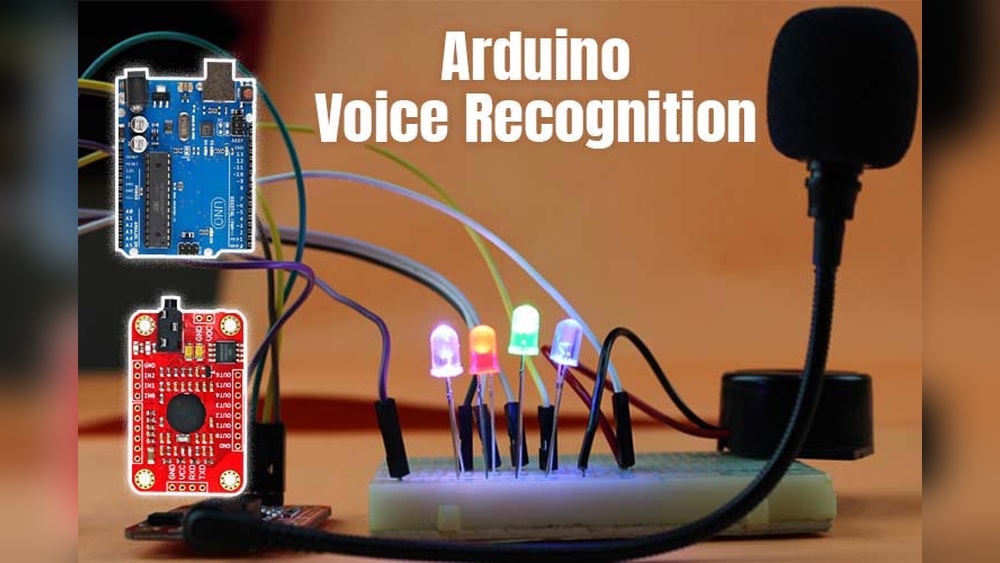

Imagine controlling your devices just by speaking to them—no buttons, no tapping, no hassle. Voice recognition technology lets you do exactly that, turning your words into actions that make your life easier.
Whether it’s adjusting the lights, playing your favorite music, or navigating your phone hands-free, voice commands give you seamless control over your gadgets. Curious how this works and how you can start using it right now? Keep reading to discover how voice recognition can transform the way you interact with your devices and bring convenience straight to your fingertips—or rather, your voice.

Credit: community.home-assistant.io
Voice Recognition Basics
Voice recognition technology lets devices understand and respond to spoken commands. It turns your voice into digital data that devices can process. This tech makes controlling gadgets simple and hands-free. Learning the basics helps you see how voice control works in everyday life.
How Voice Recognition Works
Voice recognition starts by capturing sounds through a microphone. The system then breaks down the speech into small pieces called phonemes. These phonemes represent the basic units of sound in language. The device matches these sounds to known words in its database. It converts the spoken words into text or commands. Finally, the device acts based on the command given.
Key Technologies Behind Voice Control
Several technologies power voice recognition systems. Automatic Speech Recognition (ASR) converts sound into text. Natural Language Processing (NLP) helps the system understand meaning. Machine Learning improves accuracy by learning from many voice samples. Cloud computing stores large databases and processes commands quickly. These technologies work together to deliver smooth voice control experiences.
Popular Voice Assistants
Voice assistants have become a key part of controlling devices using voice recognition. Many people use these assistants daily to manage tasks, play music, or control smart homes. Each assistant offers unique features and works with different devices. Understanding the popular voice assistants helps users choose the right one for their needs.
Amazon Alexa
Amazon Alexa is one of the most popular voice assistants worldwide. It works with many smart home devices, such as lights, thermostats, and security cameras. Alexa can answer questions, set reminders, and play music. It supports thousands of skills, which are like apps for voice commands. Users can activate Alexa by saying “Alexa” and start talking immediately.
Google Assistant
Google Assistant is known for its strong search abilities. It understands natural language well and offers quick answers. Google Assistant controls smart devices, sends texts, and manages calendars. It works on phones, smart speakers, and TVs. Saying “Hey Google” wakes it up for voice commands. It integrates closely with Google services like Maps and Gmail.
Apple Siri
Siri is Apple’s voice assistant available on iPhones, iPads, and Macs. Siri helps with calls, messages, and setting alarms. It can control HomeKit-compatible smart devices. Users activate Siri by saying “Hey Siri” or pressing a button. Siri’s strength lies in its integration with Apple’s ecosystem. It offers a smooth experience for Apple users.
Other Emerging Assistants
Several new voice assistants are entering the market. Samsung’s Bixby focuses on device control within Samsung products. Microsoft’s Cortana helps with productivity tasks and works on Windows devices. Smaller assistants also appear in smart speakers and appliances worldwide. These emerging assistants aim to improve voice control features and reach more users.
Smart Devices With Voice Control
Smart devices with voice control have changed how people interact with technology. They respond to spoken commands, making daily tasks easier and faster. Voice recognition turns speech into actions, allowing hands-free control of many gadgets.
These devices fit well in homes and offices. They improve convenience and accessibility. Everyone can benefit from voice control, even those with limited mobility or busy hands.
Smart Speakers
Smart speakers listen for your voice and follow commands quickly. They play music, answer questions, and control other smart devices. Popular models include Google Nest and Amazon Echo. These speakers act as a central hub for voice control in your home.
Smart Tvs And Streaming Devices
Smart TVs now come with built-in voice recognition. You can change channels, adjust volume, or search for shows using your voice. Streaming devices like Roku and Fire TV also support voice commands. This feature makes watching TV easier and more enjoyable.
Smart Fans And Appliances
Voice control has reached home appliances like fans, lights, and thermostats. You can turn on a fan or adjust room temperature by speaking. This hands-free option adds comfort and saves energy. Brands such as Atomberg offer smart fans with voice features.
Home Security Systems
Home security systems use voice commands to arm or disarm alarms. You can check camera feeds or lock doors without touching devices. Voice control increases safety and convenience in managing your home’s security. Many modern systems include this helpful feature.
Setting Up Voice Control
Setting up voice control is the first step to using voice recognition technology. It helps you control devices by speaking simple commands. This setup process is easy and quick. Proper setup ensures smooth and accurate responses from your devices.
Choosing Compatible Devices
Select devices that support voice control features. Check if your devices work with popular voice assistants like Google Assistant or Amazon Alexa. Smart speakers, smart TVs, and smart lights often support voice commands. Confirm compatibility before buying to avoid issues. Compatibility ensures your devices respond well to voice commands.
Configuring Voice Assistants
Install the voice assistant app on your smartphone or tablet. Follow the on-screen instructions to connect your devices. Set your preferred language and region for better recognition. Allow necessary permissions for microphone and device access. Customize settings for wake words and command responses. Proper configuration improves device responsiveness and ease of use.
Training Your Voice Profile
Train your voice assistant to recognize your voice clearly. Speak the training phrases slowly and clearly during setup. This helps reduce errors and improves recognition accuracy. Regularly update your voice profile if your voice changes. Training your voice profile personalizes the system and makes control more reliable.
Voice Commands For Daily Tasks
Voice commands simplify daily routines by letting users control devices hands-free. This technology boosts convenience and saves time around the home and office. Simple spoken words trigger actions without touching screens or buttons.
Many devices now respond to voice commands for common tasks. Users can adjust lighting, manage entertainment, and handle communications easily. This section explores practical examples of voice commands for daily tasks.
Controlling Lighting And Climate
Voice commands adjust lights to create the perfect mood. Users can turn lights on or off and change brightness levels. Commands like “dim the living room lights” or “turn off the bedroom lamp” work instantly.
Climate control also responds well to voice. Commands such as “set the thermostat to 72 degrees” or “increase the air conditioning” help maintain comfort. No need to find the remote or thermostat device.
Managing Entertainment Systems
Entertainment systems become easier to control with voice commands. Users can play music, change channels, or pause movies using speech alone. Saying “play jazz music” or “pause the movie” starts the action quickly.
Voice commands help switch between devices too. For example, “turn on the TV” or “switch to HDMI 2” works without remote controls. This hands-free method suits any entertainment setup.
Handling Communication And Reminders
Voice recognition simplifies communication by sending messages and making calls. Commands like “call mom” or “send a text to John” start conversations immediately. This keeps users connected without typing.
Setting reminders with voice is fast and efficient. Saying “remind me to buy groceries at 5 PM” or “set a meeting alert for tomorrow” helps users stay organized. No more missed appointments or forgotten tasks.
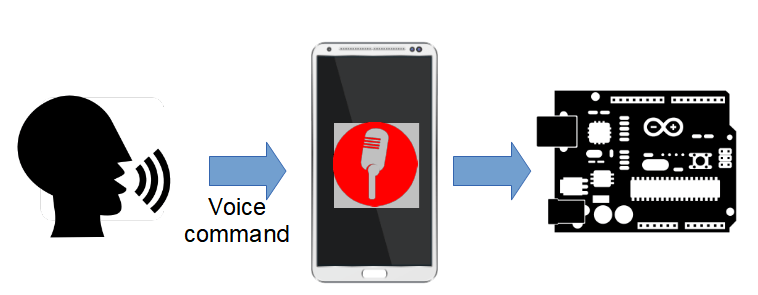
Credit: www.javacodegeeks.com
Privacy And Security
Voice recognition technology offers great convenience to control devices hands-free. Privacy and security remain top concerns for many users. Protecting personal data during voice interactions is essential. Users want confidence that their information stays safe and private. Understanding risks and solutions helps make voice control safer.
Data Protection Concerns
Voice commands create audio data that devices process and store. This data may contain sensitive information about users and their habits. Hackers could target voice data to gain unauthorized access. Some devices send voice recordings to cloud servers, raising interception risks. Users worry about data misuse or leaks by service providers.
Weak passwords or outdated software increase vulnerability to attacks. Devices listening constantly may capture unintended conversations. This can lead to privacy breaches and uncomfortable situations. Transparency about data use and strong safeguards are vital to build trust.
Privacy-friendly Voice Assistants
Several voice assistants focus on privacy by processing commands locally. These devices keep data on the gadget instead of sending it online. This reduces exposure to hacking or data mining by third parties. Some assistants offer options to delete voice recordings automatically.
Open-source voice recognition tools allow users to control data flow fully. They avoid ads and data profiling common in commercial products. Users should choose assistants with clear privacy policies and security features. Checking for regular updates helps maintain protection levels.
Best Practices For Secure Voice Control
Use strong, unique passwords for all voice-enabled devices. Enable two-factor authentication whenever possible to add extra security. Regularly update device software to fix vulnerabilities and bugs. Disable voice assistants when not in use to prevent accidental activation.
Limit the amount of personal information shared via voice commands. Review and manage voice data stored by service providers. Avoid linking voice assistants to unnecessary third-party apps. Educate all household members about safe voice control habits.
Local Vs Cloud Voice Processing
Voice recognition technology lets devices understand spoken commands. It processes voice data either locally on the device or through cloud servers. Each method offers unique advantages for controlling smart devices. Understanding local versus cloud voice processing helps users choose the best fit for their needs.
Benefits Of Local Voice Control
Local voice control processes commands directly on the device. It does not rely on an internet connection. This means faster response times and less delay. Privacy is stronger since data does not leave the device. Local processing also reduces risks of data breaches. It works even when the network is down or slow. Devices with local control often use less power. Users can enjoy uninterrupted, secure voice control at home.
Cloud-based Voice Recognition Features
Cloud voice recognition uses powerful servers to process commands. It can handle complex requests and understand natural language better. Cloud systems receive regular updates to improve accuracy. They offer access to a wide range of services and apps. Cloud voice control enables multi-device syncing and remote access. This method requires a stable internet connection to work well. Many popular voice assistants use cloud processing for advanced features.
Troubleshooting Voice Control
Troubleshooting voice control is essential for smooth device operation. Voice recognition sometimes struggles to understand commands. This can cause frustration and slow down tasks. Identifying common problems helps fix issues quickly. Small adjustments can improve device response and accuracy.
Many factors affect voice control performance. Background noise, microphone quality, and unclear speech often cause errors. Users should check these before changing device settings. Following simple steps ensures better interaction with voice-controlled devices.
Common Issues And Fixes
One frequent issue is the device not responding to commands. Check if the microphone is on and unobstructed. Restart the device to clear temporary glitches. Poor internet connection can also block voice processing. Connect to a stable network for better results.
Sometimes, the device mishears words or phrases. Speak clearly and at a moderate pace. Avoid background noise or move to a quieter place. Update the device software regularly to fix bugs. Resetting voice recognition settings can restore default accuracy.
Improving Voice Recognition Accuracy
Training the device to recognize your voice improves accuracy. Many systems offer voice training features in settings. Repeat phrases as instructed to help the device learn your speech patterns. Use simple and consistent commands for best results.
Position the microphone close to your mouth but avoid shouting. Use a good-quality microphone or headset if possible. Keep your device’s software updated to access the latest improvements. Regularly clean the microphone area to avoid sound distortion.
Future Of Voice-controlled Living
The future of voice-controlled living promises a world where talking to devices feels natural and simple. Voice recognition technology will become smarter and more responsive. It will change how people interact with everyday gadgets. This shift will make daily tasks easier and more efficient.
People will control more devices using just their voice. This will include not only home appliances but also cars, offices, and public spaces. Voice commands will become faster and more accurate, adapting to different languages and accents. The technology will blend smoothly into everyday life, creating a seamless experience.
Advancements In Ai Voice Technology
Artificial intelligence will improve voice recognition accuracy. Systems will better understand natural speech and context. This means fewer mistakes and faster responses. AI will also learn user preferences over time. It will predict commands and offer helpful suggestions. This progress will make voice control more reliable and user-friendly.
Expanding Device Integration
Voice control will connect with more types of devices. From kitchen appliances to security systems, voice commands will manage them all. Smart home hubs will link various gadgets for unified control. This integration will reduce the need for multiple apps or remotes. Users will enjoy smooth interaction with many devices through one voice assistant.
Voice Control Beyond The Home
Voice recognition will extend outside the home environment. Offices will use voice commands for meetings and tasks. Cars will respond to spoken navigation and entertainment requests. Public places like airports and malls will offer voice-guided assistance. This expansion will improve accessibility and convenience in daily life.

Credit: abilitynet.org.uk
Frequently Asked Questions
How Can I Control My Device With My Voice?
Control your device by enabling voice recognition or assistant features like Google Assistant, Siri, or Alexa. Say commands such as “go back,” “click,” or “scroll” to navigate and interact hands-free. Set up through device settings or a dedicated app for smooth voice control.
What Does Voice Recognition Allow Devices To Do?
Voice recognition allows devices to understand and respond to spoken commands. It converts speech into digital data for hands-free control.
Can A Home Assistant Be Controlled By Voice?
Yes, home assistants can be controlled by voice using built-in voice recognition technology. Simply speak commands to manage devices and tasks.
What Are The Voice Controlled Home Devices?
Voice controlled home devices include smart speakers like Google Nest Mini, Apple HomePod Mini, and Amazon Echo. They respond to voice commands to control lights, fans, TVs, and more for convenient hands-free living.
Conclusion
Voice recognition makes device control easier and faster. It helps people use technology without touching screens. Devices understand simple commands like “turn on” or “open app. ” This hands-free control improves daily life and accessibility. As technology grows, voice commands will become more accurate and common.
Trying voice recognition today can simplify how you interact with gadgets. Small steps lead to big convenience.