
Is your smoke detector beeping nonstop, driving you crazy? That constant, high-pitched sound can be frustrating and stressful, especially when you don’t know how to stop it.
But don’t worry—this guide is here to help you fix the problem quickly and safely. You’ll learn simple steps to silence your smoke detector and prevent future beeping. Keep reading, and take control of your home’s safety without the annoying noise.

Credit: www.angi.com
Common Reasons For Beeping
Smoke detectors start beeping to warn you about potential problems. These alerts are important for your safety. Understanding common causes helps you fix the issue quickly. Below are the main reasons why your smoke detector might beep.
Low Battery Signals
Most smoke detectors beep when their batteries run low. The beep usually sounds once every minute. This alert reminds you to replace the battery soon. Using fresh batteries keeps the detector working well. Never ignore this warning. A dead battery means no smoke detection.
Dust And Debris Issues
Dust or dirt inside the smoke detector causes false alarms. Dust blocks the sensors, triggering beeps. Clean the detector regularly to stop this problem. Use a vacuum or a soft brush carefully. Keeping it clean helps the detector work correctly and stops annoying beeping.
End Of Life Alerts
Smoke detectors have a limited lifespan, often 8 to 10 years. After this time, they beep to signal they need replacement. The beep may be different from low battery alerts. Replace old detectors to ensure your home stays protected. Using expired detectors can be unsafe.
Electrical Problems
Hardwired smoke detectors may beep due to electrical issues. Loose connections or power surges cause irregular beeping. Check wiring and power supply carefully. If unsure, contact a professional electrician. Proper electrical setup prevents beeping and keeps the detector reliable.
Quick Battery Fixes
Smoke detectors often beep due to low battery power. Fixing this quickly can stop the annoying sound. Replacing the battery is the fastest way to solve the problem. Sometimes, resetting the detector after changing the battery helps it work properly again.
Replacing The Battery
Start by opening the smoke detector cover. Remove the old battery carefully. Use the correct battery type recommended by the manufacturer. Insert the new battery with the right polarity. Close the cover tightly to secure the detector. The beeping should stop almost immediately.
Resetting After Battery Change
After replacing the battery, press the reset button on the detector. Hold it for about 15 seconds. This clears any error signals stored inside. Wait for the detector to beep once or stop beeping. Resetting ensures the detector recognizes the new battery. This step can prevent future false alarms.
Cleaning The Detector
Smoke detectors beep to warn about smoke or low batteries. Sometimes, dust or dirt causes false alarms and beeping. Cleaning your smoke detector can stop this annoying noise. It also helps the detector work well and keeps your home safe.
Safe Cleaning Methods
Turn off the power to the smoke detector before cleaning. Remove the detector from the ceiling or wall carefully. Use a soft brush or vacuum cleaner with a soft brush tool. Gently clean the outside and inside parts. Avoid using water or sprays. Let the detector dry completely before reinstalling. Regular cleaning prevents dust buildup and false alarms.
Tools You Need
You need a soft brush or a small paintbrush. A vacuum cleaner with a brush attachment works well. A dry cloth helps wipe the outside. Avoid strong cleaners or water. These tools keep your detector safe during cleaning. Simple tools make the task quick and easy.

Credit: www.angi.com
Resetting The Smoke Detector
Resetting a smoke detector can stop the annoying beeping sound. This step helps clear errors or low battery alerts. It gives the device a fresh start. Below are simple ways to reset your smoke detector safely and quickly.
Manual Reset Steps
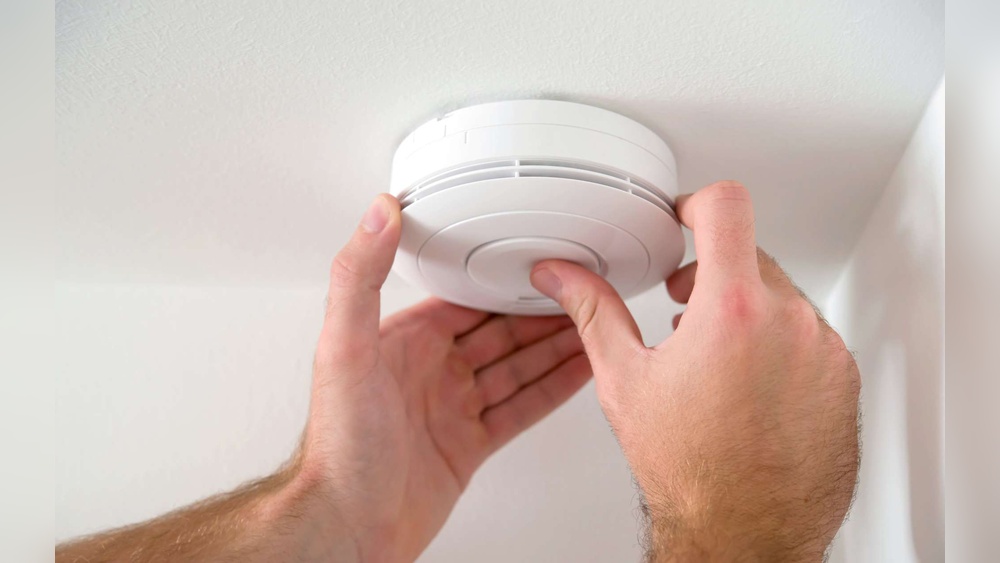
First, turn off the power to the smoke detector. You can do this at the circuit breaker. Next, remove the detector from its mounting bracket. Take out the batteries from the device. Press and hold the test button for 15 seconds. This drains leftover power and resets the alarm. After that, put the batteries back in. Reattach the smoke detector to the ceiling or wall. Turn the power back on at the breaker. The beeping should stop if the reset worked.
Using The Reset Button
Many smoke detectors have a reset button. Locate it on the front or side of the device. Press and hold this button for 10 to 20 seconds. Listen for a beep or a light flash. This signal means the alarm is resetting. Release the button and wait a few seconds. The alarm should stop beeping if the reset is successful. If it continues, check the batteries or consider replacing the unit.
When To Replace The Detector
Smoke detectors do not last forever. Over time, their sensors wear out and become less reliable. Knowing when to replace your smoke detector keeps your home safe. It also stops annoying beeping sounds that warn of low battery or faults.
Signs It’s Time
Smoke detectors usually last about 10 years. After this, they may beep often or fail to respond to smoke. Constant false alarms or no alarms at all show the detector is failing. Yellowing plastic or visible damage also means replacement is needed. If you test your detector and it does not sound, replace it right away.
Choosing A New Detector
Pick a smoke detector with a long battery life. Models with sealed 10-year batteries reduce maintenance. Look for detectors that meet current safety standards. Combination smoke and carbon monoxide detectors add extra protection. Choose easy-to-install models to save time. Make sure the new detector fits your home’s needs and layout.
Preventive Maintenance Tips
Preventive maintenance helps keep smoke detectors working properly. It stops annoying beeps and protects your home. Small actions every month make a big difference.
Regular Testing
Test your smoke detector once a month. Press the test button until it beeps loudly. This checks the battery and sensor. Replace batteries at least once a year. Never ignore a low battery warning beep. A working detector saves lives.
Proper Placement
Place smoke detectors on every floor of your home. Install one inside and outside each bedroom. Avoid placing detectors near kitchens or bathrooms. Steam and cooking smoke can cause false alarms. Keep detectors away from windows and vents. Proper placement prevents false beeping and keeps you safe.

Credit: waynealarm.com
Frequently Asked Questions
Why Is My Smoke Detector Beeping Constantly?
Your smoke detector beeps when its battery is low or the sensor is dirty. Check and replace the battery first. Clean the unit with a vacuum or soft cloth to remove dust. If beeping persists, the detector may need replacement.
How Do I Stop A Smoke Detector From Beeping?
Press the hush or silence button to temporarily stop the beeping. Replace the battery if the beep continues. Ensure the detector is clean and properly installed. If problems persist, consider replacing the smoke detector for safety.
Can Humidity Cause Smoke Detector Beeping?
Yes, high humidity can trigger false alarms and cause beeping. Steam from showers or cooking can confuse the sensor. Improve ventilation or move the detector away from moisture sources to reduce false alerts and stop beeping.
When Should I Replace My Smoke Detector?
Replace smoke detectors every 10 years or as recommended by the manufacturer. Older detectors may beep due to sensor failure. Regular replacement ensures reliable performance and prevents false alarms or continuous beeping.
Conclusion
A beeping smoke detector can be annoying and stressful. Check the battery first; weak power often causes the beep. Clean the detector to remove dust and dirt. Replace old batteries or the whole unit if needed. Regular checks help avoid sudden beeping.
Staying calm and following these steps keeps your home safe and quiet. Remember, a working smoke detector saves lives. Don’t ignore the beep. Act quickly and keep your family protected.