
Is your smoke detector beeping nonstop and driving you crazy? That annoying sound can disrupt your peace and make it hard to focus.
You might wonder how to stop the beeping without risking your safety. In this guide, you’ll discover simple, effective steps to turn off that persistent noise quickly and safely. Keep reading to regain your calm and ensure your smoke detector works just as it should.

Credit: waynealarm.com
Reasons For Beeping Smoke Detectors
Smoke detectors beep to alert you about potential issues. These sounds help keep your home safe. Understanding why your smoke detector beeps is important. It helps you fix the problem quickly. Here are the common reasons for beeping smoke detectors.
Low Battery Alerts
Smoke detectors beep when batteries run low. The sound is short and repeats often. Changing the battery stops the beeping. This alert ensures the detector stays powered.
End Of Life Warning
Smoke detectors have a lifespan, usually 8-10 years. Near the end, they beep to warn you. The beeping means the detector needs replacement. Old detectors may not work well anymore.
Dust And Debris
Dust or dirt inside the detector can cause beeping. This happens because sensors get blocked. Cleaning the device gently can fix the issue. Keep detectors free of dust for best use.
Electrical Issues
Hardwired smoke detectors may beep due to electrical problems. Loose wires or power surges trigger the alarm sound. Checking connections or calling an electrician helps. Fixing electrical issues stops the unwanted beeps.
Safety Precautions Before Fixing
Before fixing a beeping smoke detector, take safety steps. These steps protect you and your home. They help prevent accidents and ensure the repair goes well.
Follow each step carefully. Safety is the top priority when handling electrical devices like smoke detectors.
Turn Off Power Supply
Switch off the power to the smoke detector. Find the circuit breaker that controls the area. Turn it off to stop electricity flow. This prevents shocks and short circuits. Never touch the smoke detector with power on.
Use Proper Tools
Gather tools made for electrical work. Use a screwdriver with an insulated handle. Avoid metal tools without insulation. These tools reduce the risk of electric shock. Keep tools close to avoid rushing or mistakes.
Avoid False Alarms
Check the area for dust or steam. Clean the smoke detector gently before starting. Remove any objects that cause false alarms. False alarms waste time and cause worry. Keeping the detector clean helps it work properly.
Step-by-step Battery Replacement
Replacing the battery is the most common way to stop a smoke detector from beeping. It keeps your home safe and quiet. Follow these simple steps to change the battery quickly and easily. This will ensure your smoke detector works well.
Locate The Battery Compartment
Find your smoke detector on the ceiling or wall. Look for the battery cover. It is usually a small door or panel. Some models twist open. Others have a latch. Use a step stool if needed.
Remove Old Batteries
Open the battery compartment carefully. Take out the old batteries. Dispose of them properly. Check for any dust or debris inside. Clean gently with a dry cloth if needed.
Insert New Batteries
Use fresh batteries of the correct type. Look at the smoke detector label for guidance. Insert the batteries with correct polarity. Match plus and minus signs carefully. Close the battery compartment securely.
Reset The Detector
Press and hold the reset button on the detector. Hold it for about 15 seconds. The beeping sound should stop. If it continues, check the battery placement again. Test the detector by pressing the test button.

Credit: www.youtube.com
Cleaning And Maintenance Tips
Keeping your smoke detector clean is key to stopping that annoying beep. Dirt and dust can block sensors. This makes the alarm beep even when there is no danger. Regular cleaning helps the smoke detector work well and stay quiet.
Remove Dust And Debris
Use a soft brush or a dry cloth to clean your smoke detector. Gently wipe around the sensor and vents. Avoid using water or cleaning sprays. Dust and debris can build up inside and cause false alarms.
Use Compressed Air
Compressed air helps to clear out dust in hard-to-reach places. Hold the can upright and spray short bursts into the detector’s openings. This removes dirt without damaging the device. Do this carefully to avoid pushing dust further inside.
Regular Maintenance Schedule
Set a routine to clean your smoke detector every three to six months. Check the batteries at the same time. Replace batteries once a year or when the alarm beeps. Regular care keeps your detector working well and stops false beeping.
Resetting The Smoke Detector
Resetting a smoke detector can stop the annoying beeping sound quickly. This process clears errors or low battery alerts. It helps the detector work properly again. The reset method depends on the model and type of smoke alarm. Here are some easy ways to reset your smoke detector safely.
Manual Reset Button
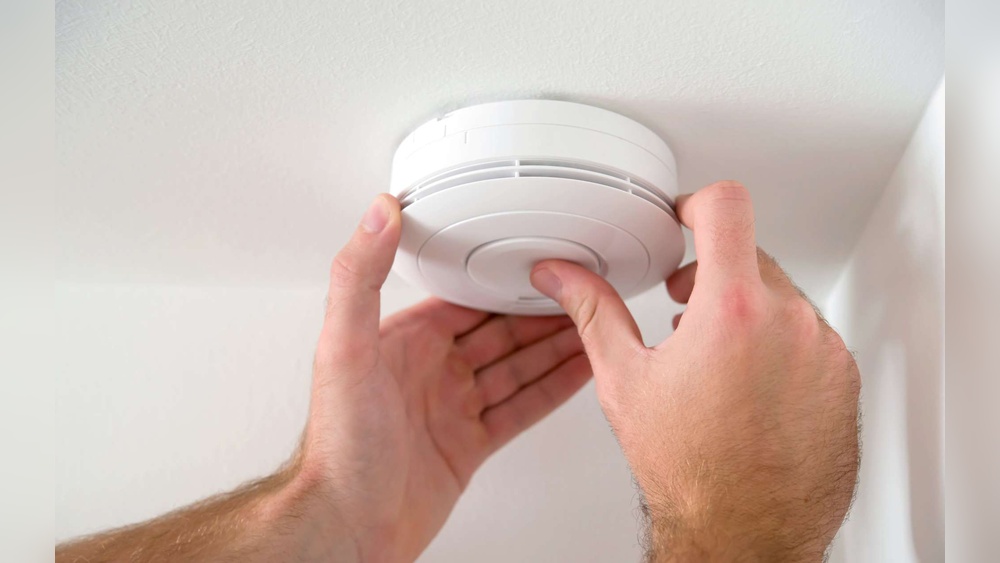
Most smoke detectors have a reset button. Press and hold this button for 15-20 seconds. The beeping sound should stop. Release the button and wait for a few seconds. The alarm will reset and be ready to protect your home again.
Make sure the smoke detector is clean before resetting. Dust or debris can cause false alarms. Use a soft brush or vacuum to clean the unit gently.
Power Cycle Method
This method works for smoke detectors with removable batteries. First, remove the detector from its mounting bracket. Take out the batteries and leave them out for about one minute. Press and hold the test button to drain any leftover power.
Replace the batteries and put the detector back on the bracket. The beeping sound should stop after a few seconds. This resets the smoke detector’s internal circuits.
Consulting The User Manual
Each smoke detector model can have a different reset process. The user manual provides clear instructions for your specific device. Find the manual online if you lost the paper copy.
Look for the reset section or troubleshooting tips. Follow the steps exactly to avoid damage. The manual also explains light signals and sounds for better understanding.
When To Replace The Smoke Detector
Smoke detectors do not last forever. They need replacement to keep your home safe. Knowing when to replace your smoke detector is key to preventing false alarms and ensuring it works well.
Detecting End Of Life
Most smoke detectors have a lifespan of 8 to 10 years. Check the date of manufacture on the back of the device. If it is older than 10 years, it needs replacement. A detector that beeps often, even after changing the battery, may be at the end of its life.
Upgrading To New Models
New smoke detectors have better sensors and longer battery life. Consider upgrading to models with smart features or voice alerts. These models improve safety and reduce annoying false alarms. Modern detectors also meet updated safety standards.
Disposal Guidelines
Dispose of old smoke detectors properly. Many contain small amounts of radioactive material. Check local regulations for safe disposal methods. Some stores offer recycling programs for used detectors. Never throw them in regular trash to protect the environment.
Common Mistakes To Avoid
Beeping smoke detectors warn about danger. Ignoring the sound or making wrong choices can cause problems. Avoid common mistakes to keep your home safe and quiet.
Ignoring Beeping Sounds
Beeping signals need quick attention. Ignoring them risks your safety. The sound means the detector needs fixing or battery change. Don’t wait too long to check it.
Using Wrong Batteries
Smoke detectors need specific batteries. Using the wrong type can cause beeping or failure. Always check the battery type in the manual. Use fresh batteries made for your model.
Skipping Regular Checks
Regular tests keep detectors working well. Skipping checks lets small issues grow. Test your smoke detector every month. Clean it and replace batteries as needed.

Credit: www.angi.com
Frequently Asked Questions
Why Is My Smoke Detector Beeping Continuously?
Your smoke detector beeps continuously due to low battery, dust buildup, or end of life. Check the battery first and replace if needed. Clean the detector gently to remove dust. If it still beeps, the device may need full replacement.
How Do I Stop A Smoke Detector From Beeping?
To stop beeping, replace the battery with a fresh one. Press the reset button after changing the battery. Clean the smoke detector to remove dust. If beeping continues, check the device’s expiration date and replace if expired.
Can I Disable A Smoke Detector Beep Temporarily?
Temporarily disabling the beep is not recommended for safety. Instead, replace the battery or reset the detector promptly. Disabling the alarm can put you at risk during a fire emergency.
What Causes A Smoke Detector Low Battery Beep?
A low battery beep signals the battery voltage is too low. Replace the battery immediately to ensure proper functioning. Regular maintenance prevents unexpected beeping and ensures your safety.
Conclusion
A beeping smoke detector can be very annoying. Fixing it is usually simple and quick. Check the battery first, as it often causes the beep. Clean the detector to remove dust or dirt. Reset the device if needed to stop the noise.
Remember, never disable your smoke detector completely. It keeps your home safe from fire dangers. Follow these steps to silence the beep and keep your home secure. Regular checks will help your smoke detector work well. Stay safe and calm with a quiet, working alarm.